
Introduction
The Coleman Rugged XL 700 Lumens LED Lantern is designed to provide reliable illumination for outdoor activities, power outages, and general home use. This lantern features durable LED technology, two light settings, and a robust, water-resistant construction for dependable performance in various environments.
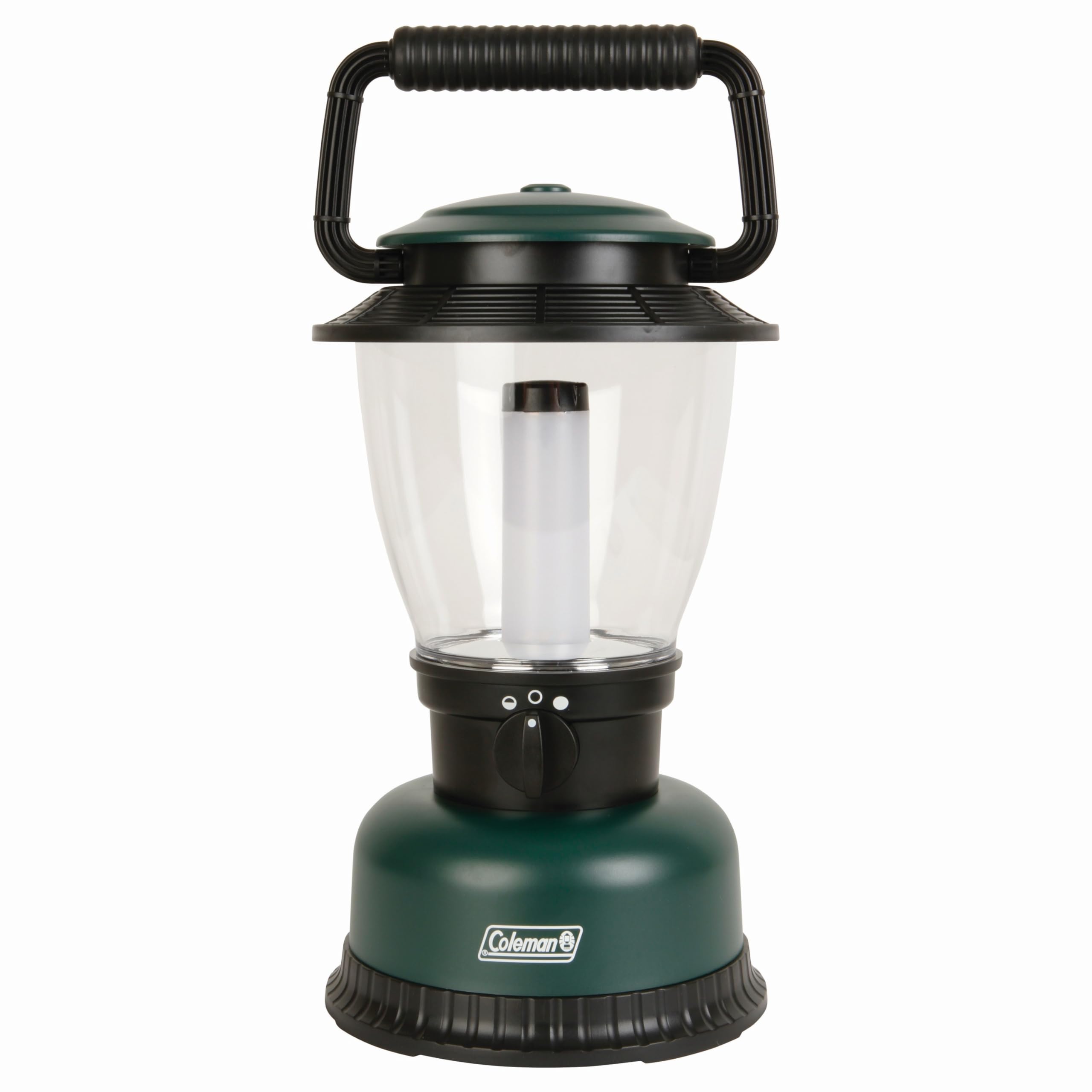
Image: The Coleman Rugged XL 700 Lumens LED Lantern, featuring a green base, clear globe, and black handle.
Safety Information
- Battery Safety: Always insert batteries correctly, observing polarity (+/-). Do not mix old and new batteries, or different types of batteries. Remove batteries if the lantern will not be used for an extended period.
- Disposal: Dispose of batteries according to local regulations.
- Chemical Warning: WARNING: This product contains chemicals known to the State of California to cause cancer and birth defects or other reproductive harm.
- General Use: Do not look directly into the LED light source. Keep out of reach of children.
What's in the Box
Your package should contain the following item:
- Coleman CPX 6 Rugged XL LED Lantern (Green, Model 2000009459)
Note: 4 D-cell batteries or a CPX 6 rechargeable cartridge are required for operation and are sold separately.
Setup
Battery Installation (D-Cell Batteries)
- Ensure the lantern is turned off.
- Twist the base of the lantern counter-clockwise to unlock and remove it.
- Insert four (4) D-cell batteries into the battery compartment, ensuring correct polarity (+/-) as indicated inside the compartment.
- Replace the base by aligning the tabs and twisting clockwise until securely locked.
CPX 6 Rechargeable Cartridge Installation (Sold Separately)
- Ensure the lantern is turned off.
- Twist the base of the lantern counter-clockwise to unlock and remove it.
- Insert a charged Coleman CPX 6 rechargeable cartridge into the compartment.
- Replace the base by aligning the tabs and twisting clockwise until securely locked.

Image: Example of a Coleman OneSource Li-Ion Battery, which can be used with CPX 6 compatible devices.
Operating Instructions
Turning On/Off and Adjusting Brightness
- Locate the rotary switch on the front of the lantern's base.
- Rotate the switch clockwise to turn the lantern on.
- Continue rotating the switch clockwise to cycle through the brightness settings:
- Low Setting: Provides 140 lumens for extended runtime.
- High Setting: Provides 700 lumens for maximum brightness.
- Rotate the switch counter-clockwise until it clicks into the 'OFF' position to turn the lantern off.
Using the Bail Handle
The integrated bail handle allows for easy carrying and hanging of the lantern. Simply lift the handle to transport the lantern or hang it from a suitable hook or branch for overhead lighting.
Maintenance
- Cleaning: Wipe the lantern with a damp cloth to remove dirt and debris. Do not use abrasive cleaners or solvents. Ensure the lantern is dry before storage.
- Battery Storage: If the lantern will not be used for an extended period, remove the D-cell batteries to prevent leakage and corrosion. If using a CPX 6 cartridge, ensure it is charged and stored in a cool, dry place.
- LEDs: The integrated LEDs are designed for a lifetime of use and do not require replacement.
- Water Resistance: The lantern is IPX4 water-resistant, meaning it is protected against splashing water from any direction. Do not submerge the lantern in water.
Troubleshooting
| Problem | Possible Cause | Solution |
|---|---|---|
| Lantern does not turn on. | Batteries are dead or incorrectly installed. CPX 6 cartridge is not charged or incorrectly installed. | Check battery polarity. Replace D-cell batteries. Ensure CPX 6 cartridge is fully charged and properly inserted. |
| Light is dim. | Low battery power. | Replace D-cell batteries or recharge CPX 6 cartridge. |
| Light flickers. | Loose battery connection or low battery power. | Ensure batteries are securely seated. Replace D-cell batteries or recharge CPX 6 cartridge. |
Specifications
- Model Number: 2000020936
- Light Source Type: LED
- Maximum Light Output: 700 Lumens (High), 140 Lumens (Low)
- Power Source: 4 x D-cell batteries (not included) or Coleman CPX 6 rechargeable cartridge (sold separately)
- Runtime: Up to 8 hours (High), Up to 60 hours (Low)
- Beam Distance: 12 meters (High), 6 meters (Low)
- Water Resistance: IPX4 (Water Resistant)
- Impact Resistance: Yes
- Item Weight: 2.6 Pounds
- Dimensions: (Refer to product packaging for exact dimensions)
Warranty and Support
This Coleman Rugged XL 700 Lumens LED Lantern is covered by a manufacturer's warranty. For specific details regarding warranty coverage, duration, and claims, please refer to the warranty information provided with your purchase or visit the official Coleman website.
For technical support, replacement parts, or any other inquiries, please contact Coleman customer service through their official website or the contact information provided in your product documentation.
Official Coleman Website: www.coleman.com