
Disney WA060CCIABZ
Contents
Disney Winnie the Pooh Music and Lights Baby Walker Instruction Manual
Model: WA060CCIABZ
1. Important Safety Information
WARNING: Failure to follow these warnings and the instructions could result in serious injury or death.
- Use only for a child who can hold their head upright unassisted.
- Do not use if the child is able to walk or climb out of the product.
- Maximum weight recommendation: 30 pounds (13.6 kg).
- Maximum height recommendation: 32 inches (81 cm).
- Never leave child unattended. Always keep child in view while in walker.
- Prevent access to stairs, steps, or uneven surfaces.
- Block off stairs/steps securely before using walker.
- To avoid burns, keep the child away from hot liquids, ranges, radiators, space heaters, fireplaces, etc.
2. Package Contents
Ensure all components are present before assembly:
- Winnie the Pooh Music and Lights Baby Walker Frame
- Activity Tray with 4 Winnie the Pooh themed toys and music/lights feature
- Machine Washable Seat Pad
- Base with Wheels and Grip Strips
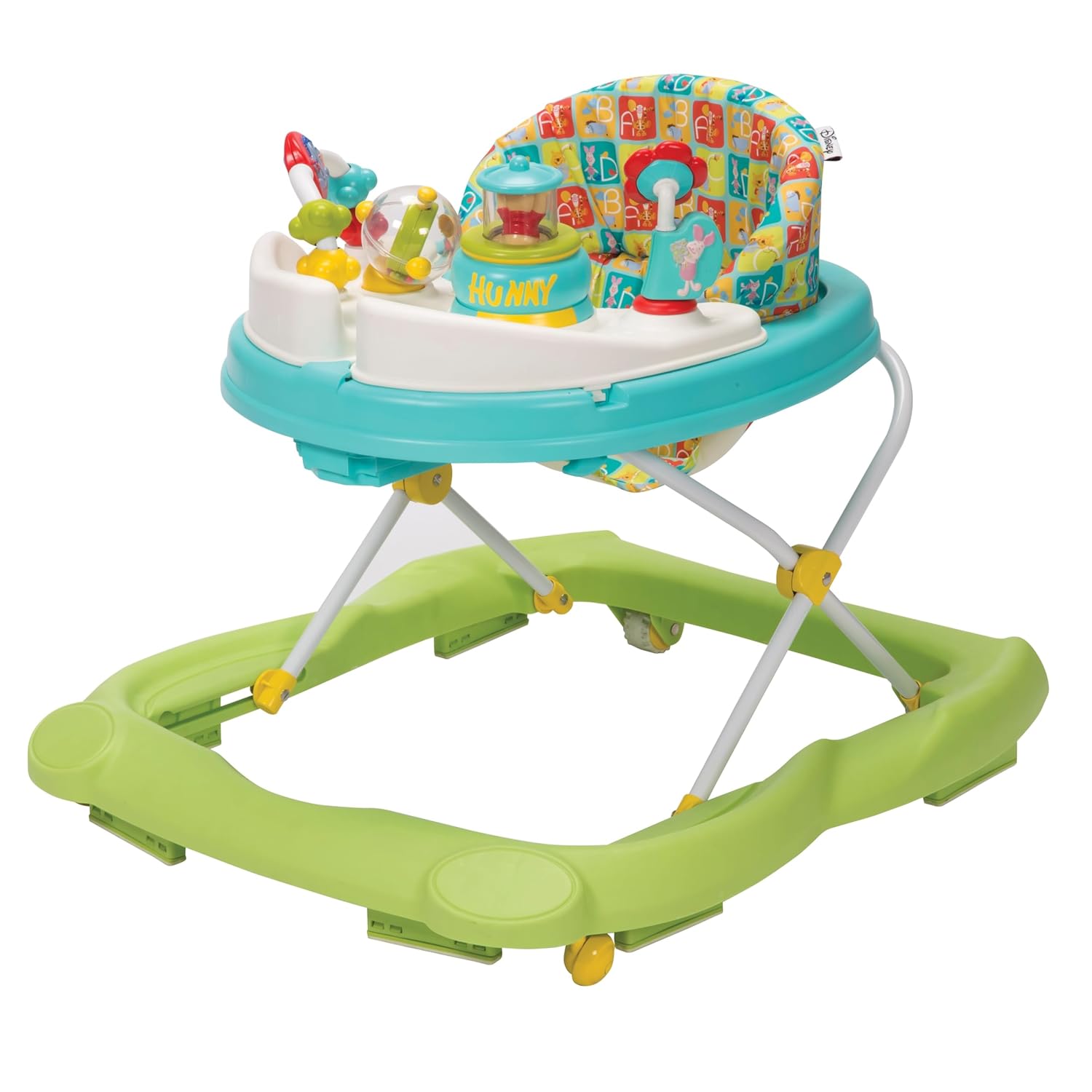
Figure 1: Complete Disney Winnie the Pooh Music and Lights Baby Walker.
3. Assembly Instructions
The Winnie the Pooh Music and Lights Baby Walker typically comes partially assembled. Follow these steps to complete the setup:
- Unfold the Frame: Place the walker on a flat, stable surface. Carefully unfold the main frame until it locks securely into an upright position. Ensure all locking mechanisms are engaged.
- Attach the Seat Pad: Secure the machine washable seat pad into the designated area on the walker's main tray. Ensure all clips or fasteners are properly attached to prevent the seat from detaching during use.
- Install Activity Trays: The walker features two swing-open activity trays. Align the pegs on the activity trays with the corresponding slots on the main walker tray. Push down firmly until they click into place. Ensure they can swing open and close smoothly.
- Check All Connections: Before placing a child in the walker, double-check all connections, locks, and fasteners to ensure they are secure.
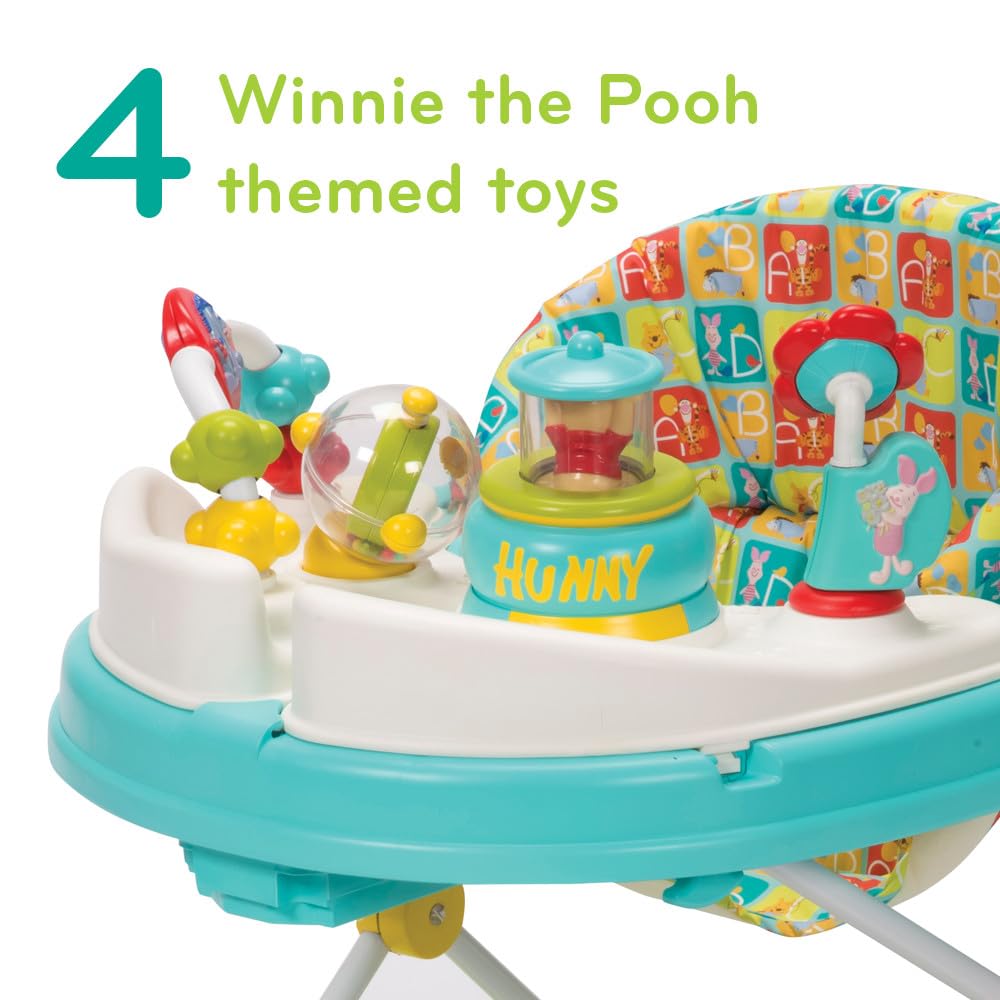
Figure 2: Front view of the assembled Winnie the Pooh Baby Walker.
4. Product Features
- Entertaining Play Experience: Features two swing-open activity trays with four Winnie the Pooh themed toys and 12 engaging songs.
- Adjustable Height: Offers a 3-position height adjustment to accommodate your baby's growth and ensure proper foot placement.
- Compact Storage: Designed with an easily collapsible frame for convenient storage when not in use.
- Versatile Mobility: Sturdy wheels are suitable for both hard floors and carpets. Integrated grip strips help reduce movement on uneven surfaces for added safety.
- Oversized Tray: The main tray provides ample space for snacks or additional toys.
- Easy Cleaning: The seat pad is machine washable for simple and effective cleaning.

Figure 3: Activity tray with Winnie the Pooh themed toys.
5. Setup and Operation
5.1 Adjusting Height
The walker features a 3-position height adjustment to grow with your child. Locate the height adjustment mechanism, typically a button or lever, underneath the main tray or on the walker legs. Press the button/lever and slide the walker up or down to the desired height. Ensure both sides are adjusted evenly and lock securely into place.

Figure 4: Height adjustment mechanism.
5.2 Using the Activity Tray
The activity tray includes various interactive toys and a music/lights feature. Encourage your child to interact with the Winnie the Pooh characters, spin the rattles, and press the buttons to activate sounds and lights. The swing-open design allows for easy access to the child and conversion to a snack tray.
For a closer look at the features and operation, please watch the official product video below:
Video 1: A Closer Look at the Disney Winnie the Pooh Music and Lights Baby Walker. This video demonstrates the interactive toys and features of the walker.
5.3 Folding for Storage
To fold the walker for compact storage, locate the folding mechanisms (usually buttons or levers on the side or underside of the main tray). Engage these mechanisms and gently push the walker frame downwards until it collapses. Ensure it is fully collapsed and secured before storing.

Figure 5: Walker in folded position for storage.
6. Maintenance and Care
- Seat Pad: The seat pad is machine washable. Remove it from the walker frame, wash on a gentle cycle with mild detergent, and air dry. Do not bleach.
- Frame and Plastic Parts: Wipe down the walker frame, activity trays, and other plastic components with a damp cloth and mild soap. Rinse thoroughly and dry completely before use.
- Wheels: Regularly check the wheels for debris (hair, lint, etc.) and clean as needed to ensure smooth operation.
- Storage: Store the walker in a clean, dry place away from direct sunlight and extreme temperatures.
7. Specifications
| Feature | Detail |
|---|---|
| Model Number | WA060CCIABZ |
| Product Dimensions | 24.8"L x 28"W x 23"H |
| Item Weight | 11.65 pounds (5.28 kg) |
| Maximum Weight Recommendation | 30 pounds (13.6 kg) |
| Maximum Height Recommendation | 32 inches (81 cm) |
| Age Range | 4 Months and Up (or when child can hold head upright unassisted) |
| Material Type | Plastic, Polyester |
| Batteries Required | No |
| Color | Bee's Knees |

Figure 6: Product dimensions.
8. Troubleshooting
- Walker not moving smoothly: Check wheels for debris and ensure they are clean. Verify that the walker is on an appropriate surface (hard floor or low-pile carpet).
- Activity toys not working: Ensure all toy components are securely attached. If battery-operated (though this model states no batteries required), check battery installation.
- Height adjustment stuck: Ensure the adjustment mechanism is fully disengaged before attempting to change height. Do not force the mechanism.
9. Warranty and Support
Specific warranty information was not provided in the product data. Please refer to the product packaging or the manufacturer's official website for detailed warranty terms and customer support contact information.
Ask a question about this manual
Ask about setup, troubleshooting, compatibility, parts, safety, or missing instructions. Manuals+ will review the question and use this page’s manual context to help answer it.