
Introduction
The Maclean MCE90 is a universal remote control designed to copy signals from most fixed-frequency remote controls for motorized closures, such as garage doors, gates, and car alarms. It supports a wide frequency range from 286 MHz to 868.3 MHz. This device is intended for users who possess an original remote control and require an additional backup or replacement unit. It features a durable, splash-resistant casing.
Key Features:
- Copies fixed frequency signals from 286 MHz to 868.3 MHz.
- Equipped with 4 programmable buttons for multiple functions.
- Fast and easy programming process.
- Durable, splash-resistant casing.
Product Overview
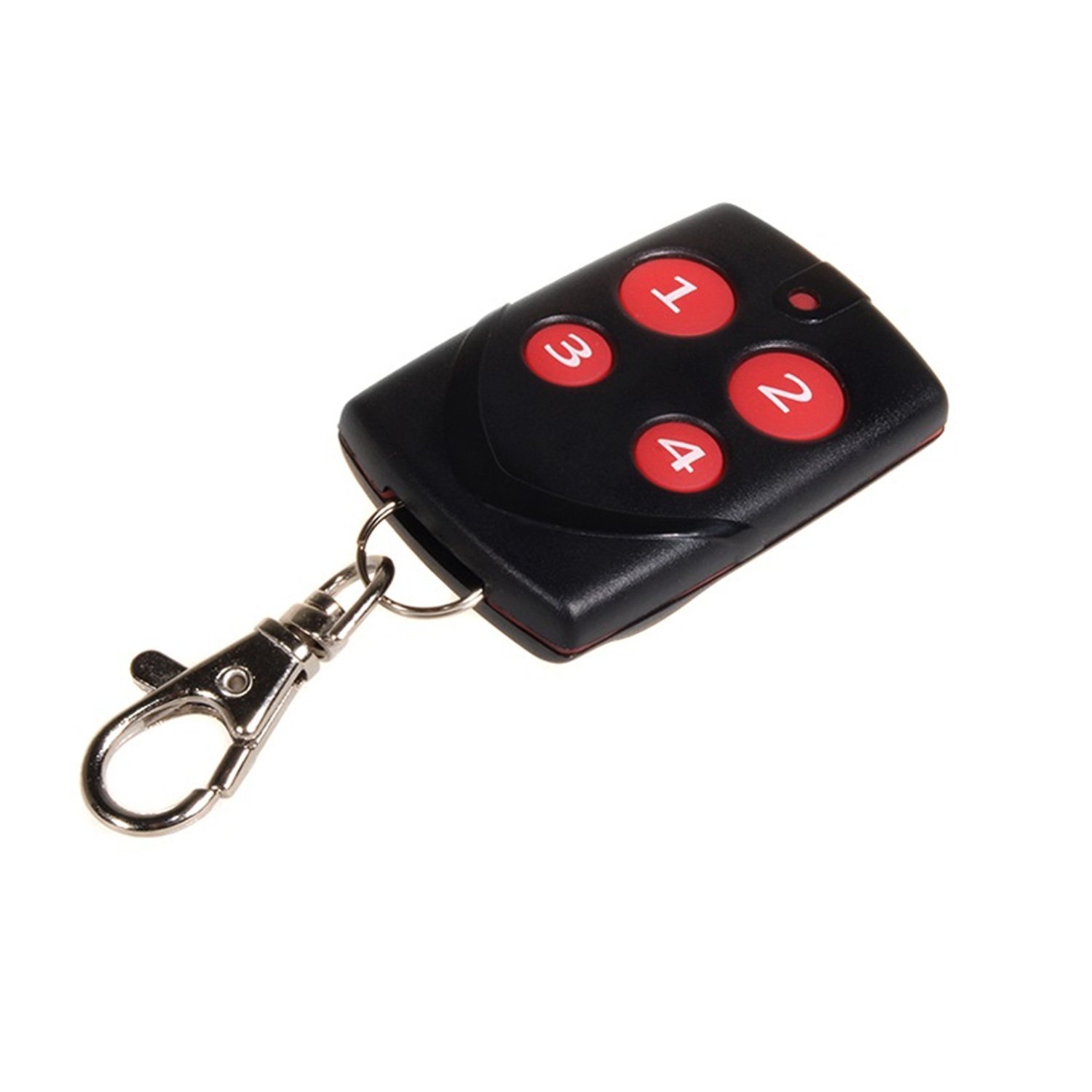
Figure 1: Maclean MCE90 Universal Remote Control. This image shows the Maclean MCE90 universal remote control. It features a black and red casing, with the Maclean Energy logo and model number MCE90 visible on the back. A metal carabiner clip is attached to a keyring, allowing for easy attachment to keys or other items.
Setup and Programming
The Maclean MCE90 remote control is designed for easy cloning of existing fixed-frequency remotes. Follow these steps to program your new remote:
- Clear Existing Codes (Optional but Recommended): If your MCE90 remote has been previously programmed or you wish to clear all existing codes, press and hold buttons A and B simultaneously until the LED indicator flashes rapidly. Release the buttons. This clears all stored codes.
- Enter Programming Mode: Choose one of the four buttons (A, B, C, or D) on the MCE90 remote that you wish to program. Press and hold this button. The LED indicator will flash slowly.
- Initiate Cloning: While still holding the chosen button on the MCE90, bring your original remote control close to the MCE90 (typically within a few centimeters). Press and hold the corresponding button on your original remote that you wish to clone.
- Confirm Cloning: Continue holding both buttons. The LED indicator on the MCE90 will first flash slowly, then flash rapidly three times, and finally stay solid. This indicates that the code has been successfully copied. Release both buttons.
- Test the Remote: Test the newly programmed button on your MCE90 remote with the device it controls (e.g., garage door, gate). If it does not work, repeat the programming steps, ensuring the original remote is transmitting a strong signal and is held very close to the MCE90.
- Program Additional Buttons: Repeat steps 2-5 for any other buttons you wish to program on the MCE90 remote.
Important Note: This remote is designed for fixed-frequency systems. It may not be compatible with rolling code or encrypted systems. Ensure your original remote operates on a fixed frequency within the 286 MHz to 868.3 MHz range.
Operating Instructions
Once programmed, operating the Maclean MCE90 remote control is straightforward:
- Button Functionality: Each of the four buttons (A, B, C, D) on the remote corresponds to a programmed function. Press the desired button to activate the associated device (e.g., open/close a gate, arm/disarm an alarm).
- LED Indicator: The LED indicator will illuminate when a button is pressed, confirming signal transmission.
- Range: The effective operating range may vary depending on environmental factors, obstacles, and the receiver's sensitivity. For optimal performance, ensure a clear line of sight if possible.
Maintenance
Battery Replacement
The MCE90 remote control is powered by a standard small button-cell battery (e.g., CR2032, though specific model not provided). If the remote's range decreases significantly or the LED indicator fails to light up when a button is pressed, the battery may need replacement.
- Locate the small screw or latch on the back or side of the remote casing.
- Carefully open the casing using a small screwdriver or a similar tool.
- Remove the old battery, noting its polarity (+/-).
- Insert a new, identical battery with the correct polarity.
- Close the casing securely.
Cleaning and Care
- Clean the remote with a soft, dry cloth. Do not use abrasive cleaners or solvents.
- The remote has a splash-resistant casing, but it is not waterproof. Avoid submerging it in water or exposing it to heavy rain.
- Store the remote in a dry place, away from extreme temperatures.
Troubleshooting
- Remote not working after programming:
- Ensure your original remote is a fixed-frequency type and operates within 286 MHz to 868.3 MHz. Rolling code remotes are generally not compatible.
- Repeat the programming steps carefully, ensuring the original remote is held very close to the MCE90 during cloning.
- Check the battery in both the original remote and the MCE90. A weak battery can prevent successful cloning or operation.
- Short operating range:
- Replace the battery in the MCE90 remote.
- Ensure there are no significant obstructions between the remote and the receiver.
- Environmental interference can affect range. Try operating from a different location.
- LED indicator not lighting up:
- The battery may be depleted. Replace the battery.
- Ensure buttons are pressed firmly.
Specifications
| Brand | Maclean |
| Model Number | MCE90 |
| Color | Black / Red |
| Material | Metal (for clip), Durable Casing |
| Special Feature | Access code unlocking (cloning capability) |
| Recommended Uses | Doors, Cars (for alarms/central locking) |
| Control Method | Remote Control |
| Frequency Range | 286 MHz to 868.3 MHz (fixed frequency) |
| Number of Pieces | 1 |
| Finish Type | Matte |
| International Article Code | 05902211100065 |
Warranty and Support
Specific warranty information for the Maclean MCE90 is not provided in the product details. Please refer to your point of purchase or the manufacturer's official website for detailed warranty terms and conditions.
For technical support or further inquiries, you may contact the manufacturer:
- Manufacturer: Centrumelektroniki Sp. J (as per product labeling)
- Telephone: +48 32 284 7222
- Fax: +48 32 284 6888
Please have your product model number (MCE90) and purchase details ready when contacting support.