

1. Introduction
This manual provides essential information for the safe and efficient use of your WORX WA3760 20V Battery Charger. Please read these instructions carefully before operating the charger and retain them for future reference. This charger is designed for use with WORX PowerShare 18V/20V Lithium-Ion batteries only.
2. Important Safety Instructions
Always follow basic safety precautions when using electrical appliances to reduce the risk of fire, electric shock, and personal injury.
- Read all instructions: Before using the battery charger, read all instructions and cautionary markings on the battery charger, battery, and product using the battery.
- Indoor use only: Do not expose the charger to rain or wet conditions. It is intended for indoor use only.
- Proper voltage: Ensure the power supply voltage matches the voltage specified on the charger's rating plate.
- Avoid damage: Do not operate the charger if it has received a sharp blow, been dropped, or otherwise damaged. Take it to an authorized service center.
- Ventilation: Do not block ventilation openings. Ensure adequate airflow around the charger during operation.
- Unplug when not in use: Disconnect the charger from the power supply when not in use or before cleaning.
- Use only specified batteries: This charger is designed exclusively for WORX PowerShare 18V/20V Lithium-Ion batteries. Attempting to charge other battery types may cause personal injury and damage.
- Children and supervision: This appliance can be used by children aged 8 years and above and persons with reduced physical, sensory or mental capabilities or lack of experience and knowledge if they have been given supervision or instruction concerning use of the appliance in a safe way and understand the hazards involved.
3. Product Overview
The WORX WA3760 is a compact charger designed for WORX 20V Lithium-Ion batteries. It features indicator lights to show the charging status.

Image: Top view of the WORX WA3760 charger unit and its connected power adapter. The charger unit shows indicator lights.
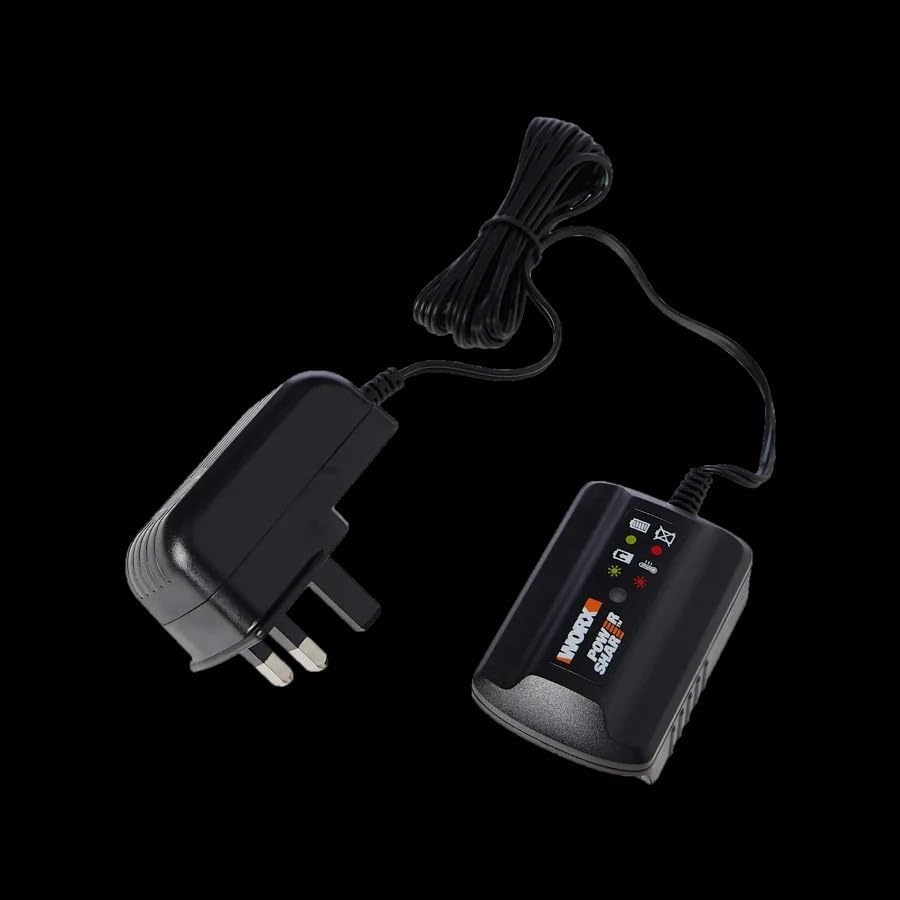
Image: Back view of the WORX WA3760 charger unit, showing the label and connection points.
Components:
- Charger Unit: The main body where the battery is inserted.
- Power Adapter: Connects the charger unit to the electrical outlet.
- Charging Indicator Lights: Display the battery's charging status.
4. Setup
- Unpack: Carefully remove the charger from its packaging.
- Inspect: Check the charger and power adapter for any signs of damage. Do not use if damaged.
- Placement: Place the charger on a stable, flat, non-flammable surface in a well-ventilated area, away from direct sunlight and moisture.
- Connect to Power: Plug the power adapter into a standard electrical outlet. The charger's indicator lights may briefly illuminate.
5. Operating Instructions (Charging a Battery)
Follow these steps to charge your WORX 20V Lithium-Ion battery:
- Insert Battery: Slide the WORX 20V Lithium-Ion battery into the charger unit, ensuring it clicks securely into place.
- Monitor Charging: Observe the indicator lights on the charger.
- Red Light (Solid): Indicates the battery is charging.
- Green Light (Solid): Indicates the battery is fully charged.
- Flashing Red Light: May indicate a fault or the battery is too hot/cold. Refer to the troubleshooting section.
- Charging Time: A full charge typically takes approximately 5 hours for a standard 2.0Ah battery. Charging time may vary depending on battery capacity and charge level.
- Remove Battery: Once the green light is solid, the battery is fully charged. Disconnect the battery from the charger by pressing the release button (if present on the battery) and sliding it out.
- Unplug Charger: Unplug the charger from the electrical outlet when charging is complete or when not in use.

Image: A close-up view of the WORX WA3760 charger unit, showing the empty slot where a battery is to be inserted.
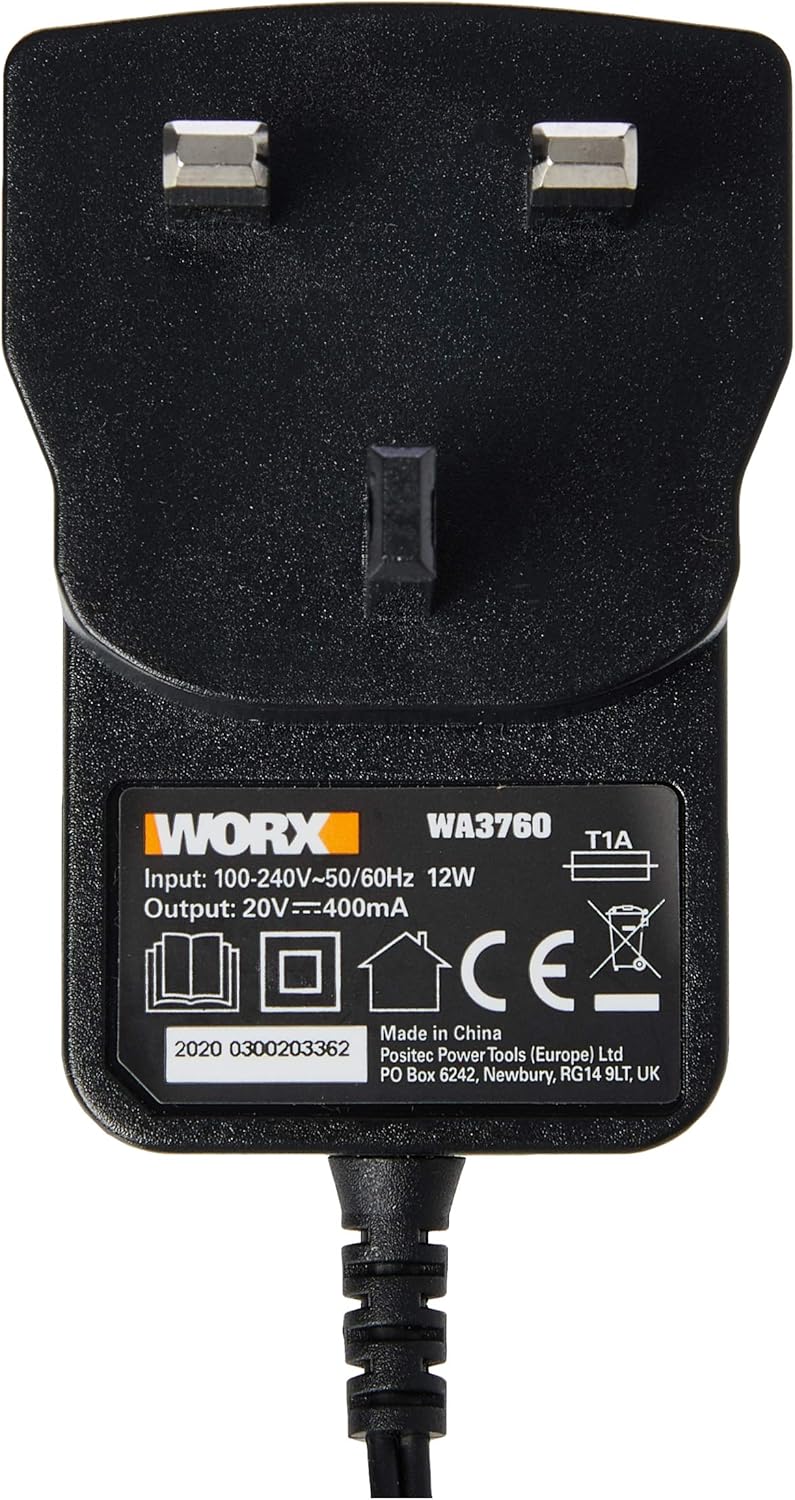
Image: The WORX WA3760 charger with a WORX 20V battery securely inserted, showing the indicator lights that signal charging status.
6. Maintenance and Storage
- Cleaning: Disconnect the charger from the power supply before cleaning. Use a dry, soft cloth to wipe the exterior of the charger. Do not use water or chemical cleaners.
- Storage: Store the charger in a dry, cool place, away from direct sunlight and moisture. Keep it out of reach of children.
- Cable Care: Do not abuse the cord. Never carry the charger by the cord or yank it to disconnect from an outlet.
7. Troubleshooting
| Problem | Possible Cause | Solution |
|---|---|---|
| Charger indicator lights do not illuminate. | No power to the charger; faulty outlet; damaged charger. | Check power outlet; ensure charger is properly plugged in; try a different outlet. If problem persists, contact customer support. |
| Battery does not charge (Red light flashing). | Battery too hot or too cold; faulty battery; improper battery insertion. | Allow battery to reach room temperature (20°C / 68°F); re-insert battery firmly; try charging a different battery. If problem persists, the battery or charger may be faulty. |
| Charging takes longer than expected. | Battery capacity is higher than standard; battery is deeply discharged. | This is normal for higher capacity batteries or deeply discharged ones. Ensure charger is in a well-ventilated area. |
8. Specifications
| Feature | Detail |
|---|---|
| Brand | WORX |
| Model Number | WA3760 |
| Color | Black |
| Product Dimensions | 12P x 16l x 5H centimeters |
| Item Weight | 200 Grams |
| Input Voltage | 100-240V AC, 50/60Hz |
| Output Voltage | 20 Volts (DC) |
| Current Rating | 400 mA |
| Charging Time | Approximately 5 hours (for 2.0Ah battery) |
| Compliant Specifications | WEEE |
| International Article Code (EAN/UPC) | 6947372532002 |
Note: Specifications are subject to change without notice for product improvement.
9. Warranty and Support
For warranty information, technical support, or service inquiries, please refer to the official WORX website or contact your local WORX dealer. Keep your purchase receipt as proof of purchase.
You can find more information and support at the WORX Brand Store on Amazon.


