Introduction
This manual provides instructions for the proper setup, operation, and maintenance of your Steren 254-140BL RCA Audio/Video Cable. This 100-foot cable is designed to transmit analog audio and composite video signals between compatible electronic devices. Please read these instructions carefully before use to ensure optimal performance and longevity of your cable.
Setup
The Steren 254-140BL cable features standard RCA connectors for audio (left/right stereo) and composite video. Proper connection is essential for signal transmission.
Identifying RCA Connectors
- Yellow Connector: Carries the composite video signal.
- White Connector: Carries the left channel analog audio signal.
- Red Connector: Carries the right channel analog audio signal.
Connection Steps
- Identify Ports: Locate the corresponding RCA input/output ports on your source device (e.g., DVD player, VCR, game console) and your display/receiver device (e.g., TV, amplifier). Ensure the ports are labeled "Video Out" and "Audio Out" on the source, and "Video In" and "Audio In" on the display/receiver.
- Connect to Source Device: Carefully insert the yellow connector of the Steren 254-140BL cable into the yellow "Video Out" port on your source device. Then, insert the white connector into the white "Audio Out (L)" port and the red connector into the red "Audio Out (R)" port.
- Connect to Display/Receiver Device: Take the other end of the Steren 254-140BL cable. Insert the yellow connector into the yellow "Video In" port on your display/receiver. Similarly, insert the white connector into the white "Audio In (L)" port and the red connector into the red "Audio In (R)" port.
- Secure Connections: Ensure all connectors are firmly seated in their respective ports to prevent signal loss or interference. Do not force connectors.
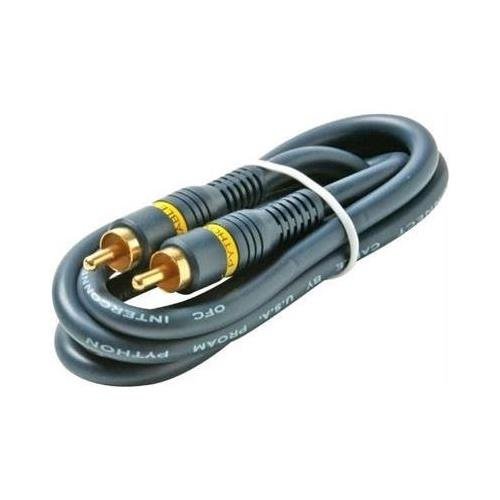
Image: The Steren 254-140BL RCA Audio/Video Cable, showing the distinct red, white, and yellow connectors for audio and video signals. This image illustrates the cable's design and connector types.
Operating Instructions
Once the Steren 254-140BL RCA Audio/Video Cable is correctly connected between your source and display/receiver devices, follow these steps to operate:
- Power On Devices: Turn on both your source device (e.g., DVD player) and your display/receiver device (e.g., TV).
- Select Input: On your display/receiver device, use its remote control or on-device buttons to select the correct input source. This input is typically labeled "AV," "Video 1," "Input 1," or similar, corresponding to the ports where the RCA cable is connected.
- Start Playback: Begin playback on your source device. You should now see the video and hear the audio on your display/receiver.
Maintenance
Proper care and maintenance will extend the life of your Steren 254-140BL RCA Audio/Video Cable.
- Handling: Avoid sharp bends, kinks, or excessive pulling on the cable, especially near the connectors. This can damage the internal wiring and affect signal quality.
- Storage: When not in use, coil the cable loosely. Do not wrap it too tightly. Store it in a clean, dry place away from extreme temperatures and direct sunlight.
- Cleaning: If the connectors become dirty, gently wipe them with a clean, dry, lint-free cloth. Do not use liquid cleaners or abrasive materials.
- Environmental Conditions: While rated for indoor/outdoor use, protect the cable from prolonged exposure to harsh weather conditions, moisture, and physical damage.
Troubleshooting
If you encounter issues with your Steren 254-140BL RCA Audio/Video Cable, refer to the following common problems and solutions:
| Problem | Possible Cause | Solution |
|---|---|---|
| No video or audio signal |
|
|
| Poor video quality (fuzzy, distorted, color issues) |
|
|
| No audio or poor audio quality (static, hum) |
|
|
Specifications
The following are the technical specifications for the Steren 254-140BL RCA Audio/Video Cable:
- Model: 254-140BL
- Brand: STEREN
- Cable Type: AV Cable (Audio/Video)
- Connector Type: RCA
- Connector Gender: Male-to-Male
- Cable Length: 100 feet
- Color Coding: Yellow (Video), White (Left Audio), Red (Right Audio)
- Shape: Round
- Unit Count: 1.0 Count
- Item Weight: Approximately 3 Pounds
- Usage: Indoor/Outdoor
Warranty and Support
Specific warranty information for the Steren 254-140BL RCA Audio/Video Cable is not provided in this document. For details regarding warranty coverage, returns, or technical support, please refer to the product packaging or contact STEREN customer service directly through their official website or contact channels.


