
1. Introduction
Thank you for choosing the DCS TDT1-20 20-inch Outdoor Triple Tower Drawer. This premium storage unit is designed to enhance your outdoor kitchen with durable, functional, and aesthetically pleasing storage. Constructed from high-quality #304 stainless steel, it offers long-term durability and seamlessly integrates with other DCS outdoor products.
This manual provides essential information for the safe installation, operation, maintenance, and troubleshooting of your new outdoor drawer unit. Please read it thoroughly before installation and retain it for future reference.
2. Important Safety Information
WARNING: Failure to follow these safety instructions could result in injury or property damage.
- Always use two hands when opening and closing the cabinet doors to prevent sudden closure and potential pinching.
- Exercise caution when removing the drawers for cleaning to avoid injury from sharp edges or heavy components.
- Do not overload the drawers. Exceeding the weight capacity can compromise the unit's stability and longevity, potentially causing damage or injury.
- Ensure the unit is installed on a stable, level surface to prevent tipping.
- Keep children and pets away from the unit during installation and operation.
3. Setup and Installation
The DCS TDT1-20 is designed for built-in installation within an outdoor kitchen island or cabinet structure. Professional installation is recommended.
3.1 Unpacking
- Carefully remove the unit from its packaging. Inspect for any shipping damage. Report any damage to your dealer immediately.
- Retain all packaging materials until you are satisfied with the product's condition and functionality.
3.2 Site Preparation
Ensure the installation area meets the following requirements:
- Cutout Dimensions: The required cutout dimensions for installation are approximately (H) 28 inches x (W) 18.875 inches x (D) 24 inches. Verify these measurements before proceeding.
- Level Surface: The base of the cutout must be level and capable of supporting the unit's weight (approximately 90.4 lbs) plus the weight of its contents.
- Clearance: Allow adequate clearance around the unit for proper ventilation and access for maintenance.
3.3 Installation Steps
- Gently slide the drawer unit into the prepared cutout opening.
- Ensure the unit is flush with the surrounding cabinetry and level.
- Secure the unit in place using appropriate fasteners (not included) through the designated mounting points, if available, or by securing the frame to the cabinet structure. Consult a professional installer if unsure.
- Test the drawers for smooth operation.
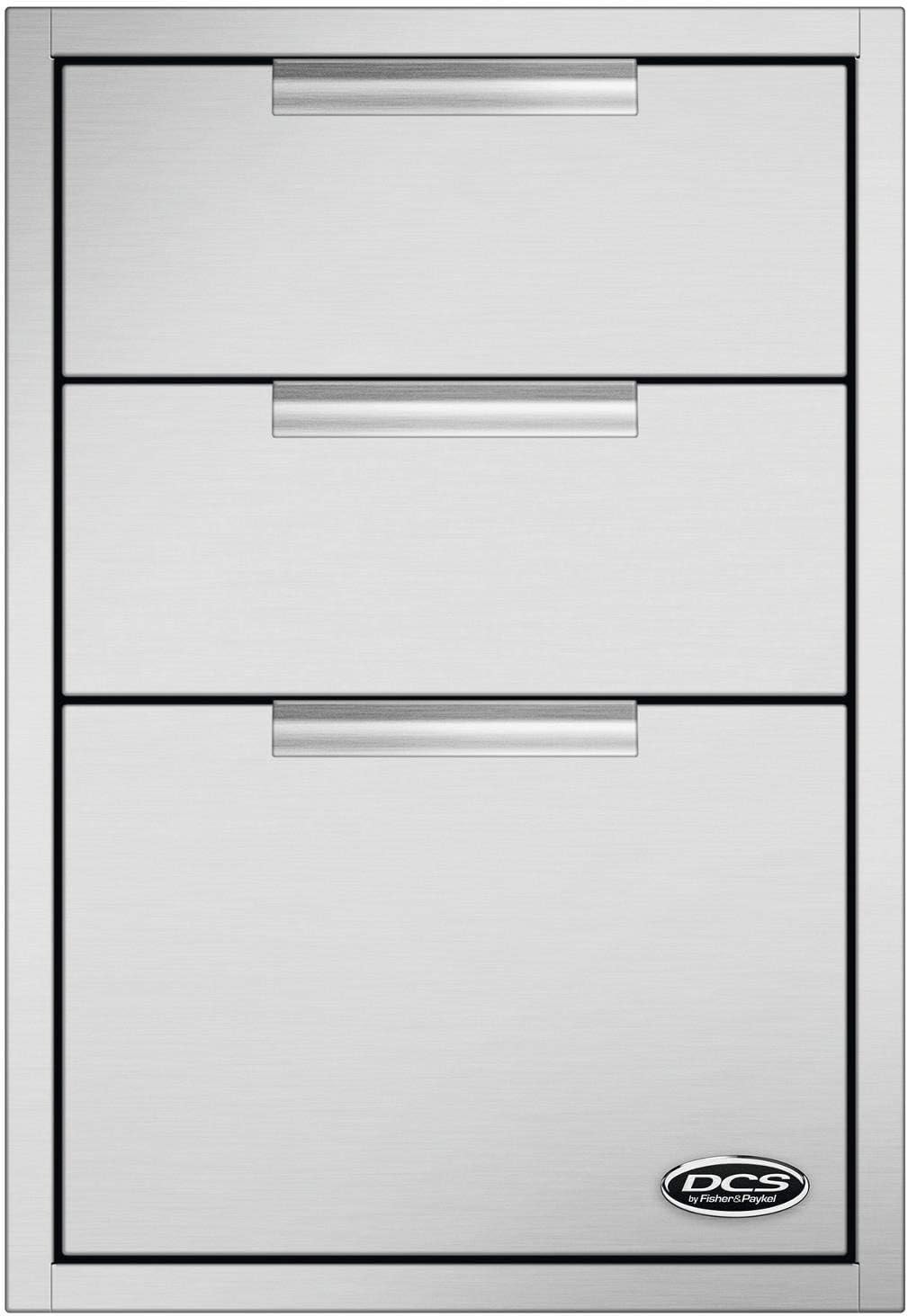
Figure 1: Front view of the DCS TDT1-20 Triple Tower Drawer. This image shows the three stainless steel drawers with their handles, ready for installation into an outdoor kitchen.
4. Operating Instructions
The DCS TDT1-20 drawers are designed for simple and reliable operation.
4.1 Opening and Closing Drawers
- To open a drawer, grasp the handle firmly and pull it outwards. The heavy-duty slides ensure smooth extension.
- To close a drawer, gently push it inwards until it engages with the soft-closing and self-latching mechanism. Avoid slamming the drawers.
- Remember to use two hands when opening and closing, especially if the drawer is heavily loaded, to prevent sudden movements.
4.2 Loading Drawers
- Distribute items evenly within the drawers to maintain balance and prevent strain on the slides.
- Avoid placing excessively heavy items that exceed the drawer's capacity.
- The insulated design helps protect contents from external temperature fluctuations, making them suitable for various outdoor kitchen items.

Figure 2: The DCS TDT1-20 Triple Tower Drawer with all three drawers extended, showcasing their full-extension slide capability and ample storage space for outdoor kitchen essentials.
5. Care and Maintenance
Regular cleaning and maintenance will ensure the longevity and pristine appearance of your DCS TDT1-20 drawer unit.
5.1 Cleaning the Stainless Steel Surfaces
- For general cleaning, wipe surfaces with a soft cloth dampened with warm water and a mild detergent.
- For stubborn stains or to restore shine, use a specialized stainless steel cleaner. Always wipe in the direction of the grain.
- Avoid abrasive cleaners, scouring pads, or steel wool, as these can scratch the stainless steel finish.
- Rinse thoroughly with clean water and dry immediately with a soft, lint-free cloth to prevent water spots.
5.2 Cleaning Removable Drawers
The drawers are removable for quick and easy cleaning:
- Fully extend the drawer you wish to remove.
- Locate the release levers on both sides of the drawer slides. Typically, one lever will push up and the other down to disengage the drawer from the slides.
- Carefully lift the drawer out.
- Clean the drawer with warm soapy water, rinse, and dry thoroughly.
- To reinsert, align the drawer with the slides and push it firmly until the release levers click into place. Test for smooth operation.
5.3 Slide Maintenance
- Periodically inspect the heavy-duty slides for any debris or obstructions. Clean as necessary.
- If slides become stiff, a light application of a silicone-based lubricant (avoid oil-based lubricants as they can attract dirt) can improve smoothness.
6. Troubleshooting
This section addresses common issues you might encounter with your DCS TDT1-20 drawer unit.
| Problem | Possible Cause | Solution |
|---|---|---|
| Drawer does not slide smoothly. |
|
|
| Drawer does not close completely or latch. |
|
|
| Stainless steel surface shows water spots or streaks. |
|
|
If you encounter issues not listed here or if the suggested solutions do not resolve the problem, please contact DCS customer support.
7. Specifications
| Feature | Detail |
|---|---|
| Brand | DCS |
| Model Number | TDT1-20 |
| Material | #304 Stainless Steel |
| Color | Stainless Steel |
| Product Dimensions (Overall) | 31.43"D x 20.31"W x 29.12"H |
| Cutout Dimensions (H x W x D) | 28" x 18.875" x 24" |
| Item Weight | 90.4 pounds |
| Number of Drawers | 3 (Triple Tower) |
| Door Style | Slide Out, Full Extension |
| Special Features | Soft Closing, Self Latching, Insulated, Removable Drawers, Heavy Duty Slides |
| Mounting Type | Built-In |
| Room Type | Patio / Outdoor Kitchen |
| Assembly Required | No (Built-in installation required) |
| First Available Date | March 22, 2015 |
8. Warranty Information
Specific warranty details for the DCS TDT1-20 Outdoor Triple Tower Drawer are typically provided at the point of purchase or can be found on the official DCS website. Please retain your proof of purchase for any warranty claims.
Generally, DCS products are covered by a limited warranty against defects in materials and workmanship. For the most current and detailed warranty terms, please refer to the documentation included with your product or visit the manufacturer's website.
9. Customer Support
For technical assistance, parts, or service inquiries regarding your DCS TDT1-20 Outdoor Triple Tower Drawer, please contact DCS customer support.
- Manufacturer: DCS (by Fisher & Paykel)
- Website: www.dcsappliances.com (Please visit the official website for contact information, FAQs, and service locator.)
- When contacting support, please have your model number (TDT1-20) and serial number (if applicable) ready.