
Introduction
This manual provides essential information for setting up, operating, and maintaining your Samsung Galaxy S4 Mini I257 smartphone. The Galaxy S4 Mini I257 is a compact Android smartphone designed for ease of use and portability, featuring a 4.3-inch qHD Super AMOLED display and an 8MP rear camera.

Image: Front view of the Samsung Galaxy S4 Mini I257, displaying the home screen with icons and widgets.
Setup
1. Unboxing and Initial Inspection
Carefully remove all components from the packaging. Ensure the following items are present:
- Samsung Galaxy S4 Mini I257 Smartphone
- Battery
- Charger
- USB Cable
2. Installing the SIM Card and Battery
The Samsung Galaxy S4 Mini I257 uses a Nano SIM card. Follow these steps to install the SIM card and battery:
- Power off the device if it is on.
- Locate the notch on the back cover and carefully remove it.
- Insert the Nano SIM card into the SIM card slot with the gold contacts facing down.
- Insert the battery into its compartment, aligning the gold contacts.
- Replace the back cover, pressing firmly until it clicks into place.
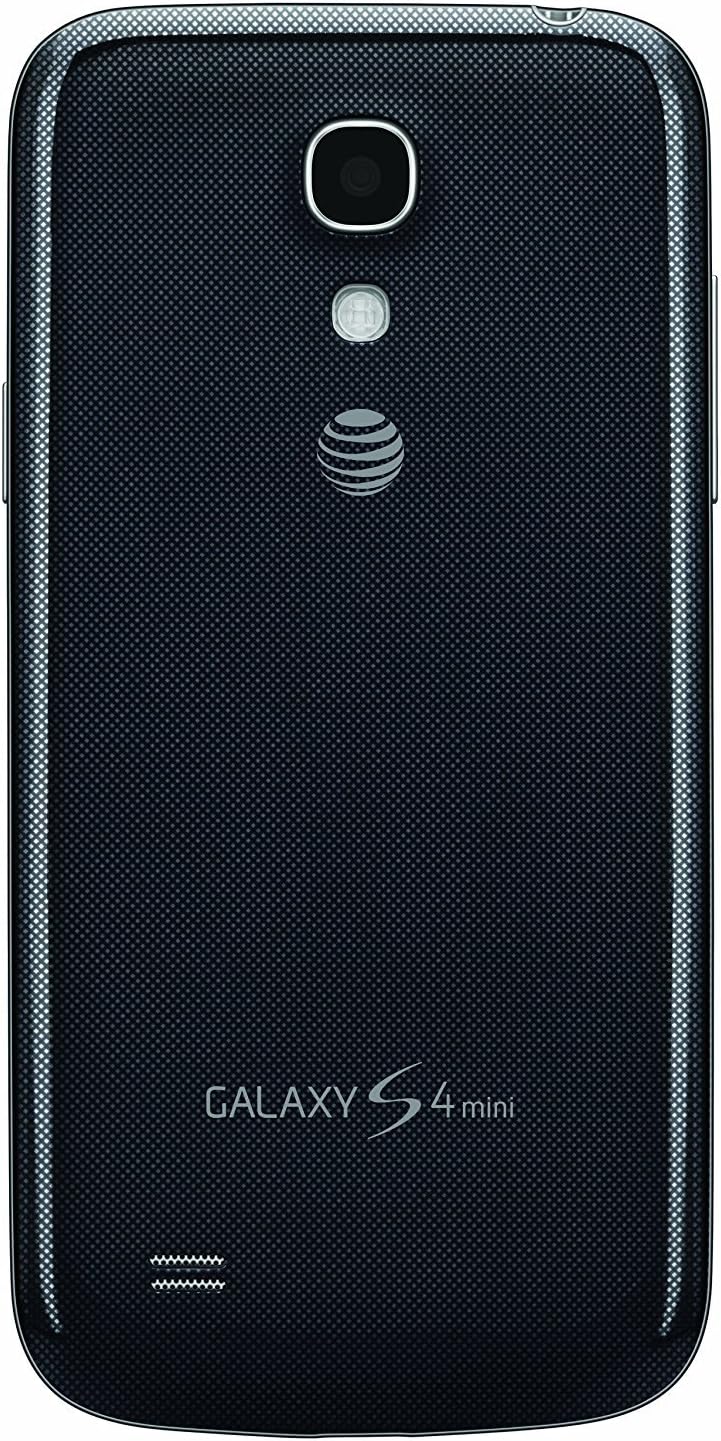
Image: Rear view of the Samsung Galaxy S4 Mini I257, showing the camera, flash, and the removable back cover area where the SIM and battery are installed.
3. Charging the Battery
Before first use, fully charge the device battery. Connect the USB cable to the charging port on the bottom of the phone and plug the charger into a power outlet. The charging indicator will appear on the screen.
4. Initial Power On and Setup Wizard
Press and hold the Power button (located on the right side of the device) until the Samsung logo appears. Follow the on-screen instructions to complete the initial setup, including selecting your language, connecting to a Wi-Fi network, and setting up your Google account.

Image: Side profile of the Samsung Galaxy S4 Mini I257, highlighting the location of the power/lock button.
Operating Your Device
1. Basic Navigation
- Touchscreen: Tap, swipe, pinch-to-zoom to interact with the display.
- Home Button: Press to return to the home screen. Press and hold to access Google Now.
- Back Button: Tap to return to the previous screen.
- Recent Apps Button: Tap to view recently used applications.
2. Making Calls
Tap the Phone icon on the home screen. Enter the phone number using the dial pad or select a contact from your address book. Tap the green call button to initiate the call.
3. Sending Messages
Tap the Messages icon. Tap the 'New Message' icon to compose a new SMS or MMS. Enter the recipient's number or select from contacts, then type your message.
4. Connecting to Wi-Fi
Go to Settings > Wi-Fi. Toggle Wi-Fi on. Select your desired network from the list and enter the password if required.
5. Using the Camera
Tap the Camera icon to open the camera application. The device features an 8MP rear camera and a 1.9MP front camera. Tap the shutter button to take a photo or switch to video mode to record. Various shooting modes are available, including Manual.

Image: Rear view of the Samsung Galaxy S4 Mini I257, clearly showing the 8MP camera lens and LED flash.
6. Managing Applications
Download new applications from the Google Play Store. To uninstall an app, go to Settings > Application Manager, select the app, and tap 'Uninstall'.
Maintenance
1. Cleaning Your Device
Use a soft, lint-free cloth to clean the screen and body of the phone. Avoid using harsh chemicals or abrasive materials. Keep charging ports and headphone jacks free of dust and debris.
2. Software Updates
Regularly check for software updates to ensure optimal performance and security. Go to Settings > About device > Software update.
3. Battery Care
To prolong battery life (1900 mAh Lithium-Ion), avoid extreme temperatures. Do not leave the phone charging for extended periods after it is fully charged. Close unused applications running in the background.
4. Data Backup
Regularly back up your important data, such as photos, contacts, and documents, to a cloud service or a computer to prevent data loss.
Troubleshooting
If you encounter issues with your Samsung Galaxy S4 Mini I257, refer to the following common solutions:
- Device not turning on: Ensure the battery is charged. Connect the charger and try again.
- Screen unresponsive: Perform a soft reset by pressing and holding the Power button for about 10 seconds until the device restarts.
- Network issues (no signal/calls): Check if the SIM card is properly inserted. Ensure airplane mode is off. Restart the device.
- Battery draining quickly: Reduce screen brightness, disable unused features like Wi-Fi or Bluetooth, and close background apps.
- Apps crashing: Clear the app's cache and data in Settings > Application Manager. If the issue persists, uninstall and reinstall the app.
- Device freezing: If the device becomes unresponsive, remove the back cover and battery, wait a few seconds, then reinsert the battery and power on.
For persistent issues, consider performing a factory data reset (back up your data first) or contact customer support.
Specifications
Detailed technical specifications for the Samsung Galaxy S4 Mini I257:
| Feature | Specification |
|---|---|
| Model Name | Galaxy S4 Mini I257 |
| Operating System | Android (KitKat) |
| Display | 4.3-inch qHD Super AMOLED, 960 x 540 resolution |
| Processor | Qualcomm Snapdragon 400 Dual-core 1.7GHz |
| RAM | 1.5 GB |
| Internal Storage | 16 GB |
| Expandable Storage | Up to 64GB via microSD |
| Rear Camera | 8.0 MP, 1080p Video Capture at 30 fps |
| Front Camera | 1.9 MP |
| Battery | 1900 mAh Lithium-Ion |
| Connectivity | 4G-LTE (Bands 2, 4, 5, 17), UMTS/HSPA+ (850/1900/2100MHz), GSM/GPRS/EDGE (850/900/1800/1900MHz), Wi-Fi |
| SIM Card Type | Nano SIM (Single SIM) |
| Headphones Jack | 3.5 mm |
| Dimensions | Not specified in input, typical for S4 Mini |
| Weight | Not specified in input, typical for S4 Mini |
Warranty and Support
1. Product Warranty
Your Samsung Galaxy S4 Mini I257 is covered by a limited manufacturer's warranty. Please refer to the warranty card included with your purchase or visit the official Samsung website for detailed terms and conditions regarding warranty coverage, duration, and service procedures.
2. Customer Support
For technical assistance, troubleshooting beyond this manual, or warranty claims, please contact Samsung customer support. You can typically find contact information (phone numbers, email, chat support) on the official Samsung support website for your region.


