
Introduction
This manual provides essential information for the proper use, care, and maintenance of your Citizen Gold-Tone Analog Quartz Watch, Model BF2013-56P. Please read this manual thoroughly to ensure optimal performance and longevity of your timepiece.
Setup
1. Setting the Time and Date
To set the time and date on your Citizen quartz watch:
- Pull out the crown: Gently pull the crown (the knob on the side of the watch) out to the first or second click position.
- Set the date/day: If your watch has a date and/or day display, rotate the crown to set the correct date and day. For watches with a quick-set date, this is usually the first click position. Avoid setting the date between 9 PM and 3 AM, as this can interfere with the automatic date change mechanism.
- Set the time: Pull the crown out to the second click position (if applicable, or the outermost position). Rotate the crown to move the hands clockwise until the correct time is displayed. Ensure you differentiate between AM and PM when setting the date/day.
- Push in the crown: Once the time and date are set, push the crown back in completely to the normal position. This will start the watch movement.

Image Description: A clear front view of the Citizen Gold-Tone Analog Quartz Watch. The watch features a gold-tone stainless steel case and bracelet, a textured gold-tone dial with luminous hands and markers, and a day/date window at the 3 o'clock position. The crown is visible on the right side of the case.
2. Adjusting the Bracelet
The stainless steel bracelet can be adjusted for a comfortable fit. This typically involves removing or adding links. It is recommended to have this adjustment performed by a professional jeweler or watch repair service to prevent damage to the bracelet or clasp.
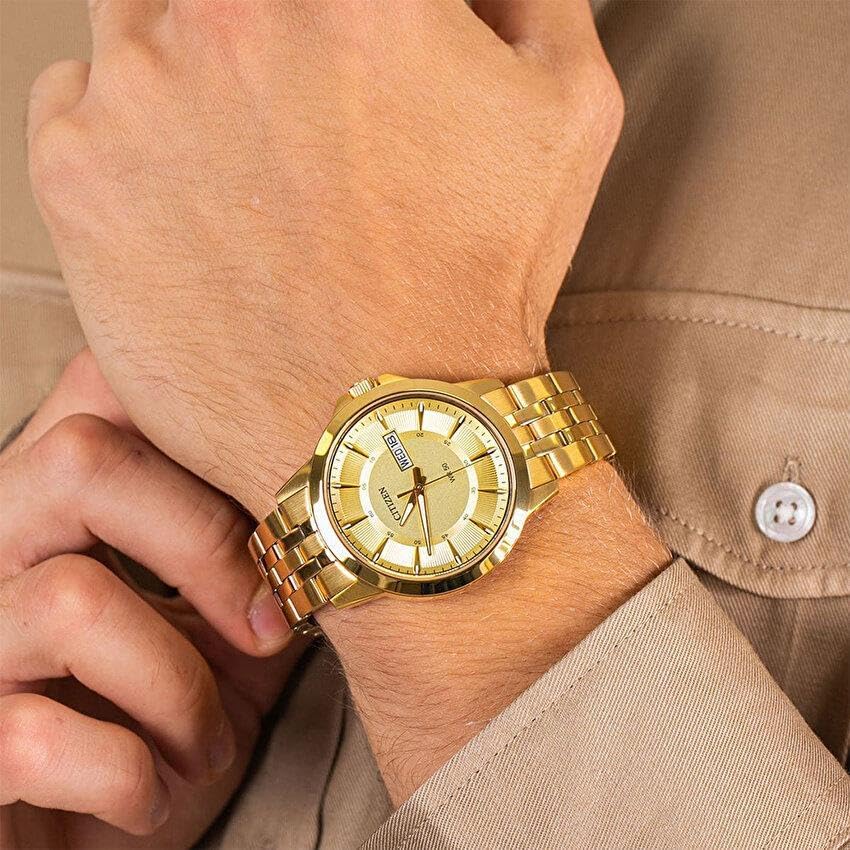
Image Description: A close-up shot of the Citizen Gold-Tone Analog Quartz Watch worn on a person's wrist. The gold-tone stainless steel bracelet is visible, demonstrating how the watch sits on the wrist. The watch face is clearly visible, showing the time and day/date display.
Operating the Watch
1. Reading the Time and Day/Date
Your watch displays the time using hour, minute, and second hands. The day and date are displayed in a window at the 3 o'clock position. The day changes automatically at midnight, and the date changes automatically at midnight. Some models may require manual adjustment for months with fewer than 31 days.
2. Water Resistance
This watch is water resistant to 50 meters (165 feet). This rating means the watch is suitable for short periods of recreational swimming, but not for diving or snorkeling. Avoid operating the crown or pushers when the watch is wet or submerged, as this can compromise the water resistance.
- WR 50 / 5 BAR: Suitable for everyday use and short periods of recreational swimming. Not suitable for bathing, showering, or diving.
Maintenance
1. Cleaning Your Watch
To maintain the appearance of your watch:
- Wipe the case and bracelet regularly with a soft, dry cloth.
- For stubborn dirt, use a slightly damp cloth and mild soap, then wipe dry immediately.
- Avoid using chemical cleaners, solvents, or abrasive materials, as these can damage the finish.
2. Battery Replacement
Your quartz watch is powered by a small battery. The typical battery life is several years. When the watch stops running, it indicates the battery needs replacement. It is highly recommended to have the battery replaced by an authorized Citizen service center or a qualified watchmaker to ensure proper sealing and maintain water resistance.
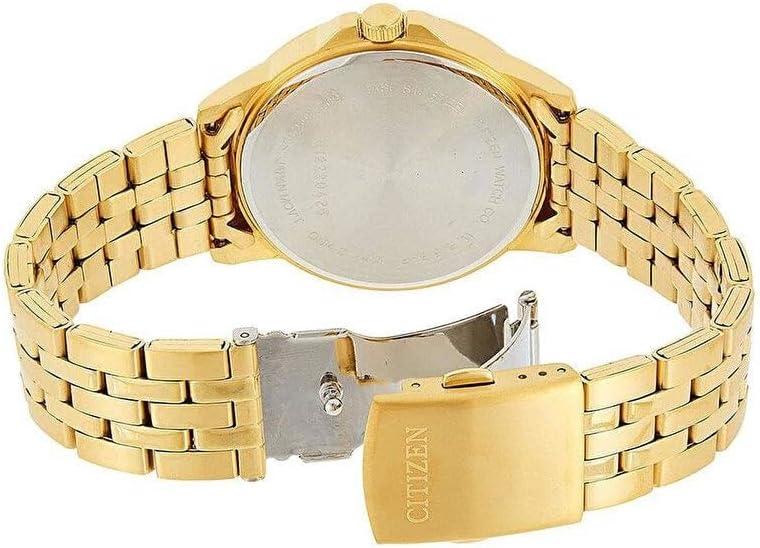
Image Description: A view of the back of the Citizen Gold-Tone Analog Quartz Watch. The stainless steel case back is visible, along with the gold-tone bracelet and its fold-over clasp. Engravings on the case back typically include water resistance and material information.
3. Storage
When not wearing your watch, store it in a cool, dry place away from direct sunlight, extreme temperatures, and strong magnetic fields. The original watch box provides excellent protection.

Image Description: The Citizen Gold-Tone Analog Quartz Watch is shown nestled inside its black and white presentation box. The watch is placed on a black cushion within the box, which has the "CITIZEN" logo printed on the inside of the lid.
Troubleshooting
| Problem | Possible Cause | Solution |
|---|---|---|
| Watch has stopped running. | Battery depleted. | Replace battery. Recommended to be done by a professional. |
| Date/Day does not change at midnight. | Time is set to AM instead of PM, or vice versa. | Advance the time by 12 hours. |
| Condensation inside the crystal. | Exposure to extreme temperature changes or compromised water resistance. | Seek professional service immediately to prevent damage to the movement. |
| Crown is loose or difficult to operate. | Damage to the crown stem or internal mechanism. | Do not force. Seek professional repair. |
Specifications
- Model Number: BF2013-56P
- Movement: Japanese Quartz Movement with Analog Display
- Case Material: Stainless Steel
- Case Diameter: 41 mm
- Dial Window Material: Mineral
- Bracelet Material: Stainless Steel (Gold-Tone)
- Clasp Type: Fold-over Clasp
- Water Resistance: 50 meters (165 feet)
- Features: Day/Date Window, Luminous Hands and Markers
- Weight: Approximately 3.99 ounces
Warranty and Support
Citizen watches typically come with a manufacturer's warranty covering defects in materials and workmanship. For specific warranty terms and conditions, please refer to the warranty card included with your purchase or visit the official Citizen Watch Company website.
For service, repairs, or further assistance, please contact Citizen customer support or locate an authorized service center. You can find more information on their official website: www.citizenwatch.com


