1. Introduction
Thank you for choosing the Bosch PLR 30 C Laser Distance Measure. This device is designed for quick, easy, and accurate measurement of distances, areas, and volumes. Its integrated Bluetooth connectivity allows for seamless transfer of measurement data to the Bosch PLR measure&go app, enhancing your project management. Please read this manual carefully to ensure safe and efficient operation of your device.
2. Safety Information
WARNING: Read all safety warnings and instructions. Failure to follow the warnings and instructions may result in electric shock, fire, and/or serious injury.
2.1 Laser Safety
The PLR 30 C emits a Class 2 laser beam. Do not stare into the laser beam or direct it at other persons or animals. This laser product complies with IEC 60825-1:2014. Use of controls or adjustments or performance of procedures other than those specified herein may result in hazardous radiation exposure.
2.2 Battery Safety
- Use only the specified battery type (2 x 1.5 V LR03 AAA).
- Do not mix old and new batteries, or different types of batteries.
- Insert batteries with correct polarity.
- Remove batteries if the device is not used for an extended period.
- Do not short-circuit, recharge, or dispose of batteries in fire.
3. Product Overview
The Bosch PLR 30 C is a compact and user-friendly laser distance measure. Familiarize yourself with its components:
- Laser Aperture: Emits the laser beam.
- Display: Shows measurement results and device status.
- Measurement Button: Activates the laser and takes measurements.
- Function Buttons: Select measurement modes (distance, area, volume, continuous).
- Reference Point Button: Changes the measurement reference (front, rear edge).
- On/Off/Clear Button: Powers the device on/off and clears current measurements.
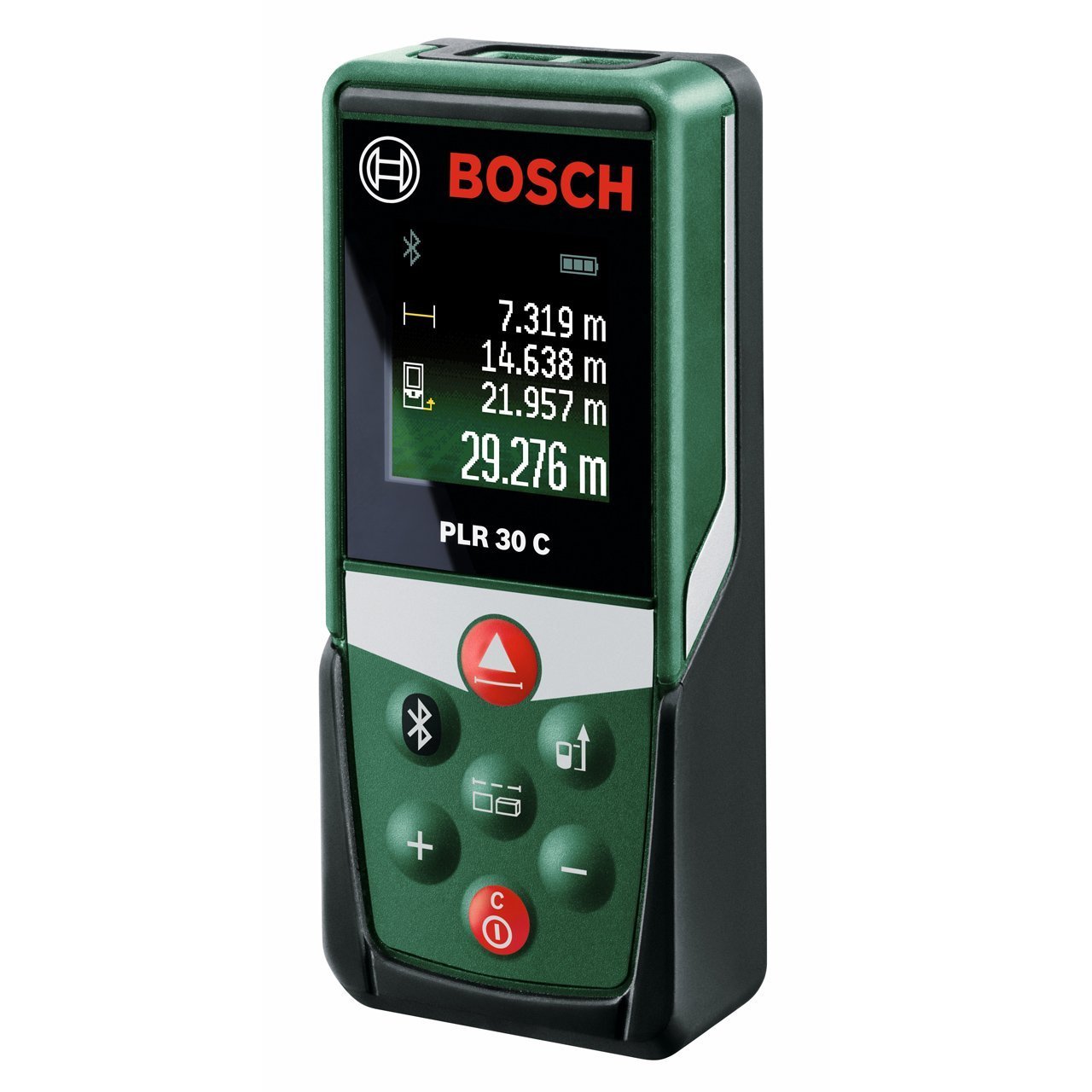
Image: The Bosch PLR 30 C Laser Distance Measure actively measuring a distance of 3.395 meters on a cabinet surface. The laser beam is visible, and the measurement is displayed digitally.
4. Setup
4.1 Battery Installation
- Open the battery compartment cover on the rear of the device.
- Insert two 1.5 V LR03 (AAA) batteries, ensuring correct polarity as indicated inside the compartment.
- Close the battery compartment cover securely.
The device comes with batteries included.
5. Operating Instructions
5.1 Power On/Off
- To turn on: Press the [ON/OFF/CLEAR] button. The laser will activate.
- To turn off: Press and hold the [ON/OFF/CLEAR] button for approximately 2 seconds. The device will also automatically switch off after 5 minutes of inactivity to conserve battery life.
5.2 Basic Distance Measurement
- Ensure the device is powered on.
- Point the laser beam at the target surface.
- Press the [MEASUREMENT] button once. The laser will activate.
- Press the [MEASUREMENT] button again to take the measurement. The result will be displayed on the screen.

Image: A woman using the Bosch PLR 30 C Laser Distance Measure to determine the length of a room. The laser beam extends across the room, and the display shows a measurement of 4.789 meters.
5.3 Changing Measurement Reference Point
By default, measurements are taken from the rear edge of the device. To change the reference point:
- Press the [REFERENCE POINT] button to toggle between measuring from the front edge or the rear edge of the device. An icon on the display will indicate the active reference point.
6. Measurement Functions
The PLR 30 C offers various measurement modes:
- Single Distance Measurement: (Default mode) Measures the linear distance between two points.
- Continuous Measurement (Tracking): Press the [FUNCTION] button until the continuous measurement icon appears. The device will continuously update the distance as you move it. Press [MEASUREMENT] to stop and hold the current value.
- Area Measurement: Press the [FUNCTION] button until the area icon appears. Measure the length, then the width. The device will automatically calculate and display the area.
- Volume Measurement: Press the [FUNCTION] button until the volume icon appears. Measure the length, width, then height. The device will automatically calculate and display the volume.
7. Bluetooth Connectivity
The Bosch PLR 30 C features Bluetooth connectivity to transfer your measurements to the Bosch PLR measure&go app.
7.1 Pairing with the App
- Download the Bosch PLR measure&go app from your device's app store.
- Ensure Bluetooth is enabled on your smartphone or tablet.
- Turn on the PLR 30 C.
- Open the Bosch PLR measure&go app and follow the on-screen instructions to pair your device.
7.2 Data Transfer
Once paired, measurements taken with the PLR 30 C can be automatically or manually transferred to the app, allowing you to create digital floor plans, add dimensions to photos, and manage your projects efficiently.
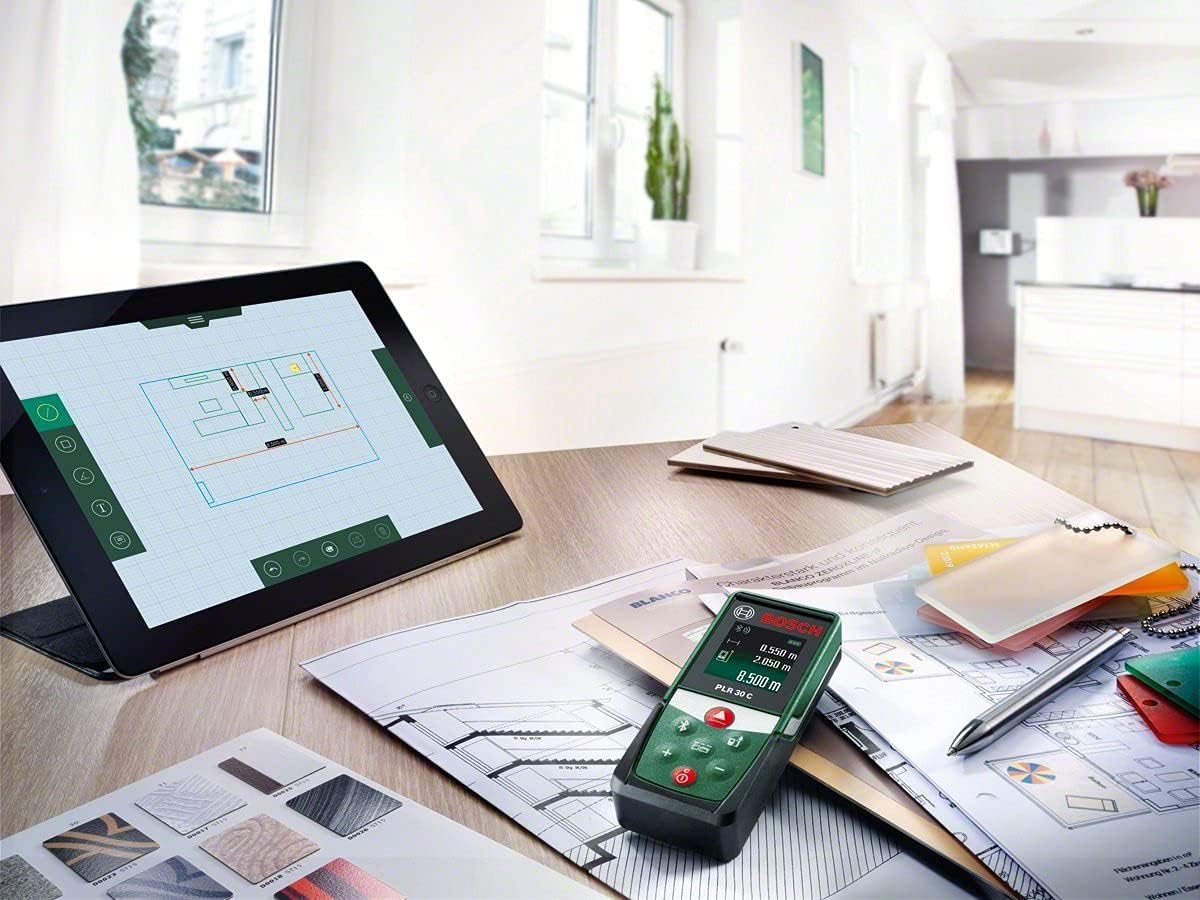
Image: The Bosch PLR 30 C Laser Distance Measure placed on a desk next to a tablet. The tablet screen shows the Bosch measure&go application, illustrating how measurements can be integrated into digital floor plans.
8. Maintenance
8.1 Cleaning
Keep the device clean. Do not immerse it in water or other liquids. Wipe off dirt with a damp, soft cloth. Do not use aggressive cleaning agents or solvents. Pay particular attention to keeping the laser aperture and receiver lens clean to ensure accurate measurements.
8.2 Storage
Store the device in its protective case in a dry, dust-free environment when not in use. Remove batteries if storing for extended periods to prevent leakage.
9. Troubleshooting
| Problem | Possible Cause | Solution |
|---|---|---|
| Device does not turn on | Batteries are empty or incorrectly inserted. | Check battery polarity; replace batteries. |
| Inaccurate measurements | Laser aperture/receiver lens is dirty; measurement surface is highly reflective or transparent. | Clean lenses; use a target plate for difficult surfaces. |
| Bluetooth connection fails | Bluetooth is off on mobile device; app not open; device too far from mobile. | Ensure Bluetooth is on; open app; move device closer to mobile. |
| Display shows "Error" | Measurement range exceeded or environmental interference. | Ensure target is within 0.05-30m range; try measuring in a different environment. |
10. Technical Specifications
| Feature | Specification |
|---|---|
| Laser Diode | 635 nm |
| Laser Class | 2 |
| Measurement Range | 0.05 – 30 m |
| Measurement Accuracy (typical) | ± 2.0 mm |
| Measurement Time (typical) | 0.5 s |
| Measurement Time (max) | 4 s |
| Battery | 2 x 1.5 V LR03 (AAA) |
| Automatic Deactivation | 5 minutes |
| Weight | 0.08 kg |
| Dimensions (L x W x H) | 16.9 x 11.8 x 7.4 cm |
| International Protection (IP) Rating | IP54 |
11. Warranty and Support
Bosch provides a manufacturer's warranty for this product. For specific warranty terms and conditions, please refer to the warranty card included with your product or visit the official Bosch website for your region. For technical support, service, or spare parts, please contact your local Bosch service center or authorized dealer. Keep your purchase receipt as proof of purchase for warranty claims.


