1. Introduction
This manual provides essential information for the safe and effective installation, operation, and maintenance of the Banner EZ-BEAM S18 Series Retro-Reflective Quick Disconnect Sensor. Please read this manual thoroughly before using the product.
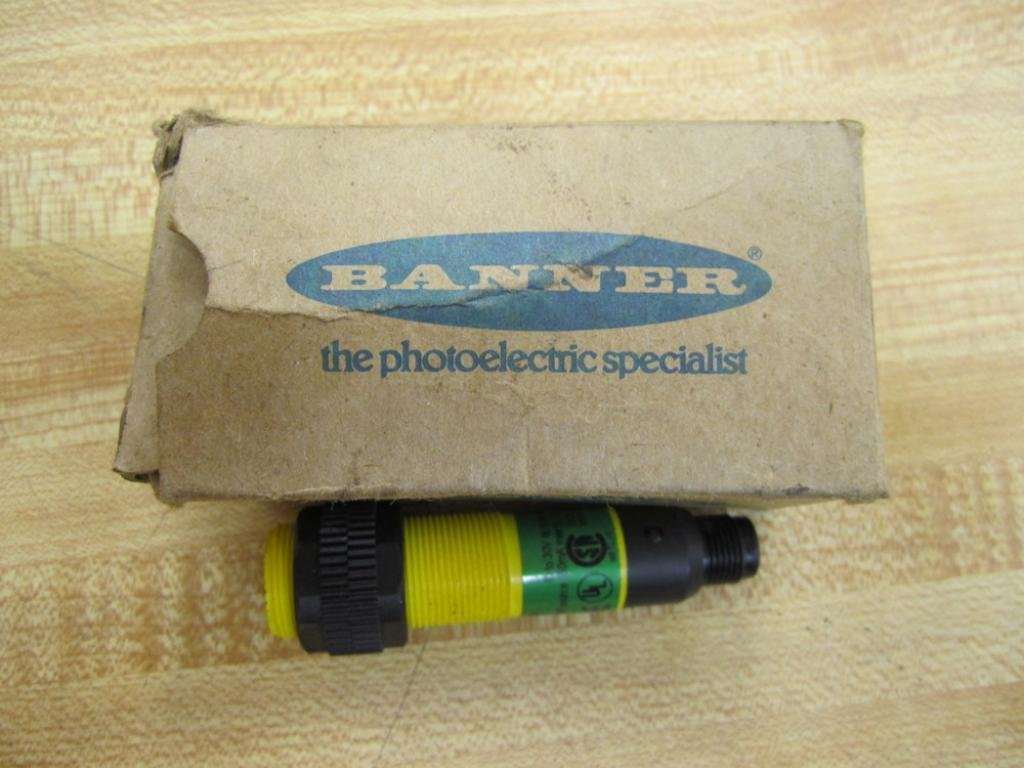
Figure 1: Banner EZ-BEAM S18 Series sensor and packaging.
2. Safety Information
Observe the following safety precautions to prevent damage to the product or injury to personnel:
- Disconnect power before installing or servicing the device.
- Ensure proper grounding to prevent electrical shock.
- Do not exceed the specified input voltage and current ratings.
- Installation and maintenance should only be performed by qualified personnel.
- Protect the sensor from extreme temperatures, moisture, and corrosive environments.
3. Product Overview
The Banner EZ-BEAM S18 Series is a compact, self-contained photoelectric sensor designed for reliable object detection in various industrial applications. This model features a retro-reflective sensing mode and a quick-disconnect connector for easy installation and replacement.

Figure 2: Side view of the EZ-BEAM S18 sensor.
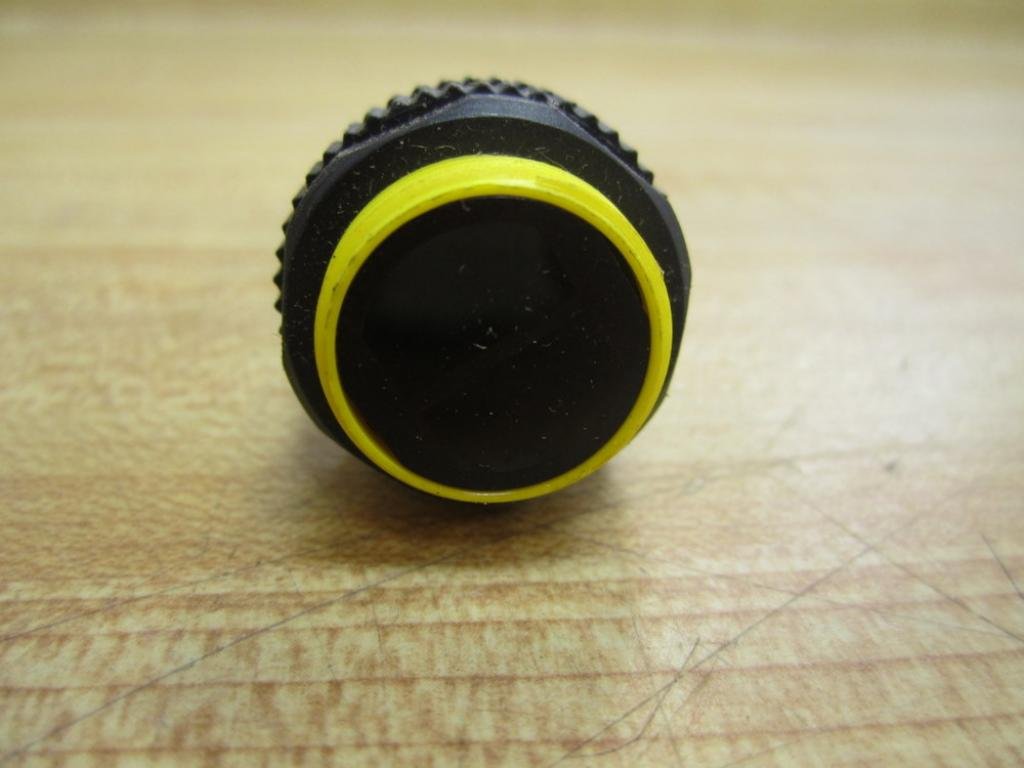
Figure 3: Sensing face of the EZ-BEAM S18 sensor.

Figure 4: Quick-disconnect connector.
4. Setup and Installation
Follow these steps for proper installation:
- Mounting: Securely mount the sensor using the provided hardware. Ensure the sensing face is clear of obstructions and aligned with the reflector for retro-reflective operation.
- Wiring: Connect the quick-disconnect cable to the sensor. Ensure the cable is routed away from sources of electrical noise and physical damage. The sensor requires a 10-30V DC input. It provides a complementary PNP output. Refer to the wiring diagram for specific pin assignments.
- Power On: Apply power to the sensor. Observe the indicator LEDs (if present) for proper operation.
- Alignment: For retro-reflective models, align the sensor with a suitable reflector. Adjust the sensor's position until the output indicator shows a stable detection signal.
5. Operating Instructions
Once installed and aligned, the EZ-BEAM S18 sensor operates automatically. It detects objects that interrupt the light beam between the sensor and the reflector. The complementary PNP output changes state when an object is detected, signaling to connected control systems.
- Detection Range: The sensor has a specified detection range of 2 meters. Ensure objects are within this range for reliable detection.
- Output Status: Monitor the output status via connected equipment or the sensor's indicator LEDs (if equipped) to confirm proper operation.
6. Maintenance
Regular maintenance ensures optimal performance and longevity of the sensor:
- Cleaning: Periodically clean the sensor lens and reflector surface with a soft, damp cloth. Avoid abrasive cleaners or solvents.
- Inspection: Check the sensor and cable for any signs of physical damage, loose connections, or environmental degradation.
- Re-alignment: If the sensor's performance degrades, check the alignment with the reflector and re-adjust if necessary.
7. Troubleshooting
Refer to the table below for common issues and their solutions:
| Problem | Possible Cause | Solution |
|---|---|---|
| No output/Sensor not detecting | No power; Misalignment; Damaged cable; Dirty lens/reflector | Check power supply; Re-align sensor/reflector; Inspect/replace cable; Clean lens/reflector |
| Intermittent detection | Unstable mounting; Vibrations; Environmental interference; Object too small/fast | Secure mounting; Reduce vibrations; Shield from interference; Adjust sensitivity (if applicable) or sensor position |
| Sensor always on/off | Incorrect wiring; Sensor blocked/unblocked permanently; Internal fault | Verify wiring; Clear obstruction/ensure reflector is present; Contact support if fault persists |
8. Specifications
Key technical specifications for the Banner EZ-BEAM S18 Series Sensor (Model D437631-S18SP6LQ 29509):
| Feature | Specification |
|---|---|
| Model Number | D437631-S18SP6LQ 29509 |
| Series | EZ-BEAM S18 Series |
| Sensing Mode | Retro-Reflective |
| Detection Range | 2 meters |
| Input Voltage | 10-30V DC |
| Output Type | Complementary PNP |
| Output Current Rating | 150 mA |
| Connection | Quick-Disconnect |
| Product Dimensions | 6 x 6 x 6 inches; 1.3 Pounds |
| UPC/EID | 0662488295097 |

Figure 5: Product label with model and identification details.
9. Warranty and Support
Banner Engineering Corp. warrants its products against defects in materials and workmanship for a period of one year from the date of shipment. For detailed warranty information, technical support, or service inquiries, please refer to the official Banner Engineering website or contact their customer service department. Always provide the model number (D437631-S18SP6LQ 29509) when seeking support.


