
Introduction
The J-Tech Digital JTD0104/4K is a 1x4 HDMI splitter designed to distribute a single HDMI source signal to four HDMI displays simultaneously. This device supports Ultra HD 4K resolution at 30Hz, 1080P at 120Hz, and 3D video formats. It is compliant with HDMI 1.4 and HDCP 1.4 protocols, ensuring broad compatibility with various audio and video equipment. The splitter also supports deep color up to 36-bit and various audio formats including DTS-HD, Dolby-TrueHD, LPCM 7.1, DTS, Dolby-AC3, and DSD.
Each of the four outputs operates independently, allowing for flexible display configurations. The unit features signal retiming to maintain video quality over longer cable distances.
Product Dimensions
Understanding the physical dimensions of your HDMI splitter is important for proper placement and integration into your setup.
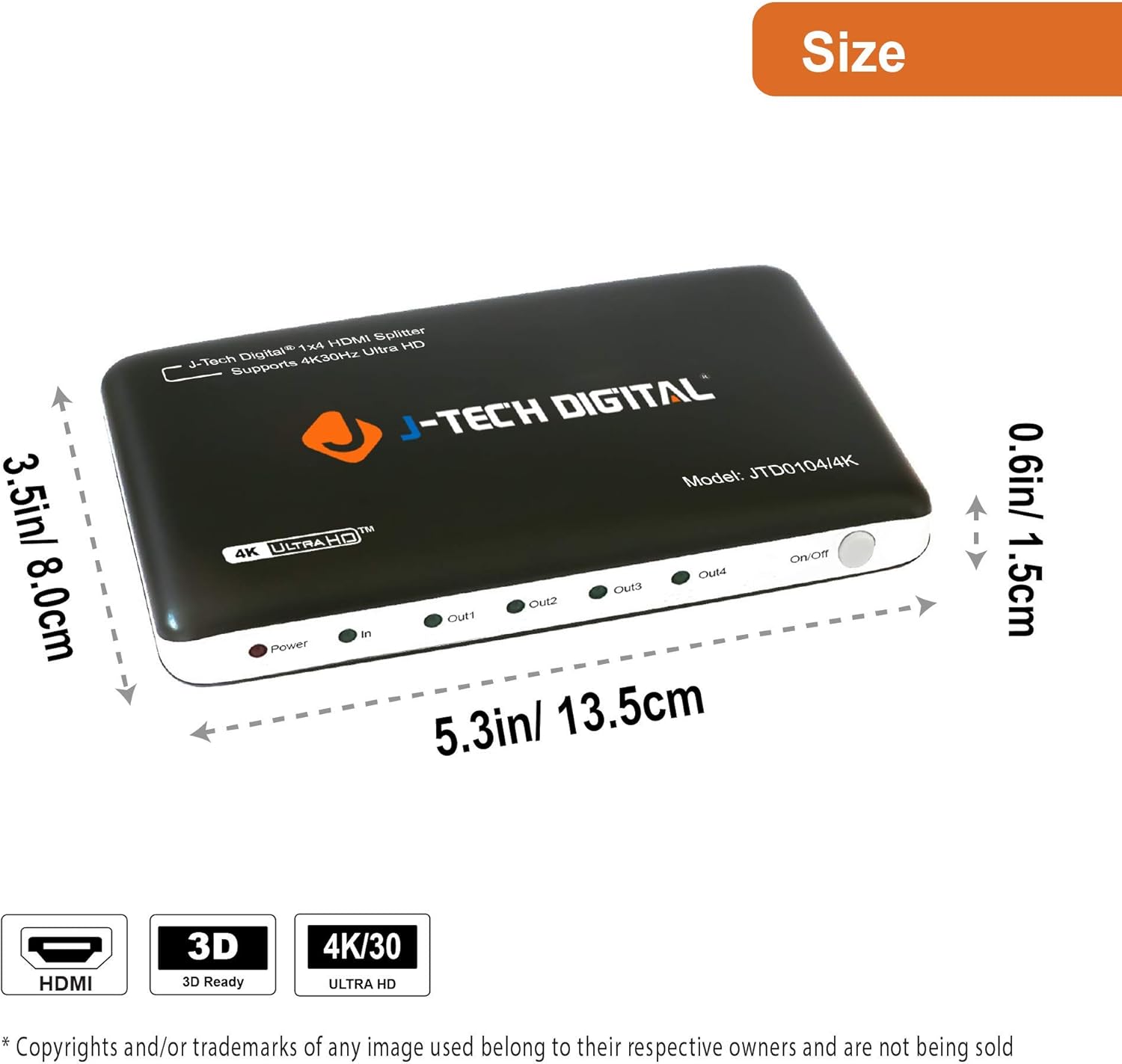
Image: The J-Tech Digital JTD0104/4K HDMI Splitter measures approximately 5.3 inches (13.5 cm) in length, 3.5 inches (8.0 cm) in width, and 0.6 inches (1.5 cm) in height.
Interface Overview
Front Panel
The front panel of the JTD0104/4K HDMI Splitter features indicators and a power button for easy monitoring and control.

Image: Front panel of the splitter. From left to right: Power Indicator (red LED), Input Indicator (green LED), Output Indicators (four green LEDs for Out1, Out2, Out3, Out4), and a Power On/Off Button.
- Power Indicator: Illuminates red when the device is powered on.
- Input Indicator: Illuminates green when an HDMI input signal is detected.
- Output Indicators (Out1-Out4): Each illuminates green when a display is connected and receiving a signal from the corresponding output port.
- On/Off Button: Press to power the unit on or off.
Rear Panel
The rear panel provides all the necessary connection ports for your HDMI source and displays.

Image: Rear panel of the splitter. From left to right: DC/5V power input, four HDMI Output ports (Out4, Out3, Out2, Out1), and one HDMI Input port.
- DC/5V: Connect the included 5V/1A power adapter here.
- HDMI Outputs (Out1-Out4): Connect these ports to your HDMI displays (e.g., TVs, monitors, projectors).
- HDMI Input (In): Connect your HDMI source device (e.g., Blu-ray player, gaming console, cable box) to this port.
Setup Instructions
Follow these steps to set up your J-Tech Digital JTD0104/4K HDMI Splitter:
- Power Off Devices: Ensure all HDMI source devices and displays are powered off before making any connections.
- Connect HDMI Source: Connect an HDMI cable from your source device (e.g., DVD player, game console) to the HDMI Input (In) port on the splitter.
- Connect HDMI Displays: Connect HDMI cables from the HDMI Output (Out1-Out4) ports on the splitter to your desired displays (e.g., UHD TV 1, UHD TV 2, etc.).
- Connect Power Adapter: Plug the included 5V/1A power adapter into the DC/5V port on the splitter, then plug the adapter into a power outlet.
- Power On: Press the On/Off button on the front panel to power on the splitter. The Power indicator will illuminate red.
- Power On Devices: Power on your HDMI displays and then your HDMI source device.
- Verify Connection: Check that the Input indicator and the relevant Output indicators are illuminated green, indicating active signals. Your source content should now be displayed on all connected screens.
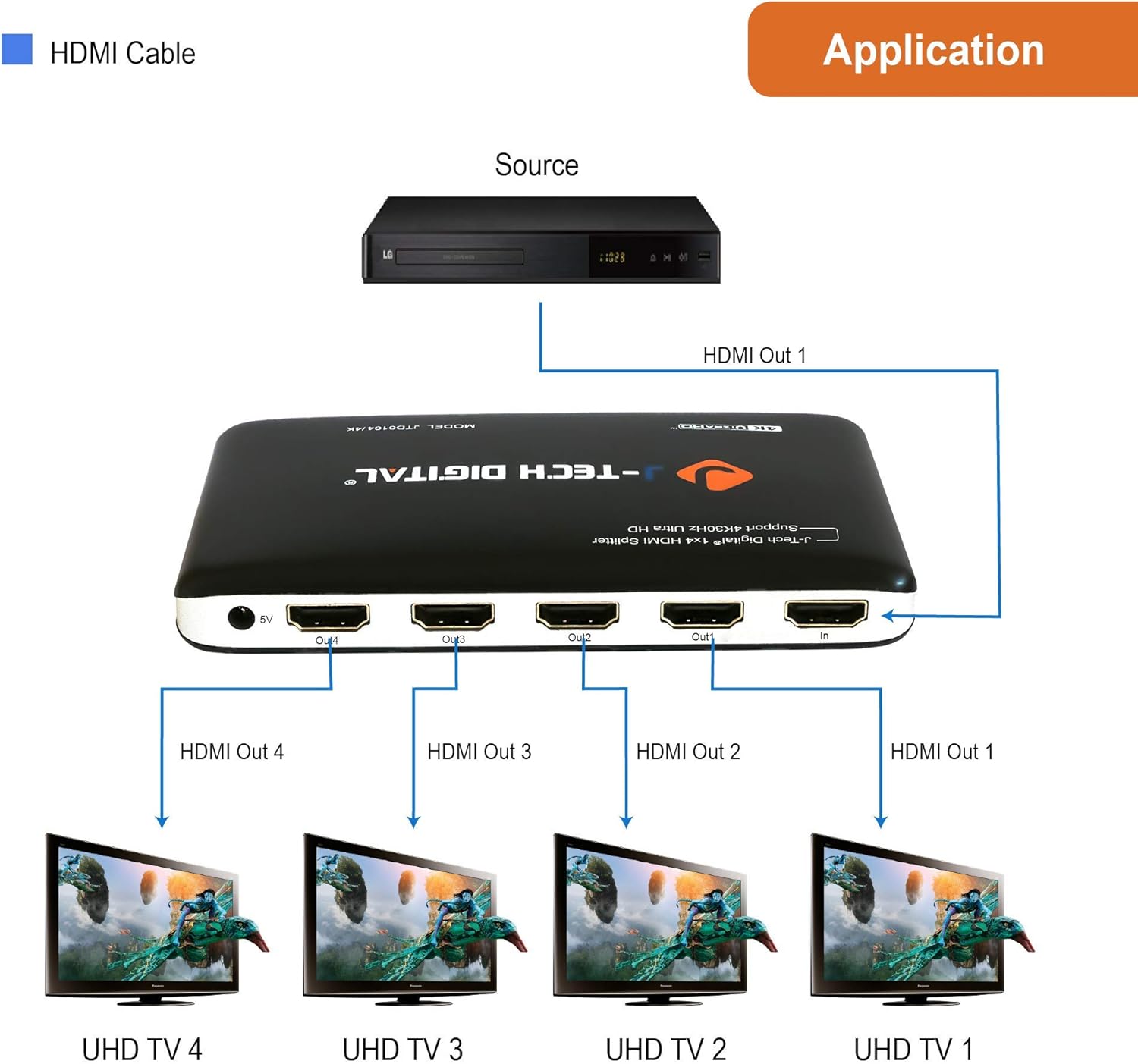
Image: Connection diagram illustrating an HDMI source (e.g., Blu-ray player) connected to the splitter's input, and four HDMI outputs connected to four separate UHD TVs.
Operating Instructions
Once the setup is complete, operating the JTD0104/4K HDMI Splitter is straightforward:
- The splitter automatically detects the input signal and distributes it to all connected and powered-on displays.
- Ensure your source device is outputting a compatible resolution and refresh rate for your displays. The splitter supports 4K@30Hz, 1080P@120Hz, and 3D formats.
- For 3D content, all connected displays must support 3D video.
- For deep color (up to 36-bit) and XvYCc, both your source and display devices must also support these features.
- The splitter supports HDMI cable distances up to 80 ft for input (AWG26) and up to 50 ft for output (AWG26) without loss of quality due to its signal retiming capabilities.
Maintenance
To ensure the longevity and optimal performance of your HDMI splitter, follow these maintenance guidelines:
- Cleaning: Use a soft, dry cloth to clean the exterior of the unit. Do not use liquid cleaners or aerosol sprays.
- Ventilation: Ensure the unit is placed in a well-ventilated area to prevent overheating. Do not block any ventilation openings.
- Power: Always use the provided 5V/1A power adapter. Disconnect power during electrical storms or when unused for long periods.
- Environment: Avoid exposing the unit to excessive moisture, extreme temperatures, or direct sunlight.
- Handling: Handle the device with care. Avoid dropping or subjecting it to strong impacts.
Troubleshooting
If you encounter issues with your J-Tech Digital HDMI Splitter, refer to the following common troubleshooting steps:
| Problem | Possible Cause | Solution |
|---|---|---|
| No picture on display(s) |
|
|
| Flickering or unstable picture |
|
|
| No audio |
|
|
| 3D content not displaying correctly |
|
|
Specifications
Detailed technical specifications for the J-Tech Digital JTD0104/4K HDMI Splitter:
| Feature | Detail |
|---|---|
| Model | JTD0104/4K |
| HDMI Version | HDMI 1.4 |
| HDCP Version | HDCP 1.4 |
| Input Ports | 1 x HDMI |
| Output Ports | 4 x HDMI |
| Supported Resolutions | 4K@30Hz, 1080P@120Hz, 1080P@60Hz, 720P, 480P |
| 3D Support | Yes |
| Deep Color Support | 30-bit, 36-bit, 48-bit per pixel |
| Supported Audio Formats | PCM, DTS-HD, Dolby-True-HD, LPCM7.1, AC3, DTS, DSD |
| Max Bandwidth | 10.2 Gbps |
| Input Cable Distance | Up to 80 ft (HDMI AWG26) |
| Output Cable Distance | Up to 50 ft (HDMI AWG26) |
| Power Supply | DC 5V/1A |
| Color | Black |
| UPC | 766150276633 |
Packing List
The J-Tech Digital JTD0104/4K HDMI Splitter package includes the following items:

Image: The packing list shows the 4K HDMI 1x4 Splitter unit, a 5V/1A Power Adapter, and a User Manual.
- 1x J-Tech Digital 4K HDMI 1x4 Splitter (Model: JTD0104/4K)
- 1x 5V/1A Power Adapter
- 1x User Manual
Warranty and Support
J-Tech Digital provides comprehensive support for its products:
- Manufacturer Warranty: This product includes a 1-year manufacturer warranty from J-Tech Digital.
- Technical Support: Free lifetime technical support is available from the J-Tech Digital customer support team.
- Contact Information: For support, please refer to the contact details provided in your user manual or on the official J-Tech Digital website. Support is typically available Monday through Friday, 9 AM - 6 PM CST.


