
1. Introduction
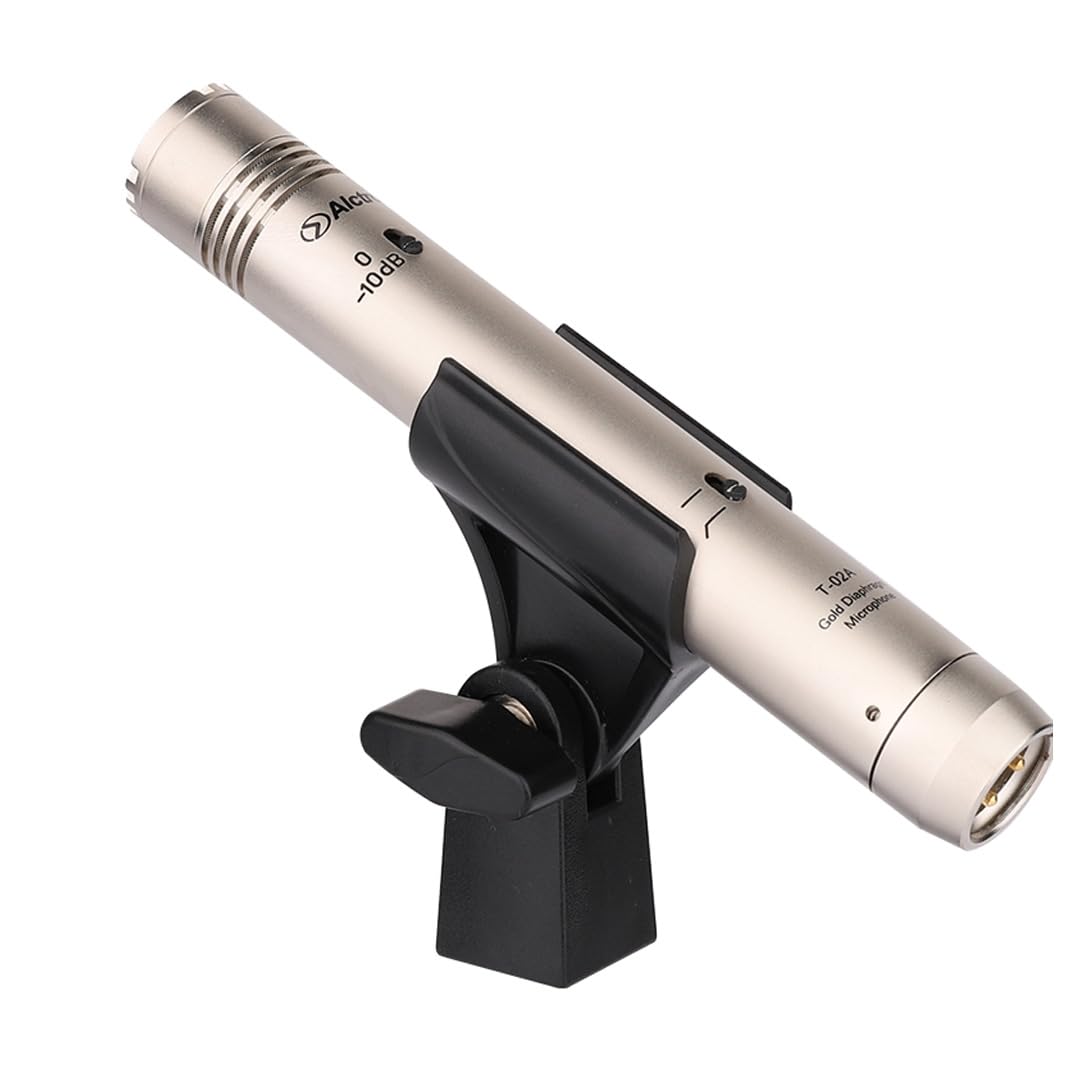
The Alctron T02A is a high-performance, robust, and compact FET condenser pencil microphone specifically designed for capturing the nuances of various instruments. Its advanced design ensures clear and accurate sound reproduction, making it suitable for studio recording and live sound applications. This manual provides essential information for the proper setup, operation, and maintenance of your T02A microphone.
2. Features
- High-performance FET condenser microphone design.
- Equipped with a 22mm large gold-plated double diaphragm capsule.
- Standard cardioid polar pattern, with optional omnidirectional and hypercardioid capsules available separately.
- Wide frequency response range of 20 Hz to 20 kHz.
- High sensitivity for detailed sound capture.
- Robust and compact construction for durability and ease of placement.
- XLR connectivity for professional audio systems.
3. Package Contents
Please check the package carefully to ensure all items are present:
- Alctron T02A Pencil Microphone Unit
- Microphone Clip/Holder
- User Manual
4. Setup
Follow these steps to set up your Alctron T02A microphone:
- Mounting the Microphone: Secure the T02A microphone into the provided microphone clip. Attach the clip to a suitable microphone stand.
- Connecting the Cable: Connect a standard 3-pin XLR cable to the microphone's output connector. Connect the other end of the XLR cable to an audio interface, mixer, or preamplifier that provides 48V phantom power.
- Activating Phantom Power: The Alctron T02A is a condenser microphone and requires 48V phantom power to operate. Ensure that phantom power is activated on your audio interface, mixer, or preamplifier. Failure to provide phantom power will result in no sound output.
- Initial Placement: Position the microphone appropriately for the instrument you intend to record. For most instruments, start with the microphone a few inches away, pointing towards the sound source. Adjust as needed to achieve the desired sound.
5. Operation
Once the microphone is set up and connected, follow these guidelines for optimal operation:
- Gain Staging: Set the input gain on your audio interface or mixer. Start with the gain low and gradually increase it while monitoring the signal. Aim for a strong signal level without clipping (distortion).
- Polar Pattern Selection: The standard T02A comes with a cardioid capsule. If you have optional omnidirectional or hypercardioid capsules, ensure the correct capsule is securely attached for your desired pickup pattern.
- Microphone Placement: Experiment with microphone placement relative to the instrument. Small changes in distance and angle can significantly affect the recorded sound. For acoustic instruments, consider placing the microphone to capture a balanced sound, avoiding excessive proximity effect (increased bass response when close to the source).
- Monitoring: Always monitor the microphone's output through headphones or studio monitors to ensure the sound is clear and free of unwanted noise or distortion.
6. Maintenance
Proper maintenance will extend the life and performance of your microphone:
- Cleaning: Use a soft, dry cloth to clean the microphone body. Do not use liquid cleaners or solvents, as they can damage the microphone's finish or internal components. Avoid touching the microphone capsule directly.
- Storage: When not in use, store the microphone in its original packaging or a protective case to shield it from dust, moisture, and physical damage.
- Handling: Handle the microphone with care. Avoid dropping it or subjecting it to strong impacts, which can damage the delicate internal components.
7. Troubleshooting
If you encounter issues with your Alctron T02A microphone, refer to the following common problems and solutions:
- No Sound Output:
- Ensure 48V phantom power is activated on your audio interface/mixer.
- Check all XLR cable connections for proper seating.
- Verify that the input gain on your audio device is turned up.
- Test with a different XLR cable or input channel if available.
- Distorted Sound:
- Reduce the input gain on your audio interface/mixer to prevent clipping.
- Increase the distance between the microphone and the sound source.
- Ensure the microphone is not overloaded by excessively loud sound sources.
- Hum or Noise:
- Check for proper grounding of all audio equipment.
- Ensure XLR cables are balanced and in good condition.
- Move the microphone and cables away from power cables, fluorescent lights, or other sources of electromagnetic interference.
8. Specifications
| Model | T02A |
| Brand | Alctron |
| Microphone Type | FET Condenser |
| Capsule | 22mm Large Gold-Plated Double Diaphragm |
| Polar Pattern | Cardioid (Omnidirectional, Hypercardioid optional) |
| Frequency Range | 20 Hz - 20 kHz |
| Sensitivity | -39 dB ± 2 dB (0dB = 1 V/Pa at 1000 Hz) |
| Connectivity Technology | XLR |
| Connector Type | XLR |
| Power Source | 48V Phantom Power (Electric Cable) |
| UPC | 885777657196 |
| ASIN | B00UD78LLK |
9. Warranty and Support
For information regarding warranty coverage, technical support, or service, please refer to the warranty card included with your product or contact your authorized Alctron dealer or the manufacturer directly. Keep your proof of purchase for any warranty claims.