
1. Introduction
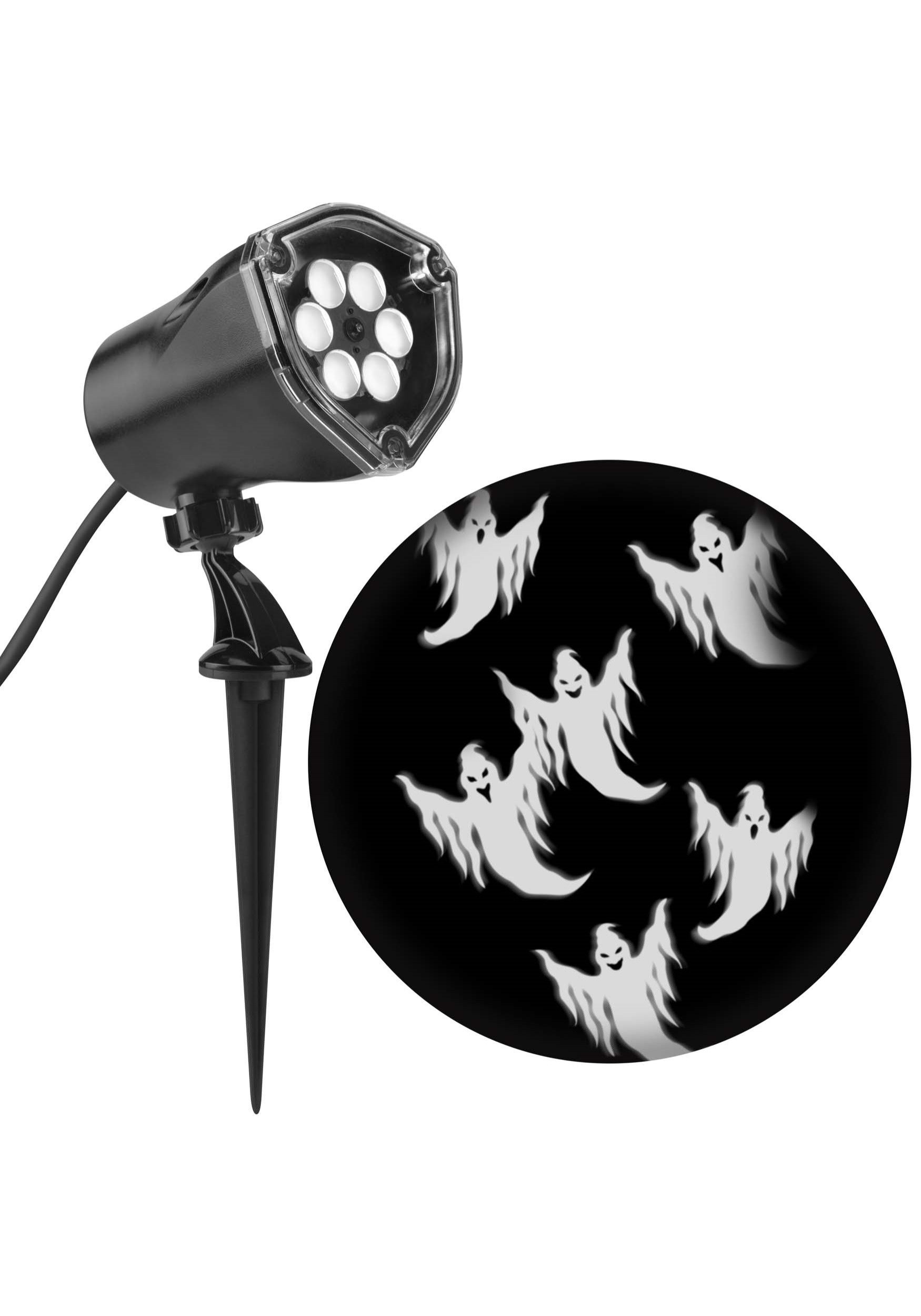
Thank you for purchasing the Gemmy Lightshow 59460 Projection Whirl-A-Motion Light. This device is designed to project dynamic, chasing ghost figures, creating an engaging visual effect for Halloween and fall decorations. This manual provides essential information for safe setup, operation, and maintenance of your projector.
2. Safety Information
- Read all instructions before use and retain for future reference.
- This product is intended for outdoor decorative use. Ensure it is placed in a location protected from direct heavy rain or snow, and on a stable surface.
- Do not look directly into the light source. The LED light can be bright and may cause temporary discomfort.
- Ensure the power cord is not damaged, pinched, or placed under heavy objects.
- Only use the power adapter supplied with the product. Using an incorrect adapter may cause damage or fire.
- Keep out of reach of children and pets.
- Disconnect from power when not in use or before cleaning.
- Do not attempt to open or modify the projector unit. There are no user-serviceable parts inside.
3. Package Contents
Please verify that all components are present:
- Gemmy Lightshow 59460 Projector Unit
- Ground Stake
- Power Adapter (may be integrated or separate)
4. Setup Instructions
- Unpack: Carefully remove all components from the packaging.
- Assembly: The projector unit comes pre-assembled. If the ground stake is separate, securely attach it to the base of the projector.
- Placement:
- Choose a suitable outdoor location for the projector. For optimal visibility, select a dark area with a flat, light-colored surface (e.g., a wall, garage door, or fence) for projection.
- Insert the ground stake firmly into the soil. Alternatively, the unit can be placed on a flat surface if the stake is removed or if a table mount option is available.
- Position the projector at a distance that achieves the desired projection size and clarity. The effective projection distance is typically between 7 to 15 feet.
- Adjust the angle of the projector head to direct the light onto your chosen surface.
- Power Connection: Connect the power adapter to the projector unit, then plug the adapter into a standard 120V outdoor-rated electrical outlet. Ensure the outlet is protected by a Ground Fault Circuit Interrupter (GFCI) for outdoor safety.
5. Operating Instructions
Once the projector is properly set up and connected to power, it will automatically begin projecting the chasing ghost light show. There are no additional controls for pattern selection or speed adjustment on this model.
- To Turn On: Plug the power adapter into a live electrical outlet.
- To Turn Off: Unplug the power adapter from the electrical outlet. For automated operation, consider using an outdoor-rated timer (sold separately).
6. Maintenance
- Cleaning: Ensure the unit is unplugged before cleaning. Use a soft, dry cloth to wipe the exterior of the projector and the lens. Do not use abrasive cleaners or solvents.
- Storage: When not in use, store the projector in its original packaging or a protective container in a cool, dry place, away from direct sunlight and extreme temperatures.
- Inspection: Periodically inspect the power cord and projector unit for any signs of damage. If damage is found, discontinue use and dispose of the product responsibly.
7. Troubleshooting
| Problem | Possible Cause | Solution |
|---|---|---|
| Projector does not turn on. | No power to the unit. | Check if the power adapter is securely plugged into a working outlet. Test the outlet with another device. |
| Projection is dim or unclear. | Ambient light is too high; projector is too far from the surface; lens is dirty. | Ensure the projection area is sufficiently dark. Move the projector closer to the projection surface. Clean the lens with a soft, dry cloth. |
| Ghosts are not moving. | This model features a 'Whirl-A-Motion' effect, meaning the ghosts should always be in motion. If not, there may be an internal malfunction. | Unplug the unit, wait 30 seconds, and plug it back in. If the issue persists, the unit may require replacement. |
8. Specifications
| Feature | Detail |
|---|---|
| Brand | GEMMY INDUSTRIES |
| Model Number | 59460 |
| Light Source Type | LED |
| Voltage | 120 Volts |
| Material | Plastic |
| Color | White (projection) / Black (unit) |
| Item Weight | 7.2 ounces |
| Product Dimensions | 16.73"L x 12.6"W x 7.48"H |
| Mounting Type | Ground Stake / Table Mount |
| Batteries Required | No |
| Assembly Required | No |
| UPC | 086786594605 |
9. Warranty and Support
For warranty information or technical support, please refer to the contact details provided on your product packaging or visit the official GEMMY INDUSTRIES website. Keep your purchase receipt as proof of purchase for any warranty claims.