
Introduction
The iHome iBT12SC is a Bluetooth-enabled wireless stereo speaker system designed for portable audio. It features a built-in speakerphone with digital voice echo cancellation for clear conversations. The speaker includes an Aux-in jack for connecting various audio devices and comes with a custom carry case with a carabiner clip for easy portability.
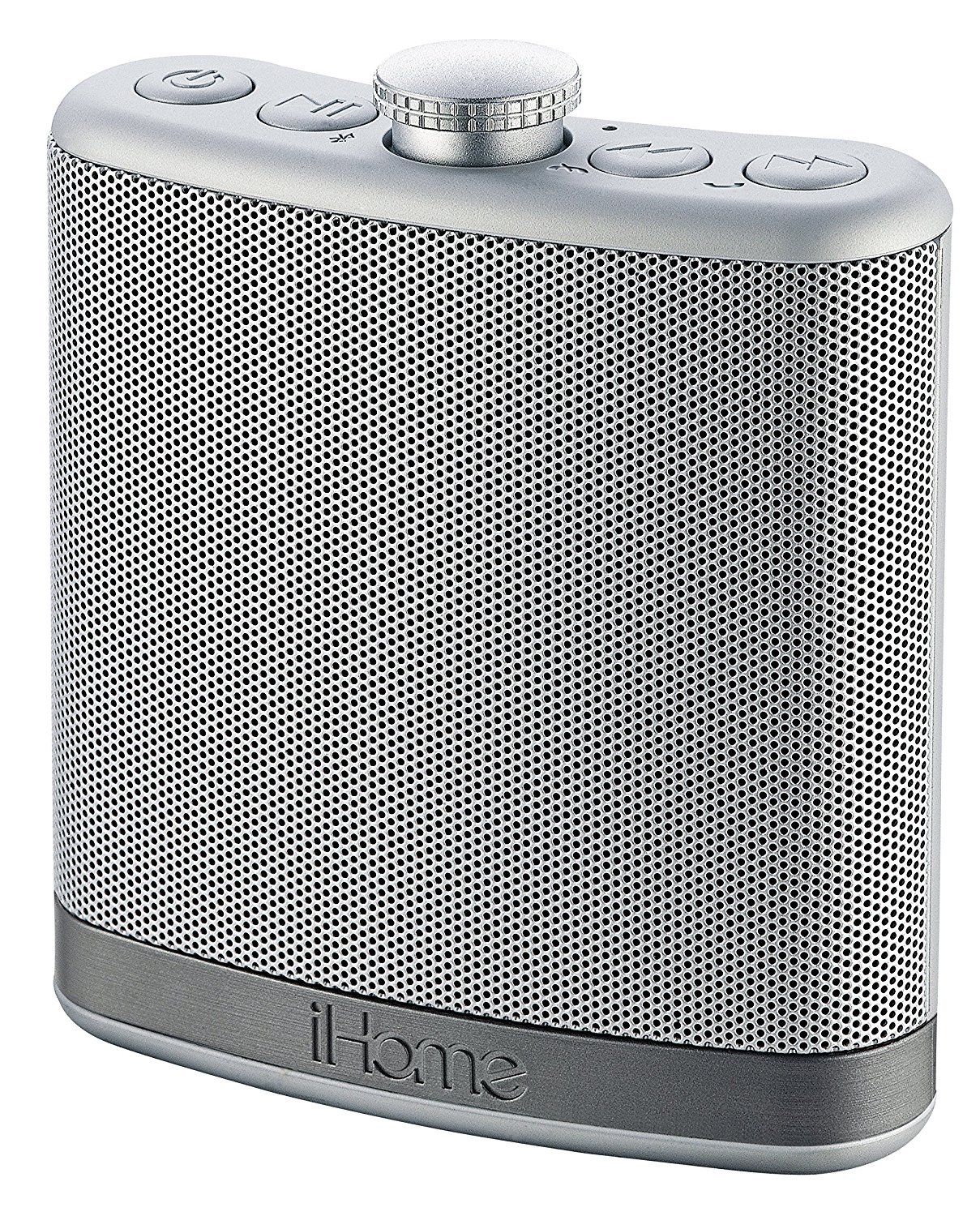
Image: The iHome iBT12SC speaker, featuring its distinctive flask-shaped design and silver finish with a perforated speaker grille.
Package Contents
- iHome iBT12SC Rechargeable Flask-Shaped Bluetooth Stereo Speaker
- Custom Sound Case with Carabiner Clip
- USB Charging Cable
- Aux-in Cable
Product Features
- Bluetooth wireless audio connectivity
- Integrated microphone with talk/end button for speakerphone functionality
- Aux-in jack for wired audio connection
- Custom leather-style case with carabiner clip for portability and protection
- Durable rubberized cabinet finish
- Dual coil speaker and amplifier for enhanced sound
- Digital voice echo cancellation for clear speakerphone calls
Setup
1. Charging the Speaker
Before initial use, fully charge the iBT12SC speaker. Connect the provided USB charging cable to the speaker's Power In port and the other end to a USB power source (e.g., computer USB port, USB wall adapter). The charging indicator lights will show the charging status.
Video: Demonstrates the iHome iBT12SC speaker's features, including volume control, speakerphone, and the USB charging port. The video shows the speaker being charged via its USB port.
2. Bluetooth Pairing
- Ensure the speaker is charged and powered on.
- Activate Bluetooth on your audio device (smartphone, tablet, etc.).
- Search for available Bluetooth devices. The speaker should appear as "iHome iBT12SC" or similar.
- Select the speaker from the list to pair. A confirmation tone or indicator light will signal successful pairing.
3. Aux-in Connection
For devices without Bluetooth, connect an audio cable from your device's headphone jack to the speaker's Aux-in port. The speaker will automatically switch to Aux-in mode.
Operating Instructions
1. Power On/Off
Press and hold the Power button (usually marked with a circle and a vertical line) located on the top of the speaker to turn it on or off.
2. Volume Control
Rotate the central knob on top of the speaker clockwise to increase volume and counter-clockwise to decrease volume.
3. Music Playback
- Play/Pause: Press the Play/Pause button (usually marked with a triangle and two vertical lines) to start or pause music playback.
- Skip Tracks: Use the Forward (>>) and Backward (<<) buttons to skip to the next or previous track.
4. Speakerphone Function
- Answer Call: When a call comes in, press the Talk/End button (often marked with a phone icon) to answer.
- End Call: Press the Talk/End button again to end the call.
- Decline Call: Press and hold the Talk/End button to decline an incoming call.
Maintenance
- Clean the speaker with a soft, dry cloth. Do not use liquid cleaners or abrasive materials.
- Keep the speaker away from direct sunlight, heat sources, and moisture.
- Store the speaker in its custom case when not in use to protect it from dust and scratches.
- This product is not waterproof. Avoid exposure to water or other liquids.
Troubleshooting
| Problem | Solution |
|---|---|
| No power | Ensure the speaker is fully charged. Connect to a USB power source. |
| Cannot pair via Bluetooth |
|
| No sound from Aux-in |
|
| Poor call quality | Ensure you are within Bluetooth range. Reduce background noise. |
Specifications
| Brand | iHome |
| Model Number | iBT12SC |
| Connectivity Technology | Bluetooth |
| Audio Output Mode | Stereo |
| Speaker Type | Wireless |
| Speaker Maximum Output Power | 20 Watts |
| Enclosure Material | Leather-style, Rubber |
| Additional Features | Built-in Microphone, Digital Voice Echo Cancellation |
| Controller Type | Button, Rotary Knob |
| Color | Silver |
| Battery Type | Rechargeable (Internal) |
| Battery Average Life | 2.35 Hours |
| Water Resistance Level | Not Water Resistant |
| Item Weight | 0.35 Pounds |
| Manufacturer | SDI Technologies, Inc. |
Warranty and Support
This product is covered by a Limited 90-day Warranty from the date of purchase. For warranty claims or technical support, please refer to the contact information provided in your product packaging or visit the official iHome website.
Please retain your proof of purchase for warranty service.


