
1. Introduction
Thank you for choosing the WEB W-108 10-inch Woofer Speaker. This manual provides essential information for the safe and optimal use of your new woofer. Please read it thoroughly before installation and operation, and retain it for future reference.
The WEB W-108 is a powerful and compact 10-inch (25 cm) woofer designed for a wide range of audio applications, including home audio systems, DJ setups, discos, Dolby Surround systems, and car audio installations. Its robust construction and balanced performance ensure clear and impactful bass reproduction.
2. Safety Information
To prevent damage to the woofer and ensure user safety, observe the following precautions:
- Power Handling: Do not exceed the recommended power ratings (75 Watts RMS, 150 Watts Max). Overpowering can cause irreversible damage to the speaker coil.
- Amplifier Matching: Ensure your amplifier is appropriately matched to the woofer's impedance (8 Ohms). Using an amplifier with an incorrect impedance can lead to overheating and damage to both the amplifier and the woofer.
- Ventilation: Ensure adequate ventilation around the woofer, especially if installed in an enclosed space, to prevent overheating.
- Installation: If installing in a vehicle, ensure all wiring is secure and properly insulated to prevent short circuits and electrical hazards. Consult a professional for complex installations.
- Volume Levels: Prolonged exposure to high volume levels can cause hearing damage. Use responsible listening levels.
- Moisture: This woofer is not waterproof. Avoid exposure to water or excessive moisture.
3. Product Overview
The WEB W-108 woofer features a durable design optimized for clear bass reproduction. Key components and features include:
- Cone: Yellow cellulose cone for responsive and accurate sound.
- Suspension: Rigid triple-roll suspension for enhanced durability and excursion control.
- Voice Coil: 1.5-inch (3.75 cm) aluminum voice coil.
- Magnet: Powerful 10 cm diameter magnet, weighing 1.23 kg.
- Ventilated Pole Plate: Rear pole plate is ventilated to improve heat dissipation and power handling.
- Impedance: 8 Ohms, suitable for various audio setups.
- Power: 75 Watts RMS, 150 Watts Max.

Figure 3.1: Top view of the WEB W-108 woofer, highlighting the yellow cellulose cone and the WEB W-108 150Wmax branding on the magnet cover.
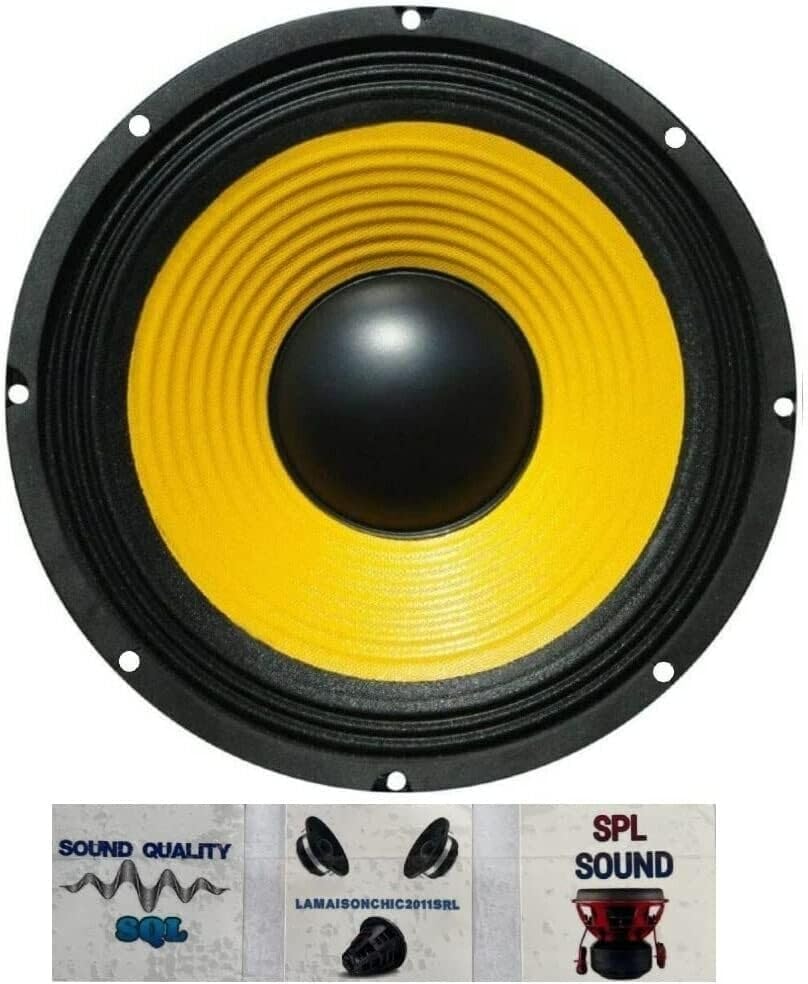
Figure 3.2: Side view of the WEB W-108 woofer, illustrating its overall depth and the location of the speaker terminals for wiring connections.
4. Setup and Installation
Proper installation is crucial for optimal performance and longevity of your woofer. This section provides general guidelines.
4.1. Unpacking
Carefully remove the woofer from its packaging. Inspect for any signs of damage during transit. Retain the packaging for future transport or storage.
4.2. Mounting Considerations
- Enclosure: The woofer is designed for use in a suitable enclosure (e.g., sealed, ported, bandpass) depending on desired bass characteristics. Ensure the enclosure volume is appropriate for a 10-inch woofer.
- Mounting Depth: The mounting depth is 9.5 cm. Ensure your chosen mounting location or enclosure has sufficient depth.
- Cutout Diameter: The total diameter is 25.5 cm. Ensure the cutout for mounting is precise to ensure a secure fit.
- Vibration: Mount the woofer securely to prevent vibrations and rattling. Use appropriate screws and gaskets.
4.3. Wiring Connections
The WEB W-108 has an impedance of 8 Ohms. Connect the woofer to your amplifier using high-quality speaker wire. Observe correct polarity (+ to + and - to -) to ensure proper phase and sound reproduction.
- Identify the positive (+) and negative (-) terminals on the woofer and your amplifier.
- Connect the positive terminal of the woofer to the positive output terminal of your amplifier.
- Connect the negative terminal of the woofer to the negative output terminal of your amplifier.
- Ensure all connections are tight and free from stray wire strands that could cause short circuits.
Recommendation: It is advisable to apply 60-90 Watts RMS per channel from a traditional Class AB amplifier to achieve the best results. Do not exceed the maximum recommended power of 150 Watts to avoid irreparable damage.
5. Operating Instructions
Once installed and connected, operating your WEB W-108 woofer is straightforward:
- Power On: Turn on your amplifier or audio source.
- Volume Control: Start with the volume at a low level. Gradually increase the volume to your desired listening level.
- Audio Source: Play audio from your connected source (e.g., MP3 player, desktop computer, laptop, smartphone, tablet).
- Amplifier Settings: Adjust amplifier settings such as bass boost, crossover frequency, and gain to fine-tune the woofer's performance to your preference and the acoustics of your listening environment. Ensure the crossover is set to filter out high frequencies, allowing the woofer to reproduce only bass frequencies.
- Listening Levels: Avoid prolonged listening at extremely high volumes to prevent speaker damage and hearing fatigue.
6. Maintenance
The WEB W-108 woofer requires minimal maintenance to ensure long-term performance:
- Cleaning: Use a soft, dry cloth to gently wipe the cone and frame. Do not use harsh chemicals or abrasive cleaners. Avoid applying pressure to the cone.
- Dust: Keep the woofer free from dust and debris, especially around the voice coil and magnet assembly.
- Environment: Store and operate the woofer in a dry environment, away from direct sunlight, extreme temperatures, and high humidity.
- Inspection: Periodically check speaker wire connections for tightness and corrosion.
7. Troubleshooting
If you encounter issues with your WEB W-108 woofer, refer to the following common problems and solutions:
| Problem | Possible Cause | Solution |
|---|---|---|
| No sound from woofer |
|
|
| Distorted or unclear bass |
|
|
| Woofer gets hot |
|
|
If the problem persists after attempting these solutions, contact customer support or a qualified audio technician.
8. Technical Specifications
Detailed specifications for the WEB W-108 10-inch Woofer Speaker:
| Feature | Specification |
|---|---|
| Model | W-108 |
| Speaker Type | Woofer |
| Diameter | 10 inches (25.00 cm) |
| RMS Power | 75 Watts |
| Max Power | 150 Watts |
| Impedance | 8 Ohms |
| Sensitivity | 88 dB |
| Frequency Response | 42 - 5000 Hz |
| Resonance Frequency (Fs) | 42 Hz |
| Cone Material | Yellow Cellulose |
| Voice Coil Diameter | 1.5 inches (3.75 cm) |
| Magnet Diameter | 10.00 cm |
| Magnet Weight | 1.23 kg |
| Total Diameter | 25.50 cm |
| Mounting Depth | 9.50 cm |
| Product Weight | 1.41 Kilograms |
| Recommended Use | Music player, Car Audio, Home Audio |
| Compatible Devices | MP3 Player, Desktop Computer, Laptop, Smartphone, Tablet |
| Connectivity Technology | Auxiliary (wired) |
| Waterproof | No |
9. Warranty and Support
For warranty information and customer support, please refer to the documentation provided at the point of purchase or contact your retailer. Keep your proof of purchase for any warranty claims.
For technical assistance or further inquiries, please visit the official WEB brand website or contact their customer service department.