
1. Important Safety Instructions
Please read all safety and operating instructions carefully before using this television. Keep these instructions for future reference.
- Power Source: Connect the TV only to the power supply indicated on the label. Ensure the power cord is not damaged or pinched.
- Ventilation: Do not block ventilation openings. Allow adequate space around the TV for proper airflow to prevent overheating.
- Water and Moisture: Do not expose the TV to rain or moisture. Do not place objects filled with liquids, such as vases, on the TV.
- Cleaning: Unplug the TV from the wall outlet before cleaning. Use a soft, dry cloth. Do not use liquid cleaners or aerosol cleaners.
- Placement: Place the TV on a stable, level surface. Avoid placing it in direct sunlight or near heat sources.
- Lightning: For added protection during a lightning storm or when left unattended for long periods, unplug the TV from the wall outlet and disconnect the antenna or cable system.
2. Package Contents
Verify that all items are present in the box:
- TCL H32B3803 32-inch LED TV
- Remote Control
- AAA Batteries (x2)
- TV Stand Components (Base and Screws)
- Power Cord
- User Manual (this document)
3. Setup
3.1 Unpacking
Carefully remove the TV and all accessories from the packaging. It is recommended to retain the packaging materials for future transport or service needs.
3.2 Attaching the Stand
Place the TV face down on a soft, clean surface to prevent screen damage. Align the stand components with the mounting holes on the bottom of the TV and secure them with the provided screws.
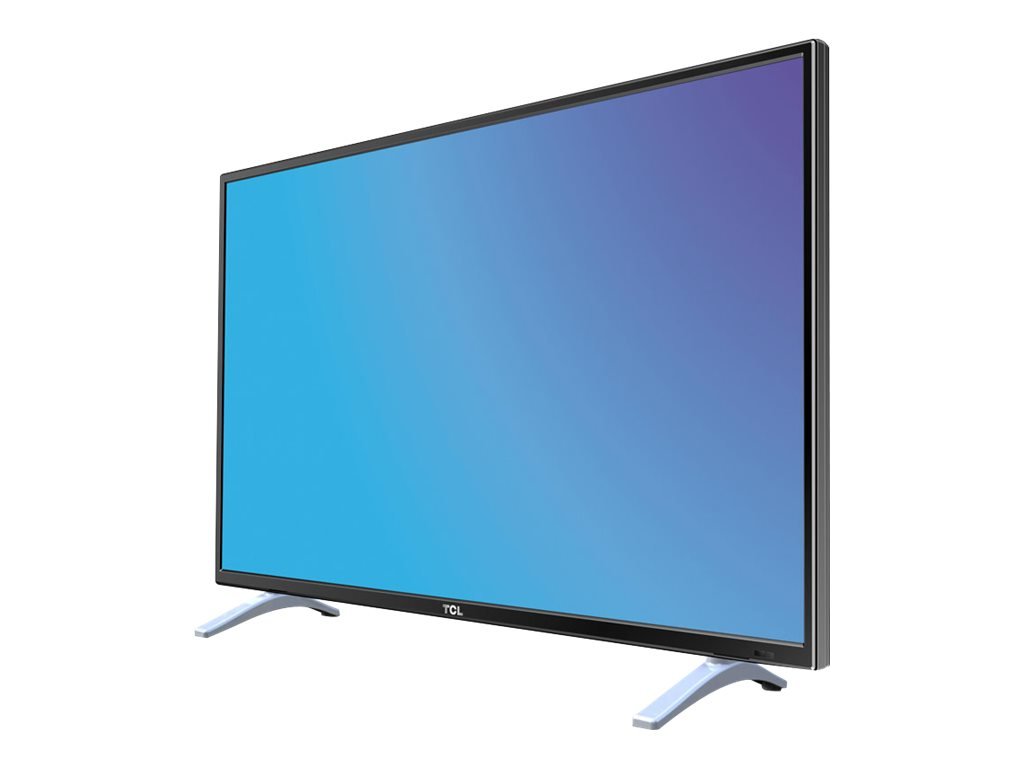
This image displays the TCL H32B3803 television on its included stand, providing a visual reference for its size and how it appears in a typical viewing environment. The image also indicates the TV's width as 28.9 inches (73 cm).
3.3 Connecting Power
After securing the stand and making all necessary connections, plug the power cord into the TV's power input, then into a wall outlet.
3.4 Connecting Antennas and External Devices
Connect your antenna or cable signal to the appropriate input on the TV. For external devices such as Blu-ray players, game consoles, or sound systems, use the HDMI, DVI, or other available ports.
3.5 Initial Setup Wizard
Upon first power-on, the TV will guide you through an initial setup process. This typically includes selecting your language, country, and performing an automatic channel scan for available DVB-T or DVB-C channels.
4. Operating the TV
4.1 Remote Control Overview
Insert the two AAA batteries into the remote control, observing the correct polarity. The remote allows you to control power, volume, channels, input sources, and access the TV's menu system.
4.2 Basic Functions
- Power: Press the power button to turn the TV on or off.
- Volume: Use the VOL +/- buttons to adjust the sound level.
- Channels: Use the CH +/- buttons to change channels.
- Source: Press the SOURCE button to select an input from connected devices (e.g., HDMI1, HDMI2, DVI, TV).
4.3 Menu Navigation
Press the MENU button on your remote to access the main menu. Use the arrow keys to navigate through options and the OK button to confirm selections. Press EXIT or MENU again to close the menu.
4.4 Picture Settings
Within the menu, navigate to Picture settings to adjust parameters such as Brightness, Contrast, Color, and Sharpness. It is often recommended to adjust contrast from its default maximum setting for optimal viewing.
4.5 Sound Settings
Access Sound settings to modify options like Equalizer, Balance, and Sound Mode. While the TV's built-in speakers provide functional audio, custom adjustments can enhance the listening experience.
4.6 Channel Management
The TV includes features for organizing your channels. While channel sorting can be comprehensive, be aware that rearranging channels individually may require patience.
4.7 USB Playback
Insert a USB 2.0 storage device into the USB port to view compatible media files. The TV supports playback of various movie and photo formats. Note that WMV format files are not supported for playback.
4.8 Timer Functions
Set sleep timers to automatically turn off the TV after a specified period. You can also configure an auto-on timer, allowing the TV to power on at a set time to a specific channel or input.
5. Connections
The TCL H32B3803 TV offers a range of connectivity options:
- HDMI Ports (x2): For connecting high-definition devices such as Blu-ray players, game consoles, and set-top boxes.
- USB 2.0 Port: For connecting USB storage devices to play media files.
- DVI Input: For connecting computers or other devices with DVI output.
- LAN (Ethernet) Port: For network connectivity, potentially for firmware updates or limited internet services.
- Antenna Input: For connecting a terrestrial (DVB-T) or cable (DVB-C) antenna.
- CI Slot: For Conditional Access Modules (CAMs) required by some pay-TV services.
6. Maintenance
6.1 Cleaning the TV
To clean the screen, gently wipe it with a soft, lint-free cloth. For the TV cabinet, use a soft, dry cloth. Avoid using abrasive cleaners, waxes, or solvents.
6.2 Software Updates
Periodically check for available firmware updates to ensure optimal performance and access to the latest features. Updates can typically be performed via the LAN connection or USB. Exercise caution during updates, as interrupted processes can lead to operational issues.
7. Troubleshooting
If you encounter issues with your TV, refer to the following common solutions:
- No Power: Ensure the power cord is securely plugged into both the TV and the wall outlet. Check if the outlet is functional.
- No Picture/Sound: Verify that the correct input source is selected. Check all cable connections to external devices.
- Poor Reception: Adjust your antenna position or check cable connections. Perform a new channel scan.
- Remote Control Not Working: Check the batteries and ensure they are inserted correctly. Point the remote directly at the TV's remote sensor.
- Frozen Picture/Unresponsive: Turn off the TV, unplug it from the power outlet, wait for a few minutes, then plug it back in and power on.
8. Specifications
| Feature | Specification |
|---|---|
| Model Name | H32B3803 |
| Screen Size | 32 Inches |
| Display Technology | LED |
| Resolution | 768p (1366 x 768 Pixels) |
| Refresh Rate | 100 Hz |
| Aspect Ratio | 16:9 |
| Connectivity | 2x HDMI, 1x USB 2.0, DVI, LAN |
| Tuners | DVB-T, DVB-C |
| Dimensions (W x D x H) | 73.5 x 19 x 48 cm |
| Weight | 4.8 kg |
| Energy Efficiency Class | A+ |
| Power Consumption (Active) | 31 W |
| Power Consumption (Standby) | 0.33 W |
| Batteries for Remote | 2x AAA (included) |
9. Warranty and Support
This product is covered by a manufacturer's warranty. Please refer to the warranty card included in your package for specific terms and conditions, including the warranty period and coverage details.
For technical support, service inquiries, or further assistance, please visit the official TCL support website or contact their customer service department. Contact information can typically be found on the TCL website or in your product documentation.


