
Remington TF70CDN
Contents
Remington TF70CDN Battery-Operated Foil Travel Shaver User Manual
Model: TF70CDN
Introduction
The Remington TF70CDN Battery-Operated Foil Travel Shaver is designed for convenient and effective shaving. This compact shaver features Dual Foil Technology and surgical steel blades for a smooth shave. It includes an integrated head guard and a built-in cleaning brush for consistent performance and easy maintenance. The Travel Lock feature prevents accidental activation during transport.
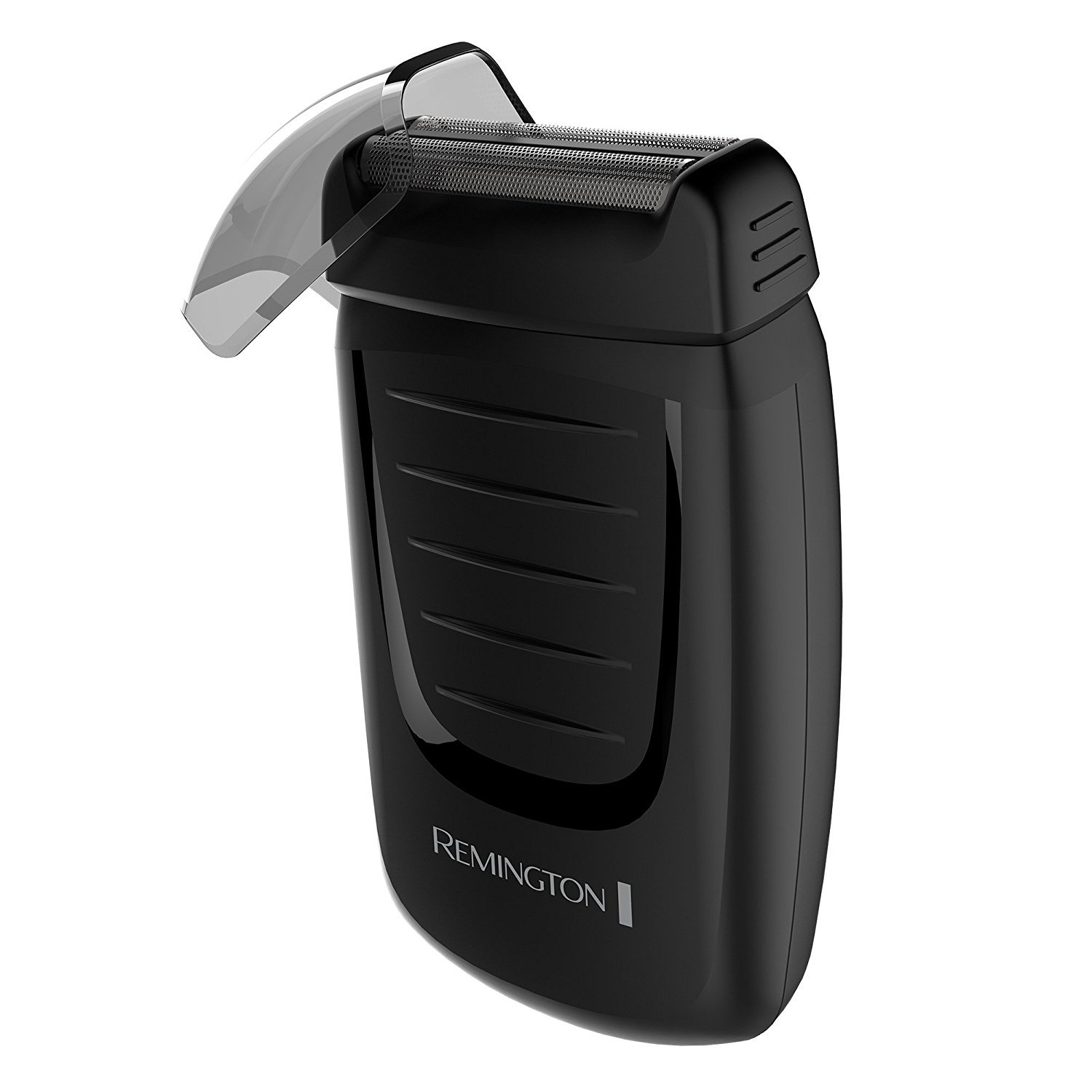
Image: Front view of the Remington TF70CDN Battery-Operated Foil Travel Shaver.
Important Safety Information
- Always keep the shaver dry and avoid contact with water. This device is not designed for wet shaving.
- Use the travel lock when the shaver is not in use to prevent accidental activation and conserve battery life.
- Follow the cleaning instructions provided in this manual to prevent bacterial growth and maintain optimal performance.
- Do not attempt to disassemble or repair the shaver yourself. Contact customer support for assistance.
- Keep out of reach of children.
Product Features
- Dual Foil Technology: Two durable foils designed for maximum skin contact and a close, comfortable shave.
- Surgical Steel Blades: Precision-engineered for an even, smooth shave.
- Travel Lock: A secure switch that prevents the shaver from accidentally turning on and draining batteries during travel or storage.
- Built-In Cleaning Brush: Integrated brush for convenient maintenance and cleaning of the shaver head.
- Integrated Head Guard: A plastic guard that slides securely over the foils to protect the shaver head during travel.
- Battery-Operated: Powered by two AA batteries, with an easily accessible compartment at the bottom of the shaver.

Image: Close-up view highlighting the Dual Foil Technology of the shaver head.
Setup
Battery Installation
- Locate the battery compartment at the bottom of the shaver.
- Slide the battery compartment cover open.
- Insert two AA batteries, ensuring correct polarity (+/-) as indicated inside the compartment.
- Slide the battery compartment cover back into place until it clicks securely.

Image: Illustration showing the battery compartment of the shaver.
Operating Instructions
Turning the Shaver On/Off and Travel Lock
The shaver features an integrated travel lock mechanism. To turn the shaver on, slide the integrated head guard completely open. The shaver will activate automatically. To turn the shaver off, slide the head guard back into its closed position. This action also engages the travel lock, preventing accidental power-on.
Video: Demonstration on how to turn on the Remington Travel Shaver by sliding the head guard.

Image: View of the shaver with the integrated head guard, illustrating the travel lock mechanism.
Shaving Technique
- Hold the shaver at a right angle (90 degrees) to your skin.
- For stubborn areas, use slow, circular motions.
- Avoid pressing too hard on the skin, as this can cause irritation and reduce shaving effectiveness.
- Stretch the skin in tough spots to help the foils capture hairs more effectively.
Maintenance and Cleaning
Cleaning the Shaver
To maintain optimal performance and hygiene, clean your shaver after each use.
- Ensure the shaver is turned off and the travel lock is engaged.
- Carefully remove the head assembly (foils and cutters).
- Use the built-in cleaning brush to remove any accumulated hair clippings from the cutters and inside the shaver body.
- Do not rinse the shaver head or body under water. This shaver is designed for dry use only.
- Replace the head assembly securely before the next use.

Image: Close-up view of the shaver showing the built-in cleaning brush.
Foil and Cutter Replacement
The shaver foils and cutters are precision components that can wear over time. For best shaving results, it is recommended to replace the screens (foils) approximately every 12 months with daily use. Replacement parts can be purchased from authorized Remington retailers or the official Remington website.
Troubleshooting
| Problem | Possible Cause | Solution |
|---|---|---|
| Shaver does not turn on. |
|
|
| Poor shaving performance or pulling. |
|
|
| Batteries are difficult to remove. | Tight battery compartment design. | Carefully pry out the batteries. This is a known characteristic of the design. |
Specifications
- Model Number: TF70CDN
- Power Source: 2 x AA Batteries (included)
- Battery Average Life: Approximately 40 minutes
- Head Type: Foil
- Number of Blades: 2
- Blade Material: Stainless Steel
- Product Dimensions: 2.48 x 3.23 x 4.33 inches
- Item Weight: 6.4 ounces
- Color: Black
- Manufacturer: Remington Products
Warranty and Support
For warranty information, product registration, or customer support, please visit the official Remington website or contact their customer service department. Keep your purchase receipt as proof of purchase for any warranty claims.
You can find more information and products from Remington at their official store: Remington Store.
Documents and downloads
Ask a question about this manual
Ask about setup, troubleshooting, compatibility, parts, safety, or missing instructions. Manuals+ will review the question and use this page’s manual context to help answer it.