
OttLite 783003
OttLite Folding Task Lamp Instruction Manual
Model: 783003
Introduction
The OttLite Folding Task Lamp provides a precise balance of contrast and brightness, offering low heat and low glare illumination for various tasks. Its unique fold-up design and portable handle make it ideal for use on desks, workstations, or for on-the-go activities. This manual provides essential information for the safe and effective use of your OttLite lamp.
Safety Information
Please read all instructions carefully before using the lamp. Keep this manual for future reference.
- Ensure the lamp is placed on a stable, flat surface to prevent tipping.
- Do not expose the lamp to water or excessive moisture.
- Use only the specified replacement bulb type (Type E, 13W CFL) for this lamp.
- Unplug the lamp from the power outlet before cleaning or replacing the bulb.
- Keep the lamp away from flammable materials.
- Do not attempt to disassemble or repair the lamp yourself. Refer to qualified service personnel.
Package Contents
- OttLite Folding Task Lamp (Base and Shade assembly)
- 13-watt CFL Bulb (Type E)
Setup
- Carefully remove the lamp and all packaging materials from the box.
- Place the lamp on a stable, flat surface where you intend to use it.
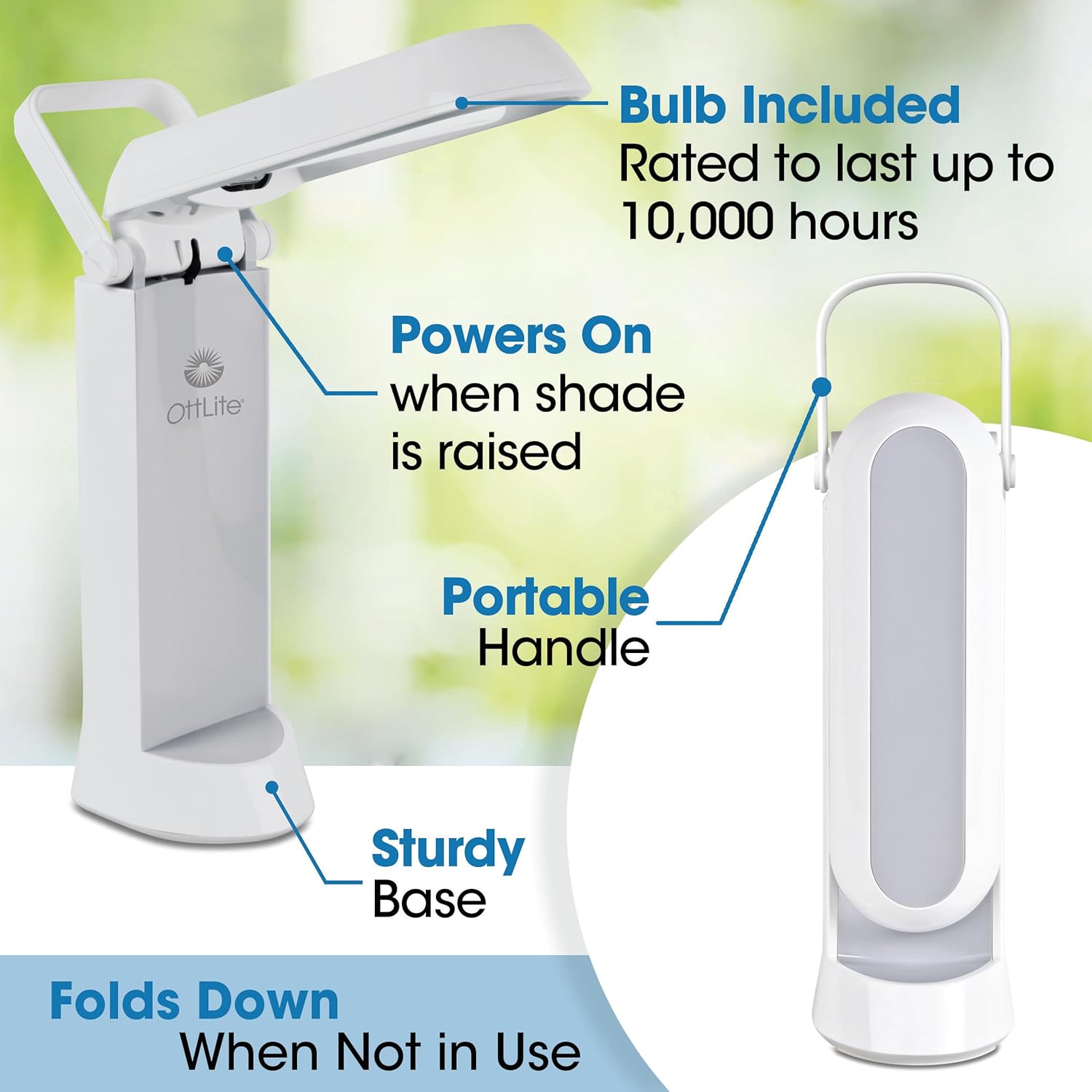
- Unfold the lamp shade from its compact, folded position. The lamp will automatically power on as the shade is opened.
- Plug the power cord into a standard 120V AC electrical outlet.

Operating Instructions
Powering On/Off
The OttLite Folding Task Lamp is designed for convenience. It automatically powers on when the shade is fully opened and turns off when the shade is closed and folded down.
Adjusting the Shade
The multi-position shade can be easily adjusted to direct light precisely where it is needed. The lamp's neck can be adjusted from 11 ¼ inches to 17 ½ inches in height. Gently pivot the shade to achieve your desired lighting angle.

Portability
The lamp features a unique fold-up design and an integrated handle, making it highly portable. When not in use, simply fold the shade down into its compact form for easy storage or transport.

Maintenance
Cleaning
To clean the lamp, ensure it is unplugged from the power outlet. Wipe the surfaces with a soft, dry cloth. Do not use abrasive cleaners or solvents, as they may damage the finish.
Bulb Replacement
The included 13-watt CFL bulb (Type E) is rated to last up to 10,000 hours. When replacement is necessary, ensure the lamp is unplugged and the bulb has cooled. Gently twist and pull the old bulb to remove it, then insert the new Type E 13-watt CFL bulb by aligning the pins and pushing it firmly into place.

Troubleshooting
| Problem | Possible Cause | Solution |
|---|---|---|
| Lamp does not turn on. | Not plugged in; Shade not fully open; Bulb is loose or burnt out. | Ensure power cord is securely plugged in; Fully open the lamp shade; Check if bulb is properly seated or needs replacement. |
| Light flickers. | Loose bulb; Bulb nearing end of life. | Ensure bulb is securely seated; Replace the bulb if flickering persists. |
| Lamp is unstable. | Not on a flat surface. | Place the lamp on a firm, level surface. |
Specifications
- Model: 783003
- Light Source Type: CFL
- Wattage: 13 watts
- Voltage: 120 Volts (AC)
- Brightness: 580 Lumen
- Bulb Base: E26
- Product Dimensions (Folded): Approximately 4.63"D x 4.75"W x 20.75"H
- Adjustable Height: 11.25" to 17.5"
- Base Material: Plastic
- Finish Type: Polished
- Item Weight: 2 Pounds
- Special Feature: Foldable
- Recommended Uses: Office, Desk, Crafting, Reading, Studying, Sewing, Needlework
Warranty and Support
OttLite products are designed for quality and durability. For specific warranty information, please refer to the documentation included with your purchase or visit the official OttLite website. If you encounter any issues or require technical assistance, please contact OttLite customer support through their official channels.
OttLite Technologies
Website: www.ottlite.com
Related documents783003


Ask a question about this manual
Ask about setup, troubleshooting, compatibility, parts, safety, or missing instructions. Manuals+ will review the question and use this page’s manual context to help answer it.