
1. Introduction
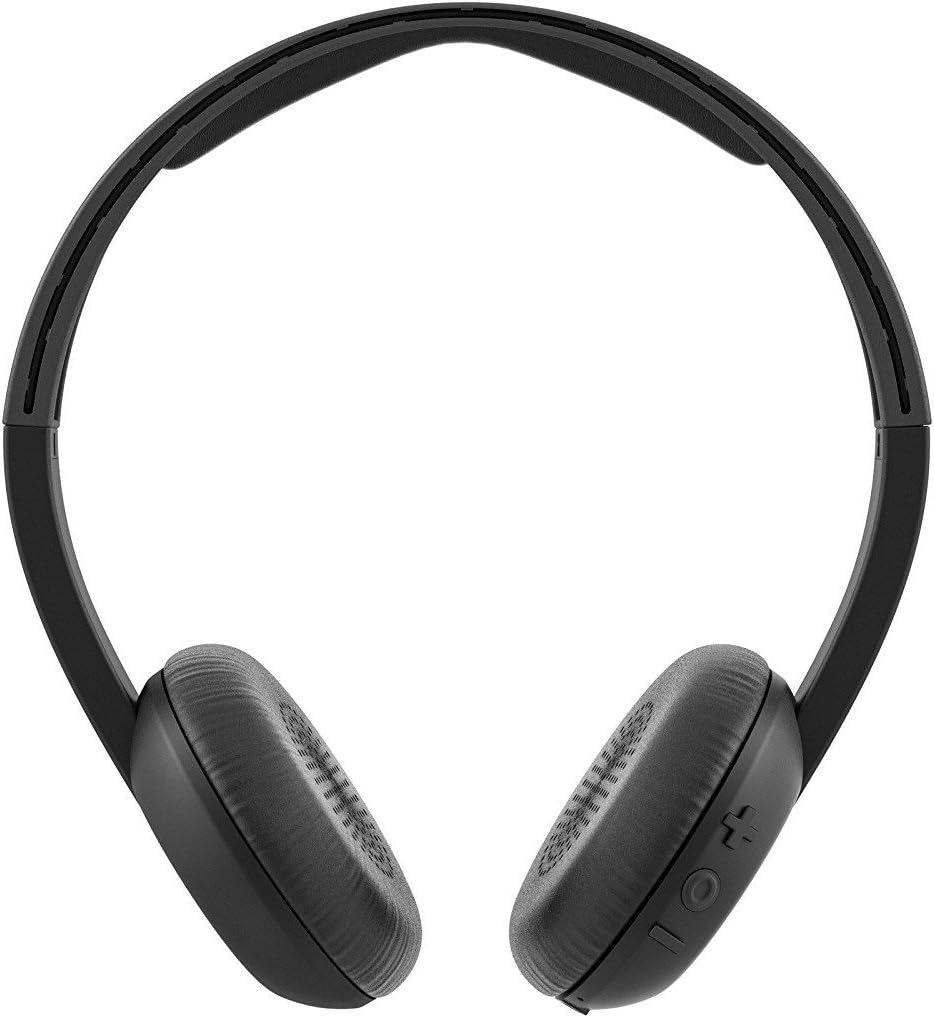
Welcome to the Skullcandy Uproar On-Ear Headphones instruction manual. These headphones are designed to provide clear audio quality with a comfortable, lightweight fit. They feature an integrated microphone and remote for convenient call management and music control.
Please read this manual thoroughly to understand the features and proper operation of your new headphones.

Product Overview Video
Video 1: An overview of the Skullcandy Uproar On-Ear Headphones, highlighting key features and design.
2. Key Features
- Supreme Sound: Delivers clear and premium audio for an enhanced listening experience.
- Lightweight Design: Constructed at approximately 4.5 ounces for extended wearing comfort.
- Plush Ear Pillows: Designed for long-lasting comfort during use.
- Built-in TapTech Mic with Remote: Allows users to take calls and manage music playback directly from the headphones.
- Wired Connectivity: Ensures reliable audio transmission.
- Universal Phone Control Compatibility: Seamless integration with various smart devices.
3. Package Contents
The Skullcandy Uproar On-Ear Headphones package includes:
- Skullcandy Uproar On-Ear Headphones
4. Setup
- Connect to Device: Insert the 3.5mm audio jack of the headphones into the corresponding audio port on your smartphone, tablet, laptop, or other compatible audio device.
- Adjust Fit: Place the headphones on your ears and adjust the headband for a comfortable and secure fit. The plush ear pillows should rest gently over your ears.
5. Operating Instructions
Music Playback Control
- Play/Pause: Press the center button on the TapTech remote once.
- Next Track: Press the center button twice quickly.
- Previous Track: Press the center button three times quickly.
Call Management
- Answer/End Call: Press the center button on the TapTech remote once.
- Reject Call: Press and hold the center button for approximately two seconds.
6. Maintenance
- Cleaning: Use a soft, dry cloth to clean the headphones. Do not use liquid cleaners or aerosols.
- Storage: Store the headphones in a cool, dry place when not in use. Avoid extreme temperatures.
- Cable Care: The cable features a retractable design. Avoid excessive pulling or sharp bends to prevent damage.
- Water Exposure: These headphones are not water-resistant. Avoid exposure to moisture or liquids.
7. Troubleshooting
| Problem | Solution |
|---|---|
| No audio or low volume. |
|
| Microphone not working. |
|
| Remote control not responding. |
|
8. Specifications
| Feature | Detail |
|---|---|
| Model Number | S5URHT-456 |
| Connectivity Technology | Wired |
| Earpiece Shape | On-ear |
| Control Type | Remote (TapTech) |
| Special Feature | Microphone Included |
| Cable Feature | Retractable |
| Material | Synthetic |
| Item Weight | 4.5 ounces |
| Product Dimensions | 5.5 x 3.1 x 6.25 inches |
| Water Resistance Level | Not Water Resistant |
9. Warranty and Support
Skullcandy Uproar On-Ear Headphones come with a Lifetime Warranty. For detailed information regarding warranty coverage, claims, and product support, please visit the official Skullcandy website:
For additional assistance, refer to the product detail page on Amazon or contact Skullcandy customer service directly.


