1. Introduction
This manual provides detailed instructions for the proper installation, operation, and maintenance of your Skar Audio RP-75.4AB 500 Watt Full-Range Class A/B 4 Channel Car Amplifier. Please read this manual thoroughly before attempting installation or operation to ensure optimal performance and safety.
The Skar Audio RP-75.4AB is a powerful and reliable four-channel Class A/B full-range car amplifier designed to power an aftermarket speaker system. It features a high-speed MOSFET power supply, premium internal components, and 4-way protection circuitry for safe and consistent operation.
5. Setup and Installation
Proper installation is crucial for the performance and longevity of your amplifier. If you are unsure about any steps, consult a professional installer.
5.1 Mounting the Amplifier
Choose a mounting location that is dry, well-ventilated, and away from direct heat sources. Ensure there is sufficient airflow around the amplifier's heatsink. Secure the amplifier using appropriate hardware to a solid surface in your vehicle.

Image: Top view of the Skar Audio RP-75.4AB amplifier, showcasing its sleek black design and heatsink fins.
5.2 Wiring Connections
The RP-75.4AB amplifier requires 8-gauge wiring for power and ground connections to ensure maximum current flow and prevent overheating. Connect the power cable directly to the positive terminal of your vehicle's battery, installing an in-line fuse within 18 inches of the battery. Connect the ground cable to a clean, unpainted metal surface on the vehicle's chassis.

Image: Rear view of the Skar Audio RP-75.4AB amplifier, showing the power input terminals (GND, REM, +12V) and speaker output terminals for channels 1-4, including bridging options.
Connect your speakers to the appropriate speaker output terminals. For optimal performance, ensure correct polarity (+ to + and - to -). Refer to your speaker's manual for impedance matching recommendations.

Image: Front view of the Skar Audio RP-75.4AB amplifier, displaying the RCA input jacks for channels 1-4 and various adjustable controls such as Gain, HPF, LPF, X-Over, and Bass EQ.
6. Operating Instructions
Once installed, adjust the amplifier settings for optimal sound quality.
6.1 Gain Control
The gain control (labeled "GAIN") matches the amplifier's input sensitivity to the output of your head unit. Start with the gain set to minimum and slowly increase it until you hear distortion, then back off slightly. This is not a volume control.
6.2 Crossover Settings (HPF/LPF)
The RP-75.4AB features variable High-Pass Filter (HPF) and Low-Pass Filter (LPF) controls. These allow you to direct specific frequency ranges to your speakers.
- HPF (High-Pass Filter): Allows frequencies above the set point to pass through. Useful for full-range speakers to prevent them from playing low bass, which can cause distortion.
- LPF (Low-Pass Filter): Allows frequencies below the set point to pass through. Useful for subwoofers to ensure they only play bass frequencies.
- X-Over Switch: Selects between HPF, LPF, or Full-Range operation.
6.3 Bass EQ
The Bass EQ switch provides a bass boost at specific frequencies (0, +6, +12 dB). Use this feature sparingly and adjust carefully to avoid distortion or damage to your speakers.
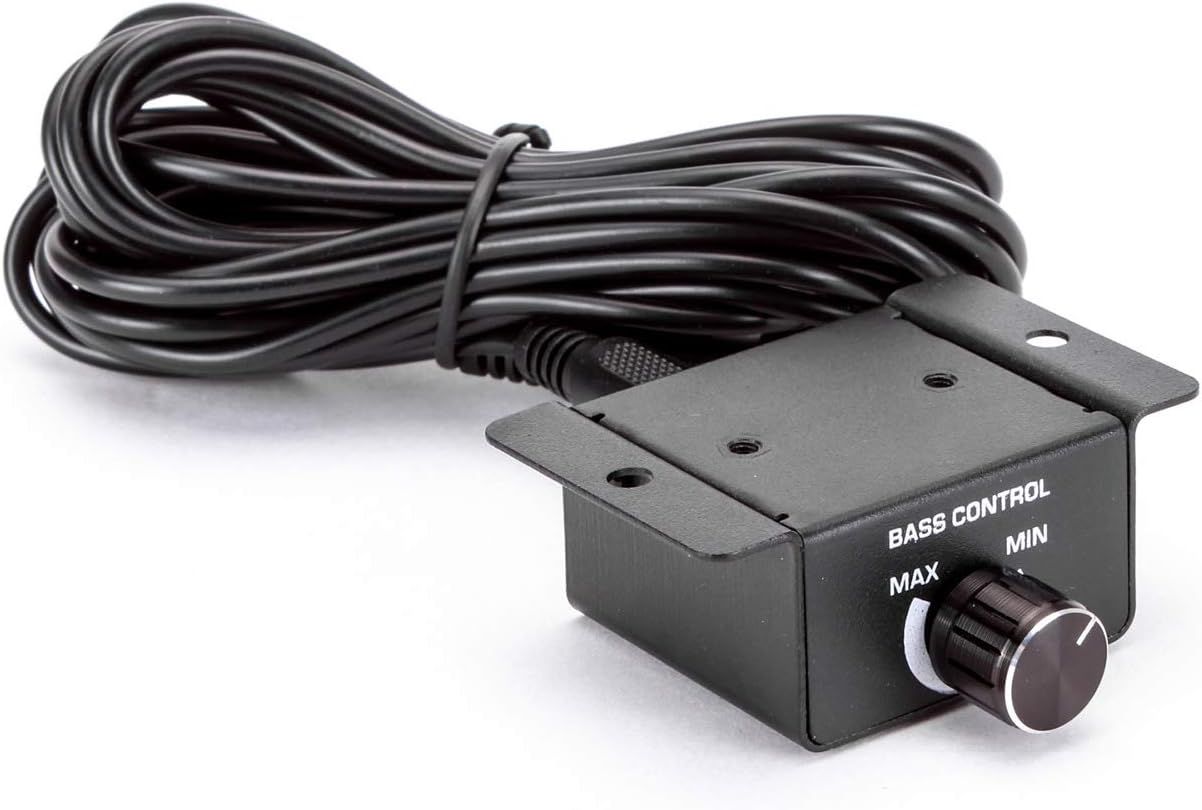
Image: External bass control knob for the Skar Audio amplifier, allowing remote adjustment of bass levels.
8. Troubleshooting
If you experience issues with your amplifier, refer to the following common problems and solutions:
| Problem | Possible Cause | Solution |
|---|
| No Power | Blown fuse, loose power/ground connection, faulty remote turn-on. | Check and replace fuse. Verify all power, ground, and remote connections are secure. |
| No Sound | Loose RCA cables, incorrect gain settings, speaker wires disconnected, amplifier in protect mode. | Check RCA connections. Adjust gain. Verify speaker wiring. Check for protect light (red LED). |
| Distorted Sound | Gain set too high, incorrect crossover settings, faulty speakers. | Reduce gain. Adjust HPF/LPF settings. Test speakers with another amplifier if possible. |
| Amplifier Overheating | Insufficient ventilation, improper impedance load, prolonged high volume. | Ensure adequate airflow. Verify speaker impedance matches amplifier's capabilities. Reduce volume. |
If problems persist after attempting these solutions, contact Skar Audio customer support or a certified car audio technician.
9. Warranty and Support
For warranty information and customer support, please refer to the official Skar Audio website or contact their customer service directly. Keep your purchase receipt as proof of purchase for warranty claims.
Visit the Skar Audio Store for more products and information.