
1. Product Overview
The Zink Polaroid ZIP Wireless Mobile Photo Mini Printer (Model POLMP01W) offers instant photo printing directly from your smartphone or tablet. Utilizing Zink Zero Ink technology, this compact printer produces 2x3 inch smudge-proof, peel-and-stick photos without the need for ink cartridges or ribbons. It connects wirelessly via Bluetooth or NFC, making it convenient for on-the-go printing.

Image 1.1: The Zink Polaroid ZIP Wireless Mobile Photo Mini Printer (Model POLMP01W) in white, showcasing its compact design.
2. What's in the Box
- 1 x Polaroid ZIP Mobile Photo Printer
- 1 x Micro USB cable (for charging)
- 1 x Polaroid ZINK Photo Paper (10-Pack)
3. Setup
- Charge the Printer: Connect the Polaroid ZIP printer to a power source using the provided Micro USB cable. The charge indicator light will illuminate. A full charge typically takes 1.5 hours.
- Load ZINK Photo Paper: Open the printer's paper compartment. Insert a pack of 2x3 inch ZINK Photo Paper with the blue calibration sheet at the bottom, facing down. Close the compartment securely.
- Download the App: Download the official Polaroid ZIP Mobile Printer app from your device's app store (available for iOS and Android).
- Pair with Your Device:
- Bluetooth: Turn on the printer by pressing and holding the power button. Enable Bluetooth on your smartphone or tablet. Open the Polaroid ZIP app and follow the on-screen instructions to pair with 'Polaroid ZIP'.
- NFC (for compatible Android devices): Ensure NFC is enabled on your Android device. Tap your device to the NFC area on the printer to initiate pairing.
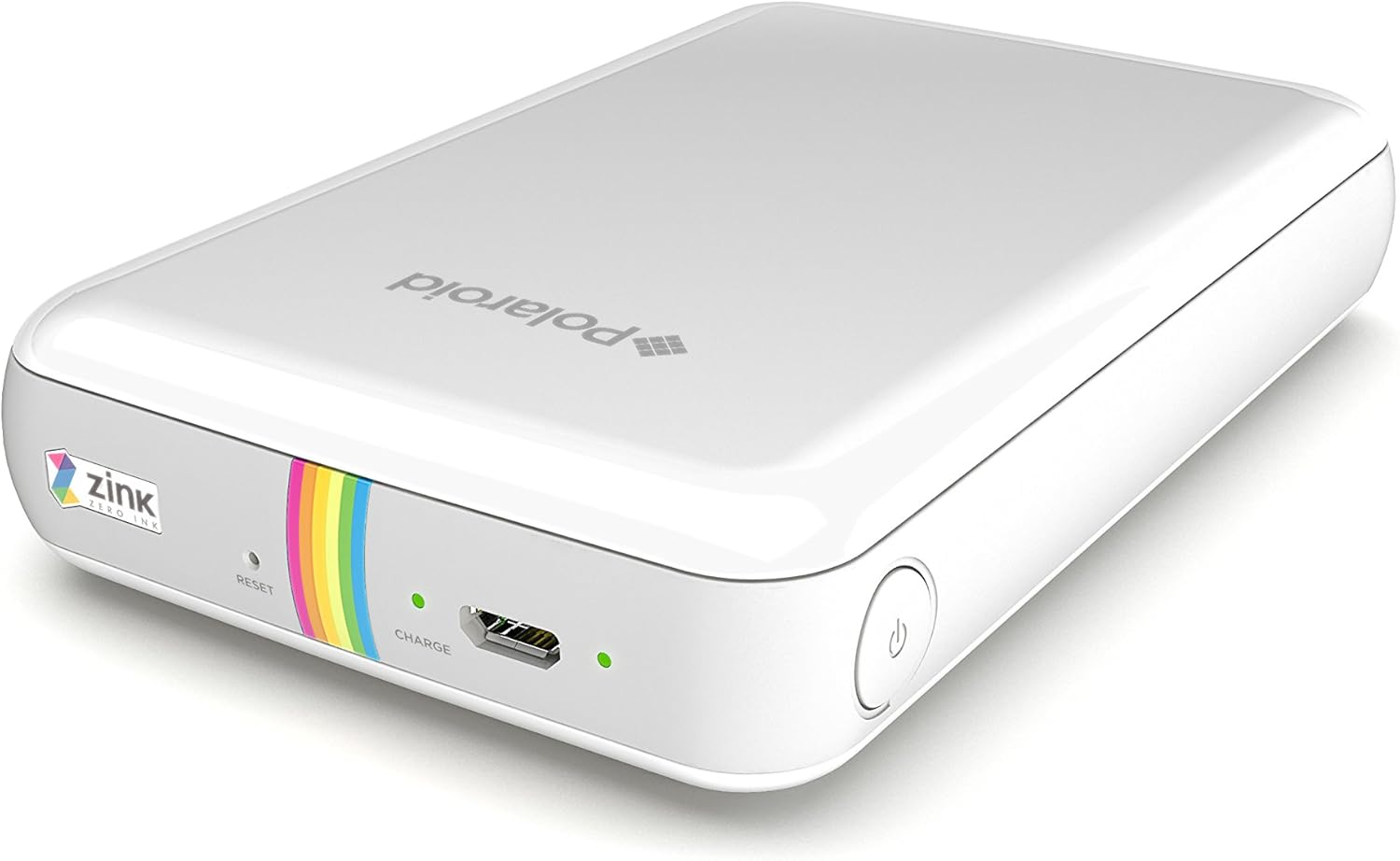
Image 3.1: A smartphone connected to the Zink Polaroid ZIP printer, ready to send a photo for printing.
4. Operating Instructions
- Select a Photo: Open the Polaroid ZIP app. Choose a photo from your device's gallery or take a new one using the app's camera function.
- Edit and Customize (Optional): The app offers various editing options, including filters, borders, and collage layouts. Adjust your photo as desired.
- Print: Once your photo is ready, tap the print icon within the app. The image will be sent wirelessly to the printer.
- Retrieve Photo: The printed 2x3 inch photo will emerge from the printer's output slot. The ZINK paper has an adhesive backing that can be peeled off to turn your photo into a sticker.
Video 4.1: An official product video demonstrating the printing process with the Zink Polaroid ZIP printer, showing how to select, edit, and print photos from a mobile device.

Image 4.2: The Polaroid ZIP app interface on a smartphone, showing options for editing and printing a selected photo.
5. Maintenance
- Cleaning: Use a soft, dry cloth to clean the exterior of the printer. Do not use liquid cleaners or solvents.
- Paper Storage: Store ZINK Photo Paper in its original packaging in a cool, dry place to maintain print quality. Avoid exposure to direct sunlight or high humidity.
- Battery Care: For optimal battery life, charge the printer regularly, even if not in frequent use. Avoid completely draining the battery for extended periods.
6. Troubleshooting
- Printer Not Connecting: Ensure Bluetooth/NFC is enabled on your device and the printer is powered on. Restart both devices and try pairing again. Check the app for any connection status indicators.
- Poor Print Quality: Ensure you are using genuine ZINK Photo Paper. The blue calibration sheet should be loaded with each new pack to optimize print quality. Photos may appear slightly darker than on screen; adjust brightness in the app if needed.
- Paper Jams: Carefully open the paper compartment and remove any jammed paper. Ensure paper is loaded correctly and not overfilled.
- Printer Not Turning On: Check the battery level. Connect the printer to a charger and allow it to charge for a few minutes before attempting to power it on again.
7. Specifications
| Feature | Detail |
|---|---|
| Product Dimensions | 0.34"D x 1.15"W x 1.86"H (74 x 120 x 22.8 mm) |
| Item Weight | 6.6 ounces (186 g) |
| Connectivity Technology | Bluetooth, NFC |
| Printing Technology | Zink Technology (Zero Ink) |
| Print Media | 2x3 inch ZINK Photo Paper (Glossy, Peel-and-Stick) |
| Battery | Rechargeable 500 mAh Lithium Polymer |
| Charge Time | 1.5 Hours |
| Prints per Charge | Up to 25 photos |
| Compatible Devices | iOS and Android smartphones/tablets |
| Control Method | App |
8. Warranty and Support
Only Polaroid products offered by authorized dealers are covered by the manufacturer's warranty. Products from unauthorized resellers may be counterfeit, damaged, altered, or previously used. For a list of authorized distributors and further support, please refer to the manufacturer's official website.


