
1. Product Overview
This manual provides essential information for the Ariens 03648300 OEM Idler Belt Finger. This component is a genuine Ariens replacement part designed to ensure proper tension and alignment of the drive belt system in compatible lawn mowers and zero-turn tractors. Proper installation and maintenance are crucial for the optimal performance and longevity of your equipment.
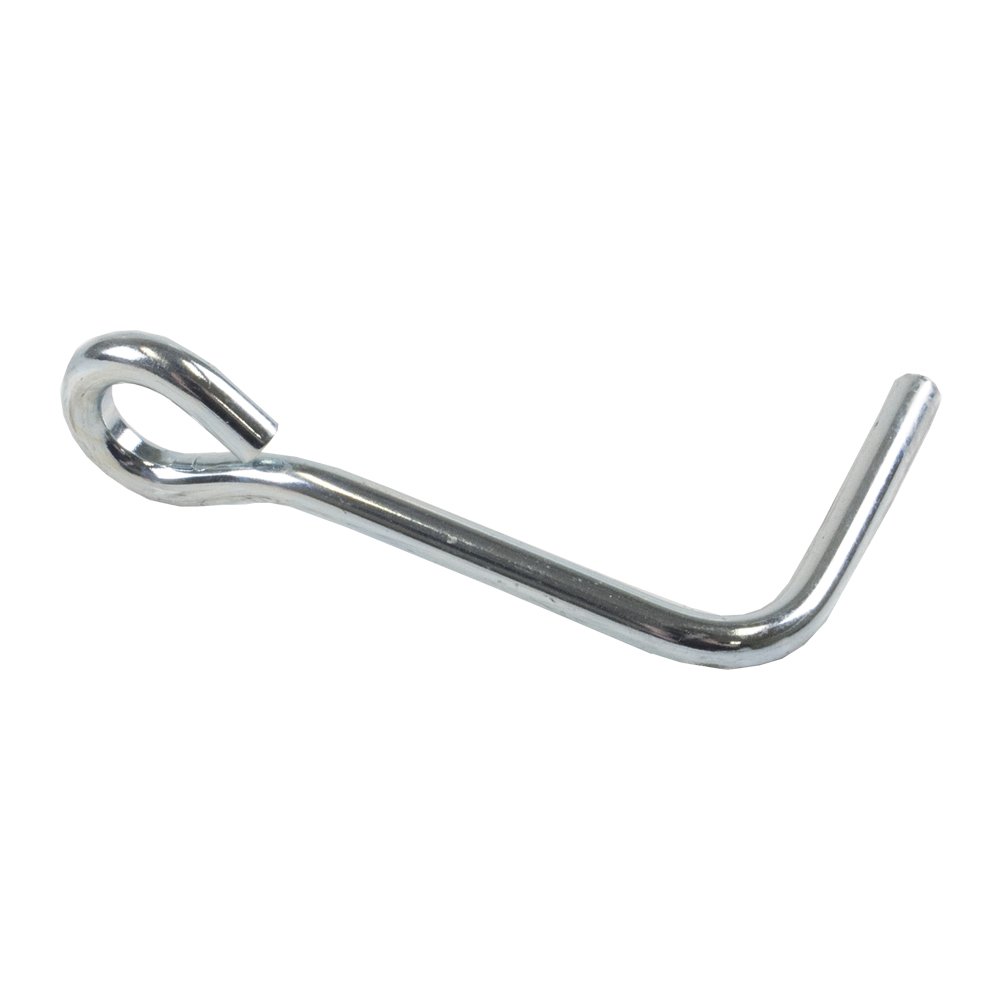
Image 1.1: The Ariens 03648300 OEM Idler Belt Finger. This is a silver-colored metal component, bent at an angle, with a small loop at one end, designed to secure an idler belt.
2. Compatibility
The Ariens 03648300 Idler Belt Finger is compatible with a wide range of Ariens and Gravely equipment. Verify your model number against the list below to ensure proper fitment.
Compatible Ariens Models:
- EZR 1440, EZR 1540, EZR 1648
- High Sierra 1848, High Sierra 2248
- Mini-Zoom 1434, Mini-Zoom 1534
- Sierra 1340G, Sierra 1340H, Sierra 1440G, Sierra 1440H, Sierra 1540G, Sierra 1540H, Sierra 1548H, Sierra 1640H, Sierra 1648H, Sierra 1742H, Sierra 1842H, Sierra 2048H
- Zoom 1540, Zoom 1640, Zoom 1740, Zoom 1744, Zoom 1840, Zoom 1844, Zoom 1944, Zoom 2044, Zoom 2048, Zoom 2148, Zoom 2252, Zoom 2348, Zoom 2352, Zoom 2552
Compatible Gravely Models:
- GLT 440, GLT 448, GLT 548H
- Mini-ZT 1434, Mini-ZT 1534
- ZT 1540, ZT 1640, ZT 1740, ZT 1840, ZT 1844, ZT 1944, ZT 2044, ZT 2048, ZT 2148, ZT 2252, ZT 2348, ZT 2352, ZT 2552
3. Installation Instructions
Safety First: Always ensure the equipment is turned off, the engine is cool, and the spark plug wire is disconnected before performing any maintenance or installation. Wear appropriate personal protective equipment (PPE) such as gloves and eye protection.
- Locate the Idler Belt Finger: Identify the existing idler belt finger on your equipment. Refer to your equipment's specific service manual for exact location and removal procedures.
- Remove Old Component: Carefully remove the old idler belt finger. This may involve removing a retaining clip or bolt. Note the orientation of the old finger for correct installation of the new one.
- Inspect Surrounding Components: While the finger is removed, inspect the idler pulley, belt, and any associated hardware for wear or damage. Replace any worn components as necessary.
- Install New Idler Belt Finger: Position the new Ariens 03648300 Idler Belt Finger in the correct orientation. Secure it with the appropriate retaining clip or bolt, ensuring it is firmly seated but allows for proper belt movement.
- Re-engage Belt: Ensure the drive belt is correctly routed around all pulleys and the idler finger.
- Test Operation: Reconnect the spark plug wire. Start the equipment and carefully test the belt system to ensure proper function and tension. Listen for any unusual noises.
If you are unsure about any step, consult a qualified service technician or your equipment's detailed service manual.
4. Maintenance
Regular inspection of your idler belt finger and the entire belt system is essential for reliable operation.
- Visual Inspection: Periodically check the idler belt finger for signs of wear, bending, or corrosion. Ensure it is securely fastened.
- Cleanliness: Keep the area around the idler finger and pulleys free from debris, grass clippings, and dirt, which can interfere with belt operation.
- Belt Condition: Inspect the drive belt for cracks, fraying, or excessive wear. A worn belt can lead to slippage and reduced performance, even with a properly functioning idler finger.
- Lubrication: Some idler systems may require occasional lubrication. Refer to your equipment's service manual for specific lubrication points and schedules.
5. Troubleshooting
If you experience issues with your equipment's belt system, consider the following:
- Belt Slipping: If the belt is slipping, check the idler belt finger for proper tension and position. Ensure the belt itself is not worn or stretched.
- Unusual Noises: Squealing or grinding noises from the belt area could indicate a misaligned idler finger, a worn idler pulley, or a damaged belt.
- Belt Coming Off: If the belt frequently comes off, verify that the idler belt finger is correctly installed and not bent. Also, check for worn pulleys or incorrect belt routing.
- Vibration: Excessive vibration from the belt system might be caused by a bent idler finger or a damaged idler pulley.
Always address issues promptly to prevent further damage to your equipment.
6. Specifications
| Specification | Detail |
|---|---|
| Part Number | 03648300 |
| Brand | Ariens |
| Material | Stainless Steel |
| Product Dimensions (L x W) | 10" x 6" (Approximate, as listed in product data) |
| Item Weight | 0.1 Pounds |
7. Warranty and Support
Warranty Information:
This Ariens OEM part typically comes with a 1-year warranty from the date of purchase, covering defects in material and workmanship. Please retain your proof of purchase for warranty claims. For specific warranty terms and conditions, refer to the documentation provided with your original equipment or contact Ariens customer service.
Customer Support:
For technical assistance, parts inquiries, or warranty service, please contact Ariens customer support or visit the official Ariens website. When contacting support, have your equipment model number, serial number, and the part number (03648300) readily available.