
Introduction
This manual provides essential information for the proper installation, maintenance, and understanding of the Exmark 116-2221 Wear Plate. This component is a genuine Exmark replacement part designed to ensure optimal performance and longevity of your lawn mowing equipment.
The wear plate serves a critical function in protecting the mower deck from abrasion and impact, extending the life of the deck and maintaining consistent cutting performance. Proper installation and regular inspection are crucial for its effectiveness.
Compatibility
The Exmark 116-2221 Wear Plate is compatible with various Exmark commercial lawn mower models. Please verify your equipment's specific model and serial number against the list below to ensure correct fitment. Always refer to your original equipment owner's manual for definitive part verification.
- Commercial
- Commercial 21
- Commercial 21 X-Series
- S-Series Commercial 21
- ECS180GKA21000
- ECX160CHN21000
- ECX180CKA21000
- ECX180CKA210BC
- ECXHN21
- ECXHNBBC21
- ECXKA21
- ECXKABBC21
Setup and Installation
Safety First: Before beginning any installation or maintenance, ensure the equipment is turned off, the engine is cool, and the spark plug wire is disconnected to prevent accidental starting. Wear appropriate personal protective equipment, including gloves and eye protection.
Tools Required:
- Wrench set (appropriate sizes for mower deck hardware)
- Socket set (if applicable)
- Safety glasses
- Work gloves
- Wire brush (for cleaning)
Installation Steps:
- Prepare the Mower: Park the mower on a flat, stable surface. Disconnect the spark plug wire. If necessary, raise the front of the mower or tilt it back to access the underside of the deck, ensuring it is securely supported.
- Locate Existing Wear Plate: Identify the worn or damaged wear plate on the mower deck. It is typically located in areas prone to abrasion, such as the front or sides of the deck.
- Remove Old Wear Plate: Using the appropriate wrench or socket, carefully remove the bolts or fasteners securing the old wear plate. Keep track of all hardware.
- Clean Mounting Area: Thoroughly clean the area where the new wear plate will be installed. Remove any dirt, debris, rust, or old gasket material using a wire brush or scraper. A clean surface ensures proper fitment and prevents premature wear.
- Position New Wear Plate: Align the new Exmark 116-2221 Wear Plate with the mounting holes on the mower deck. Ensure it sits flush against the surface.
- Secure New Wear Plate: Insert the bolts or fasteners through the wear plate and into the deck. Hand-tighten them first to ensure proper alignment, then tighten securely with a wrench or socket. Do not overtighten, as this can damage the plate or the deck.
- Final Check: Verify that the wear plate is securely attached and does not wobble. Reconnect the spark plug wire before operating the mower.

Image 1: Top view of the Exmark 116-2221 Wear Plate, showing its U-shaped design and two mounting holes.
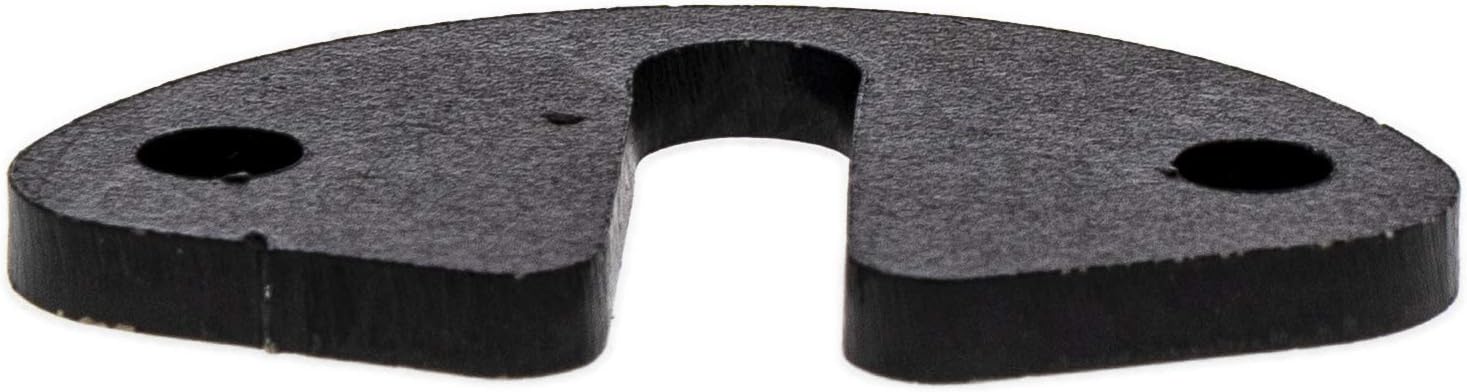
Image 2: Side profile of the Exmark 116-2221 Wear Plate, highlighting its thickness and robust construction.
Operating Considerations
The Exmark 116-2221 Wear Plate is a passive component designed to protect the mower deck. Once correctly installed, no specific operational adjustments are required for the wear plate itself. Its function is to absorb impact and abrasion during normal mowing operations.
Ensure that the wear plate does not interfere with any moving parts of the mower deck, such as blades or belts, after installation. If any unusual noises or vibrations occur, immediately shut down the mower and inspect the installation.
Maintenance
Regular inspection of the wear plate is essential to ensure its continued effectiveness and to prevent damage to the mower deck.
- Visual Inspection: Before each mowing season or every 25 operating hours, inspect the wear plate for signs of excessive wear, cracks, bending, or loose fasteners.
- Fastener Check: Ensure all mounting bolts are tight. Re-tighten if necessary.
- Cleaning: Keep the area around the wear plate free of grass clippings and debris to prevent buildup that could hinder its function or promote corrosion.
- Replacement: If the wear plate shows significant wear, damage, or is no longer providing adequate protection to the deck, replace it with a new genuine Exmark 116-2221 Wear Plate. Timely replacement prevents more costly damage to the mower deck.

Image 3: Angled view of the Exmark 116-2221 Wear Plate, showing its precise cut and finish.
Troubleshooting
Most issues related to a wear plate stem from improper installation or delayed replacement.
- Wear Plate Becomes Loose:
- Check if fasteners are properly tightened.
- Inspect for damaged mounting holes on the deck or wear plate.
- Excessive Wear on Deck Near Wear Plate:
- The wear plate may be incorrectly positioned or not fully covering the intended area.
- The wear plate itself may be excessively worn and requires replacement.
- Ensure the wear plate is the correct part for your specific mower model.
- Unusual Noise or Vibration After Installation:
- Verify that the wear plate is not contacting any moving parts (e.g., blades).
- Ensure all fasteners are securely tightened and the plate is flush against the deck.
If issues persist after troubleshooting, consult your Exmark dealer or a qualified service technician.
Specifications
| Part Number | 116-2221 |
| Brand | Exmark |
| Product Dimensions | 10 x 6 x 1 inches |
| Item Weight | 0.8 ounces |
| Material | (Not specified, typically durable metal or composite) |
Warranty and Support
For information regarding the warranty of your Exmark 116-2221 Wear Plate, please refer to the official Exmark warranty policy provided with your original equipment or visit the official Exmark website. As a genuine replacement part, it is typically covered under Exmark's standard parts warranty.
For technical support, service, or to locate an authorized Exmark dealer, please visit the official Exmark website or contact Exmark customer service directly. Always provide your equipment's model and serial number when seeking support.
Official Exmark Website: www.exmark.com