
Introduction
This manual provides instructions for the proper installation, operation, and maintenance of the Exmark Part Number 116-1209 bagger. This genuine Exmark component is designed to enhance the collection capabilities of compatible lawn mowers.
Compatibility: This bagger is compatible with the following Exmark models:
- Pioneer Bagger
- Pioneer Bagger E-Series
- Quest Bagger
- Quest Ultra Vac Bagger
Always refer to your equipment's original owner's manual to verify correct part fitment, as compatibility can vary by sub-model, serial number, and production date.
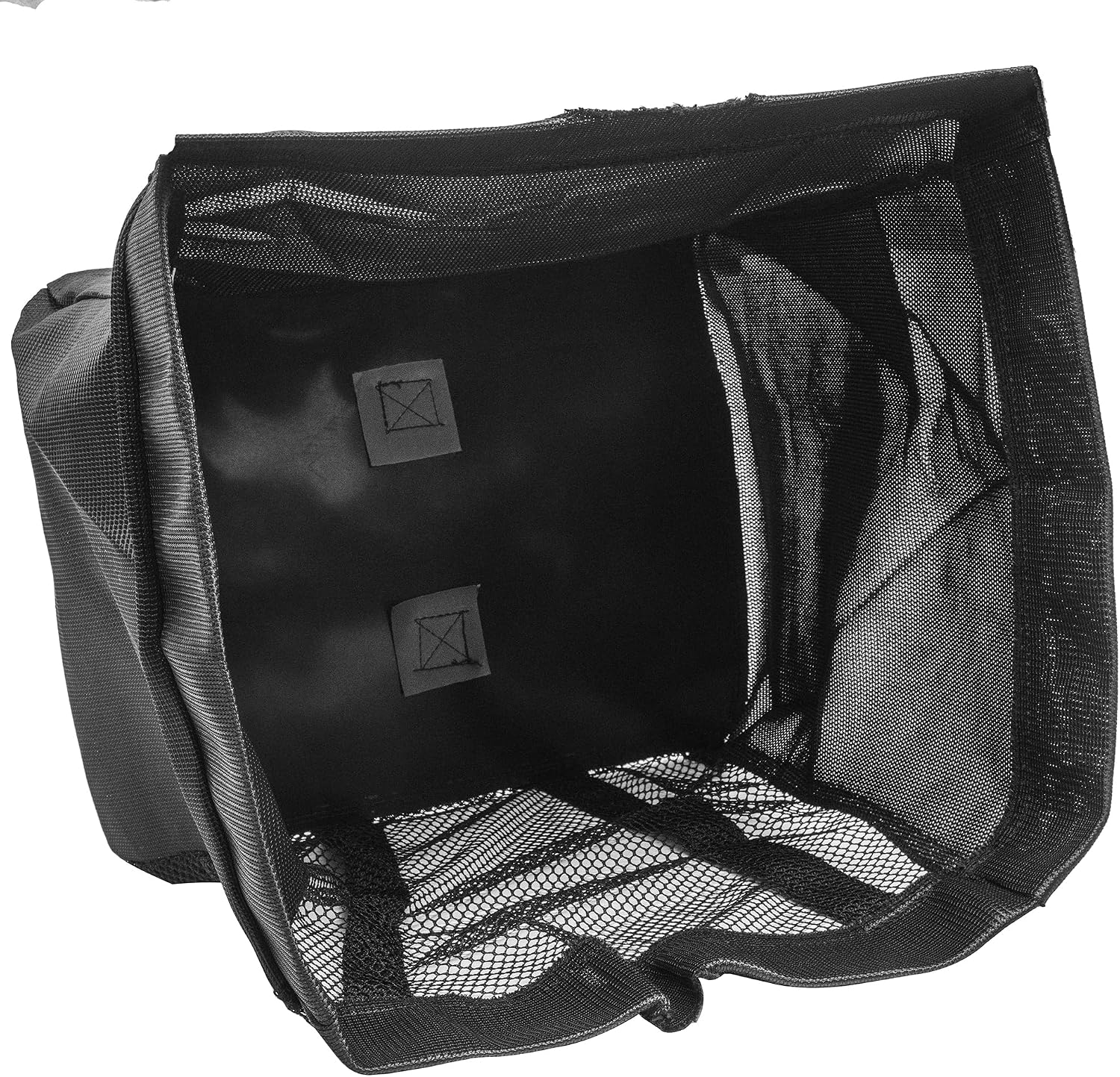
Image 1: The Exmark 116-1209 bagger, featuring its durable mesh and fabric construction designed for efficient grass collection. The interior shows the depth and structure of the bag.
Setup and Installation
Before beginning installation, ensure your mower is turned off, the engine is cool, and the spark plug wire is disconnected to prevent accidental starting.
- Prepare the Mower: Clear any debris from the mower's discharge chute area. If a side discharge chute is currently installed, remove it according to your mower's owner's manual.
- Attach Bagger Frame (if applicable): If your mower requires a separate bagger frame or mounting bracket, install it first. Refer to your mower's specific instructions for this step.
- Connect the Chute: Securely attach the bagger's collection chute to the mower's discharge opening. Ensure a tight fit to prevent grass clippings from escaping.
- Mount the Bagger: Place the Exmark 116-1209 bagger onto the designated mounting points on the bagger frame or directly onto the mower, depending on your model. Ensure it is firmly seated and latched.
- Verify Security: Double-check all connections and latches to ensure the bagger is securely attached and will not dislodge during operation.
For detailed, model-specific installation instructions, always consult the owner's manual for your Exmark Quest or Pioneer Ultra Vac Mower.
Operating Instructions
Proper operation of the bagger ensures efficient grass collection and extends the life of the product.
- Start Mower: Start your Exmark mower according to its operating instructions.
- Mowing Conditions: For best results, mow when grass is dry. Wet grass can clog the chute and reduce collection efficiency.
- Monitor Bagger Fill Level: Periodically check the bagger's fill level. Do not allow it to overfill, as this can lead to clogging and reduced performance.
- Emptying the Bagger:
- Turn off the mower engine and wait for all moving parts to stop.
- Carefully unlatch and remove the bagger from its mounting points.
- Empty the grass clippings into a suitable receptacle.
- Reattach the bagger securely before resuming operation.
- Safety: Always keep hands and feet clear of the discharge area and rotating blades. Wear appropriate safety gear, including eye protection.
Maintenance
Regular maintenance of your bagger will ensure its longevity and optimal performance.
- Cleaning After Each Use: After each use, remove the bagger and shake out any remaining grass clippings. Use a brush or compressed air to clean the mesh and fabric. This prevents mold, mildew, and odors.
- Inspect for Damage: Regularly inspect the bagger for any tears, holes, or damage to the fabric and mesh. Check the frame and attachment points for bends or cracks. Replace damaged parts promptly.
- Chute Inspection: Ensure the collection chute is free of blockages and damage. A damaged chute can lead to poor collection.
- Storage: Store the bagger in a clean, dry place when not in use.
Video 1: This video from Exmark Manufacturing provides general information on genuine Exmark lawn and garden replacement parts. While not specific to the 116-1209 bagger, it highlights the importance of using authentic parts for maintenance of Exmark equipment.
Troubleshooting
If you encounter issues with your Exmark 116-1209 bagger, refer to the following common problems and solutions:
| Problem | Possible Cause | Solution |
|---|---|---|
| Poor grass collection / Bagger not filling |
|
|
| Grass clippings escaping |
|
|
| Excessive vibration |
|
|
If problems persist, consult your Exmark mower's owner's manual or contact an authorized Exmark service dealer.
Specifications
| Feature | Detail |
|---|---|
| Part Number | 116-1209 |
| Product Type | Bagger (Grass Collection Bag) |
| Compatibility | Exmark Quest Bagger, Pioneer Bagger, Pioneer Bagger E-Series, Quest Ultra Vac Bagger |
| Product Dimensions | 18 x 7 x 6 inches (approximate) |
| Item Weight | 1.26 pounds (approximate) |
| Manufacturer | Exmark |
Warranty Information
Specific warranty details for the Exmark 116-1209 bagger are typically provided with the original product purchase or can be found in the official Exmark warranty documentation. Please refer to the warranty statement included with your product or visit the official Exmark website for the most current and comprehensive warranty information.
Support and Contact
For technical assistance, replacement parts, or further inquiries regarding your Exmark 116-1209 bagger, please contact Exmark customer support or an authorized Exmark dealer.
- Manufacturer: Exmark
- Official Website: www.exmark.com (Please note: This link is a general example; refer to your product documentation for the most accurate support contact information.)
- Dealer Locator: Visit the Exmark website to find an authorized dealer near you for service and parts.
When contacting support, please have your product model number (116-1209) and any relevant purchase information available.


