Introduction
This manual provides essential information for the proper installation, operation, and maintenance of your Kenwood DPX501BT 2-DIN CD Receiver. Please read these instructions thoroughly before using the unit to ensure optimal performance and safety. Keep this manual for future reference.
Product Overview
The Kenwood DPX501BT is a 2-DIN (double DIN) CD receiver designed for in-car audio systems. It features built-in Bluetooth for hands-free calling and audio streaming, a CD player, USB input, and AM/FM radio. The unit offers various audio adjustments, including an equalizer, to customize your listening experience.

Figure 1: Front view of the Kenwood DPX501BT CD Receiver. This image displays the main unit with its central volume knob, display screen, and various control buttons.

Figure 2: Kenwood DPX501BT CD Receiver shown alongside its remote control unit. The remote allows for convenient operation from a distance.
Setup and Installation
Proper installation is crucial for the performance and longevity of your receiver. It is recommended that installation be performed by a qualified professional.
Mounting the Unit
The DPX501BT is a 2-DIN unit. Ensure your vehicle's dashboard opening is compatible. Some vehicles may require a dash kit or trimming of the factory radio support bracket for a flush fit.

Figure 3: Side view of the Kenwood DPX501BT receiver, illustrating the mounting bracket and screw points for secure installation into a vehicle's dashboard.
Wiring Connections
Connect the wiring harness according to your vehicle's specifications and the provided wiring diagram (typically found in a separate installation guide or on the unit's harness itself). Ensure all connections are secure to prevent shorts or intermittent operation.
- Power: Connect the yellow wire to constant 12V, red wire to switched 12V (ignition), and black wire to ground.
- Speakers: Connect speaker wires to the corresponding vehicle speaker wires, ensuring correct polarity.
- Antenna: Connect the vehicle's antenna cable.
- Remote Turn-On: If using an external amplifier, connect the blue/white wire to the amplifier's remote input.
- Parking Brake: For safety features, connect the parking brake wire as instructed.
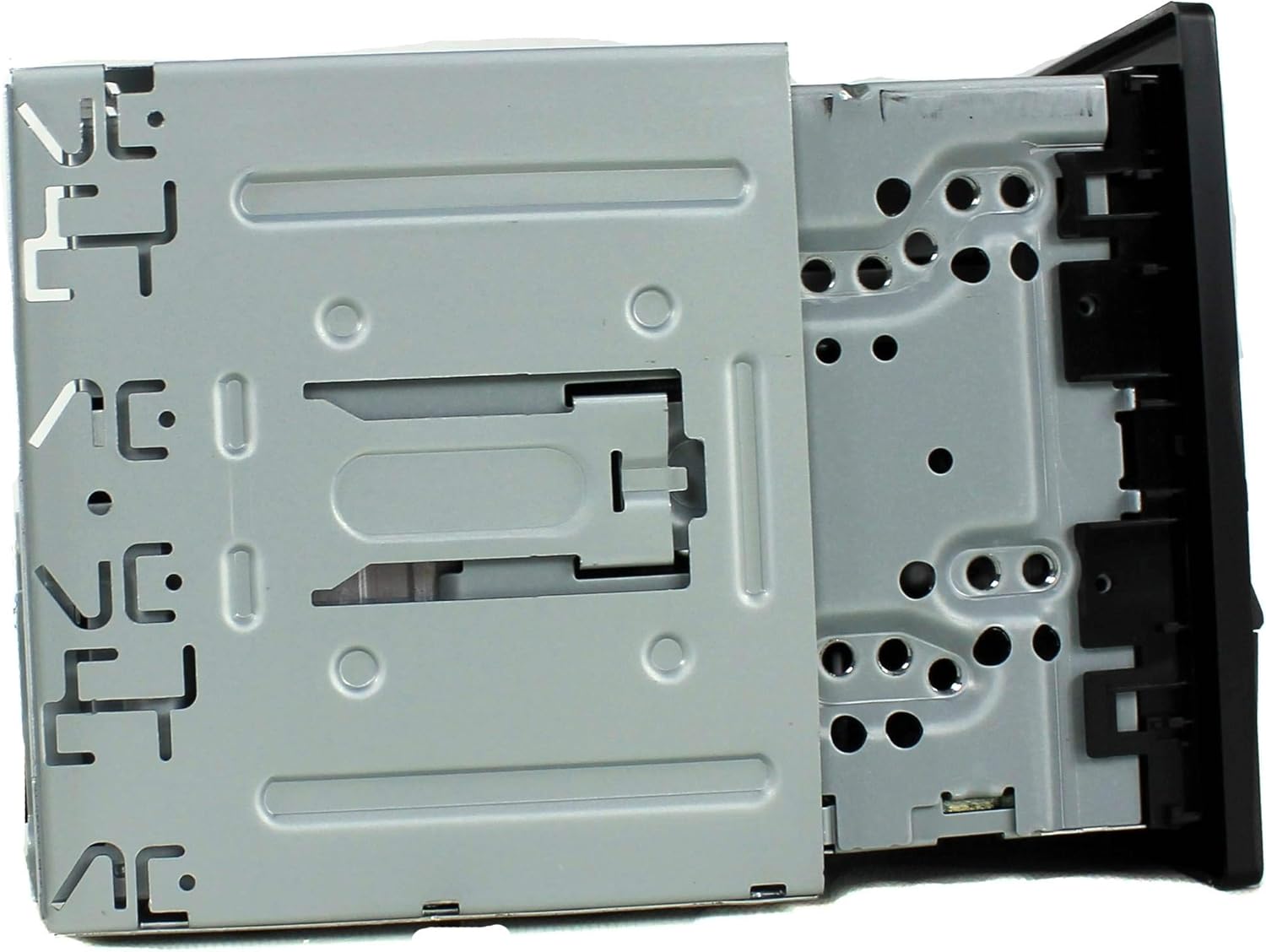
Figure 4: Rear view of the Kenwood DPX501BT, displaying the multi-pin wiring harness connector, RCA pre-outs, and antenna input. This is where all external connections are made.
Operating Instructions
Basic Controls
- Power On/Off: Press the SRC (Source) button briefly to turn the unit on. Press and hold the SRC button to turn it off.
- Volume Control: Rotate the large central knob to adjust the volume level.
- Source Selection: Press the SRC button repeatedly to cycle through available sources (CD, USB, Bluetooth Audio, Tuner, AUX).
- Menu/Settings: Press the AUDIO button to access audio settings or the FNC (Function) button for other system settings.

Figure 5: Close-up of the Kenwood DPX501BT front panel with the display illuminated in blue, showing the layout of buttons and the central control knob for operation.
Bluetooth Operation
The DPX501BT features built-in Bluetooth for wireless connectivity.
- Pairing a Device:
- Ensure Bluetooth is enabled on your mobile device.
- On the receiver, select the Bluetooth source.
- Search for available devices on your phone. The receiver will appear as "DPX501BT" or similar.
- Select the receiver on your phone and confirm the pairing code if prompted.
- Hands-Free Calling: Once paired, you can make and receive calls through the receiver. Use the phone button on the unit to answer/end calls.
- Bluetooth Audio Streaming: Select Bluetooth Audio as the source to stream music from your paired device. Use the track skip buttons on the receiver to control playback.
CD/USB Playback
- CD: Insert a CD into the disc slot. The unit will automatically switch to the CD source and begin playback.
- USB: Connect a USB storage device (e.g., flash drive) to the USB port. Select the USB source. The unit will read compatible audio files (MP3, WMA, AAC, WAV). Use the FNC button to navigate folders and files.
Radio Operation
- Band Selection: Press the SRC button until "Tuner" is selected, then press the BAND button to switch between FM1, FM2, FM3, and AM bands.
- Tuning: Use the seek buttons (◀◀ / ▶▶) to automatically search for stations. Press and hold for manual tuning.
- Preset Stations: Press and hold a numbered button (1-6) to store the current station as a preset. Briefly press to recall a preset.
Audio Settings
Press the AUDIO button to access various sound adjustments, including:
- Equalizer: Adjust bass, mid, and treble levels, or select from preset EQ curves.
- Balance/Fader: Adjust sound distribution between left/right and front/rear speakers.
- Subwoofer Control: If connected, adjust subwoofer output levels.
Display Settings
The display illumination color can be customized. Refer to the full owner's manual for detailed instructions on changing display colors and adjusting brightness. Note that display readability can vary based on ambient light conditions and viewing angle.
Maintenance
Cleaning the Unit
- Wipe the front panel with a soft, dry cloth.
- Do not use abrasive cleaners, waxes, or solvents.
- For stubborn dirt, dampen the cloth lightly with water.
CD Player Care
- Handle CDs by their edges to avoid fingerprints and scratches.
- Clean CDs with a soft, lint-free cloth, wiping from the center outwards.
- Do not use irregularly shaped CDs or those with adhesive labels, as they can damage the mechanism.
Troubleshooting
If you encounter issues with your DPX501BT, refer to the following common problems and solutions:
| Problem | Possible Cause | Solution |
|---|---|---|
| No power | Blown fuse; incorrect wiring; vehicle battery issue. | Check vehicle fuses and the unit's fuse. Verify power and ground connections. Check vehicle battery. |
| No sound | Volume too low; mute activated; incorrect speaker wiring; amplifier issue. | Increase volume. Deactivate mute. Check speaker connections and polarity. Verify external amplifier operation. |
| Bluetooth not connecting | Device not in pairing mode; receiver not in Bluetooth source; interference. | Ensure both devices are in pairing mode. Select Bluetooth source on receiver. Try re-pairing. Move away from other wireless devices. |
| CD/USB not playing | Disc/USB corrupted or incompatible format; dirty disc; incorrect source selected. | Ensure media is clean and compatible. Select correct source. Try different media. |
| Display difficult to read | High ambient light; display brightness setting. | Adjust display brightness and dimmer settings. Consider viewing angle relative to sunlight. |
If the problem persists after attempting these solutions, consult a Kenwood authorized service center or contact Kenwood customer support.
Specifications
| Feature | Specification |
|---|---|
| Model Number | DPX501BT |
| Product Dimensions | 6.69 x 5.91 x 3.15 inches |
| Item Weight | 4.4 pounds |
| Connectivity Technologies | Bluetooth, USB |
| Wireless Communication | Bluetooth, IR |
| Special Features | Equalizer |
| Controller Type | Android (compatible) |
| Compatible Devices | Smartphone, Speaker |
| Audio Output Mode | Stereo, Surround |
| Surround Sound Channel Configuration | 4 Channel |
| Power Requirement | 12V battery (1 required) |
Warranty and Support
For warranty information, technical support, or service inquiries, please refer to the warranty card included with your product or visit the official Kenwood website. You may also contact Kenwood customer service directly for assistance.


