Introduction
This manual provides detailed instructions for the installation, operation, and maintenance of the GIGABYTE GA-F2A68HM-H motherboard. This motherboard is designed to support AMD FM2+/FM2 A-series APUs and AMD Athlon series processors, offering a robust platform for personal computing.
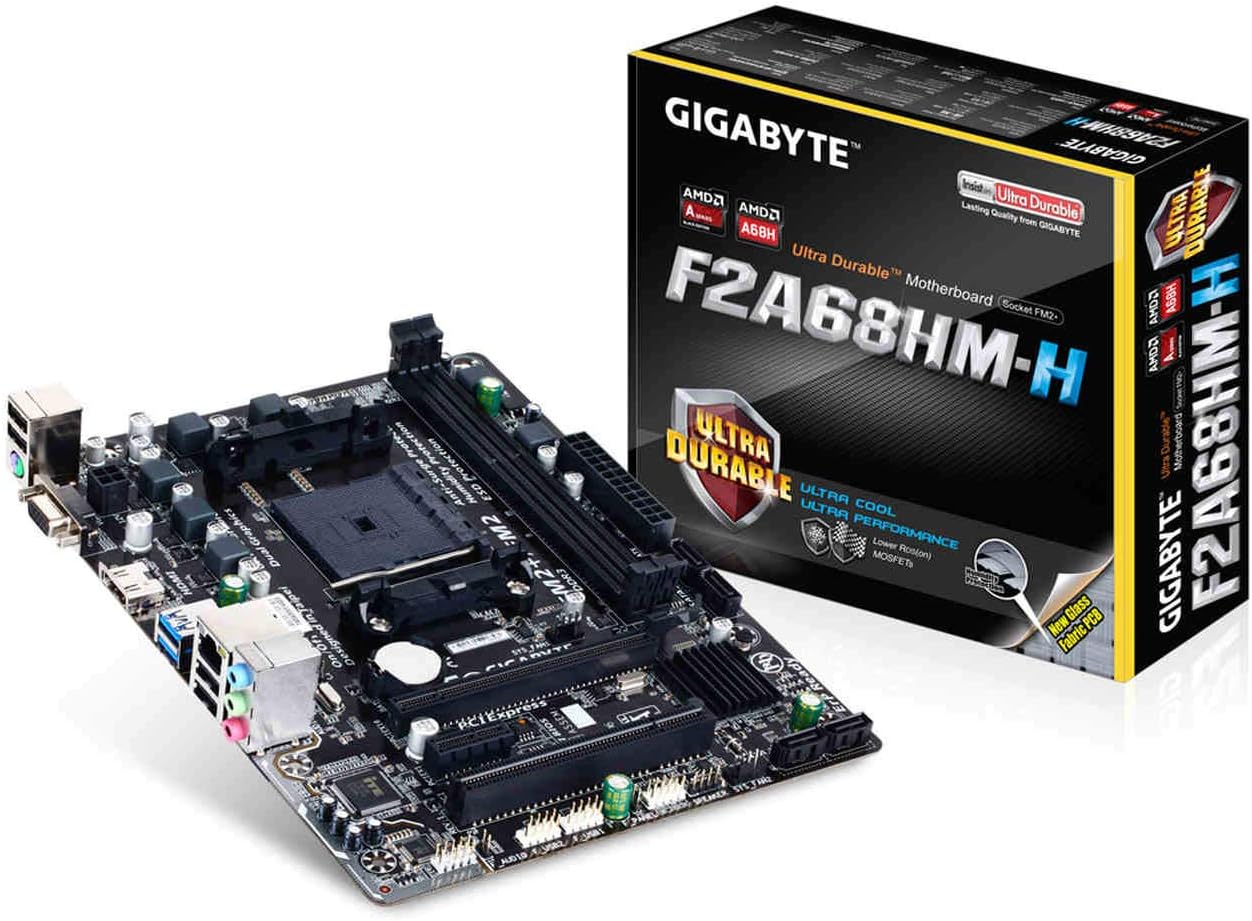
Image: GIGABYTE GA-F2A68HM-H Motherboard with its retail packaging, showcasing the product and its branding.
Setup and Installation
Follow these steps for proper installation of your GIGABYTE GA-F2A68HM-H motherboard into your computer system.
1. Component Overview

Image: A detailed top-down view of the GIGABYTE GA-F2A68HM-H motherboard, highlighting various components such as the CPU socket, RAM slots, and expansion slots.
Familiarize yourself with the layout of the motherboard before beginning installation.
2. CPU Installation
The motherboard features an FM2+ Socket, compatible with AMD A-series and Athlon series processors. Carefully align your CPU with the socket, ensuring the triangular mark on the CPU matches the mark on the socket. Gently lower the CPU into place and secure it with the lever.
3. Memory Installation
This motherboard includes two DDR3 DIMM sockets, supporting up to 64 GB of system memory. It supports DDR3 2400(OC)/2133/1866/1600/1333 MHz memory modules, as well as AMD Memory Profile (AMP) and Extreme Memory Profile (XMP) modules. Insert DDR3 memory modules into the slots, ensuring they are properly seated until the clips lock into place.
4. Storage Device Connection
The board provides four SATA 6Gb/s connectors for connecting storage devices such as hard drives and SSDs. These connectors support RAID 0, RAID 1, RAID 10, and JBOD configurations. Connect your SATA data cables from your storage devices to these ports.
5. Expansion Card Installation
The motherboard features:
- 1 x PCI Express x16 slot (running at x16) for graphics cards.
- 1 x PCI Express x1 slot for smaller expansion cards.
- 1 x PCI slot for legacy expansion cards.
Insert your expansion cards firmly into the appropriate slots until they are securely seated.
6. Rear Panel Connectivity
The rear panel offers various ports for external devices:

Image: A diagram illustrating the rear input/output panel of the GIGABYTE GA-F2A68HM-H motherboard, detailing ports such as USB 2.0, D-SUB, HDMI, USB 3.0, Gigabit LAN, and audio jacks.
- USB Ports: 2 x USB 3.0/2.0 ports and 4 x USB 2.0/1.1 ports.
- Video Outputs: 1 x D-Sub port (max resolution 1920x1200) and 1 x HDMI port (max resolution 4096x2160).
- Network: 1 x Gigabit Ethernet port.
- Audio: Audio jacks for speaker, microphone, and line-in.
- Legacy Ports: PS/2 port for keyboard/mouse.
Connect your peripherals to the corresponding ports.
Operating Instructions
Once all components are installed and connected, power on your system. The motherboard's UEFI BIOS provides a user-friendly interface for system configuration and monitoring.
- Multi-Display Support: Utilize the D-Sub and HDMI ports simultaneously for a multi-monitor setup, enhancing productivity or entertainment.
- GIGABYTE On/Off Charge: This feature allows for faster charging of USB devices, even when the PC is turned off or in standby mode. Ensure your device supports this feature for optimal performance.
- BIOS Configuration: Access the UEFI BIOS during startup (typically by pressing DEL) to configure boot order, system settings, and monitor hardware status.
Maintenance and Durability
The GIGABYTE GA-F2A68HM-H motherboard incorporates several features designed for enhanced durability and longevity:

Image: A diagram illustrating the GIGABYTE Ultra Durable Technology, detailing features like Audio Noise Guard, Long Lifespan Solid Caps, High ESD Ethernet and USB Port Protection, Humidity Protection (Glass Fabric PCB), High Temperature Protection (Lower RDS(on) MOSFET Design), and Power Failure Protection (Anti-Surge IC).
- GIGABYTE Ultra Durable Technology: This suite of features includes:
- Dedicated Audio Hardware Zone with Audio Noise Guard: Helps prevent electrical noise interference, ensuring clearer audio quality.
- Long Lifespan Solid Capacitors: Used for the APU VRM design, these capacitors offer improved stability and extended lifespan compared to traditional electrolytic capacitors.
- High ESD Protection: Protects the Ethernet and USB ports from electrostatic discharge.
- Humidity Protection (Glass Fabric PCB): A new glass fabric PCB design reduces the gaps between fiber weaves, making it more resistant to humidity-induced short circuits.
- High Temperature Protection (Lower RDS(on) MOSFET Design): Utilizes lower RDS(on) MOSFETs which are designed to operate at lower temperatures, extending the lifespan of the motherboard.
- Power Failure Protection (Anti-Surge IC): Features anti-surge ICs to protect the motherboard against power surges.
To ensure optimal performance and longevity, keep your system clean and free from dust. Regularly check for BIOS updates from the GIGABYTE website.
Troubleshooting
If you encounter issues with your motherboard, consider the following troubleshooting steps:
- No Power/No Display:
- Ensure all power cables (24-pin ATX, 4/8-pin CPU) are securely connected.
- Verify that the CPU, RAM, and graphics card (if installed) are properly seated.
- Test with one RAM stick at a time in different slots.
- Check monitor connection and input source.
- RAM Speed Issues:
- While the board supports up to 2400(OC) MHz, achieving higher speeds may require manual configuration in the UEFI BIOS.
- Ensure your RAM modules are compatible with the motherboard and CPU.
- Update the BIOS to the latest version, as this can improve memory compatibility and stability.
- Onboard Audio Problems:
- Verify that audio drivers are correctly installed and updated.
- Check physical connections of speakers/headphones to the audio jacks.
- If issues persist, consider using a dedicated sound card.
- System Instability/Crashes:
- Check CPU and GPU temperatures to ensure they are within safe operating limits.
- Run memory diagnostic tools to check for faulty RAM.
- Ensure all drivers (chipset, graphics, etc.) are up to date.
Specifications
| Feature | Detail |
|---|---|
| CPU Socket | FM2+ Socket (Supports AMD A-series and Athlon series processors) |
| Chipset | AMD A68H |
| Memory | 2 x DDR3 DIMM sockets, up to 64 GB, DDR3 2400(OC)/2133/1866/1600/1333 MHz |
| Expansion Slots | 1 x PCIe x16, 1 x PCIe x1, 1 x PCI |
| Storage | 4 x SATA 6Gb/s connectors (RAID 0, 1, 10, JBOD support) |
| USB Ports | 2 x USB 3.0/2.0 (rear), 8 x USB 2.0/1.1 (4 rear, 4 internal via headers) |
| Video Outputs | 1 x D-Sub (max 1920x1200), 1 x HDMI (max 4096x2160) |
| LAN | Gigabit Ethernet |
| Audio | High Definition Audio |
| Form Factor | Micro ATX |
| Dimensions (LxWxH) | 11 x 10 x 2 inches (approximate) |
| Weight | 3.53 ounces (approximate) |
Warranty and Support
For warranty information and technical support, please refer to the official GIGABYTE website or contact GIGABYTE customer service directly. Keep your proof of purchase for warranty claims.
Manufacturer: GIGABYTE
Model: GA-F2A68HM-H
Legal Disclaimer: The manufacturer is not liable for any damage to property or injury resulting from the improper use of this product.