
Introduction
This manual provides essential instructions for the safe and efficient operation, setup, maintenance, and troubleshooting of your Bajaj PC2012 Room Air Cooler. Please read this manual thoroughly before using the appliance and retain it for future reference.
Safety Instructions
- Ensure the power supply voltage matches the cooler's requirements (230 V).
- Do not operate the cooler with a damaged cord or plug.
- Keep the cooler away from direct sunlight and heat sources.
- Always unplug the cooler before filling water, cleaning, or performing any maintenance.
- Do not immerse the cooler or its electrical components in water.
- Ensure proper cross-ventilation in the room for effective cooling.
- Keep children and pets away from the cooler during operation.
- Place the cooler on a stable, level surface to prevent tipping.
Product Overview
The Bajaj PC2012 is a portable room air cooler designed for efficient cooling in small to medium-sized rooms. It features a 20-liter water tank, honeycomb cooling media, and castor wheels for easy mobility.
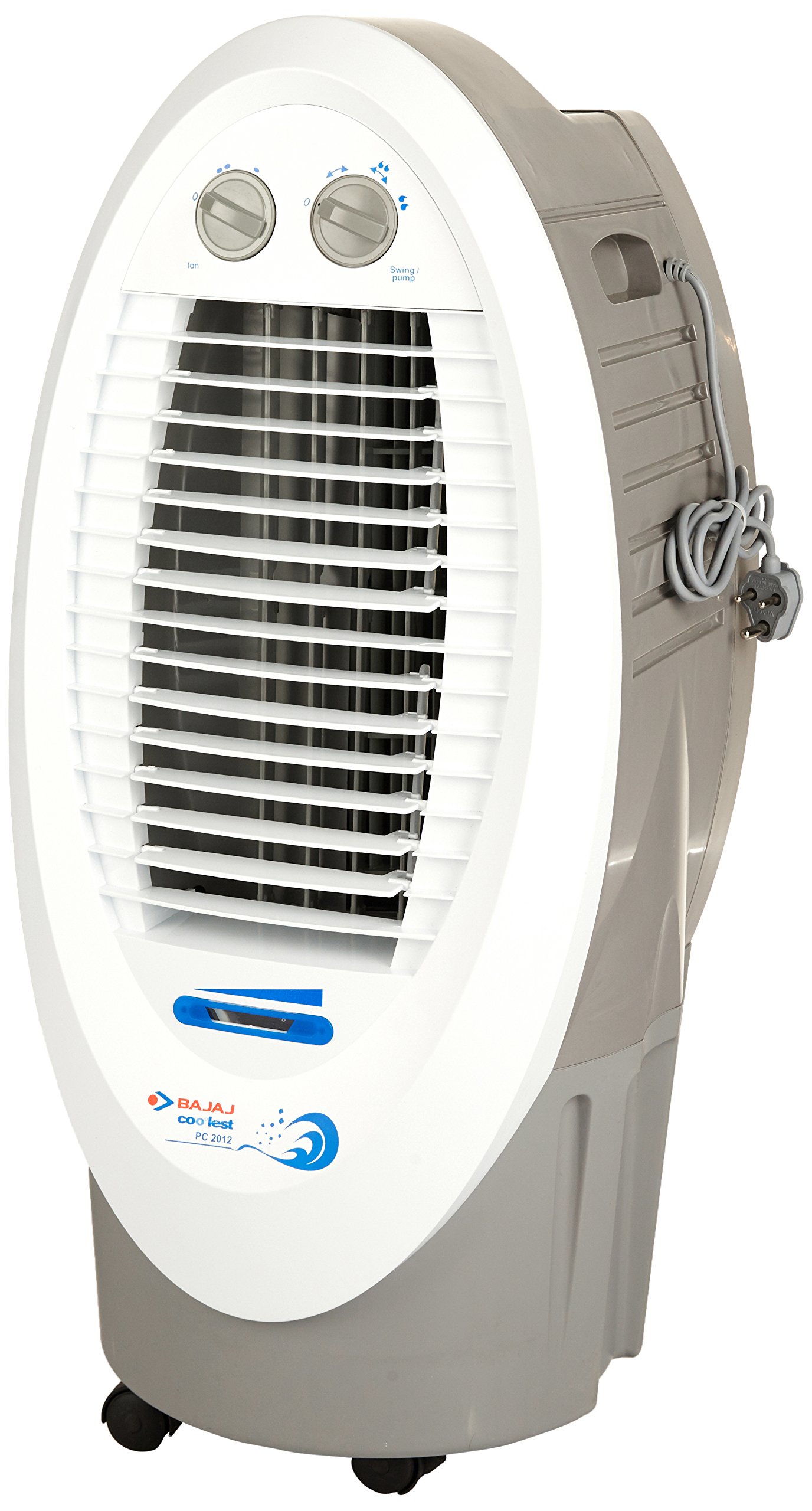
Figure 1: Front view of the Bajaj PC2012 Room Air Cooler. This image displays the overall design and front grille of the cooler.

Figure 2: Rear view of the Bajaj PC2012 Room Air Cooler, showing the removable honeycomb cooling pads. These pads are crucial for the evaporative cooling process.

Figure 3: Size comparison of the Bajaj PC2012 Room Air Cooler next to an average adult, illustrating its compact and portable dimensions (450 mm L x 400 mm W x 900 mm H).

Figure 4: Close-up view of the control knobs on the Bajaj PC2012 Room Air Cooler. The left knob controls fan speed, and the right knob controls swing and pump functions.
Setup
- Unpacking: Carefully remove the cooler from its packaging. Inspect for any damage.
- Placement: Position the cooler on a flat, stable surface. For optimal performance, ensure there is adequate cross-ventilation in the room. Without proper cross-ventilation, the cooler's effectiveness will be reduced.
- Water Filling: Open the water inlet and fill the reservoir with clean water. The cooler has a capacity of 20 liters. Do not overfill.
- Power Connection: Plug the power cord into a suitable 230V electrical outlet.
Operating Instructions
- Power On: Turn the fan control knob (refer to Figure 4) to the desired speed setting (Low, Medium, High).
- Cooling Function: To activate cooling, turn the Swing/Pump control knob (refer to Figure 4) to the 'Pump' position. This will start the water pump, wetting the cooling pads.
- Swing Function: To enable automatic air deflection, turn the Swing/Pump control knob to the 'Swing' position. This will activate the oscillating louvers for wider air distribution.
- Air Deflection: Manually adjust the horizontal louvers to direct airflow as needed. The cooler offers four-way air deflection.
- Power Off: Turn both control knobs to the '0' or 'Off' position and unplug the cooler from the power outlet.
Maintenance
- Cleaning the Exterior: Wipe the exterior surfaces with a soft, damp cloth. Do not use abrasive cleaners or solvents.
- Water Tank Cleaning: Regularly drain and clean the water tank to prevent algae growth and maintain hygiene.
- Cooling Pad Maintenance: The honeycomb cooling pads are easily removable. Periodically remove and clean them with water to ensure efficient cooling. Replace pads if they show significant wear or mineral buildup.
- Storage: If storing the cooler for an extended period, drain all water, clean the tank and pads, and ensure all components are dry before storing in a cool, dry place.
Troubleshooting
| Problem | Possible Cause | Solution |
|---|---|---|
| Cooler does not turn on. | No power supply; power cord not plugged in; fuse blown. | Check power connection; ensure outlet is functional; check household fuse/breaker. |
| No cooling effect. | Water tank empty; pump not working; cooling pads clogged; insufficient cross-ventilation. | Fill water tank; check pump operation; clean/replace cooling pads; ensure windows/doors are open for airflow. |
| Weak airflow. | Fan speed set too low; air filter/pads clogged. | Increase fan speed; clean air filter/cooling pads. |
| Water leakage. | Overfilled water tank; cooler not on a level surface; drain plug loose. | Do not overfill; place on level surface; secure drain plug. |
Specifications
- Brand: Bajaj
- Model Name: PC2012
- Model Number: 480039
- Capacity: 20 Liters
- Ideal Room Size: Up to 150 Sq Ft
- Product Dimensions (LxBxH): 45.0 cm x 40.0 cm x 90.0 cm
- Cooling Media: Honeycomb pads (3-side)
- Mobility: Castor wheels
- Speed Control: 3-way
- Air Deflection: Four-way
- Power Consumption: 120 Watts
- Operating Voltage: 230 V
- Inverter Compatibility: Yes
- Item Weight: 12.9 kg
- Material: Plastic
- Color: White
- Included Components: 1 Room Cooler
Warranty and Support
This Bajaj PC2012 Room Air Cooler comes with a 1-year warranty on the product from the date of purchase. For warranty claims, technical support, or service inquiries, please contact Bajaj customer service. Keep your purchase receipt for warranty validation.
For further assistance, please refer to the official Bajaj website or contact their customer support helpline.