Introduction
The Astron SS-10 Power Supply is a compact and efficient switching power supply designed to provide stable 12VDC power from a 110/220VA AC input. It is capable of delivering 7 amps of continuous current and up to 10 amps of intermittent current, making it suitable for various electronic applications, including personal computers and other compatible devices. This manual provides essential information for the safe and effective setup, operation, maintenance, and troubleshooting of your SS-10 power supply.
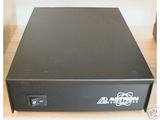
Image showing the front and top view of the Astron SS-10 Power Supply. The unit is a black rectangular box with the Astron logo prominently displayed on the front panel and a power switch located on the left side.
Setup Instructions
- Unpacking: Carefully remove the power supply from its packaging. Inspect the unit for any signs of damage during transit. If damage is found, do not attempt to operate the unit and contact your supplier.
- Placement: Position the power supply on a stable, flat surface. Ensure adequate ventilation around the unit. Do not block any ventilation openings. Maintain at least 4 inches (10 cm) of clear space around all sides for proper airflow.
- Input Voltage Selection: The SS-10 supports both 110VA and 220VA input. Verify that the voltage selector switch (if present and accessible) is set to match your local AC mains voltage. Incorrect voltage selection can damage the unit.
- AC Power Connection: Connect the provided AC power cord to the power supply's AC input receptacle and then to a properly grounded wall outlet. Ensure the outlet provides the correct voltage as selected in the previous step.
- DC Output Connection: Connect your 12VDC compatible device(s) to the DC output terminals of the power supply. Ensure correct polarity: positive (+) to positive, and negative (-) to negative. Secure all connections firmly to prevent accidental disconnections or short circuits. Do not exceed the rated continuous current of 7 amps or intermittent current of 10 amps.
Operating Instructions
- Power On: After all connections are securely made and verified, flip the power switch on the front panel to the 'ON' position. The power supply should activate, and your connected devices should receive power.
- Monitoring Load: Observe the performance of your connected devices. Ensure that the total current draw does not exceed the power supply's continuous rating of 7 amps. Brief peaks up to 10 amps are permissible for intermittent operation.
- Power Off: To turn off the power supply, flip the power switch to the 'OFF' position. It is recommended to power off connected devices before powering off the supply, if applicable.
Maintenance
- Cleaning: Periodically clean the exterior of the power supply with a soft, dry cloth. Do not use liquid cleaners or solvents. Ensure ventilation openings are free from dust and debris to maintain proper cooling.
- Ventilation: Regularly check that the power supply's ventilation openings are not obstructed. Proper airflow is crucial for preventing overheating and ensuring the longevity of the unit.
- Internal Components: The Astron SS-10 Power Supply contains no user-serviceable parts. Do not open the casing. Opening the unit will void the warranty and expose you to dangerous voltages.
Troubleshooting
| Problem | Possible Cause | Solution |
|---|---|---|
| No power output | Power switch off AC power cord disconnected Incorrect input voltage selection Blown internal fuse (not user-serviceable) | Ensure power switch is ON Check AC power cord connection to outlet and unit Verify input voltage selector matches mains voltage Contact authorized service personnel |
| Low or unstable output voltage | Overload condition Loose DC output connections Faulty connected device | Reduce load to within specifications Check and secure DC output connections Test with a different device or no load |
| Unit overheating | Blocked ventilation Excessive ambient temperature Overload condition | Ensure clear space around unit, clean vents Operate in a cooler environment Reduce load to within specifications |
If troubleshooting steps do not resolve the issue, discontinue use and contact an authorized service technician.
Specifications
- Brand: Astron
- Model: SS-10
- Input Voltage: 110/220VA (selectable)
- Output Voltage: 12VDC
- Continuous Current: 7 Amps
- Intermittent Current: 10 Amps
- Wattage: 100 watts
- Item Weight: 6 Pounds (approximately 2.72 kg)
- Compatible Devices: Personal Computer and other 12VDC devices
- UPC: 956257983170, 015698371288
- ASIN: B00SYT8DQ2
Warranty Information
Specific warranty terms and conditions for the Astron SS-10 Power Supply are typically provided at the point of purchase or included with the product packaging. Please refer to your sales receipt, warranty card, or the official Astron website for detailed information regarding warranty coverage, duration, and claims procedures. Keep your proof of purchase in a safe place.
Support and Service
For technical assistance, service, or inquiries regarding your Astron SS-10 Power Supply, please contact your authorized Astron dealer or distributor. You may also visit the official Astron website for additional resources, FAQs, and contact information for customer support. When contacting support, please have your product model (SS-10) and serial number (if applicable) ready.