
FRIGIDAIRE EMW953RED
Contents
FRIGIDAIRE EMW953RED Microwave Oven User Manual
Model: EMW953RED
1. Introduction
Thank you for choosing the FRIGIDAIRE EMW953RED Microwave Oven. This manual provides essential information for the safe and efficient operation of your new appliance. Please read it thoroughly before use and retain it for future reference.
This 0.9 cubic foot capacity microwave oven is designed for quick and convenient meal preparation, featuring 900 watts of power and 10 power levels for versatile cooking. Its user-friendly soft-touch electronic control panel includes various auto-cook and defrost functions, a digital clock, and a kitchen timer.
2. Important Safety Information
Always follow basic safety precautions when using electrical appliances to reduce the risk of burns, electric shock, fire, injury to persons, or exposure to excessive microwave energy.
- Do not attempt to operate this oven with the door open as this can result in harmful exposure to microwave energy.
- Do not place any object between the oven front face and the door or allow soil or cleaner residue to accumulate on sealing surfaces.
- Do not operate the oven if it is damaged. It is particularly important that the oven door closes properly and that there is no damage to the: (1) door (bent), (2) hinges and latches (broken or loosened), (3) door seals and sealing surfaces.
- The oven should not be adjusted or repaired by anyone except properly qualified service personnel.
- Ensure proper ventilation around the unit. Do not block any ventilation openings.
- Do not use corrosive chemicals or vapors in this appliance.
- Always use oven mitts when handling hot items from the microwave.
- This appliance is equipped with a child safety-lock protection feature.
3. Setup and Installation
3.1 Unpacking
Carefully remove the microwave oven and all packing materials from the carton. Ensure all components, including the glass turntable and owner's manual, are present and undamaged. Inspect the unit for any dents or damage that may have occurred during shipping.
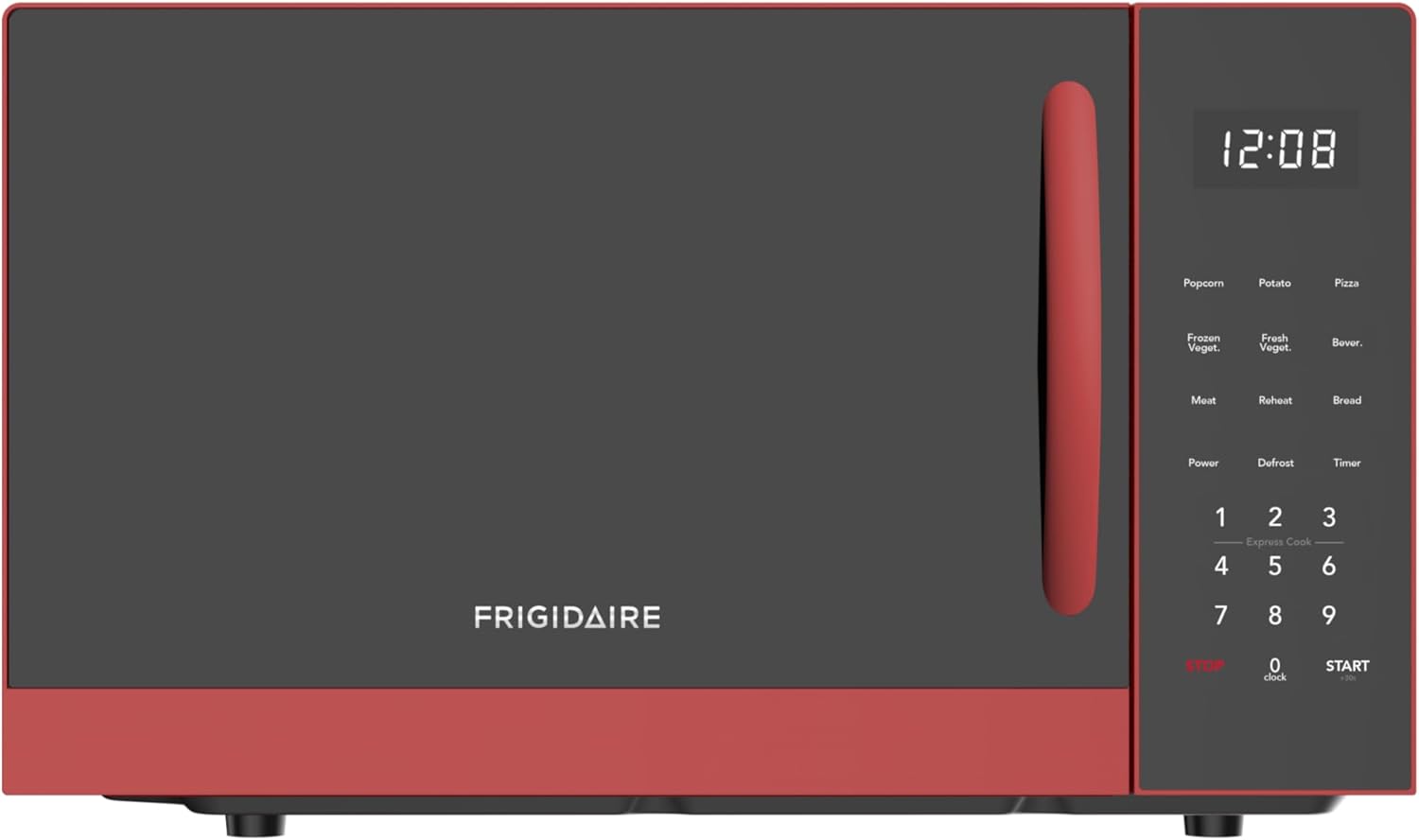
Figure 1: Front view of the FRIGIDAIRE EMW953RED Microwave Oven.

Figure 2: Angled view of the FRIGIDAIRE EMW953RED Microwave Oven.
3.2 Placement
Place the microwave oven on a flat, stable surface that can support its weight and the heaviest food item likely to be cooked in the oven. Ensure there is adequate space around the unit for proper ventilation. A minimum of 4 inches (10 cm) of clearance is recommended on the top, back, and sides.
3.3 Electrical Requirements
The microwave oven requires a standard 120V, 60Hz AC outlet. Do not use an extension cord. Ensure the electrical circuit is properly grounded and can handle the 900 watts of power required by the appliance.
3.4 Turntable Installation
Place the turntable ring inside the oven cavity. Then, place the glass turntable securely on top of the turntable ring. Ensure it sits properly in the center support.
4. Operating Instructions
4.1 Control Panel Overview
The soft-touch electronic control panel features a digital display, numeric keypad, and dedicated function buttons for various cooking modes.

Figure 3: Control Panel of the FRIGIDAIRE EMW953RED Microwave Oven.
4.2 Setting the Clock
- Press the CLOCK button.
- Use the numeric keypad to enter the current time (e.g., 12:30).
- Press the CLOCK button again to confirm.
4.3 Basic Microwave Cooking
- Place food in a microwave-safe container on the glass turntable.
- Close the oven door securely.
- Enter the desired cooking time using the numeric keypad.
- Press the START/STOP button to begin cooking.
4.4 Adjusting Power Level
The microwave offers 10 power levels. To adjust:
- Enter the desired cooking time.
- Press the POWER LEVEL button.
- Use the numeric keypad to select a power level from 1 (lowest) to 10 (highest).
- Press START/STOP.
4.5 Auto-Cook Menu
The microwave features one-touch auto-cook options for common foods:
- Popcorn: For pre-packaged microwave popcorn.
- Baked Potato: For baking potatoes.
- Pizza: For reheating pizza slices.
- Beverage: For heating drinks.
- Frozen Dinner: For heating pre-packaged frozen meals.
- Reheat: For warming up leftovers.
Simply press the corresponding button for the desired food item. The oven will automatically set the optimal cooking time and power level.
4.6 Defrost Functions
The microwave offers two defrost options:
- Defrost By Weight: Press DEFROST BY WEIGHT, enter the food's weight, then press START/STOP.
- Speed Defrost: Press SPEED DEFROST, enter the desired defrost time, then press START/STOP. This function alternates between defrost and stand times for efficient results.
4.7 Child Safety Lock
To activate the child safety lock, press and hold the STOP/RESET button for 3 seconds. The display will indicate "LOCK" or a similar icon. To deactivate, press and hold the STOP/RESET button again for 3 seconds.
An end-of-cycle audio signal will sound when cooking is complete.
5. Care and Maintenance
5.1 Cleaning the Exterior
Wipe the exterior of the microwave oven with a damp cloth and mild detergent. Avoid abrasive cleaners or scouring pads that could scratch the surface.
5.2 Cleaning the Interior
Clean the interior cavity with a damp cloth after each use. For stubborn food splatters, place a bowl of water with a few lemon slices inside and microwave for 2-3 minutes to loosen residue, then wipe clean. The glass turntable can be removed and washed by hand or in a dishwasher.
5.3 Turntable Care
Ensure the glass turntable and turntable ring are clean and properly positioned before each use to ensure even cooking and prevent damage.
6. Troubleshooting
Before contacting customer service, please refer to the following common issues and solutions:
| Problem | Possible Cause | Solution |
|---|---|---|
| Oven not starting | Door not closed properly; Power cord unplugged; Fuse blown or circuit breaker tripped; Child lock activated. | Ensure door is firmly closed; Check power cord connection; Reset circuit breaker or replace fuse; Deactivate child lock by holding STOP/RESET. |
| Food not heating evenly | Food not stirred or rotated; Turntable not rotating; Incorrect power level. | Stir or rotate food halfway through cooking; Ensure turntable and ring are clean and properly placed; Adjust power level as needed. |
| Unusual noise during operation | Turntable or roller ring not positioned correctly; Foreign object in cavity. | Re-position turntable and ring; Check for and remove any foreign objects. |
| Display shows error code | Internal malfunction. | Unplug the oven for 5 minutes, then plug back in. If the error persists, contact customer support. |
7. Product Specifications
- Brand: FRIGIDAIRE
- Model: EMW953RED
- Power Output: 900 Watts
- Capacity: 0.9 Cubic Feet
- Dimensions (D x W x H): 13.27 x 18.9 x 11.52 inches
- Color: Red
- Material: Metal (exterior), Tempered Glass (interior)
- Power Levels: 10
- Special Features: Auto-cook menu, Defrost-by-weight, Speed defrost, Digital clock, Kitchen timer, Child safety lock, Removable glass turntable.
- Included Components: Glass Turntable, Owners Manual
8. Warranty Information
FRIGIDAIRE products are manufactured with high-quality materials and craftsmanship. This product is covered by a limited warranty. Please refer to the separate warranty card included with your purchase for specific terms, conditions, and duration of coverage. Keep your proof of purchase for warranty claims.
Protection plans are available for extended coverage:
- 3-Year Protection Plan: $13.49
- 4-Year Protection Plan: $17.99
- Complete Protect: $16.99/month (covers all eligible past and future purchases)
9. Customer Support
For technical assistance, troubleshooting beyond this manual, or warranty inquiries, please contact FRIGIDAIRE customer support. Visit the official FRIGIDAIRE website for the most up-to-date contact information, FAQs, and product registration.
You can also visit the Frigidaire Store on Amazon for more product details and support resources.
Documents and downloads
Ask a question about this manual
Ask about setup, troubleshooting, compatibility, parts, safety, or missing instructions. Manuals+ will review the question and use this page’s manual context to help answer it.