
Introduction
The Antennas Direct ClearStream 4V is a multi-directional outdoor TV antenna designed to receive free over-the-air broadcast signals. This antenna features four patented loops, Hi-VHF elements, and reflectors, providing a 70-mile range for UHF and Hi-VHF signals. It is compatible with NEXTGEN TV, 4K, 8K UHD, and Full HD 1080p broadcasts, requiring no internet connection for operation.
Its durable construction allows for installation indoors, in an attic, or outdoors in suburban and rural areas. The included 20-inch mast with a pivoting base and all-weather mounting hardware ensures versatile setup options.

Image: The ClearStream 4V antenna mounted on a roof, showcasing its design and outdoor placement.
Key Features:
- Long-Range Reception: Utilizes four patented loops, Hi-VHF elements, and reflectors for signals up to 70 miles.
- Multi-Directional Design: Offers a 43-degree horizontal reception pattern for comprehensive signal capture without rotation.
- Enhanced Signal Protection: Reflectors focus antenna power and protect against interference.
- Durable Construction: Built with premium materials for indoor, attic, or outdoor installation.
- Broad Compatibility: Supports NEXTGEN TV, 4K, 8K UHD, and 1080p.
Setup and Installation
Proper installation is crucial for optimal performance. This section guides you through assembling and mounting your ClearStream 4V antenna.
1. Unpacking and Component Check
Carefully unpack all components and verify that you have the following:
- ClearStream 4V Antenna elements (loops and central assembly)
- Reflectors
- Hi-VHF kit
- 20-inch mast with pivoting base
- All-weather mounting hardware
- Adjustable mast clamp
- Instruction manual (this document)
2. Antenna Assembly
Follow the detailed instructions provided in the physical manual for assembling the antenna elements, reflectors, and Hi-VHF kit. Ensure all connections are secure.

Image: Visual representation of the antenna's dimensions and suggested installation locations (outdoor and attic).
3. Choosing an Installation Location
The ClearStream 4V can be installed outdoors, in an attic, or even indoors, depending on your signal strength and local conditions. Consider the following:
- Line of Sight: Antennas perform best with a clear line of sight to broadcast towers. Obstructions like trees, buildings, and terrain can significantly affect reception.
- Height: Generally, higher is better for antenna placement.
- Accessibility: Choose a location that is safe and accessible for installation and future maintenance.
- Using the Antenna Point App: Download the free "Antenna Point App" on your smartphone to locate local broadcast towers and determine the best direction for your antenna.
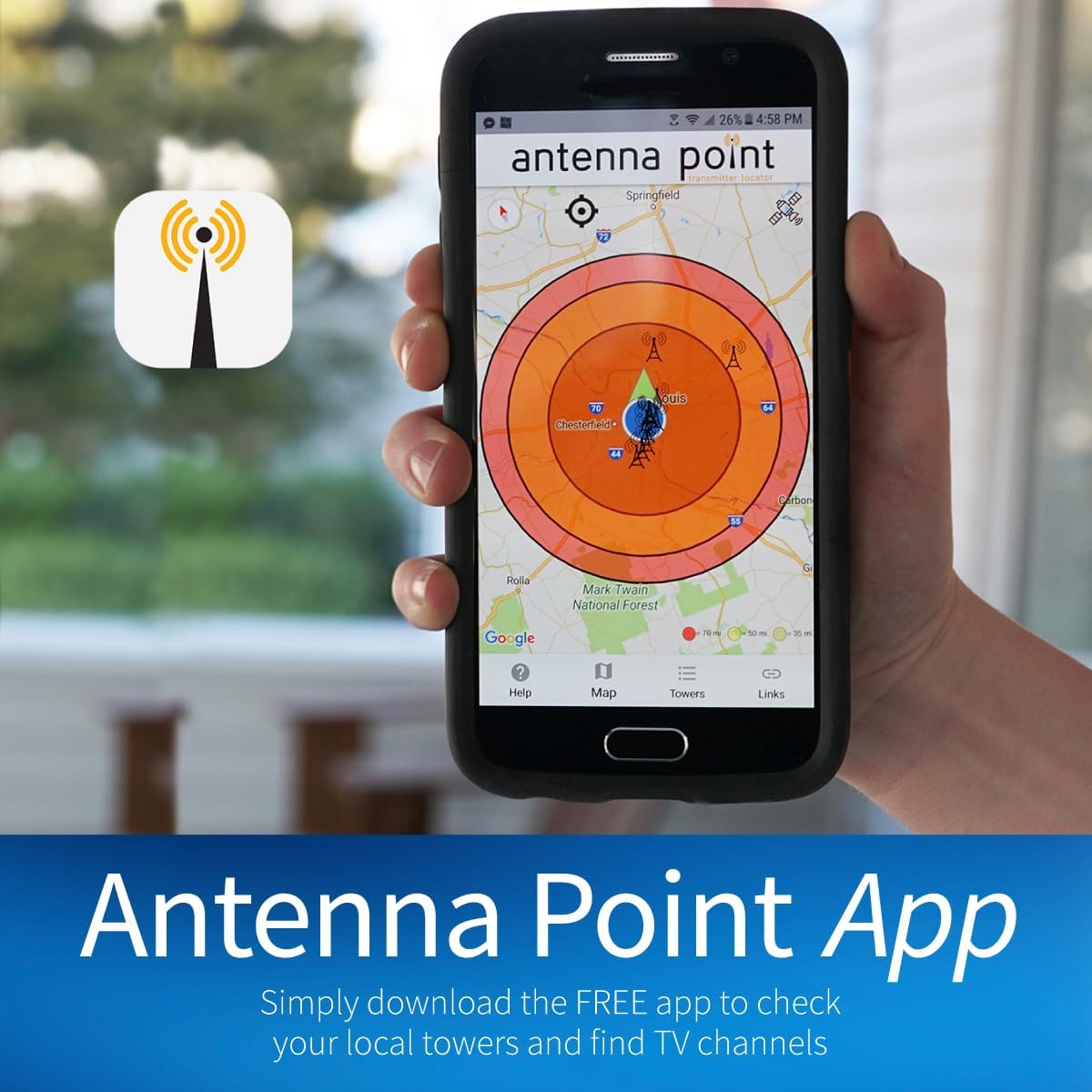
Image: The Antenna Point App interface, demonstrating how to find local TV towers for optimal antenna positioning.
4. Mounting the Antenna
Use the provided 20-inch mast with its pivoting base and all-weather mounting hardware. The pivoting base allows for installation on vertical or horizontal surfaces. Securely attach the mast and then the assembled antenna using the adjustable mast clamp. Ensure the antenna is oriented towards the broadcast towers as indicated by the Antenna Point App or a signal meter.
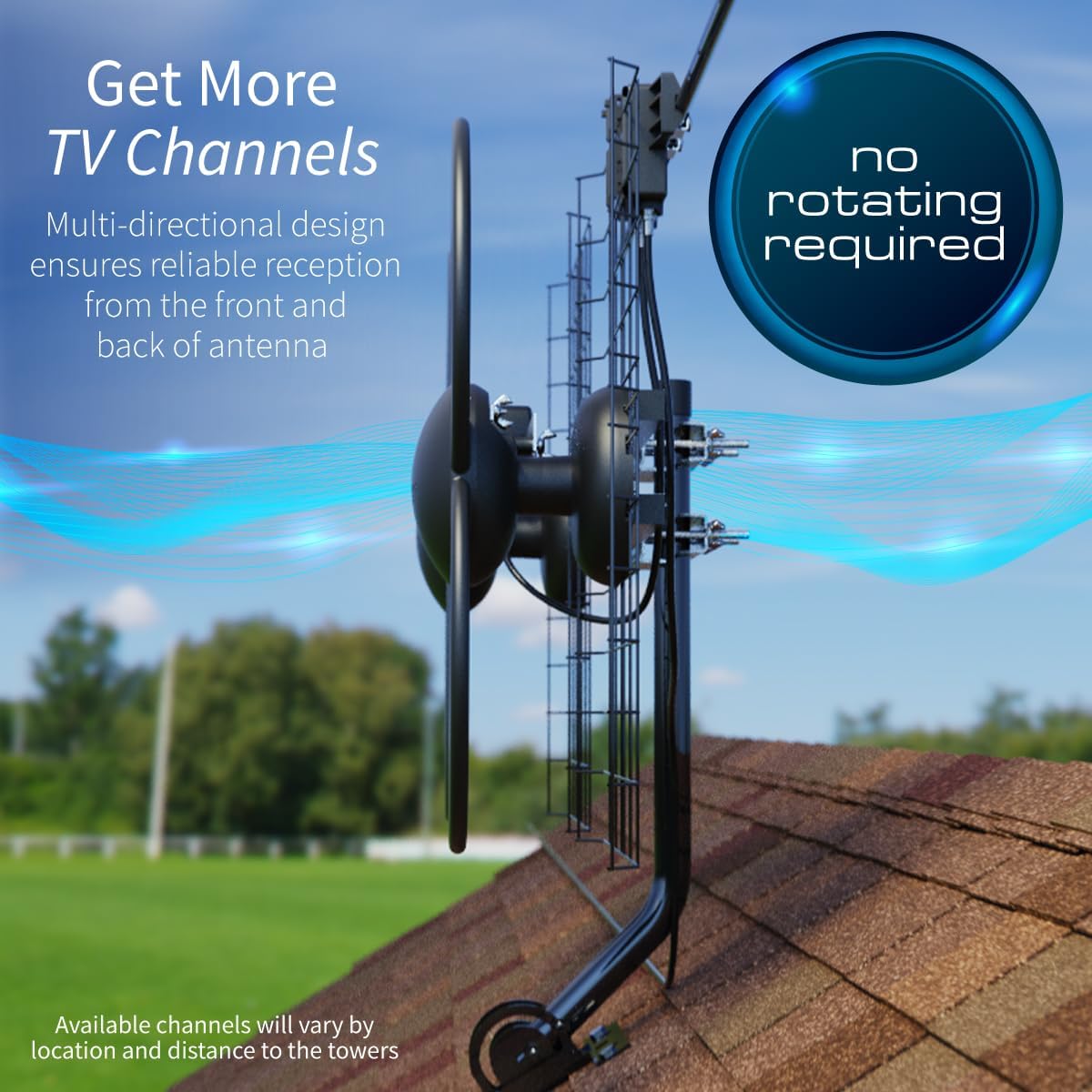
Image: The ClearStream 4V antenna installed on a roof, highlighting its multi-directional reception capabilities.
5. Connecting to Your TV
Connect a coaxial cable (not included) from the antenna's output to the "Antenna In" or "RF In" port on your television or digital converter box. If you are connecting to multiple TVs, you may need a signal splitter (sold separately).

Image: A visual demonstrating the antenna's capability to support multiple televisions throughout a home.
Operating Instructions
1. Scanning for Channels
After connecting the antenna to your TV, you must perform a channel scan. This process allows your TV to find and store all available over-the-air channels in your area.
- Turn on your TV and select the correct input (usually "TV" or "Antenna").
- Access your TV's menu settings.
- Navigate to "Channel Setup," "Antenna Setup," or "Scan for Channels."
- Select "Auto Scan" or "Auto Program."
- Allow the scan to complete. This may take several minutes.
- Once the scan is finished, your TV should display the available channels.
Note: Channel availability varies by location and distance to broadcast towers. You may need to rescan for channels periodically, especially if you reposition the antenna or if local broadcasters change frequencies.

Image: A TV screen showing a selection of available over-the-air channels, highlighting NEXTGEN TV compatibility.
2. Understanding Signal Reception
The ClearStream 4V is designed for high-quality reception, specifically tuned from 470 MHz to 608 MHz for frequency bands used by TV broadcasters in the USA. Its multi-directional design ensures reliable reception from both the front and back of the antenna, eliminating the need for constant rotation.
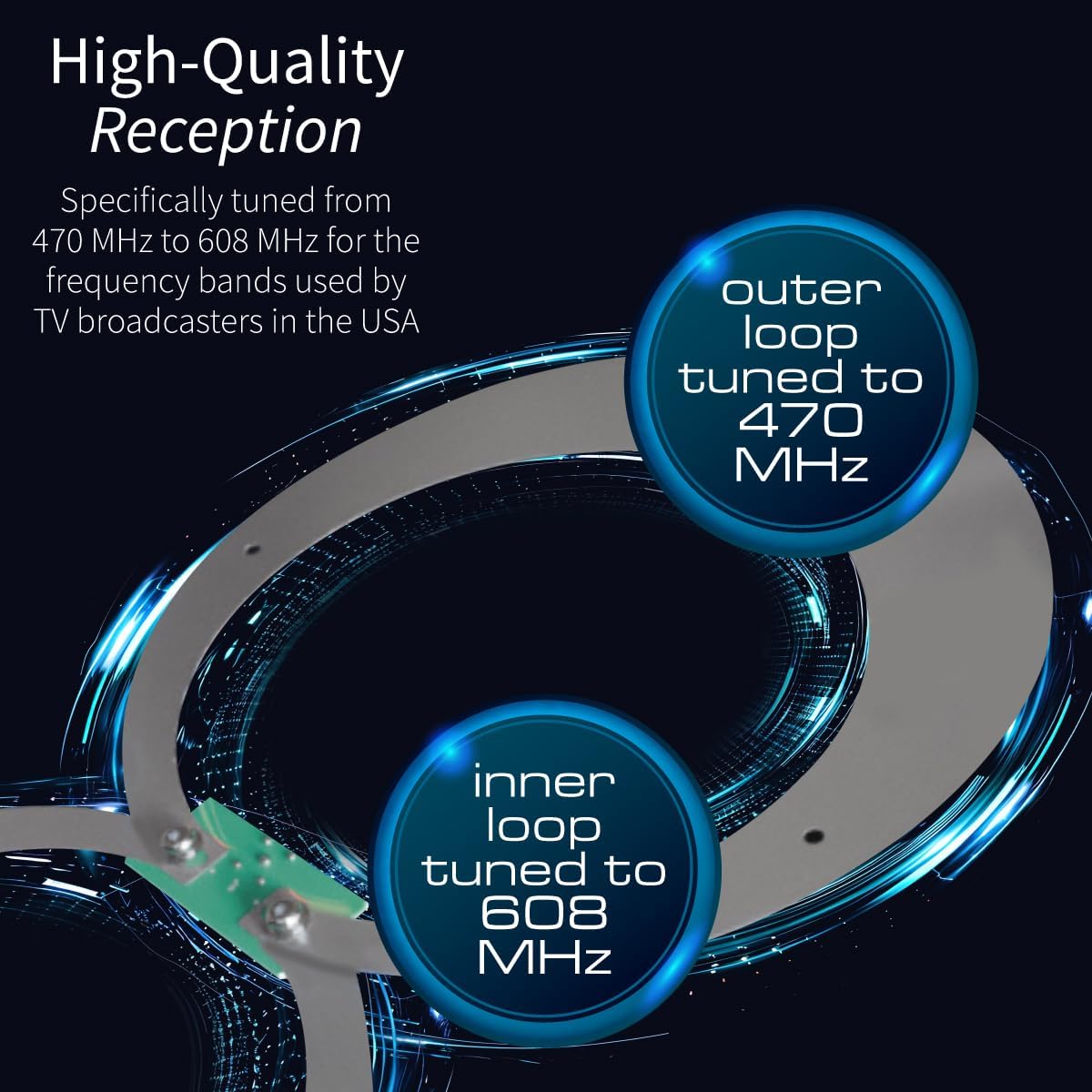
Image: A detailed view of the antenna's design, illustrating the specific frequency tuning of its inner and outer loops for optimal reception.
Important Note on Range: The curvature of the earth typically blocks most broadcast signals at roughly 70 miles. Claims of longer distances (e.g., 100-150 miles) are generally misleading. The 70-mile range of the ClearStream 4V is based on realistic signal propagation.

Image: A visual explanation of signal range limitations due to the Earth's curvature, emphasizing the realistic 70-mile range of the antenna.
Maintenance
The ClearStream 4V antenna is built with durable, all-weather materials designed for long-term outdoor use. Minimal maintenance is required.
- Periodic Inspection: Annually inspect the antenna, mast, and mounting hardware for any signs of wear, corrosion, or loosening. Tighten any loose bolts or clamps.
- Cable Check: Ensure the coaxial cable is free from cracks, fraying, or damage. Replace if necessary.
- Debris Removal: Occasionally, clear any accumulated leaves, snow, or ice from the antenna elements to prevent signal obstruction.
- Severe Weather: The antenna is designed to withstand various weather conditions. However, during extreme weather events (e.g., hurricanes, blizzards), it's advisable to check the antenna's stability afterward.

Image: Illustrates the antenna's resilience in various severe weather conditions, providing access to news even without internet.
Troubleshooting
If you experience issues with your antenna reception, try the following troubleshooting steps:
- No Signal / Pixelation:
- Rescan Channels: Always perform a new channel scan after any changes to the antenna's position or connections.
- Check Connections: Ensure all coaxial cable connections are tight and secure at both the antenna and the TV/converter box.
- Antenna Orientation: Verify the antenna is pointed in the optimal direction towards broadcast towers using the Antenna Point App. Small adjustments can make a significant difference.
- Obstructions: Check for new obstructions (e.g., growing trees, new buildings) that might be blocking the signal path.
- Antenna Height: If possible, try raising the antenna's height.
- Signal Amplifier: In weak signal areas, a preamplifier (sold separately) might be necessary to boost the signal.
- Missing Channels:
- Perform a full channel rescan.
- Check if the missing channels are available in your area using online resources or the Antenna Point App.
- Adjust antenna direction slightly and rescan.
- Intermittent Signal Loss:
- This can be caused by weather conditions, passing vehicles, or other temporary interference.
- Ensure all cables are in good condition and not damaged.
- Reflectors help protect against interference, but extreme conditions can still affect reception.
Remember that an antenna cannot provide cable TV channels; it only receives free over-the-air broadcasts.
Specifications
| Feature | Detail |
|---|---|
| Brand | Antennas Direct |
| Model | ClearStream 4V |
| Antenna Type | Outdoor TV Antenna (UHF/VHF) |
| Color | Black |
| Maximum Range | 70 miles |
| Impedance | 75 ohm |
| Product Dimensions (L x W x H) | 27.8" x 6" x 17.4" |
| Included Components | Reflectors, Hi-VHF kit, 20-inch mast with pivoting base, all-weather mounting hardware, adjustable mast clamp |
| Compatibility | NEXTGEN TV, 4K, 8K UHD, Full HD 1080p |
| UPC | 817848011118, 817848011354 |
Warranty and Support
Manufacturer's Warranty: The Antennas Direct ClearStream 4V antenna comes with a manufacturer lifetime warranty, ensuring long-term reliability and support for your product.
For further assistance, technical support, or warranty claims, please visit the official Antennas Direct store or contact their customer service. You can find more information and resources at the Antennas Direct Store on Amazon.
Antennas Direct is based in St. Louis, MO, and is dedicated to providing superior digital antennas and accessories engineered in the USA.