
Introduction
This manual provides essential instructions for the safe and efficient operation, setup, and maintenance of your BLACK+DECKER 14.4-18V Lithium-Ion Rapid Charger, model LC1418N. Please read this manual thoroughly before using the charger to ensure proper function and to prevent injury or damage.
Important Safety Instructions
WARNING: Read all safety warnings and all instructions. Failure to follow the warnings and instructions may result in electric shock, fire, and/or serious injury.
- SAVE THESE INSTRUCTIONS. This manual contains important safety and operating instructions for battery chargers.
- Before using the charger, read all instructions and cautionary markings on the charger, battery, and product using the battery.
- DANGER: To reduce the risk of injury, charge only BLACK+DECKER rechargeable Lithium-Ion batteries. Other types of batteries may burst causing personal injury and damage.
- Do not expose the charger to rain or snow.
- Do not use attachments not recommended or sold by the battery charger manufacturer. This may result in a risk of fire, electric shock, or injury to persons.
- To reduce risk of damage to electric plug and cord, pull by plug rather than cord when disconnecting charger.
- Make sure cord is located so that it will not be stepped on, tripped over, or otherwise subjected to damage or stress.
- An extension cord should not be used unless absolutely necessary. Use of an improper extension cord could result in a risk of fire, electric shock, or electrocution.
- Do not operate charger with a damaged cord or plug. If damaged, have it replaced immediately by a qualified service person.
- Do not operate charger if it has received a sharp blow, been dropped, or otherwise damaged in any way. Take it to a qualified service person.
- Do not disassemble charger; take it to a qualified service person when service or repair is required. Incorrect reassembly may result in a risk of electric shock or fire.
- To reduce risk of electric shock, unplug charger from outlet before attempting any maintenance or cleaning.
- NEVER attempt to charge a battery that is obviously damaged, cracked, or leaking.
- This charger is not intended for any uses other than charging BLACK+DECKER 14.4V and 18V Lithium-Ion battery packs.
Product Overview
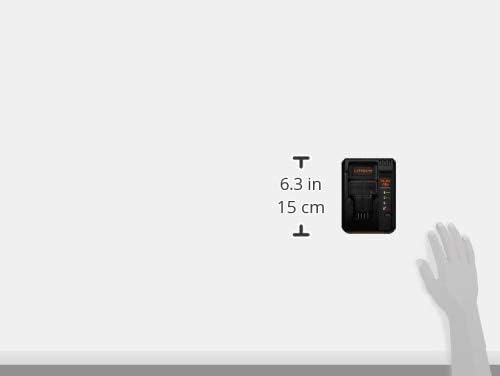
The BLACK+DECKER LC1418N charger is designed for rapid charging of 14.4V and 18V Lithium-Ion battery packs. Familiarize yourself with the components below.

- Battery Charging Slot: Area where the battery pack is inserted for charging.
- Power Cord: Connects the charger to a standard electrical outlet.
- Charging Status Indicators: LED lights that display the battery's charging status (charging, fully charged, fault).

Setup
- Unpack the Charger: Carefully remove the charger from its packaging. Inspect for any damage.
- Choose a Location: Place the charger on a dry, stable surface, away from direct sunlight and moisture. Ensure adequate ventilation around the charger.
- Connect to Power: Plug the charger's power cord into a standard 100-240V AC electrical outlet. The charger is designed for global voltage compatibility.
- Initial Check: When plugged in, the charging indicator lights may briefly illuminate, then turn off, indicating the charger is ready.
Operating Instructions
Charging a Battery Pack
- Ensure the charger is plugged into a working electrical outlet.
- Slide the battery pack firmly into the charging slot on the charger. Ensure it clicks into place.
- The charging indicator lights will illuminate to show the charging status. Refer to the "Charging Status Indicators" section for details.
- Once charging is complete, the indicator will show a full charge. Remove the battery pack from the charger by pressing the release button (if present on the battery) and sliding it out.
- Unplug the charger from the outlet when not in use.
Charging Status Indicators
The charger features LED indicators to communicate the battery's status:
- Solid Red Light: Battery is charging.
- Solid Green Light: Battery is fully charged.
- Flashing Red Light: Battery fault or temperature issue. Remove the battery and allow it to cool, then reinsert. If the issue persists, the battery may be defective.
- No Light: Charger is not plugged in, or there is no battery inserted, or the charger is defective.
Maintenance
- Cleaning: Disconnect the charger from the power outlet before cleaning. Use a dry cloth to wipe the exterior of the charger. Do not use water or harsh chemicals.
- Storage: Store the charger in a cool, dry place when not in use. Keep it away from children and pets.
- Cord Care: Regularly inspect the power cord for any signs of damage. If damaged, do not use the charger and seek professional repair.
Troubleshooting
| Problem | Possible Cause | Solution |
|---|---|---|
| Charger not working / No indicator lights |
|
|
| Battery not charging / Flashing red light |
|
|
| Charging takes too long |
|
|
Specifications
| Model Number | LC1418N |
| Brand | BLACK+DECKER |
| Compatible Battery Voltage | 14.4V - 18V Lithium-Ion |
| Compatible Battery Models | BL1518, BL1518N, BL2018 |
| Input Voltage | 100-240V AC (Universal) |
| Output Voltage | 18V DC |
| Product Dimensions (D x W x H) | 9.5 cm x 16.5 cm x 8.5 cm |
| Product Weight | 0.53 kg |
| Certifications | CE, RoHS |
| Country of Origin | China |
Warranty and Support
For warranty information, technical support, or service inquiries, please refer to the warranty card included with your product or visit the official BLACK+DECKER website. You can also contact BLACK+DECKER customer service directly for assistance.
Official Website: www.blackanddecker.com

