
Dyson 61874-01
Dyson Hot+Cool™ AM09 Jet Focus Heater and Fan Instruction Manual
Brand: Dyson | Model: AM09
Introduction
The Dyson Hot+Cool™ Jet Focus fan heater is designed to provide year-round comfort, offering powerful heating in cold weather and effective personal cooling in hot weather. Its unique Air Multiplier™ technology amplifies surrounding air to deliver a smooth, uninterrupted stream of airflow.
What's in the Box

Image: The Dyson Hot+Cool AM09 unit and its remote control, as packaged in the box.
- Dyson Hot+Cool™ Jet Focus AM09 unit (White/Silver)
- Remote Control
Key Features
Air Multiplier™ Technology
This technology amplifies the surrounding air, providing a powerful and uninterrupted stream of smooth airflow without visible blades.
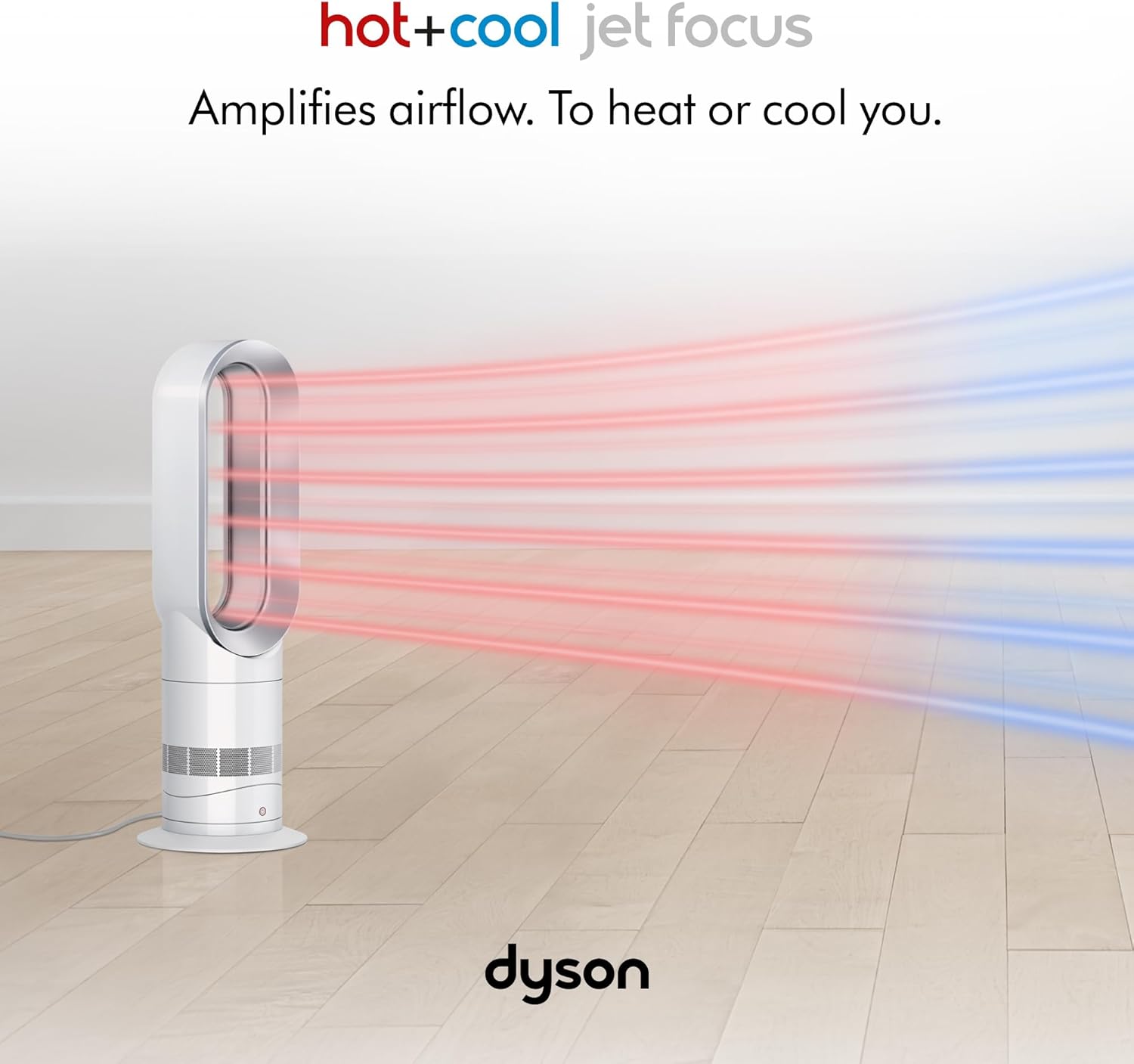
Image: The Dyson Hot+Cool AM09 unit demonstrating its ability to project both heated (red) and cooled (blue) airflow across a room.
Jet Focus Control
Choose between two distinct airflow modes: Focused mode for fast, personal heating or cooling, and Diffused mode for whole-room heating or a gentle breeze.

Image: A diagram illustrating the narrow, focused airflow for personal use and the wider, diffused airflow for whole-room coverage.
Heating and Cooling Capabilities
Equipped with ceramic plates, the heater warms up quickly to provide rapid heating. For cooling, it delivers powerful, amplified airflow. The temperature range is 32-98.6°F (0-37°C).

Image: The Dyson Hot+Cool AM09 unit positioned beside a bed, projecting warm air towards a person for personal heating.
Smooth Oscillation
The unit oscillates at a 70° angle, directing airflow smoothly around the room for even distribution.

Image: The Dyson Hot+Cool AM09 unit demonstrating its 70-degree oscillation capability, indicated by arrows on the floor.
Sleep Timer
The sleep timer allows you to program the unit to turn off automatically after pre-set intervals, ranging from 15 minutes to 9 hours.

Image: An overhead view of the Dyson Hot+Cool AM09 unit projecting warm air towards a sleeping person, illustrating the sleep timer function.
Remote Control
The curved and magnetized remote control stores neatly on top of the unit, ensuring it's always within reach.

Image: A detailed diagram of the Dyson Hot+Cool AM09 remote control, labeling buttons for power, cooling, airflow speed, temperature control, sleep timer, oscillation, personal heating, and whole room heating.
Product Overview Video
Video: A closer look at the Dyson Hot+Cool AM09 Jet Focus heater and fan, demonstrating its features and design.
Setup
The Dyson Hot+Cool™ AM09 requires no assembly. Simply place the unit on a stable, flat surface in your desired location. Ensure it is placed away from curtains or other objects that could obstruct airflow.
Plug the power cord into a suitable electrical outlet. The unit is now ready for operation.
Operating Instructions
Power On/Off
- Press the power button on the unit or the remote control to turn the fan heater on or off.
Adjusting Airflow Speed
- Use the airflow speed buttons on the remote control to increase or decrease the fan's intensity (10 settings available).
Selecting Mode (Heating/Cooling)
- To switch between heating and cooling, use the red (heating) or blue (cooling) temperature control buttons on the remote.
Setting Target Temperature (Heating)
- In heating mode, use the temperature control buttons to set your desired room temperature. The unit will automatically maintain this temperature.
Using Jet Focus Control
- Press the Jet Focus button on the remote to toggle between focused and diffused airflow modes.
Activating Oscillation
- Press the oscillation button on the remote to start or stop the unit's smooth 70° oscillation.
Setting the Sleep Timer
- Press the sleep timer button on the remote to set the desired duration (15 minutes to 9 hours) after which the unit will automatically turn off.
Maintenance
Regular cleaning of your Dyson Hot+Cool™ AM09 is essential to maintain optimal performance and airflow. Dust and debris can accumulate in the air intake vents.
- Cleaning the Air Intake Vents: Use a vacuum cleaner with a brush attachment or a soft, dry cloth to gently clean the air intake vents located around the base of the unit. For a more thorough cleaning, a leaf blower or high-powered air can be used to clear dust from the internal components.
- Cleaning the Loop Amplifier: Wipe the loop amplifier with a soft, dry cloth to remove any dust or smudges.
- Always ensure the unit is unplugged from the power outlet before cleaning.
Troubleshooting
Unit Not Powering On
- Ensure the power cord is securely plugged into a working electrical outlet.
- Check if the power outlet itself is functioning (try plugging in another device).
No Airflow or Weak Airflow
- Check if the air intake vents are obstructed by dust or debris. Refer to the Maintenance section for cleaning instructions.
- Ensure the unit is set to an appropriate airflow speed.
Unit Making Clicking Noise When Oscillating
- This can sometimes be a known issue. If the noise persists and affects performance, contact Dyson customer support for assistance.
Remote Control Not Working
- Ensure there are no obstructions between the remote control and the unit.
- Replace the battery in the remote control.
Specifications
| Brand | Dyson |
| Model Number | 61874-01 (AM09) |
| Color | White/Silver |
| Product Dimensions | 4.45"D x 6.02"W x 23.43"H |
| Item Weight | 5.91 pounds |
| Voltage | 110 Volts |
| Amperage | 12.5 Amps |
| Min Temperature Setting | 32 Degrees Fahrenheit |
| Max Temperature Setting | 99 Degrees Fahrenheit |
| Number of Speeds | 10 |
| Oscillation Angle | 70° |
| Included Components | Remote, Dyson Hot+Cool Jet Focus AM09 |
Warranty & Support
For detailed warranty information, please refer to the documentation included with your product or visit the official Dyson website.
For further assistance or to download the full user manual and safety information, please use the links below:
Related documents61874-01


Ask a question about this manual
Ask about setup, troubleshooting, compatibility, parts, safety, or missing instructions. Manuals+ will review the question and use this page’s manual context to help answer it.