
Introduction
This manual provides detailed instructions for the assembly, operation, and maintenance of your HOMCOM 360-Degree Rotating L-Shaped Computer Desk. Please read this manual thoroughly before assembly and use to ensure proper function and longevity of your product.
The HOMCOM 360-Degree Rotating L-Shaped Desk is designed for home office use, offering a versatile workspace with integrated storage. Its unique rotating design allows for flexible configuration to suit various room layouts and needs.
Safety Information
- Always assemble the desk on a soft, clean surface to prevent scratches.
- Ensure all screws and fasteners are securely tightened before use. Periodically check and re-tighten as necessary.
- Do not overload the desk or shelves. Refer to the specifications for weight capacities.
- Keep small parts away from children during assembly.
- Use caution when rotating the desk sections to avoid pinching or damage.
- This product is intended for residential use.
Package Contents
Before beginning assembly, verify that all parts listed below are present and undamaged. If any parts are missing or damaged, please contact customer support.
- Desk panels (various sizes for tabletop and shelves)
- Stainless steel support poles
- Assembly hardware (screws, connectors, etc.)
- Instruction manual

Image: Components of the HOMCOM 360-Degree Rotating L-Shaped Desk, including various panels and hardware, laid out for assembly.
Setup and Assembly
Assembly requires two people and a screwdriver. Follow the steps carefully.
- Unpack and Identify Parts: Carefully unpack all components and lay them out on a clean, soft surface. Refer to the parts list to ensure all pieces are present.
- Assemble the Shelf Unit: Begin by assembling the multi-tier S-shaped shelf unit. Connect the shelf panels using the provided hardware and stainless steel support poles. Ensure all connections are firm.
- Attach the Main Desk Top: Secure the main desk tabletop to the shelf unit using the rotating mechanism. This mechanism allows the desk to pivot 360 degrees.
- Final Tightening: Once all parts are connected, gently tighten all screws and fasteners. Do not overtighten.

Image: Detailed dimensions of the desk in its L-shaped configuration, illustrating the overall size and shelf placement.
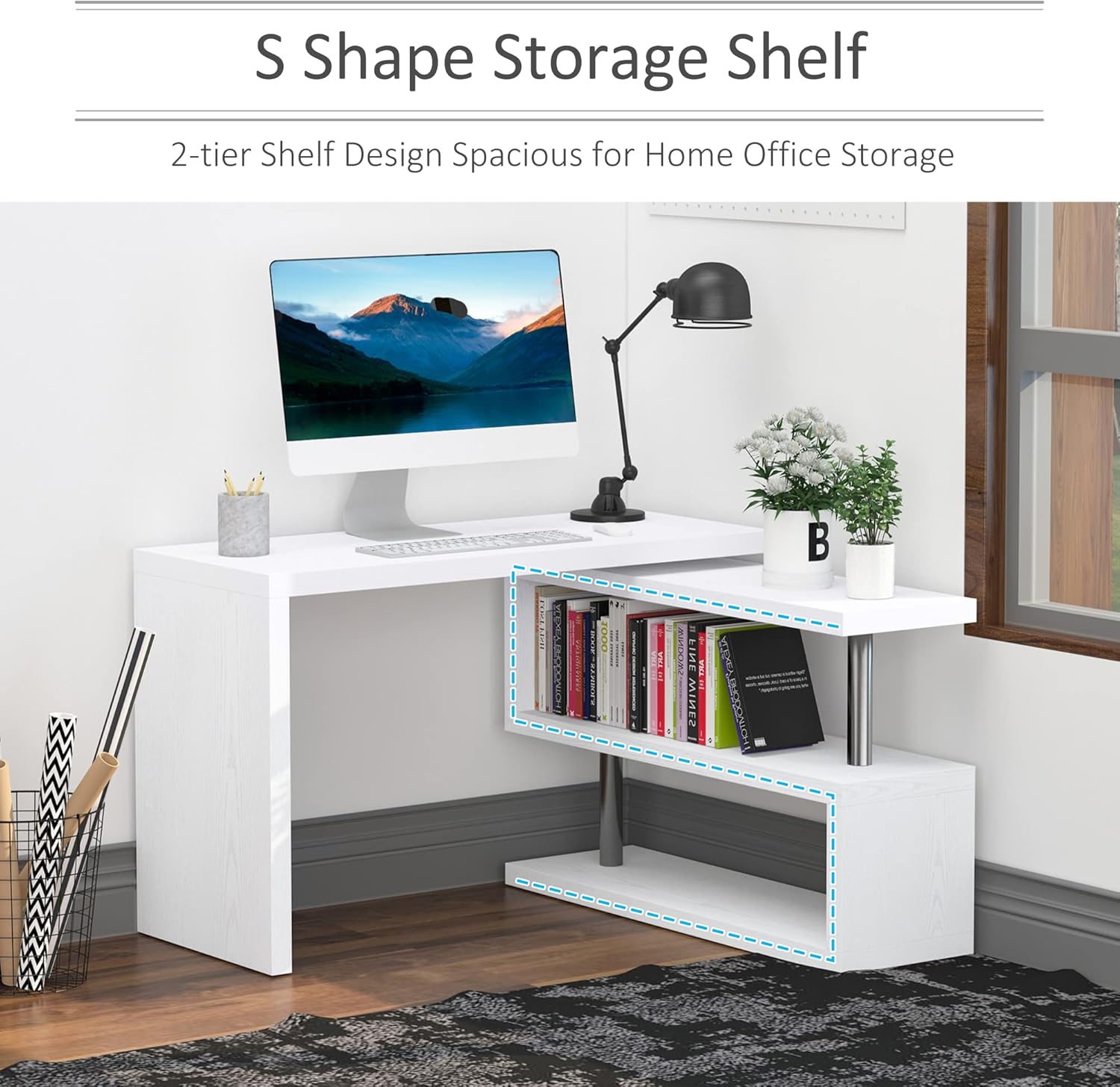
Image: Detailed dimensions of the desk in its straight configuration, highlighting the extended length and shelf placement.
Operating Instructions
Rotating the Desk
The desk features a 360-degree rotating design, allowing it to be configured in various ways:
- L-Shape Configuration: Ideal for corner spaces, providing an extended work area.
- Straight Configuration: Suitable for larger spaces, creating a long, continuous desk surface.
- Overlapping Configuration: Compact setup for limited spaces, where the shelf unit slides partially under the main desk.
To rotate the desk, gently lift the main desk section slightly and pivot it around the central axis. Ensure no items are obstructing the rotation path. Avoid forcing the rotation.

Image: Visual representation of the desk's 360-degree rotation capability, showing 0-degree overlap, 90-degree L-shape, and 180-degree unfold configurations.
Utilizing Storage Shelves
The integrated 3-tier S-shaped shelves provide ample space for books, files, office supplies, and decorative items. Distribute weight evenly across the shelves to maintain stability.

Image: The HOMCOM desk configured in an L-shape, showcasing the multi-tier S-shaped storage shelves filled with books and office accessories.
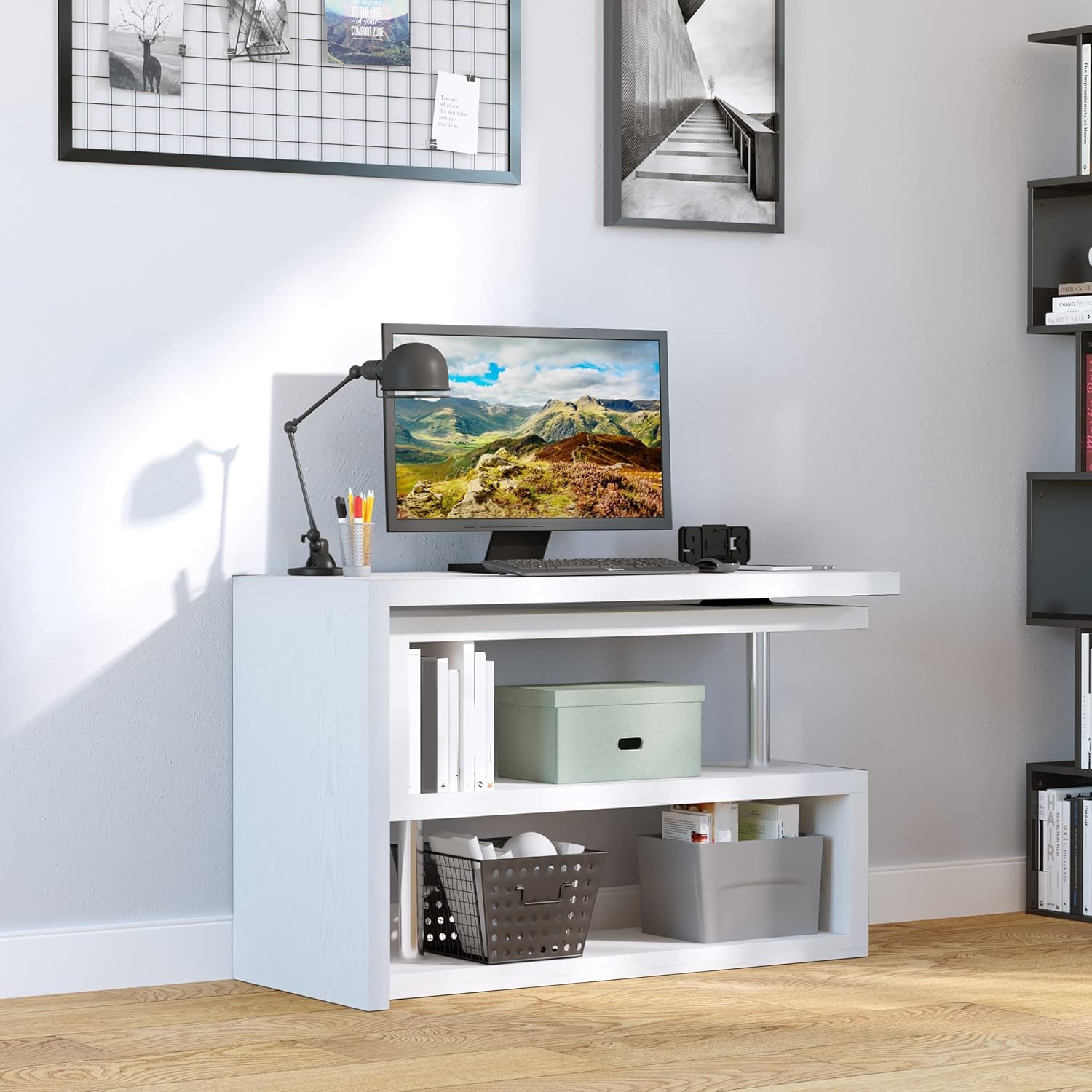
Image: The HOMCOM desk configured in a straight line, demonstrating the use of the integrated shelves for storage and organization.
Maintenance
- Cleaning: Wipe surfaces with a soft, damp cloth. Avoid harsh chemicals or abrasive cleaners that may damage the finish.
- Inspection: Periodically check all connections and hardware to ensure they remain tight. Re-tighten as needed.
- Protection: Use coasters or placemats to protect the desk surface from spills and heat.
Troubleshooting
| Problem | Possible Cause | Solution |
|---|---|---|
| Desk feels wobbly or unstable. | Loose connections or uneven floor. | Check and tighten all screws and fasteners. Ensure the desk is on a level surface. |
| Difficulty rotating the desk sections. | Obstruction or mechanism needs lubrication. | Ensure no items are blocking the rotation path. Apply a small amount of silicone-based lubricant to the rotating mechanism if necessary. |
| Scratches or damage to the surface. | Sharp objects or abrasive cleaning. | Use appropriate surface protection (coasters, mats). Clean with soft cloths and non-abrasive cleaners. |
Specifications
| Feature | Detail |
|---|---|
| Brand | HOMCOM |
| Model Number | 831-012V01WT |
| Shape | L-Shape (Rotating) |
| Product Dimensions (L-shape) | 45" W x 47.25" D x 30" H |
| Product Dimensions (Straight) | 75.5" W x 19.75" D x 30" H |
| Color | White |
| Base Material | MDF, Stainless Steel, Manufactured Wood |
| Top Material Type | Engineered Wood |
| Weight Capacity (Overall) | 220 lbs |
| Weight Capacity (Each Shelf) | 44 lbs |
| Weight Capacity (Tabletop) | 110 lbs |
| Number of Shelves | 3 (Enclosed) / 2 (Open) |
| Assembly Required | Yes (Recommended 2 people) |
| Tools Recommended | Screwdriver |
Warranty and Support
This product comes with a Full Warranty. For specific warranty details, claims, or technical support, please contact HOMCOM customer service. Keep your purchase receipt for warranty validation.
For further assistance, visit the official HOMCOM website or contact their customer support line.
Product Videos
HOMCOM 360 Degree Rotating Corner Computer Desk Overview
Video: An official overview of the HOMCOM 360 Degree Rotating Corner Computer Desk, demonstrating its features and versatility. This video is provided by Aosom Direct (Seller).


