1. Introduction
Thank you for choosing the ORNO MA-705 Wireless Motion Detector with Alarm. This device is designed to enhance security by detecting movement in designated areas and alerting you with an audible alarm. It is suitable for various applications including homes, apartments, offices, shops, warehouses, cellars, entrances, and parking areas. Please read this manual carefully before installation and operation to ensure proper use and optimal performance.
2. Product Overview
2.1 Key Features
- Wireless connectivity for flexible placement.
- High-volume 95 dB alarm to alert users of detected motion.
- Easy installation without the need for drilling.
- Motion detection range of 7 meters with a 45° viewing angle.
- Wireless transmission range up to 120 meters (open field).
- IP44 protection rating for the motion detector, allowing outdoor placement.
- Battery change indicator for timely maintenance.
2.2 Components
The ORNO MA-705 system includes the following main components:
- Motion Detector (Transmitter)
- Alarm Receiver (Receiver)

Image 2.2.1: The ORNO MA-705 system showing the motion detector (left) and the alarm receiver (right).

Image 2.2.2: Front view of the motion detector, showing the detection lens and indicator light.
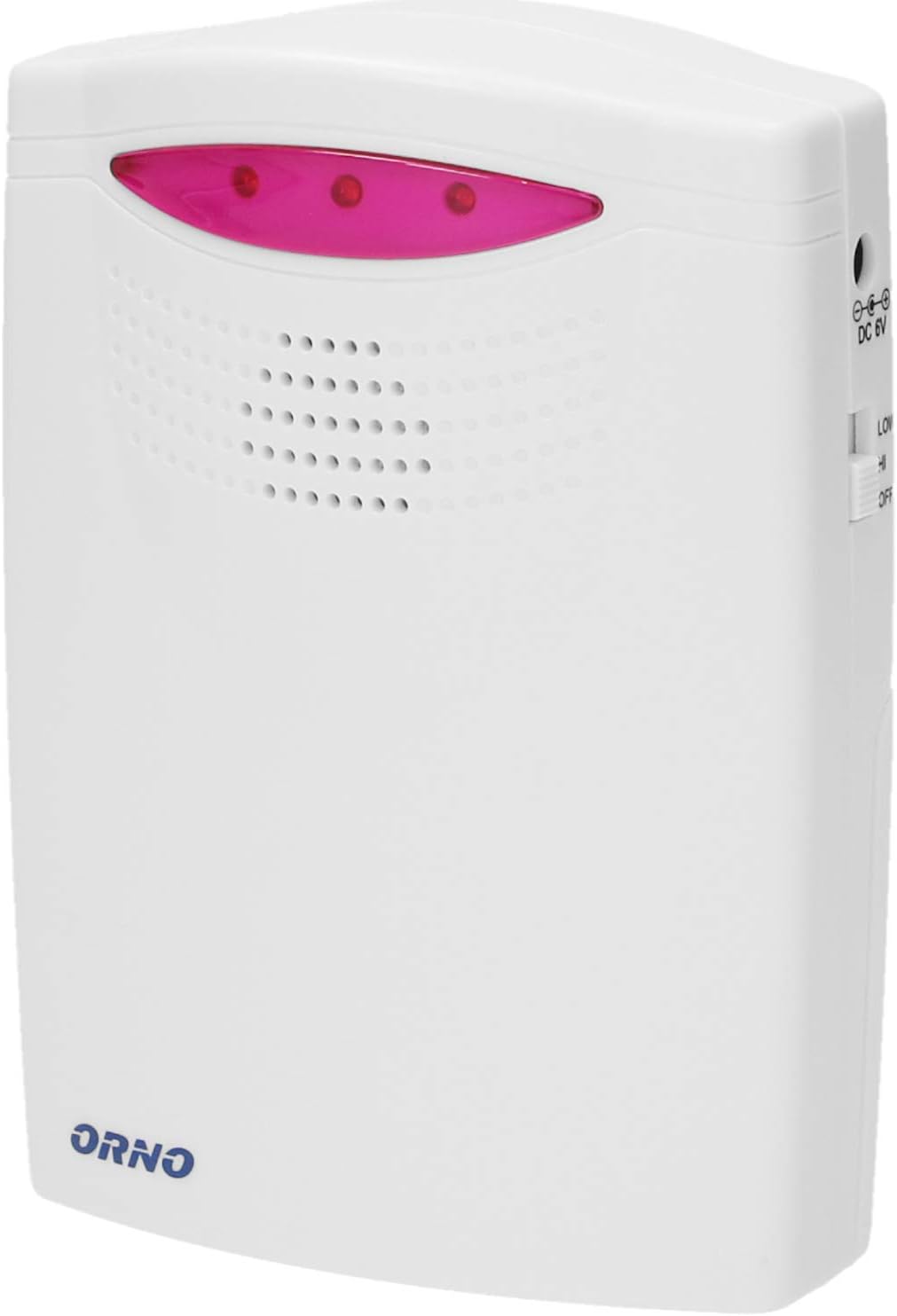
Image 2.2.3: Front view of the alarm receiver, featuring the speaker grille and indicator lights.
3. Safety Information
- Do not expose the receiver to moisture or direct water spray. The detector has an IP44 rating for outdoor use, but the receiver is for indoor use only.
- Use only the specified battery types (3 x LR14 for receiver, 3 x AAA for detector).
- Ensure correct battery polarity during installation.
- Keep batteries out of reach of children.
- Dispose of used batteries according to local regulations.
- Do not attempt to disassemble or repair the device yourself. Contact qualified personnel for service.
- Avoid placing the motion detector near heat sources, direct sunlight, or rapidly changing temperatures, as this may cause false alarms.
4. Setup
4.1 Battery Installation
4.1.1 Receiver Battery Installation
- Locate the battery compartment on the back of the receiver.
- Open the battery compartment cover.
- Insert 3 x LR14 (C-size) 1.5V alkaline batteries, ensuring correct polarity (+/-).
- Close the battery compartment cover securely.
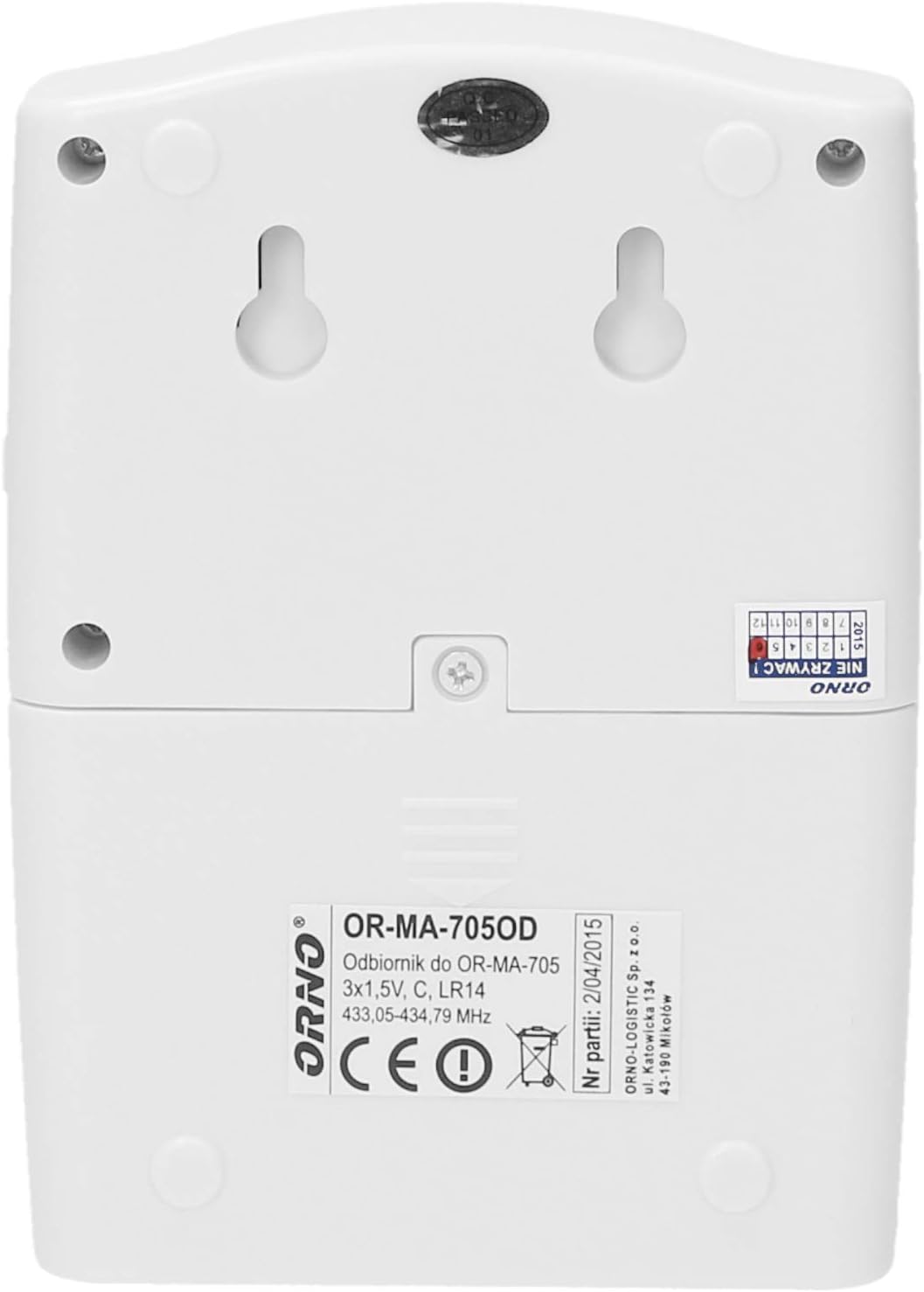
Image 4.1.1: Back of the receiver, indicating the battery compartment and mounting points.
4.1.2 Motion Detector Battery Installation
The product description indicates the detector uses 3 x AAA batteries.
- Locate the battery compartment on the back of the motion detector.
- Open the battery compartment cover.
- Insert 3 x AAA 1.5V alkaline batteries, ensuring correct polarity (+/-).
- Close the battery compartment cover securely.
4.2 Mounting the Devices
4.2.1 Mounting the Motion Detector
The motion detector is designed for wall mounting and can be placed outdoors due to its IP44 rating. Choose a location that provides an optimal detection area and is free from obstructions.
- The detector has a 7-meter detection range and a 45° viewing angle.
- Consider the desired coverage area (e.g., driveway, entrance, garage).
- Use the integrated mounting holes on the back of the detector to secure it to a wall or suitable surface. Screws and wall plugs (not included) may be required depending on the surface.

Image 4.2.1: Example of the motion detector mounted on an exterior brick wall.

Image 4.2.2: Visual examples of suitable installation locations for the motion detector, including residential areas, warehouses, driveways, and garages.
4.2.2 Mounting the Alarm Receiver
The alarm receiver should be placed indoors within the wireless transmission range of the motion detector (up to 120 meters in open field conditions). It can be placed on a flat surface or mounted on a wall using the mounting holes on its back.
- Choose a central location where the alarm can be easily heard.
- Avoid placing it near large metal objects or other electronic devices that might interfere with the wireless signal.
5. Operating Instructions
5.1 Powering On and Initial Test
- After installing batteries in both the detector and receiver, the system should be ready for operation.
- Move within the detection range of the motion detector. The detector's indicator light may flash, and the receiver should emit an alarm sound.
- If the alarm does not sound, check battery installation and ensure both units are within range.
5.2 Alarm Volume and Tones
The ORNO MA-705 receiver has a fixed alarm volume of 95 dB. There is no adjustable volume control on this model. The system offers 2 distinct ringtones for notification.
5.3 Optical Signaling
In addition to the audible alarm, the receiver provides optical signaling (indicator lights) to visually confirm motion detection.
6. Maintenance
6.1 Battery Replacement
The system features a battery change indicator. When the indicator activates, replace the batteries in the respective unit (detector or receiver) as soon as possible to ensure continuous operation.
- Receiver: Replace with 3 x LR14 (C-size) 1.5V alkaline batteries.
- Motion Detector: Replace with 3 x AAA 1.5V alkaline batteries.
Always ensure correct polarity when inserting new batteries.
6.2 Cleaning
Wipe the devices with a soft, dry cloth. Do not use abrasive cleaners or solvents, as these can damage the casing or internal components.
7. Troubleshooting
| Problem | Possible Cause | Solution |
|---|---|---|
| No alarm when motion is detected. |
|
|
| False alarms. |
|
|
| Short wireless range. |
|
|
8. Specifications
| Feature | Specification |
|---|---|
| Model | MA-705 |
| Brand | Orno |
| Transmission Type | Wireless |
| Receiver Power Supply | 3 x LR14 (C-size) 1.5V batteries (not included) |
| Detector Power Supply | 3 x AAA 1.5V batteries (not included) |
| Battery Composition | Alkaline |
| Motion Detection Range | 7 meters |
| Motion Detection Angle | 45° |
| Wireless Transmission Range | Up to 120 meters (open field) |
| Alarm Volume | 95 dB |
| Volume Control | No |
| Optical Signaling | Yes |
| Detector Protection Rating | IP44 |
| Color | White |
| Receiver Dimensions (W x H x D) | 92 x 128 x 41 mm |
| Detector Dimensions (W x H x D) | 68 x 105 x 42 mm |
| Expandable | No |
9. Warranty and Support
Information regarding warranty terms and conditions is typically provided with your purchase documentation or on the manufacturer's official website. Please refer to those resources for detailed warranty coverage.
For technical support, troubleshooting assistance beyond this manual, or inquiries about replacement parts, please contact Orno customer service. Contact details can usually be found on the product packaging or the Orno website.
Note: Spare parts availability information is not available.


