
1. Introduction
The Autel MaxiSys MS908 1-Year Software Update Program (Model: MS908-1YRUPDATE) provides a subscription service that grants your Autel MaxiSys MS908 diagnostic scan tool access to the latest software updates and enhanced functionalities for a period of one year from the date of activation. This program ensures your diagnostic tool remains current with the newest vehicle makes, models, and diagnostic features.
Image 1.1: Overview of the Autel Total Care Program, which includes software updates.
Staying current with software updates is crucial for maintaining optimal performance and expanding the diagnostic capabilities of your MaxiSys MS908 tool. This update program is part of the Autel Total Care Program (TCP), designed to keep your diagnostic operations efficient and effective.

Image 1.2: The importance of staying current with Autel software subscriptions.
2. Package Contents
Upon receiving your Autel MS908-1YRUPDATE, verify that the package contains the following item:
- One (1) Autel MaxiSys MS908 1-Year Software Update Activation Card

Image 2.1: The physical Autel MaxiSys MS908 1-Year Update Activation Card.
3. Setup and Activation
To activate your 1-year software update subscription for the Autel MaxiSys MS908, follow these steps:
- Locate the Activation Code: Carefully open the packaging and locate the 1-Year Software Update Activation Card. The card will contain a unique activation code.
- Access Autel Update Portal: Power on your Autel MaxiSys MS908 diagnostic tool and ensure it is connected to a stable internet connection (Wi-Fi is recommended).
- Register/Login: If you haven't already, register your MaxiSys MS908 tool on the Autel official website or through the tool's update application. Log in to your Autel account.
- Enter Activation Code: Navigate to the 'Update' or 'Subscription Renewal' section within your Autel account or directly on the MaxiSys MS908 tool. Enter the activation code from your card into the designated field.
- Confirm Activation: Follow the on-screen prompts to confirm the activation. Once successful, your MaxiSys MS908 tool will be registered for one year of software updates.
The 1-year update period begins from the date of successful activation.
4. Operating Instructions (Utilizing Updates)
Once your 1-year software update subscription is active, your MaxiSys MS908 tool will be eligible to receive all new and updated software releases. These updates provide several key benefits:
- Tool Function Upgrades: Access the latest diagnostic functions, special features, and system optimizations developed by Autel.
- Latest Vehicle Coverage: Ensure your tool supports the newest vehicle makes and models, allowing you to diagnose a wider range of vehicles.
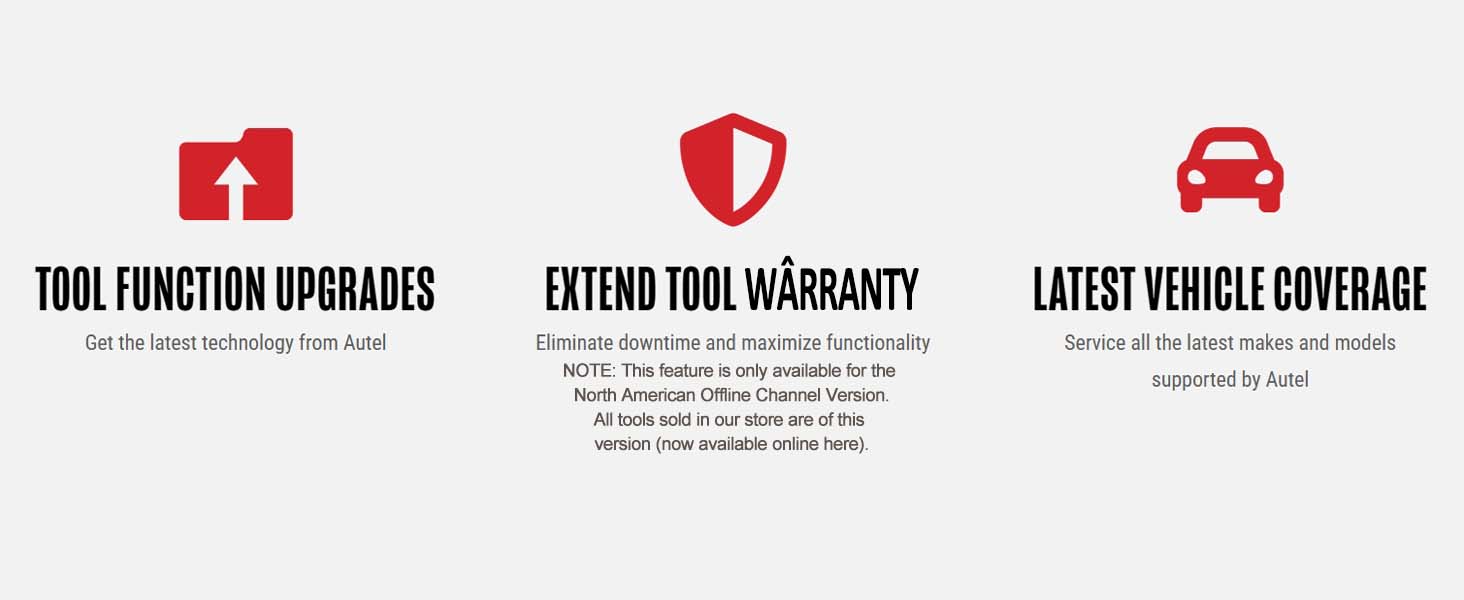
Image 4.1: Key benefits provided by the Autel Total Care Program, including software updates.
To download and install updates on your MaxiSys MS908 tool:
- Connect to Internet: Ensure your MaxiSys MS908 is connected to a stable internet connection.
- Access Update Application: On the MaxiSys MS908 main menu, tap the 'Update' application icon.
- Check for Updates: The tool will automatically check for available software updates.
- Download and Install: Select the updates you wish to install and tap 'Download'. Once downloaded, follow the on-screen instructions to install them. It is recommended to install all available updates for comprehensive coverage and functionality.
5. Maintenance
To ensure your Autel MaxiSys MS908 tool consistently benefits from the latest software, regular maintenance of your update subscription is advised:
- Periodic Checks: Regularly check the 'Update' application on your MaxiSys MS908 tool for new software releases. Autel frequently releases updates to enhance performance and expand vehicle coverage.
- Stable Internet Connection: Always ensure a strong and stable internet connection when downloading and installing updates to prevent data corruption or incomplete installations.
- Timely Renewal: Note the expiration date of your 1-year subscription. Renewing your update program before it expires ensures uninterrupted access to new software.
6. Troubleshooting
If you encounter issues with your Autel MS908 1-Year Software Update Program, consider the following:
- Activation Code Not Accepted: Double-check that the activation code is entered correctly, paying attention to any similar-looking characters (e.g., '0' and 'O', '1' and 'I'). Ensure the code has not been previously used.
- No Updates Available: Verify that your MaxiSys MS908 tool has a stable internet connection. Confirm that your 1-year subscription is active and has not expired.
- Update Download Failure: Ensure sufficient storage space on your MaxiSys MS908 tool. Check your internet connection stability. Try restarting the tool and attempting the download again.
- Tool Functionality Issues After Update: If the tool exhibits unexpected behavior after an update, try performing a system restore to a previous version (if available) or contact Autel technical support for guidance.
7. Specifications
| Specification | Detail |
|---|---|
| Brand | Autel |
| Model | MS908-1YRUPDATE |
| Item Model Number | MS908-1YRUPDATE |
| Manufacturer Part Number | MS908-1YRUPDATE |
| Product Dimensions (Packaging) | 5.25 x 4 x 0.1 inches |
| Item Weight (Packaging) | 0.16 ounces |
| Date First Available | January 14, 2015 |
8. Warranty and Support
This product provides a 1-year software update subscription for your Autel MaxiSys MS908 tool. For any issues related to activation, software functionality, or technical support, please contact Autel's official customer service or visit their support website.
Additional protection plans for your Autel MaxiSys MS908 tool may be available separately from third-party providers. These plans are distinct from the software update subscription and offer extended coverage for the physical device.
For the most current support information and contact details, please refer to the official Autel website or the documentation provided with your MaxiSys MS908 diagnostic tool.


