Introduction
The Leviton Vizia+ 24 Hour Decora Timer, model VPT24-1PZ, is an advanced programmable timer designed for controlling lighting and motor loads. It features a 24-hour schedule, an astronomic clock for automatic adjustment to sunrise/sunset, a backlit LCD display for easy programming, and a green LED locator for visibility in the dark. This timer is suitable for single-pole, 3-way, or more locations, and requires a neutral wire for installation. It comes with white, ivory, and light almond color faces to match various decors.
Safety Information
WARNING: To avoid fire, shock, or death; turn off power at circuit breaker or fuse and test that power is off before wiring! This device must be installed in accordance with all national and local electrical codes.
- Use only copper or copper clad wire.
- Do not use with loads exceeding the specified ratings.
- A neutral wire is required for proper operation.
- Consult a qualified electrician if you are unsure about any part of the installation.
Package Contents
- Leviton VPT24-1PZ 24 Hour Decora Timer (White assembled)
- Ivory color faceplate
- Light Almond color faceplate
- Mounting screws
- Wire nuts
Setup and Installation
Before beginning, ensure power is turned off at the circuit breaker.
Wiring Instructions
- Turn off Power: Locate the circuit breaker controlling the switch you are replacing and turn it OFF. Verify power is off using a voltage tester.
- Remove Old Switch: Carefully remove the existing wall plate and switch from the wall box. Disconnect the wires from the old switch.
- Identify Wires:
- LINE (Hot): The wire bringing power from the circuit breaker.
- LOAD: The wire going to the light fixture or appliance.
- NEUTRAL: Typically a white wire, required for this timer.
- GROUND: Bare copper or green wire.
- TRAVELER (for 3-way installations): For multi-location control.
- Connect Wires: Connect the wires from the wall box to the timer's terminals using wire nuts or screw terminals as follows:
- Connect the LINE wire to the timer's LINE terminal.
- Connect the LOAD wire to the timer's LOAD terminal.
- Connect the NEUTRAL wire to the timer's NEUTRAL terminal.
- Connect the GROUND wire to the timer's GROUND terminal.
- For 3-way installations, connect the TRAVELER wire(s) to the appropriate traveler terminal(s) on the timer and the companion switch.
- Mounting: Carefully push the wired timer into the wall box. Secure it with the provided mounting screws.
- Install Faceplate: Attach the desired color faceplate (white, ivory, or light almond) and then the wall plate.
- Restore Power: Turn the power back on at the circuit breaker.
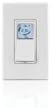
Image: Front view of the Leviton VPT24-1PZ Decora Timer. It features a white finish with a small, backlit LCD screen at the top and a large rocker switch below. The screen displays digital information, and the overall design is sleek and modern, typical of Decora style devices.
Operating Instructions
Initial Setup and Time Setting
- Upon initial power-up or after a power outage, the display will prompt you to set the time and date.
- Use the programming buttons (usually located under a small cover or on the side) to navigate and adjust the hour, minute, AM/PM, year, month, and day. Refer to the on-screen prompts.
- Confirm each setting to proceed.
Programming Schedules
The timer allows for multiple ON/OFF events per day. It also features an astronomic clock that automatically adjusts for sunrise and sunset times based on your geographical location (which may need to be set during initial setup).
- Enter Programming Mode: Press the "PROG" button (or similar, consult on-screen menu).
- Select Event: Choose an available program slot (e.g., P1 ON, P1 OFF).
- Set Time: Adjust the hour and minute for the ON or OFF event.
- Select Days: Choose which days of the week the program should be active (e.g., Mon-Fri, Sat-Sun, Everyday, or specific days).
- Astronomic Feature: If desired, select "Dusk" or "Dawn" for events to automatically follow sunrise/sunset. You may need to input your geographical region or zip code for accurate astronomic times.
- Save: Confirm and save the program. Repeat for all desired ON/OFF events.
Manual Override
To manually turn the connected load ON or OFF without affecting the programmed schedule, simply press the large rocker switch on the front of the timer. The display will indicate "Manual ON" or "Manual OFF". The timer will revert to its programmed schedule at the next scheduled event.
Green LED Locator
The small green LED light on the timer serves as a locator light, making the switch visible in the dark. It also indicates the status of the connected load (e.g., ON/OFF, or if a program is active).
Maintenance
The Leviton VPT24-1PZ timer requires minimal maintenance.
- Cleaning: To clean the surface, wipe with a soft, damp cloth. Do not use abrasive cleaners, solvents, or sprays directly on the device.
- Battery Backup: The timer typically includes an internal battery to retain programming during short power outages. If the display is blank after a power outage, the battery may be depleted or the outage was prolonged. Reprogramming may be necessary.
Troubleshooting
| Problem | Possible Cause | Solution |
|---|---|---|
| Timer display is blank. | No power to the timer; internal battery depleted. | Check circuit breaker. Ensure neutral wire is correctly connected. Allow time for internal battery to recharge after power restoration. |
| Load does not turn ON/OFF as programmed. | Incorrect programming; manual override active; wiring issue. | Verify program settings (times, days). Check if manual override is engaged. Re-check wiring connections. |
| Timer does not respond to button presses. | Timer is locked; internal error. | Try a soft reset (if applicable, consult specific model instructions). Turn off power at breaker for 30 seconds, then restore. If problem persists, contact Leviton support. |
| Astronomic feature is inaccurate. | Incorrect geographical location or time zone setting. | Re-enter your geographical region, zip code, or latitude/longitude in the timer's settings. Ensure the current time and date are accurate. |
Specifications
- Model: VPT24-1PZ
- Brand: Leviton
- Color: White, Ivory, Light Almond (included)
- Material: Plastic
- Number of Settings: 49 (referring to program events)
- Screen Size: 1.5 Inches (LCD display)
- Wiring: Single-pole, 3-way or more locations; Neutral wire required.
- Manufacturer: Leviton Manufacturing Co.
- First Available: January 9, 2015
Warranty and Support
For warranty information and technical support, please refer to the official Leviton website or contact Leviton customer service directly. Keep your purchase receipt as proof of purchase for warranty claims.
Leviton Customer Service: Visit Leviton Support Page