
Introduction
This manual provides instructions for the proper use and maintenance of the Honeywell Demineralization Cartridge, Model 1. This cartridge is designed to reduce mineral deposits, commonly known as "white dust," which can occur when using hard water in humidifiers. For specific humidifier replacement instructions, always refer to your humidifier's owner's manual.
Product Overview
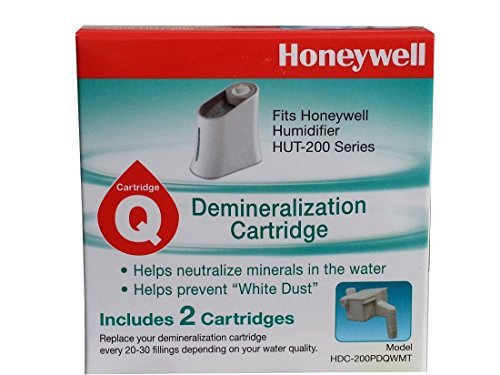
Image: Honeywell Demineralization Cartridge. This image displays the demineralization cartridge, typically a cylindrical component designed to fit into compatible humidifiers.
The Honeywell Demineralization Cartridge contains specialized media that neutralizes minerals present in water. This process helps prevent the release of mineral particles into the air, which can settle as white dust on surfaces around your humidifier.
Setup and Installation
The demineralization cartridge is an accessory for compatible Honeywell humidifiers. Installation typically involves placing the cartridge into a designated slot within the humidifier's water tank or base.
- Unpack the Cartridge: Carefully remove the new demineralization cartridge from its packaging.
- Access Humidifier Tank: Turn off and unplug your humidifier. Remove the water tank from the humidifier base.
- Locate Cartridge Slot: Refer to your specific humidifier's owner's manual to identify the correct location for the demineralization cartridge. This is often at the bottom of the water tank or within the water reservoir.
- Insert Cartridge: Place the new cartridge into the designated slot, ensuring it is seated correctly.
- Refill and Reassemble: Fill the water tank with clean water and reassemble the humidifier according to its instructions.
Note: Always consult your humidifier's owner's manual for precise installation steps, as procedures may vary by model. This cartridge is compatible with Honeywell Humidifier HUT-200 and HUT-220 series.
Operating Principles
Once installed, the demineralization cartridge works continuously as the humidifier operates. As water passes through the cartridge, minerals are captured, reducing their release into the air as mist. This helps maintain cleaner air and surfaces around the humidifier.
Maintenance and Replacement
Regular replacement of the demineralization cartridge is crucial for optimal performance and to continue reducing white dust.
- Replacement Frequency: It is recommended to replace your demineralization cartridges every 20 to 30 fillings. This frequency may vary based on your local water hardness and humidifier usage.
- Signs of Depletion: If you notice an increase in white dust around your humidifier, it may indicate that the cartridge needs to be replaced sooner.
- Disposal: Dispose of used cartridges according to local waste disposal guidelines.
Troubleshooting
| Problem | Possible Cause | Solution |
|---|---|---|
| Excessive white dust still present | Cartridge is old or depleted; extremely hard water. | Replace the demineralization cartridge. If water is exceptionally hard, consider using distilled or demineralized water in your humidifier. |
| Humidifier not producing mist effectively after cartridge replacement | Improper cartridge installation; airlock in the water system; humidifier malfunction. |
|
Specifications
- Brand: Honeywell
- Model Number: 1
- Item Weight: 9.07 g
- UPC: 092926922009
- Compatibility: Honeywell Humidifier HUT-200, HUT-220 Series
Warranty and Support
For information regarding product warranty or technical support, please refer to the documentation included with your original humidifier or visit the official Honeywell website. You may also contact Honeywell customer service directly for assistance with your demineralization cartridge.
Honeywell Official Website: www.honeywell.com


