
1. Introduction
The ViewSonic VA2265SMH is a 22-inch (21.5-inch viewable) widescreen LED monitor designed for home and office use. It features Full HD 1920x1080 resolution, a 3000:1 static contrast ratio, and SuperClear VA technology for consistent image quality across wide viewing angles. This monitor incorporates ViewSonic's exclusive ViewMode for optimized screen performance in various applications, alongside Flicker-Free technology and a Blue Light Filter to reduce eye strain during extended viewing periods. Connectivity options include HDMI and VGA inputs, and the monitor also features integrated speakers and VESA-mount compatibility for flexible installation.
2. Package Contents
Before proceeding with the setup, please verify that all items listed below are present in your package:
- ViewSonic VA2265SMH LED Monitor
- Power Cable
- VGA Cable
- Quick Start Guide (not included in this digital manual)
3. Setup Instructions
3.1 Monitor Assembly
- Carefully remove the monitor from its packaging.
- Attach the stand base to the stand neck, then secure the stand assembly to the back of the monitor. Refer to the quick start guide for specific instructions on stand attachment.
- Place the monitor on a stable, flat surface.
3.2 Connecting the Monitor
The VA2265SMH monitor supports both HDMI and VGA inputs.
- Power Connection: Connect the power cable to the monitor's power input and then to a power outlet.
- Video Connection:
- For HDMI: Connect one end of an HDMI cable (not included) to the HDMI port on your computer and the other end to the HDMI port on the monitor.
- For VGA: Connect one end of the provided VGA cable to the VGA port on your computer and the other end to the VGA port on the monitor.
- Audio Connection (Optional): If using VGA and you desire audio through the monitor's integrated speakers, connect an audio cable (3.5mm jack, not included) from your computer's audio output to the monitor's audio input. HDMI connections transmit audio digitally, so a separate audio cable is not required.
3.3 VESA Mounting
The monitor is VESA-mountable, allowing for alternative mounting solutions such as wall mounts or monitor arms (sold separately). Ensure that any VESA mount used is compatible with the monitor's VESA pattern and weight specifications.
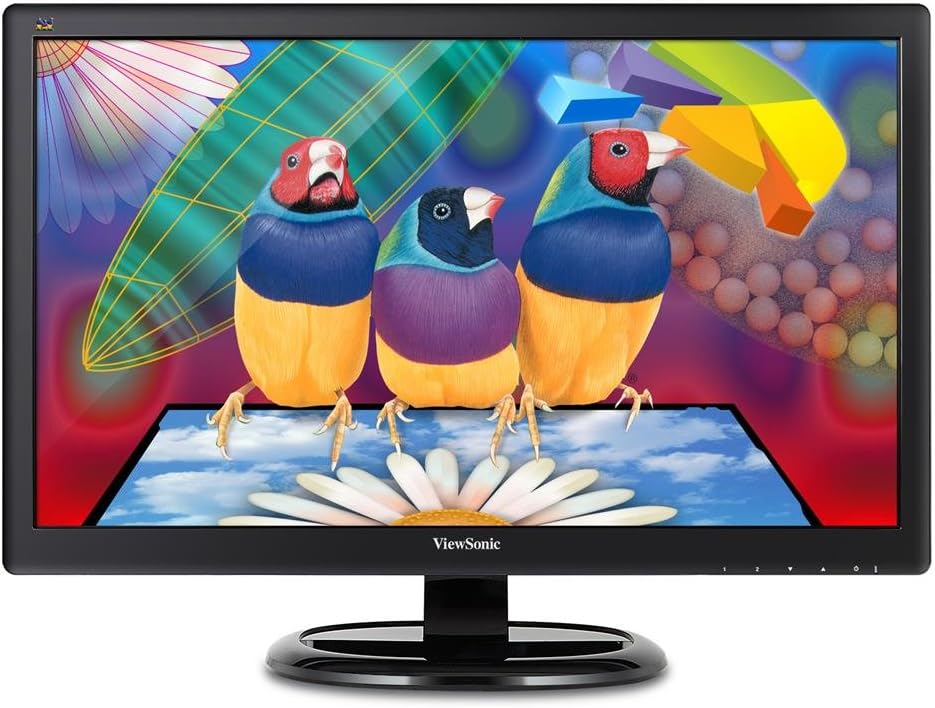
Figure 1: ViewSonic VA2265SMH 22-inch monitor.
4. Operating the Monitor
4.1 Power On/Off
Press the power button located on the monitor's bezel to turn the monitor on or off. The power indicator light will illuminate when the monitor is on.
4.2 On-Screen Display (OSD) Menu
Use the buttons on the monitor's bezel to navigate and adjust settings within the On-Screen Display (OSD) menu. Common adjustments include brightness, contrast, input selection, and color settings.
4.3 ViewMode Presets
The monitor features ViewSonic's exclusive ViewMode, which offers intuitive presets for optimized screen performance across various applications. These presets can be accessed via the OSD menu and include modes for gaming, movie watching, web browsing, text, and mono.
4.4 Eye Care Features
To enhance viewing comfort during prolonged use, the VA2265SMH includes:
- Flicker-Free Technology: Eliminates screen flickering at all brightness levels, reducing eye strain.
- Blue Light Filter: Reduces the emission of harmful blue light, which can cause eye fatigue. This feature can be adjusted or turned off via the OSD menu.
4.5 Integrated Speakers
The monitor includes a pair of integrated speakers for audio output. Volume can be adjusted through your computer's operating system or the monitor's OSD menu.
4.6 ViewSplit Software for Enhanced Productivity
ViewSonic's exclusive ViewSplit software allows users to create an ideal and customized working environment by splitting the screen into multiple viewing windows. This feature enhances multitasking and productivity by enabling simultaneous viewing and work on multiple applications.
Video 1: Demonstration of ViewSplit software for screen partitioning and enhanced productivity on a ViewSonic monitor.
To utilize ViewSplit, download the software from the ViewSonic website. Once installed, you can select from predefined templates or create custom layouts. Simply drag and drop application windows into the desired split sections, and the software will automatically position and resize them.
5. Maintenance
5.1 Cleaning the Monitor
To maintain optimal display quality and extend the life of your monitor, follow these cleaning guidelines:
- Always power off the monitor and unplug the power cable before cleaning.
- Use a soft, lint-free cloth lightly dampened with water or a non-abrasive, ammonia-free, and alcohol-free glass cleaner.
- Gently wipe the screen and exterior surfaces. Avoid applying excessive pressure.
- Do not spray cleaning solutions directly onto the screen or into any openings.
6. Troubleshooting
If you encounter issues with your ViewSonic VA2265SMH monitor, refer to the following common troubleshooting steps:
- No Power: Ensure the power cable is securely connected to both the monitor and a working power outlet. Check if the power indicator light is on.
- No Image/Signal: Verify that the video cable (HDMI or VGA) is securely connected to both the monitor and your computer. Ensure the correct input source is selected via the OSD menu. Try restarting your computer.
- Poor Image Quality: Adjust brightness, contrast, and other image settings through the OSD menu. Ensure your computer's display resolution is set to the monitor's native resolution (1920x1080).
- No Sound: If using HDMI, ensure your computer's audio output is directed to the monitor. If using VGA, ensure the audio cable is connected and your computer's volume is not muted. Adjust monitor volume via the OSD.
For further assistance, please contact ViewSonic customer support.
7. Specifications
Below are the technical specifications for the ViewSonic VA2265SMH monitor:

Figure 2: Monitor dimensions.
| Feature | Specification |
|---|---|
| Screen Size | 22 Inches (21.5" viewable) |
| Resolution | Full HD 1920x1080 Pixels |
| Aspect Ratio | 1.78:1 |
| Panel Type | SuperClear VA |
| Static Contrast Ratio | 3000:1 |
| Connectivity | HDMI, VGA |
| Integrated Speakers | Yes |
| VESA Mount Compatible | Yes |
| Item Weight | 7.9 pounds |
| Product Dimensions (LxWxH) | 7.6 x 20.1 x 15.3 inches |
| Color | Black |
| OS Compatibility | macOS, Windows, Linux, Ubuntu, Android, Chrome OS |
8. Warranty and Support
The ViewSonic VA2265SMH monitor is backed by an industry-leading 3-year limited warranty. This warranty covers defects in materials and workmanship under normal use. For warranty claims, technical support, or customer service inquiries, please contact ViewSonic's US-based customer service team. Detailed warranty terms and conditions are available on the official ViewSonic website.
For the latest drivers, software, and support resources, please visit the official ViewSonic support page: www.viewsonic.com
