
Ansmann 1001-0018
ANSMANN Powerline 5 Pro Charger User Manual
Model: 1001-0018
Introduction
Thank you for choosing the ANSMANN Powerline 5 Pro Charger. This advanced microprocessor-controlled charger is designed for NiMH/NiCd rechargeable batteries, offering multiple charging programs and comprehensive safety features. Please read this manual carefully before using the device to ensure safe and optimal performance.
Safety Instructions
- Use the charger only for NiMH/NiCd rechargeable batteries. Do not attempt to charge primary (non-rechargeable) batteries.
- Do not expose the charger to rain or moisture.
- Do not disassemble or modify the charger. Refer all servicing to qualified personnel.
- Ensure proper ventilation during charging.
- Keep out of reach of children.
- Avoid short-circuiting the battery contacts.
- Unplug the charger from the power outlet when not in use.
Product Overview
The ANSMANN Powerline 5 Pro is a versatile battery charger featuring an LCD display and individual charging slots. It supports various battery sizes and offers multiple operational modes.

Figure 1: Front view of the ANSMANN Powerline 5 Pro Charger, showing the LCD display, control buttons (Current, Display, Mode), and four charging slots for cylindrical batteries, plus a dedicated slot for a 9V E-block battery.
Key Features:
- Versatile Application: Charges 1-4 NiMH/NiCd batteries of sizes Micro AAA, Mignon AA, Baby C, Mono D, and one 9V E-block battery.
- Intelligent Charging Technology: Four charging programs (Charge, Discharge, Refresh, Test) individually adjustable per charging station.
- High Safety: Features reverse polarity protection, short circuit protection, overcharge protection, and automatic shut-off.
- Easy-to-read Display: Large illuminated LCD shows capacity, voltage, charging/discharging current, and charging time for each slot.
- Convenient Use: Includes wide-range power supply for worldwide use and a 12V car adapter.
Package Contents
Upon opening the package, please verify that all components are present and undamaged:
- ANSMANN Powerline 5 Pro Charger Unit
- AC Power Adapter (Wide-range)
- 12V Car Adapter
- User Manual (this document)
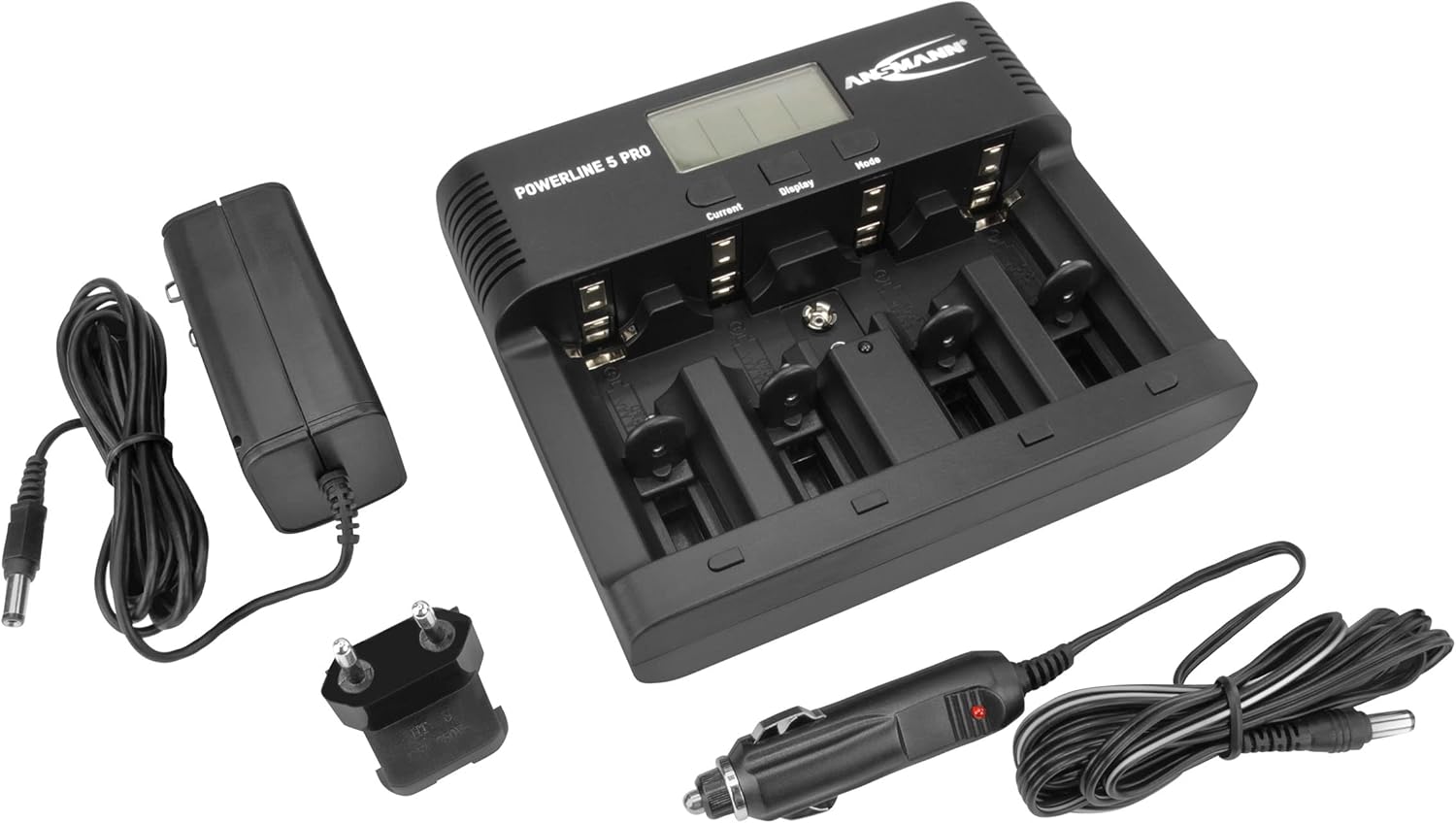
Figure 2: The Powerline 5 Pro charger shown with its included accessories: the AC power adapter and the 12V car adapter.
Setup
Connecting the Power Supply:
- Locate the DC 12V 1.5A input port on the rear of the charger.
- Connect the provided AC power adapter or 12V car adapter to this input port.
- Plug the other end of the AC power adapter into a suitable wall outlet, or the car adapter into your vehicle's 12V socket.
- The charger's LCD display will illuminate, indicating it is powered on and ready for use.
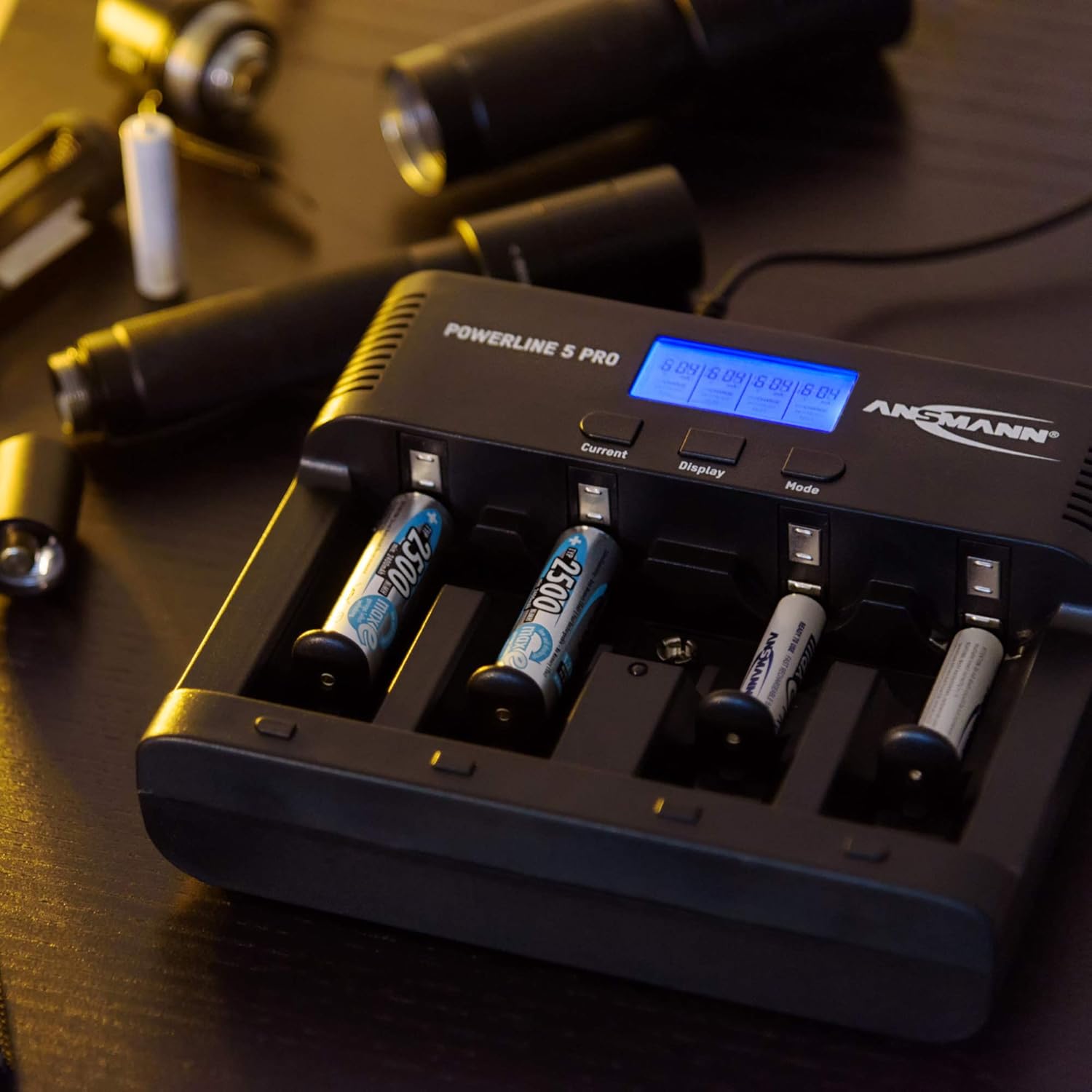
Figure 3: Rear view of the Powerline 5 Pro charger highlighting the 12V 1.5A DC input port for connecting the power adapter.
Operating Instructions
Inserting Batteries:
The charger supports various battery sizes. Ensure correct polarity when inserting batteries into the charging slots. The 9V E-block battery has a dedicated slot.

Figure 4: Illustration showing the various battery types suitable for the Powerline 5 Pro charger, including Micro AAA, Mignon AA, Baby C, Mono D, and 9V E-Block.
Understanding the Display and Controls:
The LCD display provides real-time information for each charging slot. The three buttons (Current, Display, Mode) allow you to control the charging process.
- Current Button: Adjusts the charging/discharging current.
- Display Button: Toggles through different display parameters (e.g., voltage, capacity, time).
- Mode Button: Selects the desired operating program (Charge, Discharge, Refresh, Test).

Figure 5: The Powerline 5 Pro charger with batteries inserted, demonstrating the individual monitoring and automatic shutdown features. The LCD shows charging status.
Charging Programs:
Each charging slot can operate independently with its own program.
- Charge: Standard charging mode. Insert battery, select desired current with "Current" button, then press "Mode" to start. The charger automatically detects full charge and switches to trickle charge.
- Discharge: Discharges the battery before recharging it. Useful for reducing memory effect in NiCd batteries. Select "Discharge" mode with "Mode" button, then set discharge current with "Current" button. After discharge, the charger will automatically begin charging.
- Refresh: Repeatedly discharges and charges the battery to optimize its capacity and rejuvenate older batteries. This process can take several hours or even days depending on battery condition. Select "Refresh" mode with "Mode" button.
- Test: Charges the battery fully, then discharges it to measure its actual capacity, and finally recharges it. This provides an accurate reading of the battery's health. Select "Test" mode with "Mode" button.
To select a program for a specific slot, first select the slot by pressing the "Display" button until the desired slot is highlighted, then use the "Mode" button to cycle through programs. Use the "Current" button to adjust current settings if applicable.
Maintenance
- Clean the charger regularly with a soft, dry cloth. Do not use abrasive cleaners or solvents.
- Ensure the charging contacts are free of dust and debris for optimal connection.
- Store the charger in a cool, dry place when not in use.
- Avoid dropping the charger or subjecting it to strong impacts.
Troubleshooting
| Problem | Possible Cause | Solution |
|---|---|---|
| Charger not powering on. | No power supply; faulty adapter; loose connection. | Check power outlet; ensure adapter is securely connected to charger and wall/car socket; try a different outlet. |
| Battery not charging (display shows "ERR"). | Incorrect battery type (non-rechargeable); faulty battery; incorrect polarity; poor contact. | Ensure battery is NiMH/NiCd; try a different battery; reinsert battery with correct polarity; clean battery and charger contacts. |
| Charging process takes too long. | High capacity battery; low charging current selected; battery in "Refresh" or "Test" mode. | This is normal for high capacity batteries; increase charging current if possible; "Refresh" and "Test" modes are designed to take longer. |
| Display is dim or flickering. | Unstable power supply. | Ensure stable power source; try a different outlet or adapter. |
Specifications
| Feature | Detail |
|---|---|
| Model Number | 1001-0018 |
| Compatible Battery Types | NiMH / NiCd (Micro AAA, Mignon AA, Baby C, Mono D, 9V E-block) |
| Input Voltage | 12V DC, 1.5A (via included AC adapter or car adapter) |
| Charging Programs | Charge, Discharge, Refresh, Test |
| Display | LCD with backlight |
| Safety Features | Reverse polarity protection, short circuit protection, overcharge protection, automatic shut-off |
| Product Dimensions | 5.59 x 6.67 x 1.56 inches (14.2 x 17.0 x 3.96 cm) |
| Item Weight | 1.21 pounds (0.55 kg) |
| Manufacturer | ANSMANN |

Figure 6: Dimensions of the Powerline 5 Pro charger, indicating a width of 17.0 cm and a height of 14.2 cm.
Warranty and Support
ANSMANN products are manufactured with high quality standards. For warranty information and technical support, please refer to the official ANSMANN website or contact their customer service directly. Keep your purchase receipt as proof of purchase.
For further assistance, you may visit the Ansmann Store on Amazon.
Related documents1001-0018


Ask a question about this manual
Ask about setup, troubleshooting, compatibility, parts, safety, or missing instructions. Manuals+ will review the question and use this page’s manual context to help answer it.