
Introduction
This manual provides comprehensive instructions for the setup, operation, maintenance, and troubleshooting of your Plantronics CS540 Wireless DECT Headset. Designed for desk phone connectivity, the CS540 offers wireless freedom and clear audio for office environments.
1. Setup
1.1 Unpacking and Components
Verify that all components are present in the package:
- Amplifier/Charging Base
- AC Power Supply
- RJ-11 Connecting Cable
- (3) Ear Loops
- (2) Ear Tips
- (1) Over-The-Head Band
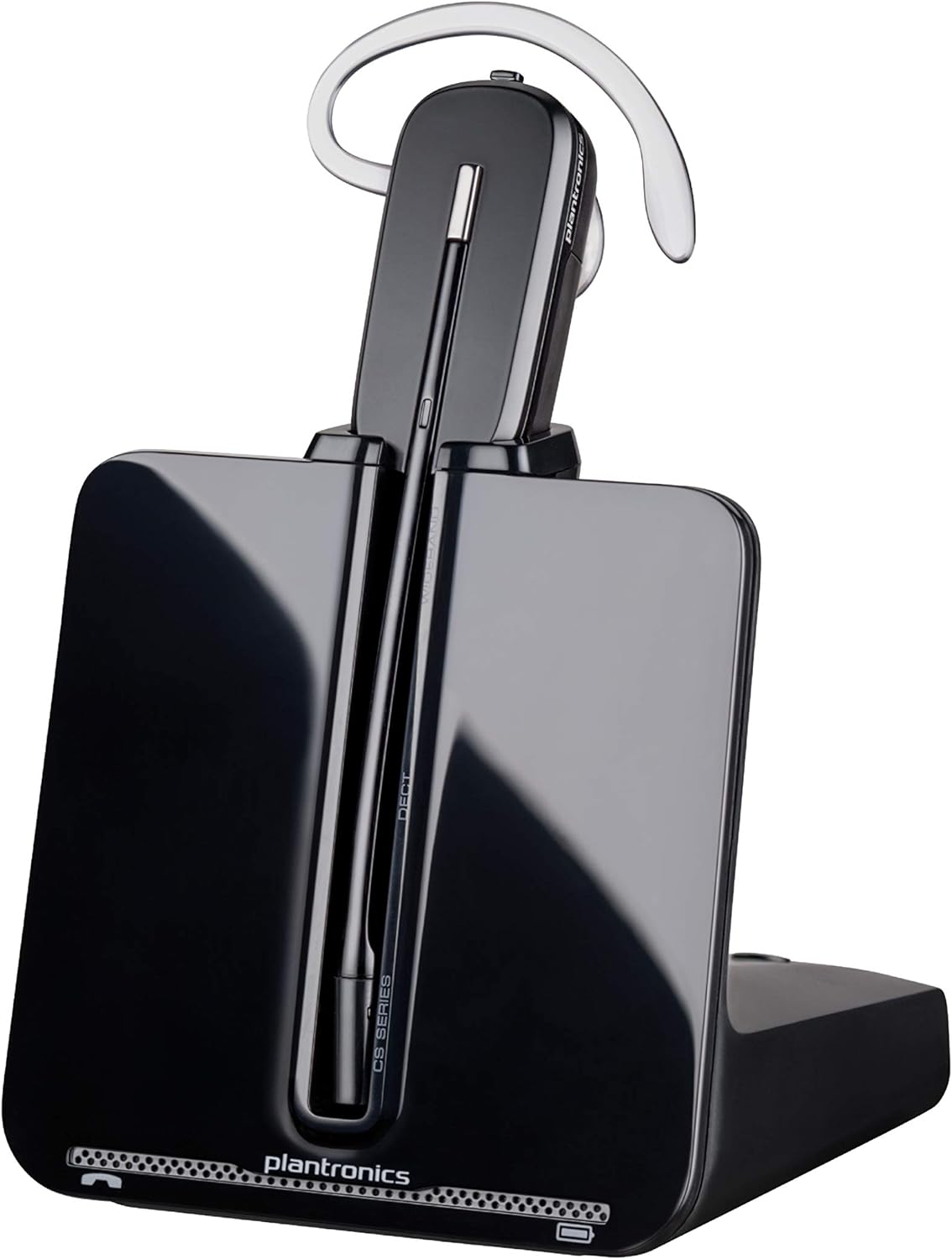
Image: The Plantronics CS540 headset docked in its charging base, showcasing the sleek design and ready-to-use state.
1.2 Wearing Styles
The CS540 headset offers three convertible wearing styles for personalized comfort:
- Over-the-ear
- Over-the-head (with included headband)
- Behind-the-head (accessory, not included in all packages)

Image: Visual representation of the three available wearing styles for the CS540 headset, demonstrating flexibility for user preference.
1.3 Connecting to a Desk Phone
- Connect the AC power supply to the charging base and plug it into a power outlet.
- Disconnect the handset coil cord from the base of your desk phone.
- Connect the RJ-11 connecting cable from the CS540 charging base to the handset port on your desk phone.
- Connect the desk phone handset coil cord to the port on the CS540 charging base.
- Place the headset in the charging base to charge.

Image: The Plantronics CS540 headset base properly connected to a standard desk phone, illustrating the cable routing for integration.
2. Operating Instructions
2.1 Power On/Off
The headset automatically powers on when removed from the charging base and powers off when returned to the base. To manually power on/off, press and hold the Call Control button on the headset.
2.2 Call Management
- Answering/Ending Calls: Press the Call Control button on the headset.
- Volume Control: Use the volume up/down buttons on the headset.
- Mute: Press the Mute button on the headset to mute or unmute the microphone.
2.3 Charging
Place the headset into the charging cradle on the base unit. The charge indicator light on the base will illuminate to confirm charging. A full charge provides up to 7 hours of talk time.

Image: A user wearing the Plantronics CS540 headset, demonstrating its comfortable fit and readiness for extended use, supported by its 7-hour talk time.
2.4 Wireless Range
The CS540 offers a wireless roaming range of up to 120 meters (400 feet) from the base, allowing for mobility during calls.

Image: A person using the Plantronics CS540 headset in an office environment, symbolizing the extensive wireless range that allows freedom of movement.
3. Maintenance
- Cleaning: Use a soft, dry cloth to clean the headset and base. Avoid liquid cleaners.
- Battery Care: For optimal battery life, fully charge the headset before first use and avoid storing it in extreme temperatures.
- Storage: When not in use for extended periods, store the headset in its charging base.
4. Troubleshooting
4.1 No Dial Tone/Audio
- Ensure all cables are securely connected between the base and the desk phone.
- Verify the headset is charged and powered on.
- Check the compatibility switch setting on the base. Adjust if necessary.
4.2 Poor Audio Quality
- Adjust the listening volume on the headset.
- Ensure the microphone is positioned correctly, approximately two finger-widths from the corner of your mouth.
- Check for interference from other electronic devices. Move the base away from other equipment if possible.
4.3 Headset Not Charging
- Ensure the AC power supply is securely connected to the base and a working power outlet.
- Verify the headset is properly seated in the charging cradle. The charge indicator light should illuminate.
5. Specifications
| Model Name | CS540 |
| Brand | Plantronics |
| Connectivity Technology | Wireless (DECT) |
| Wireless Communication Technology | DECT 6.0 (1.9 GHz) |
| Talk Time | Up to 7 hours |
| Roaming Range | Up to 120 meters (400 feet) |
| Microphone | Noise-Canceling |
| Wearing Styles | Convertible (Over-the-ear, Over-the-head, Behind-the-head) |
| Item Weight | 1.12 pounds |
| UPC | 768265383695 |
6. Warranty Information
The Plantronics CS540 Wireless DECT Headset comes with a 2-year global warranty. Please retain your proof of purchase for warranty claims. For detailed terms and conditions, refer to the warranty card included with your product or visit the official Plantronics (Poly) website.
7. Support
For further assistance, technical support, or to access additional resources, please visit the official Poly (formerly Plantronics) support website or contact their customer service department. Contact information can typically be found on the product packaging or the official website.
Online Resources: www.poly.com


