1. Product Overview
Thank you for choosing the Kichler 370044WZC Industrial Mesh Fan Light Kit. This light kit is designed to integrate with compatible ceiling fans, providing illumination with an industrial aesthetic. Please read this manual thoroughly before installation and operation to ensure safe and proper use.
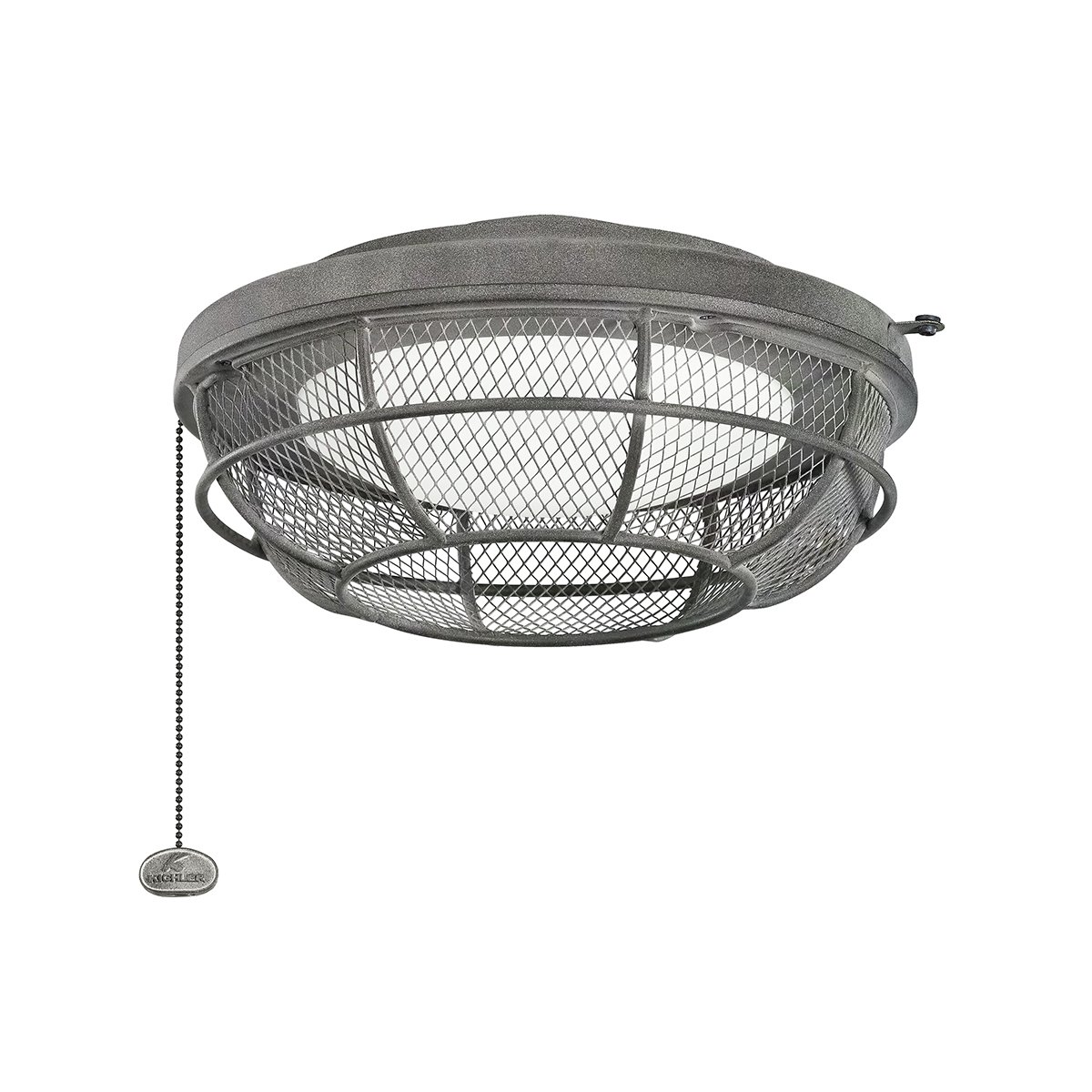
Figure 1: Kichler 370044WZC Industrial Mesh Fan Light Kit. This image shows the assembled light kit with its industrial mesh design and three light sockets.
2. Safety Information
WARNING: Risk of Electric Shock. Disconnect power at the circuit breaker or fuse box before installation or servicing.
Please observe the following safety precautions:
- All electrical connections must be in accordance with local codes, ordinances, or the National Electric Code (NEC). Consult a qualified electrician if you are unfamiliar with proper electrical wiring connections.
- Ensure the ceiling fan structure can support the additional weight of the light kit.
- Do not install this light kit in wet or damp locations.
- Use only the specified wattage and type of bulbs. Refer to the specifications section for details.
- Do not attempt to repair or modify the light kit. Contact Kichler customer support for assistance.
- Keep packaging materials away from children.
3. Package Contents
Verify that all components are present before beginning installation. If any parts are missing or damaged, do not attempt to install and contact your retailer or Kichler customer service.
- Kichler 370044WZC Industrial Mesh Fan Light Kit (1)
- Mounting Hardware (screws, wire nuts, etc. - specific items may vary)
- Instruction Manual (this document)
4. Specifications
| Feature | Detail |
|---|---|
| Model Number | 370044WZC |
| Dimensions (Product) | 1 x 12.75 x 6.25 inches (H x W x D) |
| Size | W 12 3/4" x H 6 1/4" |
| Item Weight | 5.77 pounds |
| Voltage | 120 Volts |
| Max Wattage (per bulb) | 60.00 Watts |
| Mounting Type | Ceiling Mount (designed for ceiling fans) |
| Style | Transitional |
| Finish | Blacks |
5. Installation
IMPORTANT: Before starting installation, ensure the power to the ceiling fan circuit is turned OFF at the main circuit breaker or fuse box.
- Prepare the Ceiling Fan: Ensure your ceiling fan is securely mounted and the power is disconnected. Remove any existing light kit or cap from the fan's lower housing.
- Identify Wiring: Locate the light kit wires from the ceiling fan (typically white for neutral, black or blue for hot, and green or bare copper for ground).
- Connect Wiring:
- Connect the white wire from the light kit to the white (neutral) wire from the fan using a wire nut.
- Connect the black wire from the light kit to the black or blue (hot) wire from the fan using a wire nut.
- Connect the green or bare copper (ground) wire from the light kit to the green or bare copper (ground) wire from the fan using a wire nut.
Note: Ensure all wire connections are secure and insulated with wire nuts.
- Mount the Light Kit: Carefully tuck the connected wires into the fan's switch housing. Align the light kit with the mounting holes on the bottom of the ceiling fan. Secure the light kit to the fan using the provided screws. Do not overtighten.
- Install Light Bulbs: Screw the appropriate light bulbs (max 60W per socket) into the sockets.
- Restore Power: Once installation is complete and all connections are secure, restore power at the circuit breaker.
Figure 2: Illustrative image of the light kit, representing the component to be wired to a ceiling fan. (A detailed wiring diagram would typically be provided here in a full manual.)
6. Operation
After successful installation and power restoration, the Kichler 370044WZC Fan Light Kit can be operated via the ceiling fan's pull chain, wall switch, or remote control, depending on your fan model and wiring configuration.
- Turning On/Off: Use the designated switch or control for the light function of your ceiling fan.
- Bulb Replacement:
- Turn off power to the light kit at the circuit breaker.
- Allow bulbs to cool completely before touching.
- Unscrew the old bulb and screw in a new bulb of the same type and wattage (max 60W).
- Restore power.
7. Maintenance
Regular maintenance ensures the longevity and optimal performance of your light kit.
- Cleaning:
- Always disconnect power before cleaning.
- Wipe the light kit with a soft, damp cloth. Do not use abrasive cleaners or solvents, as they may damage the finish.
- Ensure the light kit is completely dry before restoring power.
- Bulb Inspection: Periodically check bulbs for signs of wear or flickering. Replace as needed.
8. Troubleshooting
| Problem | Possible Cause | Solution |
|---|---|---|
| Light does not turn on. |
|
|
| Light flickers. |
|
|
9. Warranty and Support
Kichler products are manufactured to high standards. For specific warranty information, please refer to the warranty card included with your purchase or visit the official Kichler website. If you encounter any issues not covered in this manual or require further assistance, please contact Kichler customer support.
Kichler Customer Support:
- Website: www.kichler.com
- Contact information can typically be found on the website or product packaging.


