
ICM Controls 9801266
ICM Controls ACC-WP04 Small Insulated Thermostat Wall Plate
Model: 9801266 | Brand: ICM Controls
Product Overview
The ICM Controls ACC-WP04 is a small, insulated wall plate designed to be installed behind a thermostat. Its primary function is to provide insulation and conceal wall imperfections, contributing to more accurate thermostat readings and a cleaner installation.
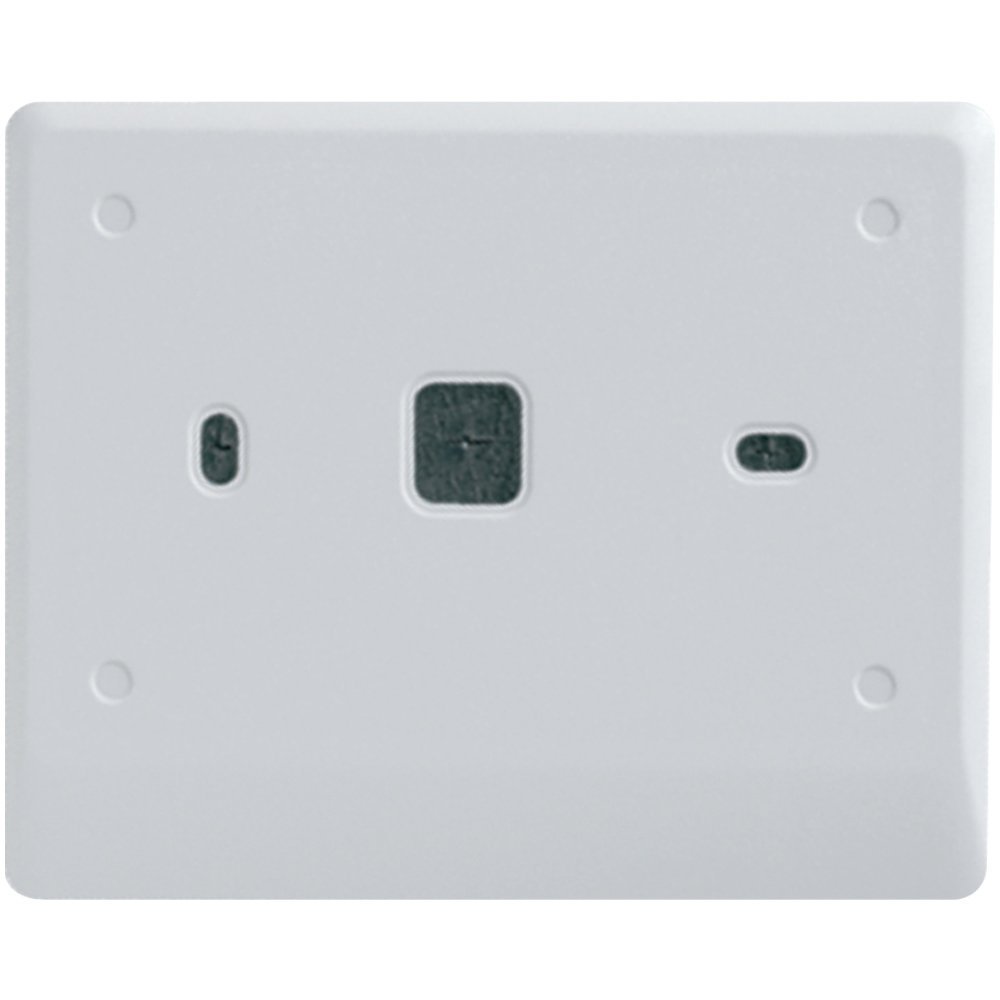
Image: A white rectangular insulated wall plate with cutouts for thermostat wiring and mounting screws, designed to fit behind a thermostat. This plate helps prevent drafts and covers unsightly holes or marks on the wall.
Key Features:
- Insulated Foam Backing: Prevents drafts from entering the thermostat area, which can lead to inaccurate temperature readings.
- Conceals Wall Imperfections: Effectively covers holes, paint discrepancies, or damage around the thermostat mounting area.
- Saves Installation Time: Simplifies the installation process by eliminating the need for extensive wall repairs.
- Durable Material: Constructed from foam for effective insulation.
Setup and Installation
Proper installation of the ACC-WP04 wall plate ensures optimal performance of your thermostat and a clean aesthetic. Always prioritize safety during installation.
Safety Precautions:
- Turn Off Power: Before beginning any work, always turn off the power to your thermostat at the circuit breaker to prevent electrical shock.
- Verify Power is Off: Use a non-contact voltage tester to confirm that the power is off before touching any wires.
Installation Steps:
- Remove Existing Thermostat: Carefully detach your current thermostat from the wall, following its manufacturer's instructions. Disconnect any wiring, noting their connections if necessary.
- Position the Wall Plate: Place the ICM Controls ACC-WP04 wall plate against the wall, centering it over the thermostat wiring hole. Ensure the plate covers any desired imperfections. The plate has pre-cut openings for wiring and mounting screws.
- Route Wiring: Gently pull the thermostat wires through the appropriate opening in the wall plate.
- Mount Thermostat: Mount your thermostat directly onto the wall plate, aligning it with the plate's openings and securing it with screws. Reconnect the thermostat wiring as per your thermostat's instructions.
- Secure the Plate (if needed): The wall plate is typically held in place by the thermostat itself. Ensure it is snug against the wall.
- Restore Power: Once the thermostat is securely mounted and wired, turn the power back on at the circuit breaker.
- Test Thermostat: Verify that your thermostat is functioning correctly.
Operating Principles
The ICM Controls ACC-WP04 wall plate does not have active operational components. Its function is passive, enhancing the performance of your thermostat by:
- Thermal Insulation: The foam backing creates a barrier against drafts and temperature fluctuations from within the wall cavity. This prevents the thermostat from being influenced by external temperatures, leading to more accurate room temperature readings.
- Aesthetic Improvement: By covering wall damage or oversized holes left by previous thermostat installations, it provides a clean and finished look for your thermostat setup.
Maintenance
The ACC-WP04 wall plate requires minimal maintenance due to its passive nature. Regular checks can ensure its continued effectiveness.
- Cleaning: If the wall plate becomes dusty or dirty, gently wipe it with a soft, damp cloth. Avoid abrasive cleaners or harsh chemicals, as these may damage the material.
- Inspection: Periodically inspect the plate for any signs of damage, such as cracks or deterioration of the foam. While highly durable, extreme conditions or physical impact could affect its integrity.
- Re-seating: If you notice new drafts or a decline in thermostat accuracy that you suspect is related to the plate, ensure the thermostat is still securely mounted and the plate is flush against the wall.
Troubleshooting
While the ACC-WP04 wall plate is a simple component, certain issues might arise related to its function or installation.
| Problem | Possible Cause | Solution |
|---|---|---|
| Thermostat still reads inaccurately after installation. |
|
|
| Wall imperfections are still visible. |
|
|
| Plate does not sit flush against the wall. |
|
|
Specifications
| Attribute | Detail |
|---|---|
| Product Name | ICM Controls ACC-WP04 Small Insulated Thermostat Wall Plate |
| Model Number | 9801266 |
| Brand | ICM Controls |
| Material | Foam |
| Color | Multicolor (typically white or off-white) |
| Product Dimensions | 7.7 x 5.6 x 0.4 inches (approx. 5.94"W x 0.25"H) |
| Item Weight | 0.8 ounces |
| Country of Origin | United States |
Warranty Information
ICM Controls products are manufactured to high standards. For specific warranty details regarding the ACC-WP04 wall plate, please refer to the documentation included with your purchase or visit the official ICM Controls website. General warranty terms typically cover defects in materials and workmanship under normal use.
Support and Contact
If you have questions about the ICM Controls ACC-WP04 wall plate, require technical assistance, or need to inquire about warranty service, please contact ICM Controls directly.
For the most current contact information, please visit the official ICM Controls website:
When contacting support, please have your product model number (9801266) and any relevant purchase information ready.
Ask a question about this manual
Ask about setup, troubleshooting, compatibility, parts, safety, or missing instructions. Manuals+ will review the question and use this page’s manual context to help answer it.