
Introduction
The HomeSpot Bluetooth Transmitter (Model BTADP-128) allows you to wirelessly stream audio from non-Bluetooth devices to your Bluetooth-enabled headphones, headsets, or speakers. This device is designed for high-definition audio quality and features aptX Low Latency technology to eliminate audio delay, ensuring perfect synchronization between voice and picture, especially beneficial for TV, movies, and gaming. It supports dual connections, enabling two Bluetooth devices to be connected simultaneously for shared listening experiences.

Image: The HomeSpot Bluetooth Transmitter enables wireless audio streaming from various sources like a turntable to Bluetooth headphones.
Product Overview
The HomeSpot Bluetooth Transmitter is a compact device designed for ease of use. Familiarize yourself with its components:
- On/Off Switch: Located on the side for powering the device.
- Multi-function Button: Used for pairing and other operations.
- Pairing Status Indicator: LED lights indicating the pairing status.
- Dual-Stream Indicator: Shows when two devices are connected.
- Battery Indicator: Displays the current battery level.
- Volume Dial: For adjusting audio output volume.
- Aux Input Port (3.5mm Audio Jack): For connecting to audio sources via a 3.5mm cable.
- Charging Port (5V DC IN): Micro USB port for power and charging.

Image: Labeled diagram of the HomeSpot Bluetooth Transmitter highlighting its key features and ports.
Setup Guide
- Powering the Transmitter:
Connect the transmitter to a 5V USB power source using the provided USB cable. This can be a TV USB port, phone charger, or PC USB port. The device is designed for continuous operation when powered.
- Connecting to an Audio Source:
Identify the audio output port on your non-Bluetooth device (e.g., TV, PC, iPod). The HomeSpot transmitter supports 3.5mm Aux, RCA, and Digital Audio (Optical) connections. Use the appropriate cable provided (3.5mm to 3.5mm, 3.5mm to RCA, or Digital Audio cable) to connect the audio source to the transmitter's input port.

Image: The transmitter connected to an audio source, ready for pairing.
- Pairing with Bluetooth Headphones/Speakers:
- Turn on the HomeSpot Bluetooth Transmitter using the On/Off switch.
- Put your Bluetooth headphones or speakers into pairing mode (refer to your audio device's manual for specific instructions).
- Press and hold the Multi-function Button on the HomeSpot transmitter until the Pairing Status Indicator flashes, indicating it's in pairing mode.
- The transmitter will automatically search for and connect to nearby Bluetooth audio devices in pairing mode. Once connected, the indicator light will change (e.g., solid blue).
- Dual Connection (Optional):
To connect a second pair of Bluetooth headphones/speakers, ensure the first device is already paired. Put the second device into pairing mode, then briefly press the Multi-function Button on the transmitter. The Dual-Stream Indicator will light up when both devices are successfully connected.
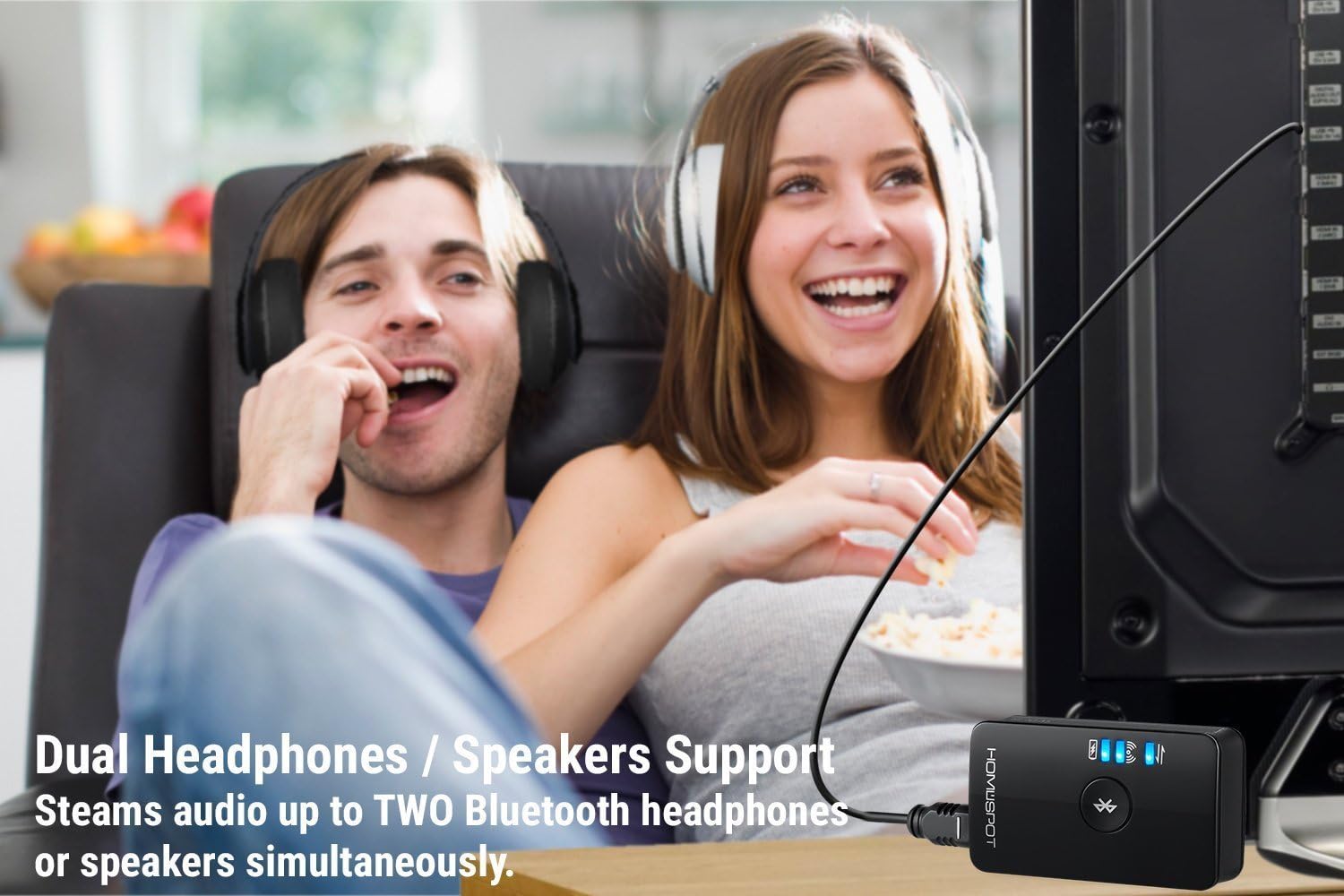
Image: The transmitter supports connecting to two Bluetooth headphones simultaneously.
Operating Instructions
- Power On/Off: Use the dedicated On/Off switch on the side of the device.
- Volume Control: Adjust the audio output volume using the Volume Dial on the transmitter or directly from your connected Bluetooth headphones/speakers if they support it.
- Low Latency Audio: The transmitter utilizes aptX Low Latency technology to minimize audio delay, providing a synchronized audio-visual experience for gaming and video playback. Ensure your receiving Bluetooth device also supports aptX Low Latency for optimal performance.
- Battery Life: The compact design provides up to 5 hours of continuous audio playback or 140 hours on standby. The Battery Indicator will show the remaining charge.
Maintenance and Safety
- Avoid placing the device near other wireless devices to prevent interference.
- Do not expose the device to extreme temperatures or humidity.
- Dispose of the battery in accordance with local regulations.
- Keep the device away from water and other liquids.
- Clean the device with a soft, dry cloth. Do not use harsh chemicals or abrasive materials.
Troubleshooting
- No Audio/Poor Audio Quality:
- Ensure the transmitter is properly connected to the audio source and powered on.
- Verify that your Bluetooth headphones/speakers are paired and connected to the transmitter.
- Check the volume levels on both the transmitter and your audio receiving device.
- If using aptX Low Latency, ensure both the transmitter and receiving device support it.
- Reduce interference by moving the transmitter away from other wireless devices.
- Pairing Issues:
- Ensure both the transmitter and your Bluetooth audio device are in pairing mode.
- Bring the devices closer together during the pairing process.
- Turn off other Bluetooth devices in the vicinity to avoid interference.
- If connecting two devices, ensure the first is successfully paired before attempting to pair the second.
- Audio Delay (Lip Sync Issues):
- Confirm that both the HomeSpot transmitter and your Bluetooth headphones/speakers support aptX Low Latency. If only one device supports it, the low latency feature will not be active.
- Ensure there are no obstacles between the transmitter and the receiving device.
Specifications
| Feature | Detail |
|---|---|
| Model Number | BTADP-128 |
| Product Dimensions | 2.17 x 1.22 x 0.63 inches |
| Item Weight | 0.64 ounces (0.04 Pounds) |
| Connectivity Technology | Auxiliary, Bluetooth, USB |
| Power Source | USB (5V 1A) |
| Special Feature | Cordless, Wireless, aptX Low Latency, Dual Connection |
| Battery | 1 Lithium Ion battery required (Built-in) |
| Manufacturer | HomeSpot |
Warranty and Support
Specific warranty details are not provided in the product information. For warranty claims, technical support, or further inquiries, please refer to the official HomeSpot website or contact their customer service directly. You can often find support information on the product packaging or through the retailer where the product was purchased.
HomeSpot aims to provide quality products and support. For more information about HomeSpot products, visit their store: HomeSpot Store.