Introduction
This manual provides instructions for the setup, operation, and maintenance of your Marathon by Timex T5K805 Digital Watch. Please read this manual thoroughly to ensure proper use and care of your timepiece.
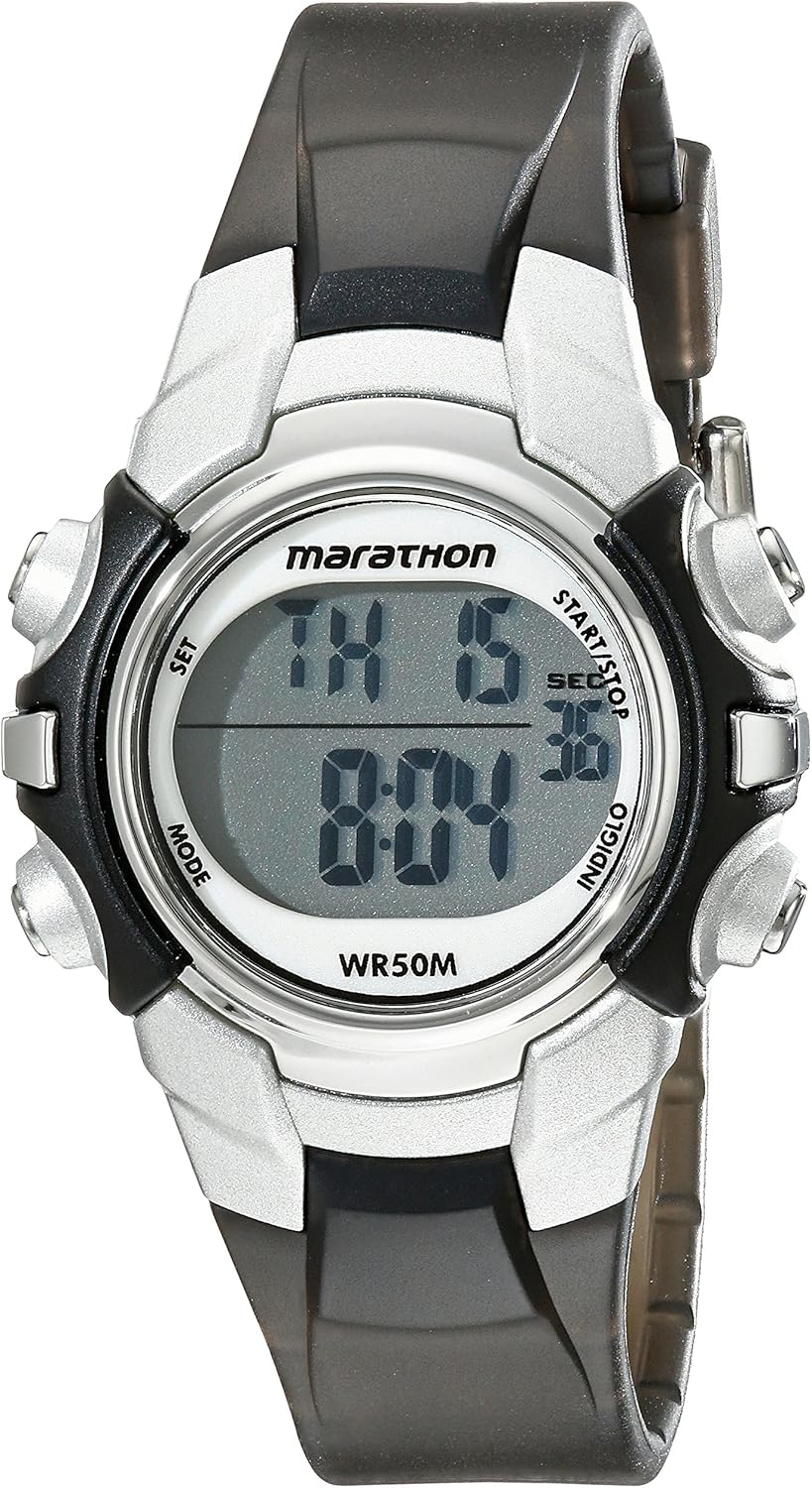
Front view of the Marathon by Timex T5K805 Digital Watch, showing the digital display and control buttons.
Setup
Battery Installation
Your watch comes with one Lithium Metal battery pre-installed. If the display is dim or unresponsive, the battery may need replacement. Battery replacement should be performed by a qualified technician to ensure water resistance is maintained.
Setting Time and Date
- Press the SET button (usually top-left) to enter setting mode. The time digits will flash.
- Use the START/STOP button (usually top-right) to adjust the flashing digit.
- Press the MODE button (usually bottom-left) to move to the next setting (e.g., minutes, hour, day, month, year).
- Repeat steps 2 and 3 until all desired settings are adjusted.
- Press the SET button again to exit setting mode.
Operating Instructions
Time Display
The watch displays time in a digital format. It supports both 12-hour and 24-hour military time modes. The day and date calendar are also visible.
Daily Alarm
To set the daily alarm:
- Press the MODE button repeatedly until the alarm setting screen appears.
- Use the SET and START/STOP buttons to set the desired alarm time.
- Activate or deactivate the alarm using the appropriate button (refer to on-screen indicators).
24-Hour Stopwatch
To use the stopwatch function:
- Press the MODE button until the stopwatch screen is displayed (usually indicated by 'SP' or 'STW').
- Press START/STOP to begin timing.
- Press START/STOP again to pause/resume timing.
- Press the RESET button (usually bottom-right) to clear the stopwatch.
Indiglo Night-Light
Press the INDIGLO button (usually top-right or a dedicated button) to illuminate the watch dial for easy viewing in low-light conditions.
Two Time Zones
This watch allows for setting and viewing two different time zones. Refer to the on-screen prompts or specific button combinations to switch between or set the second time zone.
Optional Hourly Chime
The watch can be configured to chime every hour. Access this setting through the MODE button and look for an option to enable/disable the hourly chime.

The Marathon by Timex T5K805 Digital Watch displayed on a wrist, illustrating its size and fit.
Maintenance
Water Resistance
The watch is water resistant to 50 meters (165 feet). This means it is suitable for short periods of recreational swimming. It is not recommended for diving or snorkeling. Do not press any buttons while the watch is submerged.
Cleaning
Clean your watch with a soft, damp cloth. Avoid using harsh chemicals or abrasive materials that could damage the resin case or strap.
Battery Replacement
When the battery needs replacing, it is recommended to take the watch to an authorized service center. This ensures the proper battery type is used and the water resistance seal is maintained.
Troubleshooting
Display is Blank or Dim
- Check if the battery needs replacement.
- Ensure the watch has not been exposed to extreme temperatures.
Buttons Not Responding
- Ensure the watch is not in a locked mode (if applicable).
- Avoid pressing buttons underwater.
- If issues persist, a reset may be required (consult a service center).
Time Inaccuracy
- Re-set the time and date as per the 'Setting Time and Date' section.
- Extreme temperatures or strong magnetic fields can affect accuracy.
Specifications
| Feature | Detail |
|---|---|
| Model Number | T5K805 |
| Dimensions | 3.94 x 3.94 x 1.97 inches |
| Weight | 0.96 ounces |
| Case Material | Resin |
| Strap Material | Resin |
| Water Resistance | 50m (165 ft) |
| Battery Type | 1 Lithium Metal battery (included) |
| Display Type | Digital |
| Special Features | Indiglo night-light, 24-hour stopwatch, daily alarm, 2 time zones, 24-hour military time mode, hourly chime, day & date calendar |

Visual representation of watch sizes for comparison.
Warranty and Support
Your Marathon by Timex watch is covered by a limited warranty. For detailed warranty information, please refer to the warranty card included with your purchase or visit the official Timex website. For technical support or service inquiries, please contact Timex customer service through their official channels. You can also refer to the comprehensive User Manual (PDF) for additional details.


