1. Introduction
This manual provides essential information for the safe and effective use of your Beurer BY80 Digital Baby Scale. Designed for accurate measurement of infants and small pets, this scale offers features such as a hold function for moving subjects and a tare function for precise readings. Please read these instructions thoroughly before first use and keep them for future reference.
2. Safety Information
- Always place the scale on a firm, flat, and stable surface to ensure accurate readings and prevent tipping.
- Never leave an infant or pet unattended on the scale.
- Ensure the scale is clean and dry before each use.
- Do not immerse the scale in water or other liquids.
- Keep batteries out of reach of children.
- Do not attempt to repair or modify the scale yourself. Contact customer support for assistance.
3. Package Contents
Verify that all items are present and undamaged upon unpacking:
- Beurer BY80 Digital Baby Scale
- Instruction Manual
- 4 AAA batteries
4. Product Overview
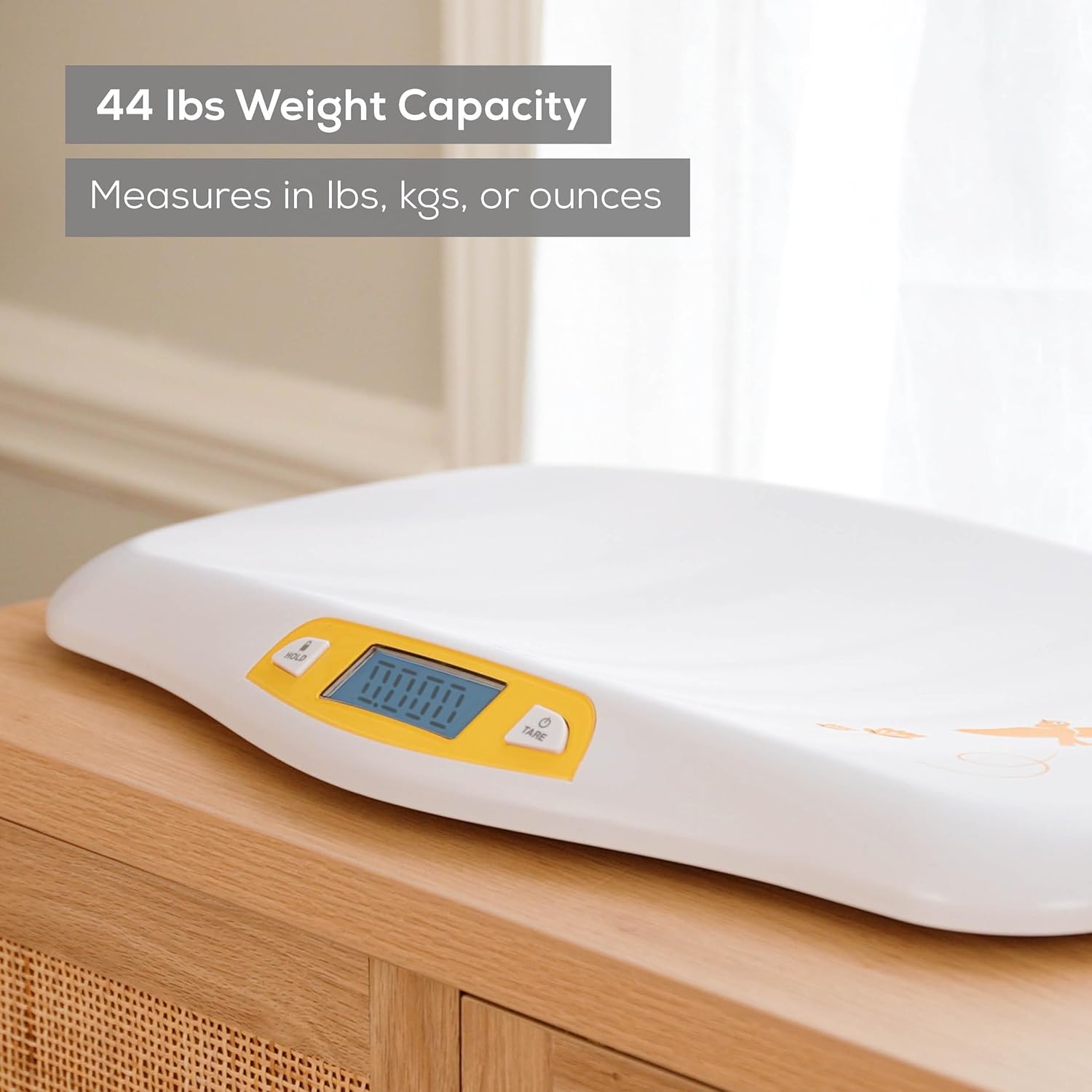
The Beurer BY80 Digital Baby Scale features a curved weighing platform for comfort and security, an easy-to-read backlit LCD, and intuitive control buttons.

The scale is equipped with non-slip, abrasion-resistant rubber feet to ensure stability during use.

The curved weighing platform is designed to provide a secure and comfortable surface for weighing babies and small pets.

For a visual overview of the product, please watch the official product video below:
5. Setup
- Battery Installation: Open the battery compartment on the underside of the scale. Insert the 4 AAA batteries, ensuring correct polarity (+/-). Close the compartment securely.
- Placement: Place the scale on a hard, flat, and stable surface. Avoid soft or uneven surfaces, as this can affect accuracy.
6. Operating Instructions
6.1. Power On/Off
- To turn on the scale, press the 'TARE' button. The display will show '0.000'.
- The scale features an automatic shut-off function to conserve battery life. It will turn off after a period of inactivity.
- To manually turn off the scale, press and hold the 'TARE' button for a few seconds.
6.2. Weighing a Baby or Pet
- Ensure the scale is on a stable surface and powered on, displaying '0.000'.
- Carefully place the baby or pet onto the center of the weighing platform.
- Wait for the display to stabilize. The weight will be shown on the LCD.


6.3. Hold Function
The hold function is useful for obtaining stable readings from moving subjects (e.g., a wiggly baby or pet). The scale will automatically lock onto a stable weight once detected.
- Place the subject on the scale.
- Press the 'HOLD' button. The scale will attempt to stabilize the reading.
- Once a stable weight is detected, the display will lock, allowing you to record the measurement even if the subject moves.
6.4. Tare Function
The tare function allows you to zero out the weight of an item (e.g., a blanket or container) placed on the scale before weighing the subject, ensuring only the subject's weight is measured.
- Place the blanket or container on the scale.
- Press the 'TARE' button. The display will reset to '0.000'.
- Carefully place the baby or pet onto the blanket/in the container. The display will show only the weight of the subject.

6.5. Unit Conversion
The scale can display weight in pounds (lb), ounces (oz), or kilograms (kg). The unit can typically be changed using a switch on the underside of the scale or by repeatedly pressing the 'TARE' button when the scale is off and then turning it on.
7. Maintenance and Cleaning
To ensure the longevity and accuracy of your scale, follow these maintenance guidelines:
- Clean the scale surface with a damp cloth and mild detergent.
- Do not use abrasive cleaners or immerse the scale in water.
- Store the scale in a dry place away from extreme temperatures.
- Remove batteries if the scale will not be used for an extended period.

8. Troubleshooting
| Problem | Possible Cause | Solution |
|---|---|---|
| Inaccurate readings | Unstable surface, low battery, scale overloaded | Place on a flat surface, replace batteries, ensure weight is within limits. |
| Display shows 'Lo' | Low battery | Replace batteries. |
| Display shows 'Err' | Scale overloaded or malfunction | Remove weight, restart scale. If error persists, contact support. |
9. Specifications
- Model: BY80
- Weight Limit: 44 lbs (20 kg)
- Readout Accuracy: 0.2 ounces (5g)
- Display Type: LCD with backlight
- Power Source: 4 AAA batteries (included)
- Dimensions: 18.75 x 13 x 1.5 inches
- Material: Plastic, Rubber
- Special Features: Auto Shut Off, Backlit Display, Hold Function, Tare Function
10. Warranty and Support
Your Beurer BY80 Digital Baby Scale comes with a manufacturer's warranty. Please refer to the warranty card included in your package for specific terms and conditions. For technical support, troubleshooting assistance, or warranty claims, please contact Beurer customer service.
Contact Information: Please visit the official Beurer website or refer to your product packaging for the most up-to-date contact details.


