
Rexel RES1523
Rexel Mercury RES1523 Paper Shredder
User Manual
1. Introduction
The Rexel Mercury RES1523 is a strip-cut paper shredder designed for personal and business use, offering efficient and secure disposal of confidential documents. It features revolutionary anti-jam technology, a 23-liter waste bin, and the ability to shred up to 15 sheets of paper at once, along with CDs and credit cards. This manual provides essential information for the safe and effective operation, maintenance, and troubleshooting of your shredder.
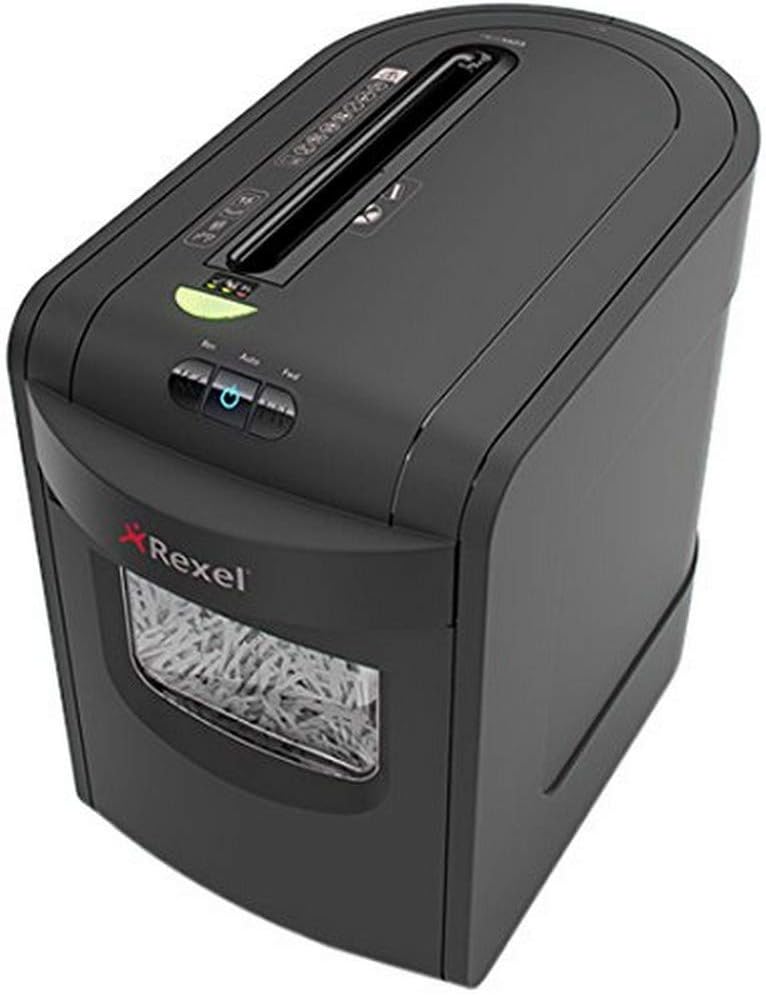
Image 1.1: Front view of the Rexel Mercury RES1523 Paper Shredder.
2. Safety Information
Please read all safety instructions carefully before using the shredder. Failure to follow these instructions may result in injury or damage to the shredder.
- Keep hands and fingers away: Never place hands or fingers near the paper entry slot.
- Loose clothing and hair: Keep loose clothing, ties, jewelry, and long hair away from the paper entry slot.
- Children and pets: Keep children and pets away from the shredder at all times. This appliance is not intended for use by persons with reduced physical, sensory or mental capabilities, or lack of experience and knowledge, unless they have been given supervision or instruction concerning use of the appliance by a person responsible for their safety.
- Power source: Ensure the shredder is connected to a power outlet with the correct voltage (230-250V).
- Indoor use only: This shredder is designed for indoor use only. Do not expose to rain or moisture.
- Flammable materials: Do not shred materials containing flammable liquids or aerosols.
- Unplug when not in use: Always unplug the shredder before moving, cleaning, or emptying the waste bin.
- Damage: Do not operate the shredder if the power cord or plug is damaged. Contact qualified service personnel for repair.
3. Setup
Follow these steps to set up your Rexel Mercury RES1523 shredder:
- Unpack: Carefully remove the shredder from its packaging. Retain packaging for future transport or storage.
- Placement: Place the shredder on a flat, stable surface. Ensure there is adequate space around the unit for ventilation and access to the waste bin.
- Waste Bin: Ensure the 23-liter waste bin is correctly inserted into the shredder housing. The shredder will not operate if the bin is not properly seated.
- Power Connection: Plug the power cord into a suitable electrical outlet.
4. Operating Instructions
Your Rexel Mercury RES1523 shredder is equipped with user-friendly controls and features for efficient shredding.
4.1 Powering On/Off
- To turn on the shredder, press the power button (usually indicated by a circle with a vertical line). The shredder will enter standby mode.
- To turn off the shredder, press the power button again.
4.2 Shredding Paper
The shredder can shred up to 15 sheets of 80gsm A4 paper at once, producing 5.8mm strip-cut particles (P-2 security level). It can also handle staples and paper clips.
- Ensure the shredder is powered on and in auto mode.
- Insert paper into the main paper entry slot. The shredder will automatically start and stop.
- Anti-Jam Technology: The shredder features a clear display next to the paper entry. A green light indicates it's safe to feed paper. A red light warns you if you are attempting to feed too much paper, preventing jams. Reduce the number of sheets if the red light appears.
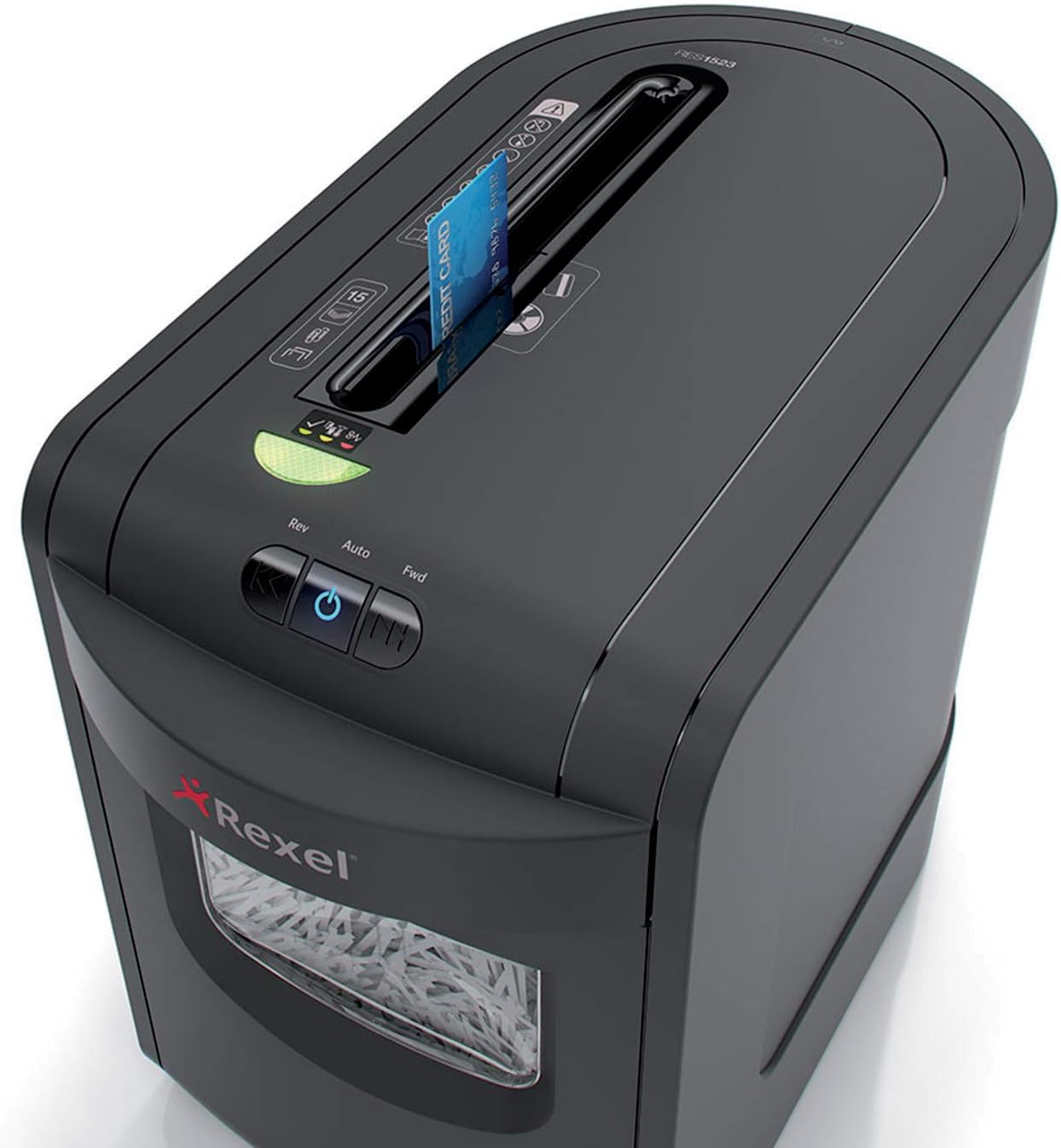
Image 4.1: Paper being fed into the shredder's main slot.
4.3 Shredding CDs and Credit Cards
The shredder has a dedicated slot for shredding CDs and credit cards.
- Insert one CD or credit card at a time into the dedicated slot.
- The shredder will automatically shred the item.

Image 4.2: A CD being inserted into the dedicated shredding slot.

Image 4.3: A credit card being inserted into the dedicated shredding slot.
4.4 Continuous Operation and Cool-down
The shredder can operate continuously for up to 8 minutes. After this period, it requires a cool-down phase to prevent overheating. Allow the shredder to cool down for approximately 30 minutes before resuming operation.
5. Maintenance
Regular maintenance ensures the longevity and optimal performance of your shredder.
5.1 Emptying the Waste Bin
The 23-liter waste bin can hold up to 190 sheets of shredded paper. Empty the bin regularly to prevent paper jams and ensure efficient operation. The shredder has a sensor that indicates when the bin is full.
- Unplug the shredder from the power outlet.
- Pull out the waste bin from the front of the shredder.
- Dispose of the shredded material.
- Slide the waste bin back into the shredder until it is securely in place.

Image 5.1: The waste bin pulled out for emptying.
5.2 Cleaning
Clean the exterior of the shredder with a soft, dry cloth. Do not use abrasive cleaners or solvents. The shredder features self-cleaning cutting blades for extended life and maximum performance.
5.3 Oiling (Recommended)
To maintain optimal performance and extend the life of the cutting blades, it is recommended to oil the shredder regularly, especially after emptying the waste bin or after prolonged use. Use a shredder-specific oil.
- Apply a thin line of shredder oil across the paper entry slot.
- Run the shredder in reverse mode for a few seconds to distribute the oil.
6. Troubleshooting
If you encounter issues with your shredder, refer to the following common problems and solutions:
| Problem | Possible Cause | Solution |
|---|---|---|
| Shredder does not turn on. | No power; Waste bin not properly inserted; Overheat protection activated. | Check power connection; Ensure waste bin is fully inserted; Allow shredder to cool down for 30 minutes. |
| Paper jam. | Too much paper inserted; Staples/paper clips not removed (for non-compatible models); Overload. | Press the reverse button to clear the jam; Reduce paper quantity; Ensure compatible items are shredded. |
| Shredder stops during operation. | Overheat protection; Waste bin full; Motor overload. | Allow shredder to cool down; Empty waste bin; Reduce paper quantity. |
7. Specifications
| Feature | Detail |
|---|---|
| Brand | Rexel |
| Model Number | 2105015EU (Mercury RES1523) |
| Shred Type | Strip-cut |
| Particle Size | Approx. 5.8 mm strips (P-2 security level) |
| Sheet Capacity | 15 sheets (80gsm A4 paper) |
| Waste Bin Capacity | 23 liters (approx. 190 sheets) |
| Shreds | Paper, CDs, Credit Cards, Staples, Paper Clips |
| Continuous Run Time | 8 minutes |
| Cool-down Time | Approx. 30 minutes |
| Dimensions (L x W x H) | 47.1 x 27 x 41.3 cm |
| Weight | 6.95 kg |
| Voltage | 230-250 V |
| Noise Level | 65 dB |
8. Warranty and Support
Your Rexel Mercury RES1523 Paper Shredder comes with a 2-year warranty from the date of purchase. This warranty covers defects in materials and workmanship under normal use.

Image 8.1: Warranty information indicating 2 years.
For warranty claims, technical support, or further assistance, please contact Rexel customer service or visit the official Rexel website. Please have your model number (RES1523 / 2105015EU) and proof of purchase ready when contacting support.
Related documentsRES1523


Ask a question about this manual
Ask about setup, troubleshooting, compatibility, parts, safety, or missing instructions. Manuals+ will review the question and use this page’s manual context to help answer it.