
Avanti FLD40V0W
Contents
Avanti FLD40V0W Compact Dryer User Manual
Model: FLD40V0W
Introduction
This user manual provides important information for the safe and efficient operation of your Avanti FLD40V0W Compact Dryer. Please read this manual thoroughly before using the appliance and keep it for future reference.
The Avanti FLD40V0W is a compact, freestanding dryer designed for efficient clothes drying in various living spaces. It features electronic controls, multiple drying cycles, and a space-saving design.
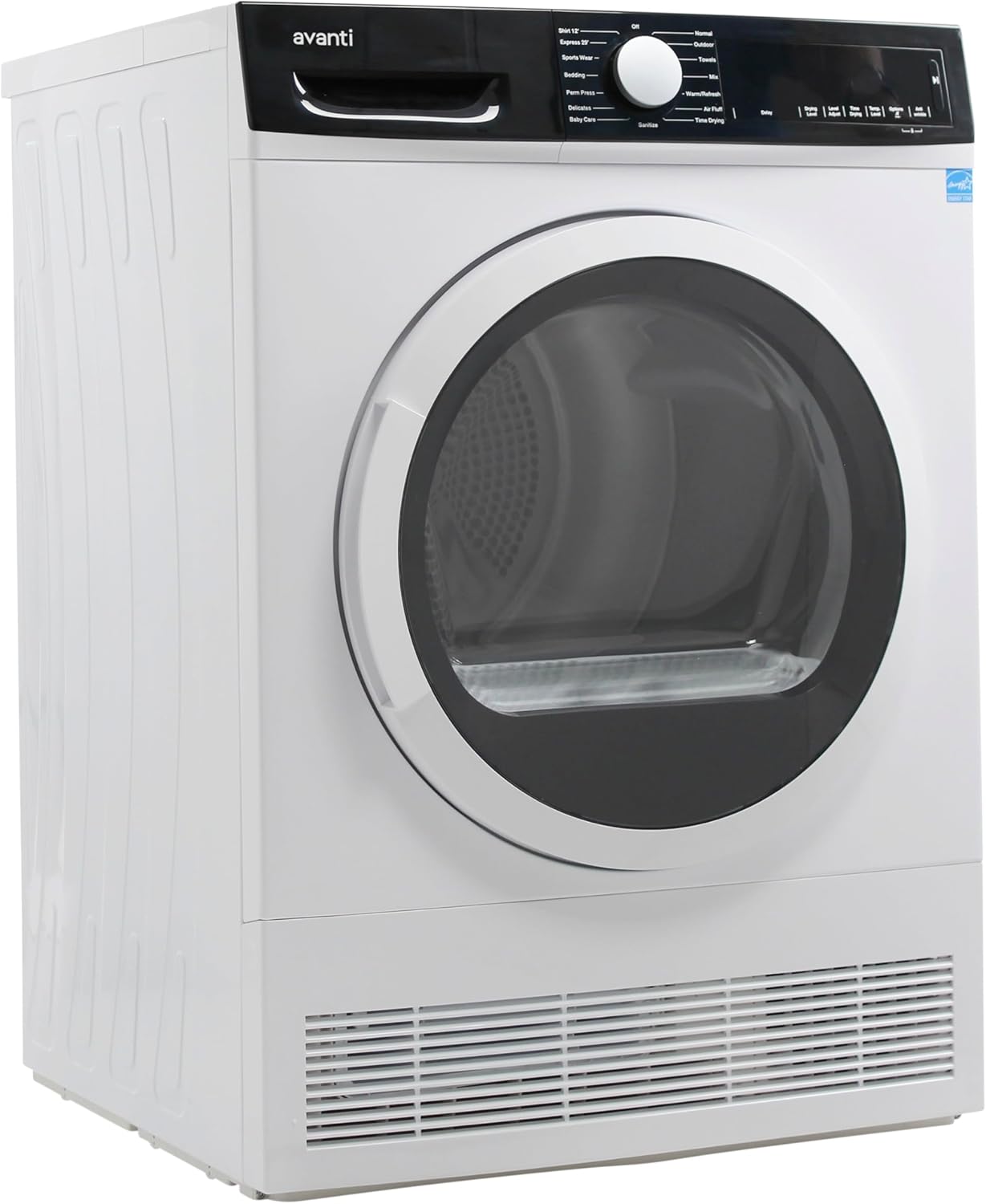
Figure 1: Angled view of the Avanti FLD40V0W Compact Dryer.
Safety Information
Always follow basic safety precautions when using electrical appliances to reduce the risk of fire, electric shock, or injury to persons.
General Safety
- Read all instructions before using the appliance.
- Do not dry articles that have been previously cleaned in, washed in, soaked in, or spotted with gasoline, dry-cleaning solvents, or other flammable or explosive substances, as they emit vapors that could ignite or explode.
- Do not allow children to play on or in the appliance. Close supervision of children is necessary when the appliance is used near children.
- Before the appliance is removed from service or discarded, remove the door to the drying compartment.
- Do not reach into the appliance if the drum is moving.
- Do not install or store this appliance where it will be exposed to the weather.
- Do not tamper with controls.
- Do not repair or replace any part of the appliance or attempt any servicing unless specifically recommended in this manual.
Electrical Safety
- Ensure the appliance is properly grounded.
- Do not operate any appliance with a damaged cord or plug, or if it is not working properly or has been dropped or damaged.
- Do not use an extension cord or adapter with this appliance.
Setup and Installation
Unpacking
Carefully remove all packaging materials. Ensure all components are present and undamaged. Keep packaging materials away from children.
Location Requirements
Place the dryer on a firm, level floor. The appliance can be freestanding or stacked. Ensure adequate clearance around the unit for proper ventilation.
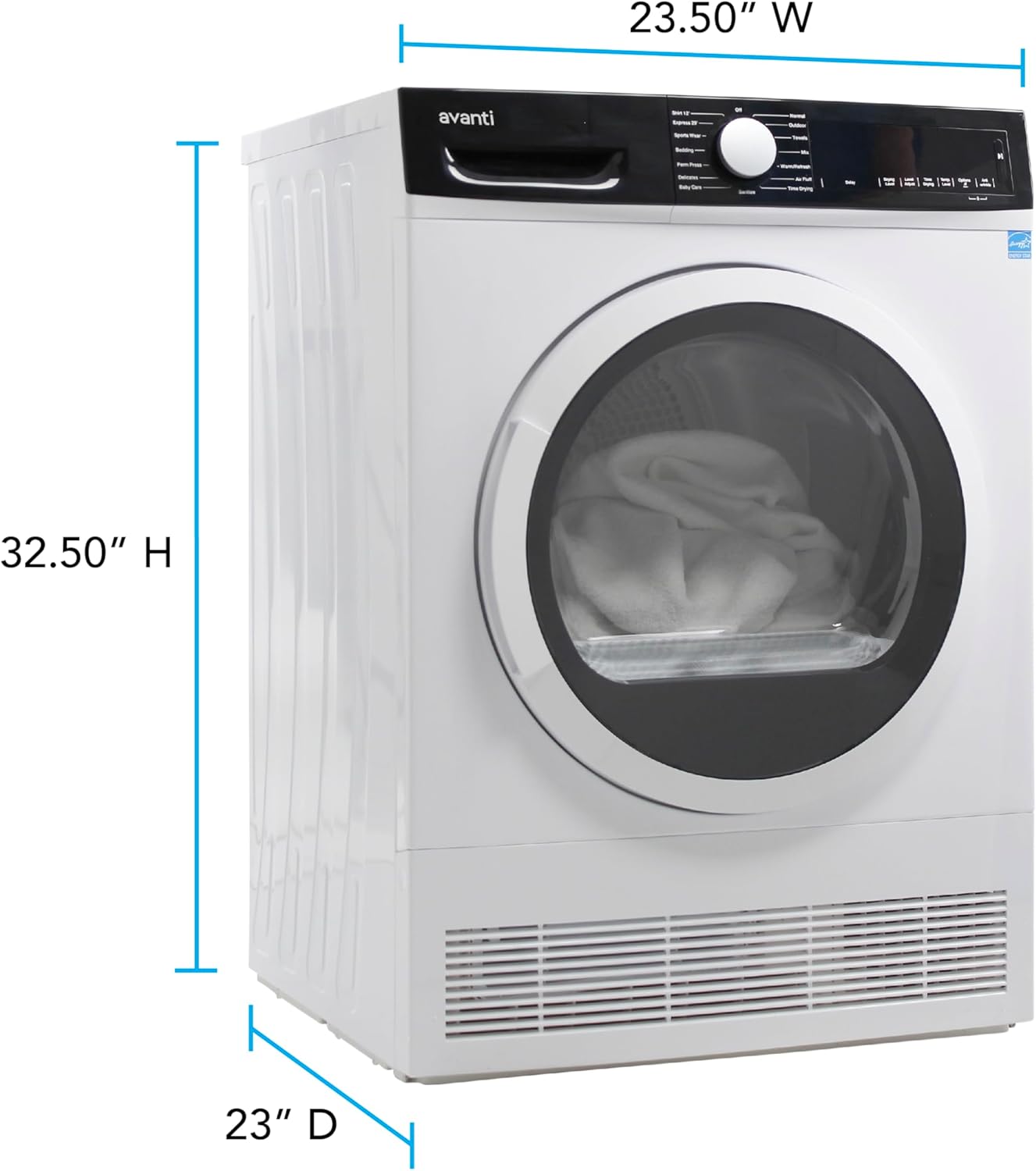
Figure 2: Dryer dimensions for installation planning. Height: 32.50", Width: 23.50", Depth: 23".
Leveling the Appliance
The dryer is equipped with adjustable front leveling legs. Use a level to ensure the appliance is perfectly balanced to prevent vibration and noise during operation.
Electrical Connection
Connect the dryer to a dedicated, properly grounded electrical outlet as specified in the electrical requirements section of this manual. Do not use extension cords.
Operating Instructions
Control Panel Overview
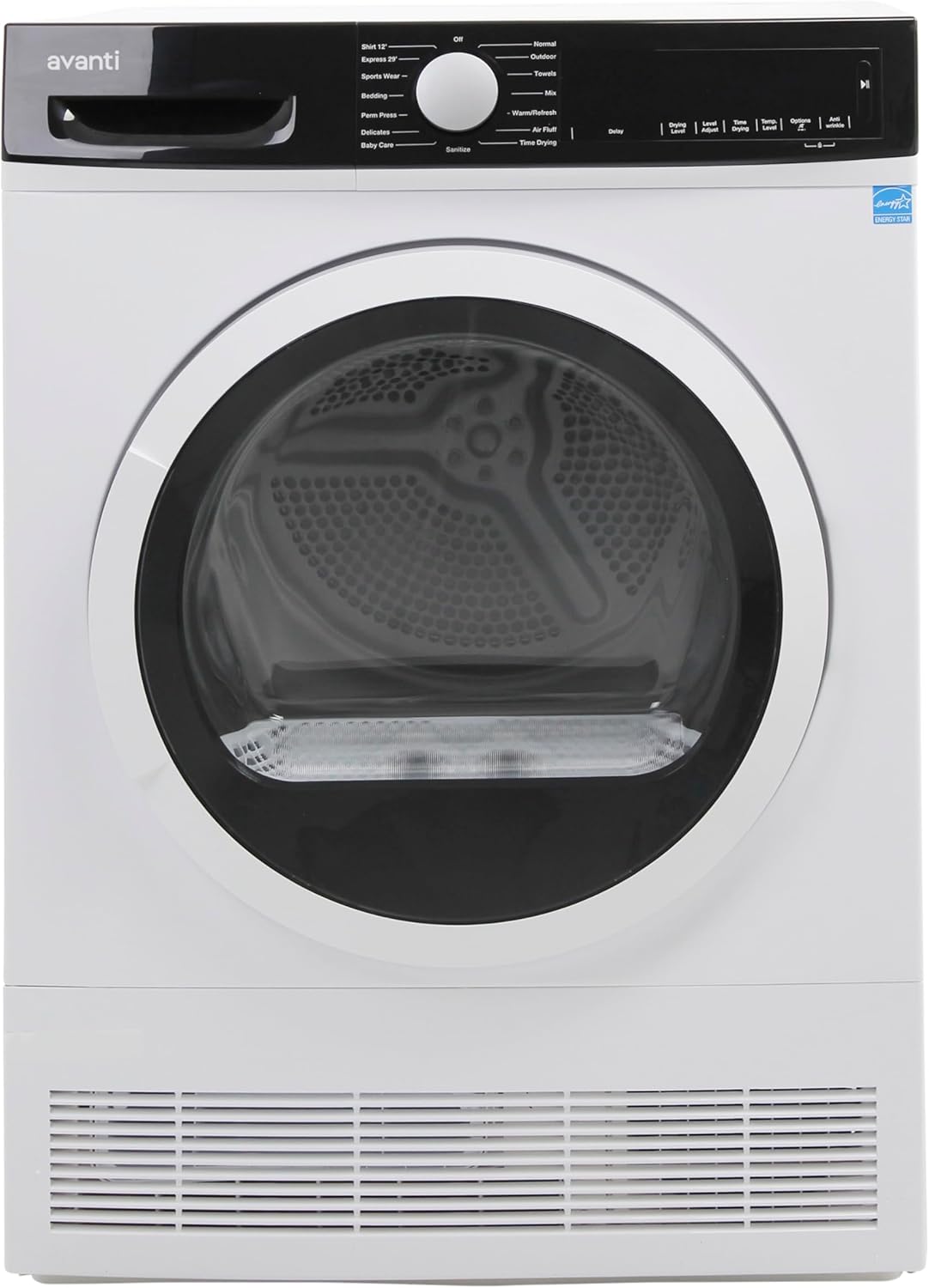
Figure 3: Front view showing the control panel with cycle selector and LED display.
The control panel features an electronic display and a rotary knob for cycle selection. Buttons for additional settings are also present.
Loading the Dryer
Open the dryer door and load clothes into the drum. Do not overload the dryer, as this can affect drying performance and efficiency. Ensure items are untangled before loading.
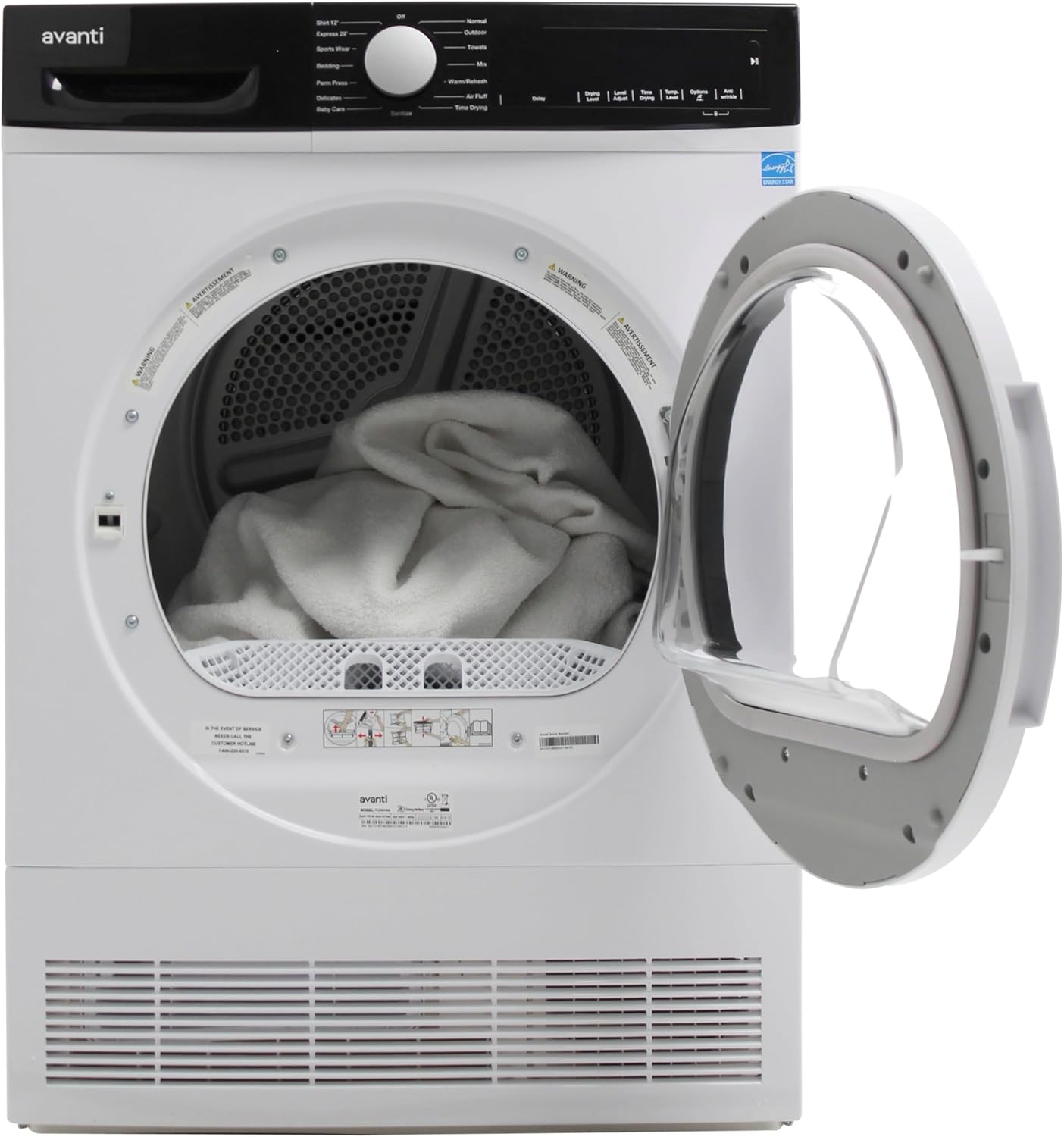
Figure 4: View inside the dryer drum with laundry.
Selecting a Drying Cycle
Turn the cycle selector knob to choose from 15 automatic cycles. Refer to the table below for common cycles and their recommended uses:
| Cycle Name | Description | Typical Use |
|---|---|---|
| Normal | Standard drying for everyday items. | Cotton, mixed fabrics. |
| Delicates | Gentle drying for sensitive fabrics. | Lingerie, silk, lace. |
| Heavy Duty | For large or heavily soiled items. | Towels, jeans. |
| Air Fluff | No heat, for freshening items. | Pillows, stuffed animals. |
Temperature and Drying Level Settings
Adjust the temperature and drying level settings as needed. The dryer offers three drying level settings and three temperature settings to meet various drying needs.
Starting a Cycle
Press the Start/Pause button to begin the selected drying cycle. The LED display will show the remaining time or cycle status.
Monitoring Progress
The see-through door allows you to monitor your load without interrupting the cycle.
Maintenance
Cleaning the Lint Filter
Clean the lint filter before or after every load to ensure optimal drying performance and prevent fire hazards. The lint filter is located inside the dryer drum, near the door opening.
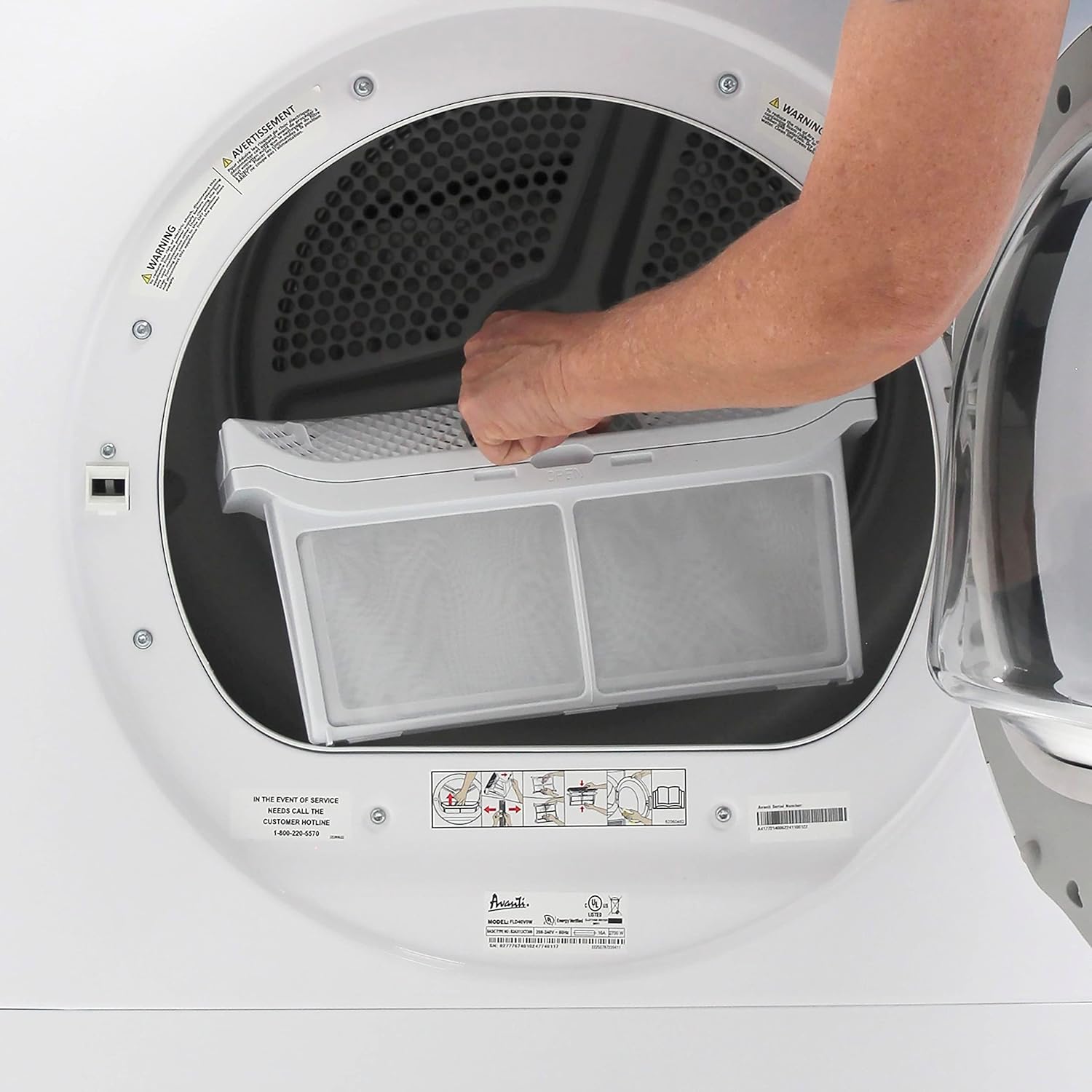
Figure 5: Removing the lint filter for cleaning.
Cleaning the Dryer Exterior
Wipe the exterior surfaces with a soft, damp cloth. Avoid abrasive cleaners or solvents.
Cleaning the Drum
Occasionally wipe the interior of the drum with a damp cloth to remove any residue.
Detergent Dispenser Maintenance
If your model has a detergent dispenser, clean it regularly to prevent buildup.
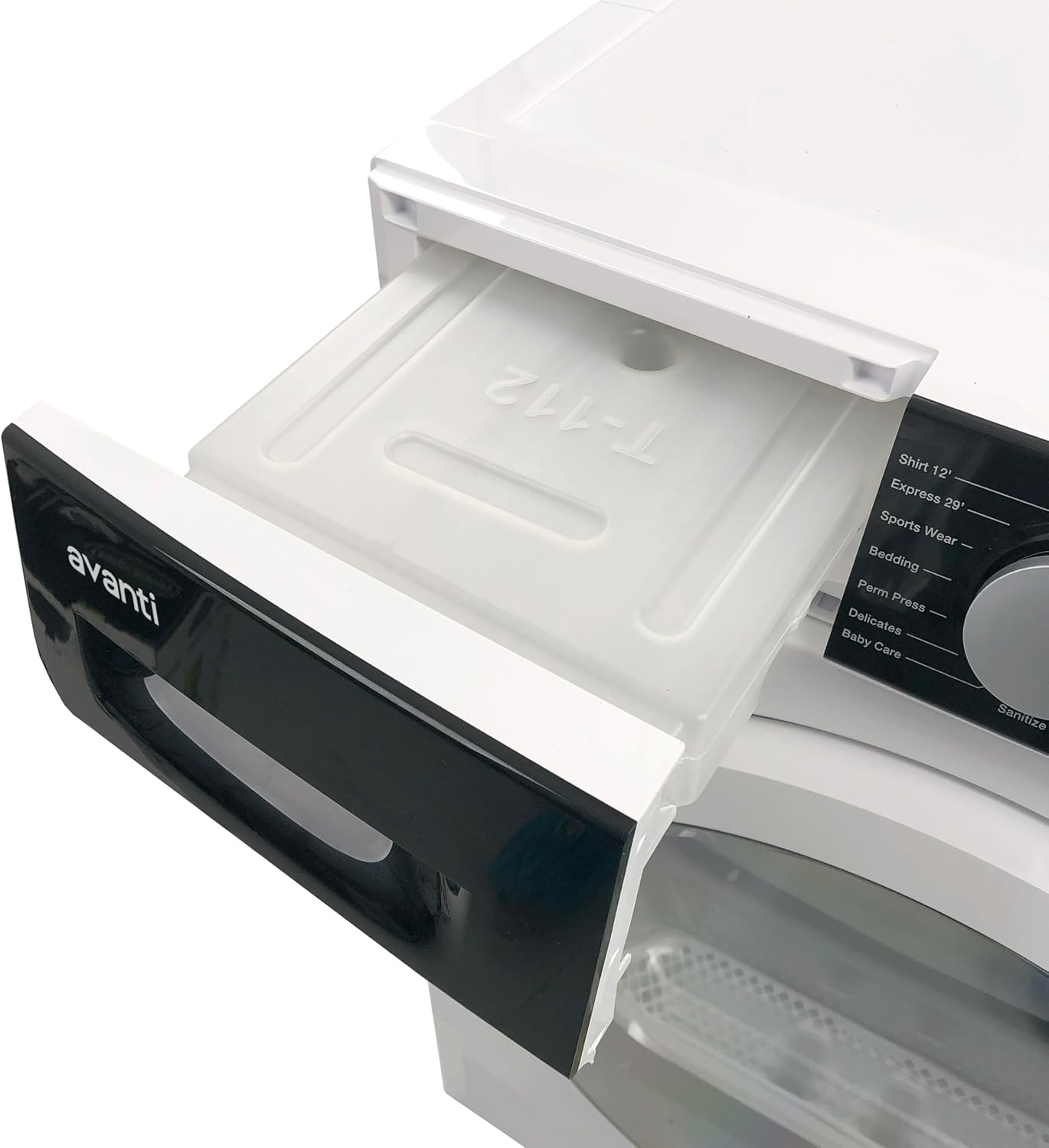
Figure 6: The detergent dispenser drawer, which should be cleaned periodically.
Troubleshooting
Before contacting customer service, review the following common issues and their solutions:
| Problem | Possible Cause | Solution |
|---|---|---|
| Dryer does not start | No power; Door not closed; Cycle not selected. | Check power supply; Ensure door is latched; Select a cycle and press Start. |
| Clothes not drying properly | Lint filter clogged; Overloaded; Incorrect cycle/temperature. | Clean lint filter; Reduce load size; Select appropriate cycle/temperature. |
| Excessive noise/vibration | Dryer not level; Items tangled. | Adjust leveling legs; Untangle clothes before loading. |
Specifications
| Feature | Specification |
|---|---|
| Model Number | FLD40V0W |
| Capacity | 4.0 cu. ft. |
| Dimensions (H x W x D) | 32.50" x 23.50" x 23" |
| Item Weight | 66.9 pounds |
| Color | White |
| Material | Stainless Steel (drum) |
| Cycles | 15 Automatic Cycles |
| Temperature Settings | 3 |
| Drying Level Settings | 3 |
| Door Type | See-through, Reversible |
| Energy Efficiency | ENERGY STAR certified |
Warranty and Support
Manufacturer's Warranty
This Avanti FLD40V0W Compact Dryer is backed by Avanti’s 1-Year Manufacturer Limited Warranty. Please refer to the warranty card included with your product for full terms and conditions, or visit the official Avanti website for details.
Customer Support
For technical assistance, parts, or service inquiries, please contact Avanti Customer Support. Have your model number (FLD40V0W) and serial number ready when contacting support.
You can find more information and support resources on the Avanti Store on Amazon.
Documents and downloads
Ask a question about this manual
Ask about setup, troubleshooting, compatibility, parts, safety, or missing instructions. Manuals+ will review the question and use this page’s manual context to help answer it.