
1. Introduction
The MAVERICK DT-05 Digital Instant Read Folding Food Thermometer provides rapid and accurate temperature readings for various food items. Its compact design and user-friendly features make it suitable for cooking, grilling, smoking, and general kitchen use. This manual provides instructions for proper setup, operation, and maintenance to ensure optimal performance and longevity of your thermometer.
2. Safety Information
- Do not leave the thermometer in an oven or closed grill. The plastic housing is not designed for high heat exposure.
- Do not immerse the entire thermometer in water. Only the metal probe is designed to be in contact with food and liquids.
- Keep out of reach of children. The probe tip is sharp.
- Clean the probe thoroughly before and after each use to prevent cross-contamination.
- Handle the probe with care to avoid injury.
- Dispose of batteries responsibly according to local regulations.
3. Package Contents
Upon unpacking, please ensure all items are present and in good condition:
- 1 x MAVERICK DT-05 Digital Instant Read Folding Food Thermometer
- 1 x LR44 1.5V Battery (pre-installed or included separately)
4. Product Overview
Familiarize yourself with the components of your DT-05 thermometer:
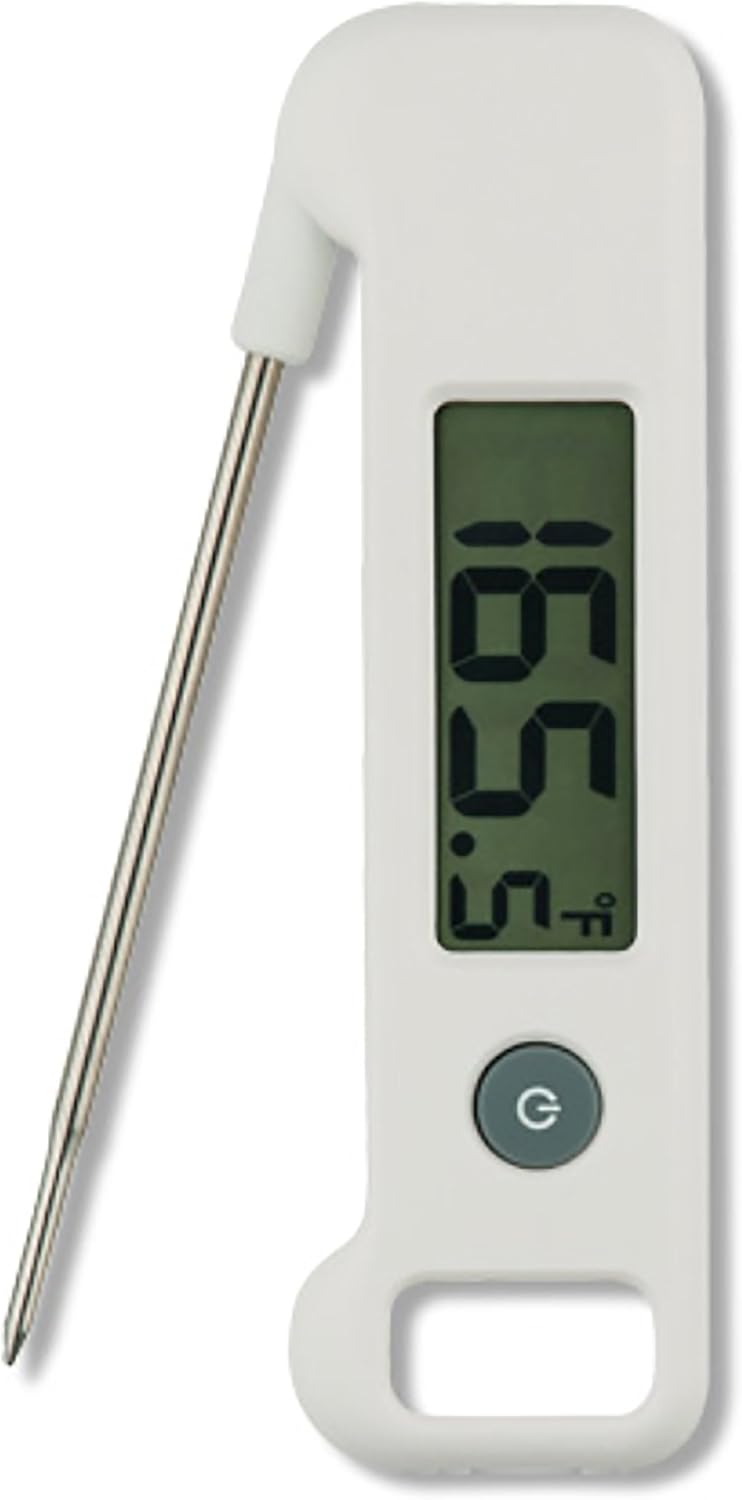
Image: The MAVERICK DT-05 Digital Instant Read Folding Food Thermometer. It features a white plastic body with a large digital display showing "165.5°F". Below the display is a circular power button. A thin, metallic probe extends from the top left, folded out for use.
- Folding Probe: Stainless steel probe for inserting into food. Folds into the body for safe storage.
- Digital Display: Large, easy-to-read screen showing temperature.
- Power Button (G): Turns the thermometer on and off. Also functions as the °F/°C switch.
- Battery Compartment: Located on the back (not visible in image), houses the LR44 battery.
5. Setup: Battery Installation
The MAVERICK DT-05 thermometer uses one LR44 1.5V battery, which is typically included. If the display is blank or dim, you may need to install or replace the battery.
- Locate the battery compartment cover on the back of the thermometer.
- Use a small screwdriver or coin to gently open the battery compartment.
- Insert one LR44 1.5V battery, ensuring the correct polarity (+/-) as indicated inside the compartment.
- Securely close the battery compartment cover.
Note: The thermometer has an auto shut-off feature to conserve battery life.
6. Operating Instructions
6.1. Turning On/Off
- To turn on the thermometer, unfold the probe from its stored position. Alternatively, press the 'G' (Power) button.
- To turn off the thermometer, fold the probe back into its stored position. Alternatively, press and hold the 'G' (Power) button for a few seconds. The thermometer will also automatically shut off after a period of inactivity to save battery.
6.2. Taking a Temperature Reading
- Ensure the thermometer is turned on.
- Insert the stainless steel probe into the thickest part of the food, avoiding bone or gristle.
- Hold the probe in place until the temperature reading stabilizes on the digital display (typically within 4 seconds).
- Remove the probe from the food and clean it immediately after use.
6.3. Switching Between °F and °C
To switch the temperature unit between Fahrenheit (°F) and Celsius (°C):
- With the thermometer turned on, press the 'G' (Power) button briefly. The display will toggle between °F and °C.
7. Care and Maintenance
- Cleaning: After each use, wipe the stainless steel probe with a damp cloth and mild soap. Rinse the probe tip carefully and dry thoroughly. Do not immerse the entire thermometer body in water.
- Storage: Fold the probe back into the thermometer body for safe and compact storage. Store in a dry place at room temperature.
- Battery Replacement: Replace the LR44 1.5V battery when the display becomes dim or does not turn on.
8. Troubleshooting
| Problem | Possible Cause | Solution |
|---|---|---|
| Display is blank or dim. | Low or dead battery; incorrect battery installation. | Replace the LR44 1.5V battery, ensuring correct polarity. |
| Inaccurate temperature readings. | Probe not inserted deep enough; probe tip touching bone/gristle; thermometer malfunction. | Re-insert probe into the thickest part of the food, avoiding bone. If problem persists, contact customer support. |
| Thermometer does not turn on. | Battery issue; probe not fully unfolded; unit malfunction. | Check/replace battery. Ensure probe is fully extended. If problem persists, contact customer support. |
9. Specifications
| Feature | Detail |
|---|---|
| Model | DT-05 |
| Temperature Range | 4°F to 392°F (-20°C to 200°C) |
| Response Time | Approximately 4 seconds |
| Display Type | Digital |
| Power Source | 1 x LR44 1.5V Battery (included) |
| Auto Shut-off | Yes |
| Material | Plastic (body), Stainless Steel (probe) |
| Product Dimensions | 4.8 x 1 x 8.5 inches |
| Item Weight | 2.56 ounces |
| Product Care | Wipe Clean |
10. Warranty and Support
MAVERICK products are designed for reliability and performance. While specific warranty details are not provided in this manual, for any questions, concerns, or support needs regarding your DT-05 thermometer, please contact MAVERICK customer service. Refer to the product packaging or the official MAVERICK website for the most current contact information.
MAVERICK is committed to providing best-in-class customer service.


