
1. Introduction
The McGrey BK-5410 is a vibrant 54-key electronic keyboard designed specifically for beginners and children entering the world of music. It features a user-friendly interface with clearly arranged functions and buttons, making it easy for even the youngest musicians to start playing immediately. This keyboard offers a rich selection of 255 sounds and 255 accompaniment rhythms, ensuring a diverse and engaging learning experience. It also includes 8 percussion pads for individual rhythm programming, a built-in recording function to track progress, and an extra-large LCD display for clear readability. The package comes complete with a power adapter, a music stand, and a microphone for singing along.

This image highlights the key features of the McGrey BK-5410 keyboard, including its extensive sound and rhythm library, percussion options, demo songs, and 54-key layout.
2. Setup
2.1 Power Supply
- AC Adapter: Connect the included power adapter to the DC 9V input jack on the back of the keyboard and plug it into a standard wall outlet.
- Batteries: For portable use, open the battery compartment on the underside of the keyboard and insert six (6) AA batteries (not included), ensuring correct polarity.
2.2 Connecting the Microphone
Plug the included microphone into the MIC input jack on the keyboard. Adjust the microphone volume using the dedicated control if available, or the main volume control.
2.3 Attaching the Music Stand
Slide the music stand into the designated slots on the top panel of the keyboard until it is securely in place. This provides a convenient holder for sheet music or a tablet.
2.4 Headphone Connection
For private practice, connect standard 3.5mm headphones to the HEADPHONE output jack. This will mute the keyboard's internal speakers.

This image illustrates the power supply options for the keyboard, either via an AC adapter or batteries, and shows the included microphone. It also indicates the possibility of connecting to an amplifier or mixer.
3. Operating Instructions
3.1 Power On/Off and Volume
- Power: Press the 'POWER' button to turn the keyboard on or off.
- Volume: Use the 'MASTER VOLUME' controls to adjust the overall sound level.
3.2 Selecting Sounds (Tones)
The BK-5410 features 255 different sounds (timbres). To select a sound:
- Press the 'TIMBRE' button.
- Use the number pad (0-9) to enter the two-digit code for the desired sound. The selected sound will be displayed on the LCD screen.

This image provides a close-up of the keyboard's extensive list of 255 sounds and rhythms, showcasing the variety available for musical exploration and creation.
3.3 Selecting Rhythms
The keyboard includes 255 accompaniment rhythms. To select a rhythm:
- Press the 'RHYTHM' button.
- Use the number pad (0-9) to enter the two-digit code for the desired rhythm.
- Press 'START/STOP' to begin or end the rhythm.
- Adjust the rhythm tempo using the 'TEMPO' buttons.
3.4 Percussion Pads
The 8 percussion pads allow you to add drum sounds to your performance. Simply press the pads to trigger different percussion sounds. You can also use the 'PROG' function to program custom rhythm patterns.
3.5 Learning Functions ('One Key' and 'Ensemble')
The BK-5410 features integrated learning modes to assist beginners:
- One Key: This mode guides you through a song by waiting for you to press the correct key.
- Ensemble: In this mode, the keyboard plays the melody, and you play the accompaniment.
Refer to the on-screen prompts and the manual's detailed learning section for specific instructions on using these modes.

This image focuses on the control panel of the BK-5410, emphasizing its beginner-friendly design and the integrated 'One Key' and 'Ensemble' learning modes designed to assist new players.
3.6 Recording Function
The built-in recording mode allows you to capture your performances:
- Press the 'REC' button to start recording.
- Play your desired melody or rhythm.
- Press 'PLAY' to listen to your recorded performance.
This feature is useful for tracking your musical progress and sharing your creations.

This image illustrates the keyboard's integrated recording function, allowing users to capture and review their musical performances to monitor progress.
3.7 LCD Display
The large LCD display shows important information such as the selected sound, rhythm, tempo, and learning mode status, ensuring clear visual feedback during use.

A child is shown using the McGrey BK-5410 keyboard, demonstrating its suitability for beginners and its potential for use with learning applications.
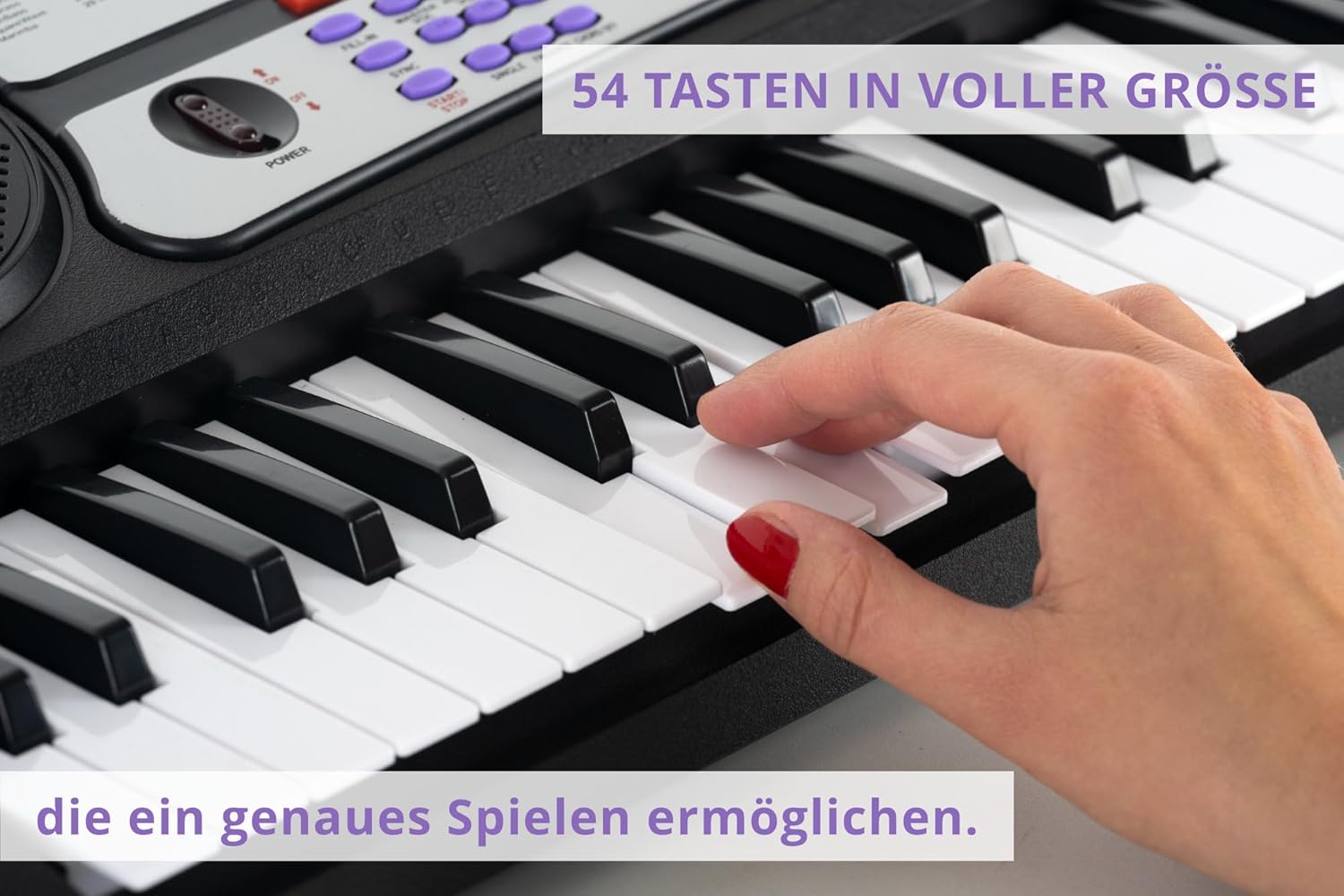
This image highlights the 54 full-size keys of the keyboard, designed to provide an accurate and comfortable playing experience for users.
4. Maintenance
4.1 Cleaning
To clean the keyboard, use a soft, dry cloth. For stubborn dirt, slightly dampen the cloth with water. Avoid using abrasive cleaners, solvents, or waxes, as these can damage the surface. Do not spray cleaning liquids directly onto the keyboard.
4.2 Storage
Store the keyboard in a cool, dry place away from direct sunlight, extreme temperatures, and high humidity. If storing for an extended period, remove the batteries to prevent leakage.
4.3 Battery Replacement
When the keyboard's power indicator dims or the sound quality deteriorates, it's time to replace the batteries. Ensure the keyboard is turned off before opening the battery compartment and replacing all six AA batteries with new ones, observing correct polarity.
5. Troubleshooting
| Problem | Possible Cause | Solution |
|---|---|---|
| No power | Power adapter not connected or faulty; batteries low or incorrectly inserted. | Check power adapter connection and outlet. Replace batteries or ensure correct polarity. |
| No sound | Volume too low; headphones connected; sound setting incorrect. | Increase master volume. Disconnect headphones if using speakers. Check selected sound. |
| Microphone not working | Microphone not fully plugged in; microphone faulty. | Ensure microphone is securely plugged into the MIC jack. Test with another microphone if possible. |
| Keys not responding | Keyboard in a specific learning mode that restricts key input. | Exit any active learning modes (e.g., 'One Key' or 'Ensemble') to enable full key functionality. |
6. Specifications
- Model Name: BK-5410
- Brand: McGrey
- Number of Keys: 54
- Sounds (Timbres): 255
- Rhythms: 255
- Percussion Pads: 8
- Special Features: Microphone input, Extended Learning Function, Recording Function, LCD Display
- Connectivity: 3.5mm Jack (Headphone, Microphone)
- Power Source: AC Adapter (included) or 6 x AA Batteries (not included)
- Product Dimensions (L x W x H): 80 x 30 x 13 cm (31.5 x 11.8 x 5.1 inches)
- Item Weight: 2.5 Kilograms (5.5 lbs)
- Color: Black
- Skill Level: Beginner
- Age Range (Description): Child
- Components Included: 54-key keyboard, power adapter, music stand, microphone
- Country of Origin: China
7. Warranty and Support
Specific warranty information for the McGrey BK-5410 keyboard may vary by region and retailer. Please refer to the documentation provided at the time of purchase or contact your retailer for details regarding warranty coverage and terms.
For technical support or further assistance, please contact the manufacturer, McGrey, or your authorized dealer. Keep your purchase receipt and model number (BK-5410) handy when seeking support.


