
LG 6601ER2001A
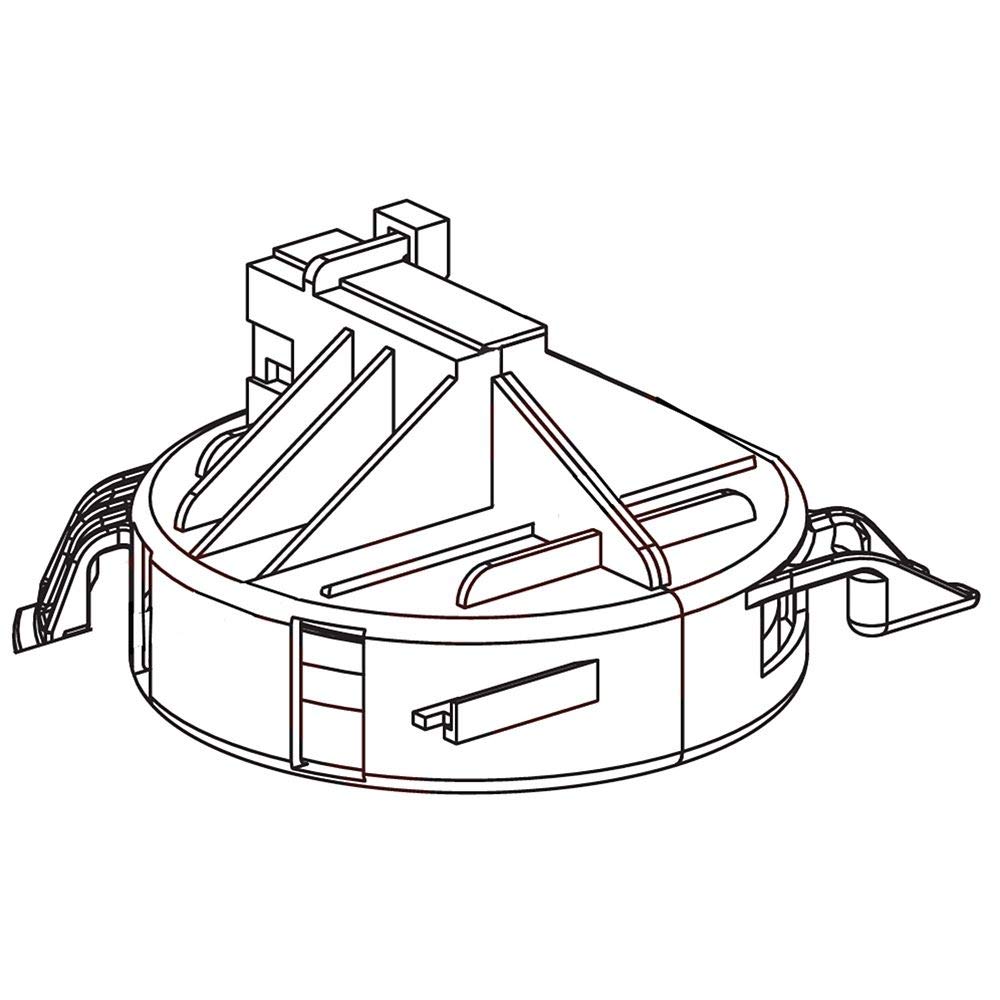
LG 6601ER2001A Safety Switch Assembly Instruction Manual
Model: 6601ER2001A
1. Introduction
This manual provides essential information for the proper installation, operation, and maintenance of your Genuine LG 6601ER2001A Safety Switch Assembly. Please read these instructions carefully before proceeding with installation or use to ensure safe and efficient operation.
The LG 6601ER2001A is an OEM authorized replacement part designed for compatibility with various LG brand models. It functions as a 1-way push-button switch, typically used in electrical light switch applications.
2. Safety Information
WARNING: Electrical work can be hazardous. Always disconnect power at the circuit breaker or fuse box before installing or servicing this switch. If you are unsure about any part of these instructions, consult a qualified electrician.
- Ensure all local and national electrical codes are followed during installation.
- Do not install this switch with wet hands or while standing on a wet surface.
- Verify that the replacement part number 6601ER2001A matches your appliance's required part. Many replacement parts may appear similar but are not compatible.
3. Product Overview
The LG 6601ER2001A is a genuine OEM safety switch assembly. It is designed for reliable performance and is an authorized replacement part for specific LG appliances. This switch features a push-button actuator and is intended for 1-way circuit applications.

Image: A close-up view of the LG 6601ER2001A Safety Switch Assembly, showing its white plastic housing and push-button actuator.
4. Specifications
| Feature | Detail |
|---|---|
| Model Number | 6601ER2001A |
| Brand | LG |
| Part Type | Safety Switch Assembly |
| Operation Mode | Manual |
| Actuator Type | Push Button |
| Circuit Type | 1-way |
| Mounting Type | Wall Mount |
| Connectivity Protocol | X-10 |
| International Protection Rating | IP00 |
| Color | White |
| Material | Plastic |
| Item Dimensions (L x W x H) | 4.15 x 4 x 2.85 inches |
| Item Weight | 1.8 ounces |
5. Setup and Installation
This section outlines the general steps for installing the LG 6601ER2001A Safety Switch Assembly. Specific installation procedures may vary depending on the appliance or electrical box it is being installed into. Always refer to your appliance's service manual for detailed instructions.

Image: A diagram illustrating the internal components or a typical wiring configuration for the LG 6601ER2001A Switch Assembly. Consult this diagram for proper wire connections during installation.
- Power Disconnection: Before beginning any installation, ensure the power supply to the circuit is completely disconnected at the main circuit breaker or fuse box. Verify power is off using a voltage tester.
- Access Existing Switch: Carefully remove the wall plate and mounting screws of the existing switch to expose the wiring.
- Disconnect Wiring: Note the position and color of each wire connected to the old switch. It is recommended to take a photograph for reference. Disconnect the wires from the old switch.
- Connect New Switch: Connect the wires to the new LG 6601ER2001A switch assembly according to the wiring diagram of your appliance or the standard wiring conventions (e.g., line, load, ground). Refer to the provided diagram image for guidance. Ensure all connections are secure.
- Mount Switch: Gently push the new switch assembly into the electrical box and secure it with the mounting screws.
- Install Wall Plate: Attach the decorative wall plate over the switch.
- Restore Power: Once installation is complete and all connections are secure, restore power at the circuit breaker.
- Test Functionality: Test the switch to ensure it operates correctly.
6. Operation
The LG 6601ER2001A Safety Switch Assembly operates manually via a push-button mechanism. It is designed for simple on/off control in a 1-way circuit.
- To Activate: Press the push-button to engage the circuit (e.g., turn on a light or appliance).
- To Deactivate: Press the push-button again to disengage the circuit (e.g., turn off a light or appliance).
This switch may also integrate with X-10 connectivity protocols, depending on the specific application and system setup. Refer to your X-10 system documentation for advanced operation.
7. Maintenance
The LG 6601ER2001A Safety Switch Assembly requires minimal maintenance. Regular cleaning and inspection are recommended to ensure continued safe and reliable operation.
- Cleaning: To clean the surface of the switch and wall plate, wipe with a soft, damp cloth. Do not use abrasive cleaners, solvents, or excessive moisture, as these can damage the finish or internal components. Ensure power is off before cleaning.
- Inspection: Periodically inspect the switch for any signs of damage, such as cracks in the plastic, discoloration, or loose connections. If any damage is observed, disconnect power and replace the switch immediately.
- Environmental Conditions: This switch has an International Protection Rating of IP00, meaning it is not protected against water or dust ingress. Install and use in dry, indoor environments only.
8. Troubleshooting
If you experience issues with your LG 6601ER2001A Safety Switch Assembly, refer to the following common troubleshooting steps:
| Problem | Possible Cause & Solution |
|---|---|
| Switch does not operate (no power) |
|
| Switch feels loose or wobbly |
|
| Switch is discolored or shows signs of burning |
|
If these steps do not resolve the issue, or if you are uncomfortable performing electrical work, contact a qualified electrician or LG customer support.
9. Warranty and Support
As a genuine LG OEM part, this product is typically covered by the warranty of the appliance it is installed into, or a standard replacement part warranty provided by LG. Please refer to your original appliance documentation or contact LG customer support for specific warranty terms and conditions.
For technical assistance, replacement parts, or warranty inquiries, please visit the official LG website or contact their customer service department. Ensure you have your appliance model number and the part number (6601ER2001A) available when contacting support.
LG Official Website: www.lg.com
Ask a question about this manual
Ask about setup, troubleshooting, compatibility, parts, safety, or missing instructions. Manuals+ will review the question and use this page’s manual context to help answer it.